
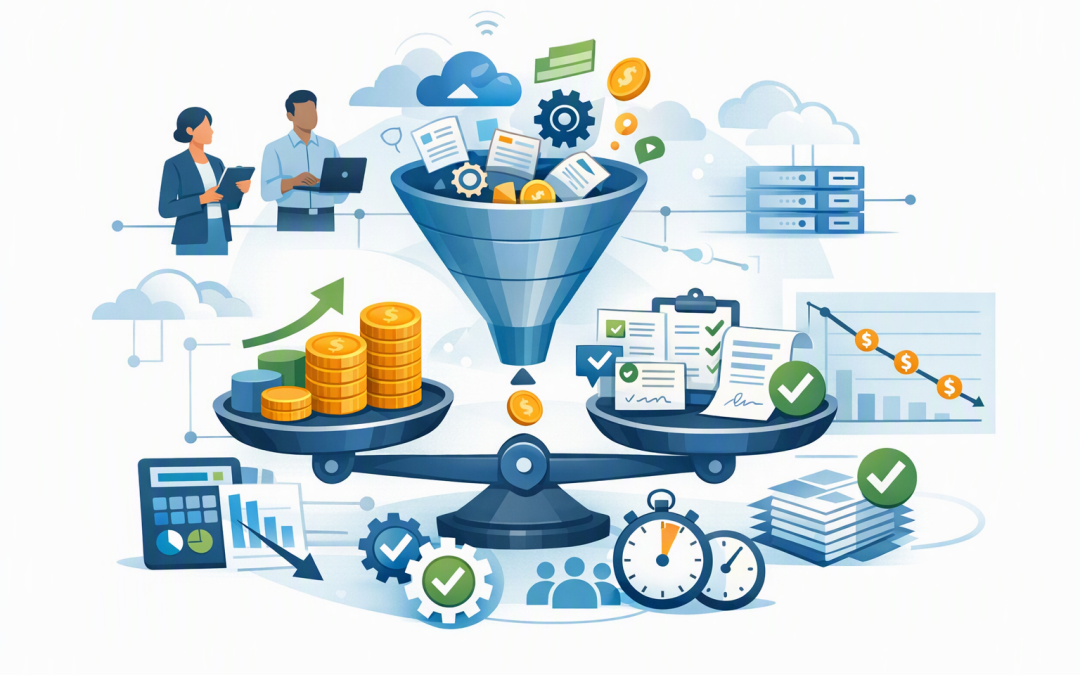
In this blog post FinOps for AI on Azure Measures Outcomes Not Just Virtual Machines we will explain why a low cloud bill does not automatically mean your AI system is delivering good value. If employees keep correcting its answers, customers abandon it, or failed requests must be run again, the cheapest-looking platform can become the most expensive option.


FinOps is the practice of bringing finance, technology and business teams together to manage cloud spending. For AI, the goal is not simply to reduce the Azure bill. It is to understand what the business pays for each reliable result, such as an approved document, a resolved support case or a correctly processed invoice.
This builds on our earlier explanation of what Microsoft means by FinOps for AI. Here, we will focus on the practical measurement model behind it.
Why measuring a virtual machine is not enough
Traditional cloud cost reviews often start with virtual machines, which are rented cloud servers. That approach works reasonably well for ordinary business applications because the server is usually one of the largest and most predictable costs.
An AI application is different. The server running the interface may be one of its smallest expenses.
The application may also use an OpenAI or other language model, a search service that finds relevant company information, databases, document storage, security controls, monitoring tools and connections to systems such as Microsoft 365 or a customer management platform.
Model usage is commonly measured in tokens. A token is a small piece of text processed or generated by the AI. Longer prompts, lengthy documents, repeated instructions and verbose answers all increase token use.
There may also be retries when a request fails, extra model calls when an AI agent performs several steps, and human review when the answer is not trustworthy enough to use. These costs will not appear if the finance team only looks at a virtual machine or a single model invoice.
Start with the business unit that matters
Before building a dashboard, decide what one useful result means for the business. Microsoft’s FinOps guidance calls this unit economics: calculating the cost of one meaningful unit of work.
For an AI application, that unit could be:
- One customer enquiry resolved without escalation.
- One contract summary approved by a staff member.
- One invoice correctly matched to a purchase order.
- One qualified sales lead added to the customer management system.
- One employee question answered accurately using approved company information.
The word reliable matters. Ten thousand generated answers have little value if two thousand are incorrect, incomplete or rejected by employees.
Cost per reliable outcome = Total end-to-end AI cost / Number of accepted outcomesThis simple calculation changes the conversation. Instead of asking whether the model is expensive, leaders can ask whether each accepted result costs less than the manual process it replaces or improves.
Count the complete cost of delivering the outcome
The numerator in that calculation should include the full production service, not only the most visible Azure resource.
- Model processing: The cost of sending information to the AI model and receiving its response.
- Application hosting: The cloud services that run the user interface, workflows and business rules.
- Search and data: Services that retrieve company documents or records so the model can answer using trusted information.
- Monitoring: Logs, alerts and quality checks that show whether the application remains fast, accurate and available.
- Security: Identity controls, threat protection, data safeguards and audit records.
- Human review: The employee time spent checking, correcting or approving the output.
- Failures and rework: Repeated requests, abandoned sessions and downstream corrections caused by poor answers.
Security and monitoring are not optional overheads. They are part of producing a result the business can safely use, particularly where personal, financial or customer information is involved.
Measure quality and reliability beside cost
Azure Cost Management can show spending by subscription, resource group and tags. Tags are labels added to cloud resources so costs can be grouped by application, department, owner or environment.
Microsoft Foundry, the Azure platform for building and managing AI applications, and Azure Monitor can provide operational information such as token use, response time, errors and model activity. Application Insights, which records how an application behaves, can connect individual AI requests with failures and performance problems.
Business data must then complete the picture. For example, your service platform may know whether a case was reopened, while your finance system may know whether an invoice match was accepted.
A useful executive scorecard should show:
- Total monthly cost.
- Cost per attempted task.
- Cost per accepted or completed task.
- Success rate and human approval rate.
- Average response time.
- Employee time saved.
- Errors, escalations and rework.
- Business value produced compared with cost.
Our guide to monitoring Azure AI services covers the platform metrics and alerts in more detail. For production systems, it is also worth reviewing how to monitor AI applications without guesswork.
A practical example of cost per reliable result
Consider a composite example based on a typical 200-person professional services business. It introduces an AI assistant to prepare customer case summaries before staff review them.
The model bill is $1,800 per month, which initially looks inexpensive. Once search, application hosting, storage, monitoring, integration and support are included, the end-to-end monthly cost is $5,400.
The assistant attempts 10,000 summaries, but only 8,500 are accepted without significant rework. The real cost is therefore about 64 cents per reliable summary, not 18 cents based on the model bill alone.
The company then shortens repeated instructions, sends simple requests to a smaller model, reduces unnecessary retries and improves access to source documents. Monthly cost falls to $4,100 while accepted summaries increase to 9,200.
The cost per reliable summary drops to about 45 cents. More importantly, the acceptance rate rises from 85% to 92%, so employees spend less time correcting the system.
These figures are illustrative, but the lesson is practical: optimising cost without measuring quality can produce a cheaper system that creates more work.
Use the right cost model for the workload
Azure AI services can generally be consumed based on usage or through reserved processing capacity. Usage-based pricing can suit pilots and workloads with unpredictable demand. Reserved capacity can provide more consistent performance and costs for stable, high-volume production systems.
The right choice depends on actual traffic, required response times and utilisation. Reserving capacity too early can mean paying for processing power that sits idle. Staying on usage-based pricing after demand becomes predictable may cost more than necessary.
Other practical cost controls include using smaller models for straightforward tasks, limiting excessively long responses and reusing repeated prompt content where caching is supported. Caching means the system avoids processing the same information from scratch every time.
Model routing can also direct simple requests to lower-cost models while reserving more capable models for complex work. Any change should be tested against representative business tasks before reaching production. A lower price is not a saving if accuracy falls below an acceptable level.
A 30-day plan for better AI cost control
- Choose one outcome. Select a production AI use case and define what a successful result looks like.
- Map every supporting service. Include models, search, storage, monitoring, security, integration and human review.
- Add ownership information. Tag Azure resources with the application, department, environment and accountable owner.
- Connect cost and usage data. Combine Azure costs with request volumes, approval rates and business results.
- Create thresholds. Alert on unusual spending, token growth, falling success rates and increased retries. Treat budget alerts as warning lights rather than automatic brakes.
- Optimise one variable at a time. Test model choice, prompt length, caching or capacity changes while protecting quality.
- Review monthly with business owners. Technology, finance and operations should agree whether the outcome remains worth funding.
This approach also supports governance. Cost controls, access management and audit records can work alongside Essential 8, the Australian government’s cybersecurity framework that many organisations use to reduce common cyber risks.
The lowest Azure bill is not the goal
Good FinOps for AI is not about forcing every workload onto the cheapest model or cutting monitoring to save money. It is about knowing what the business pays for a dependable result and improving that number without increasing risk.
That is also the difference between an AI demonstration and a sustainable business service. As discussed in our guide to separating AI hype from practical business solutions, a useful system must reduce cost, risk or manual work in a way the organisation can measure.
CloudProInc combines more than 20 years of enterprise IT experience with hands-on expertise across Azure, Microsoft 365, Microsoft Foundry, OpenAI, Claude, Defender and Wiz. As a Melbourne-based Microsoft Partner and Wiz Security Integrator, we help organisations measure AI spending without separating it from reliability, security or business value.
If you are not sure what each reliable AI outcome is really costing your business, we are happy to review the numbers and measurement approach with you—no strings attached.