
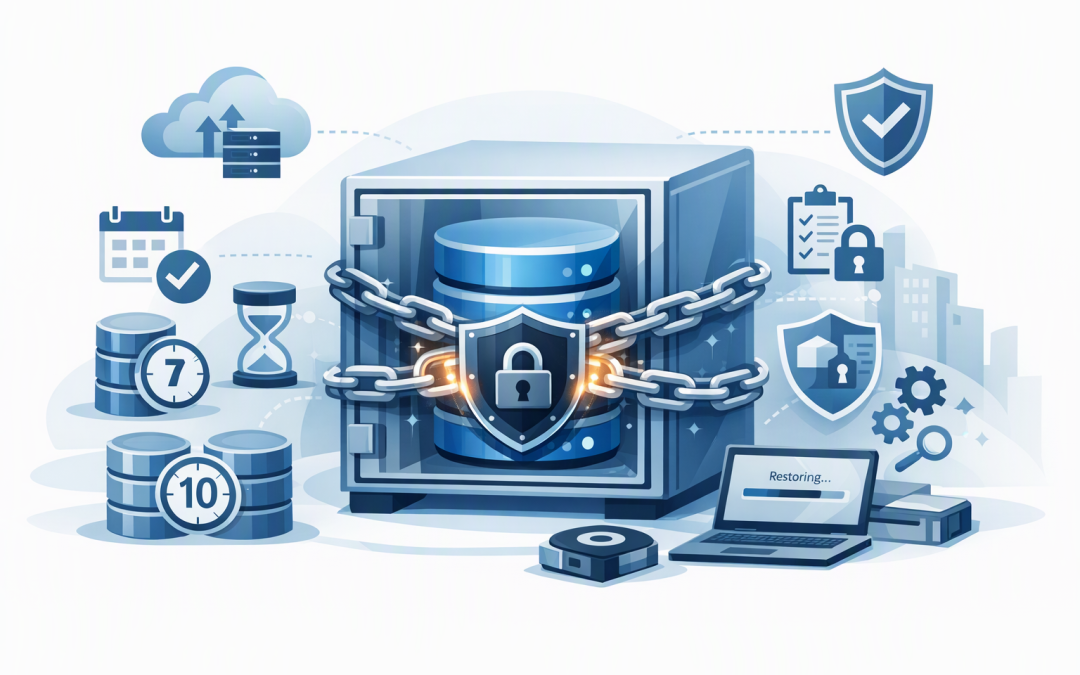
In this blog post Immutable Azure SQL Backups for Reliable Ransomware Recovery we will explain how Australian mid-market organisations can protect critical database backups from ransomware, compromised administrators and accidental deletion.


Many businesses assume that because Azure SQL creates backups automatically, recovery is guaranteed. The uncomfortable reality is that a backup can exist and still fail the business if it is deleted, retained for too short a period, stored without the right regional protection or never tested.
Immutable backup retention closes one of these gaps. It keeps selected backups in a write-once, read-many state, often shortened to WORM. In plain English, the backup can be restored and read, but it cannot be changed or erased before its approved retention period expires.
What immutable Azure SQL backup retention actually does
Azure SQL Database automatically creates full, differential and transaction log backups. Together, these allow a database to be restored to an earlier point in time, subject to the configured retention period.
Microsoft also protects up to the most recent seven days of supported Azure SQL Database and Azure SQL Managed Instance point-in-time recovery backups with automatic immutability. This protection is enabled by default and does not require a separate storage account or manual configuration.
Seven days, however, may not be enough. An attacker could remain undetected for weeks, while a data error or unauthorised change may not be discovered until the next financial reconciliation.
For longer protection, Azure SQL Database supports long-term retention, or LTR. LTR copies selected full backups into separate Azure storage and can retain weekly, monthly and annual recovery points for up to ten years.
When time-based immutability is enabled and locked, new LTR backups cannot be modified or deleted until their retention period expires. Even a highly privileged administrator cannot simply remove them after an account compromise.
Why normal retention is not enough
Retention answers the question, “How long do we intend to keep this backup?” Immutability answers a different question, “Can anyone delete it before then?”
A seven-year backup policy without a lock may look strong in a compliance report. If a compromised administrator can delete those backups in minutes, it is not a dependable recovery control.
Immutable retention can help support the regular backups component of the Essential Eight, the Australian Government’s cybersecurity framework. It also strengthens the evidence that your organisation is taking reasonable technical measures to protect data under Australian privacy obligations.
It does not create compliance by itself. Recovery testing, access controls, monitoring, incident response and documented responsibilities are still required.
A practical recoverability blueprint
1. Start with business recovery requirements
Do not begin by choosing an arbitrary number of years. Identify which databases support payroll, customer service, finance, online sales and other time-sensitive operations.
For each database, agree on two business measures. The recovery point objective is how much recent data the business can afford to lose. The recovery time objective is how long the business can operate without the database.
A payroll database may need a recovery point measured in minutes. A historical reporting database may tolerate a day. These differences should drive the backup design and prevent unnecessary storage costs.
2. Use short-term and long-term recovery together
Point-in-time restore is designed for recent operational incidents, such as an incorrect data import this morning. Immutable LTR backups cover longer discovery periods, ransomware scenarios, audit requirements and historical recovery.
A typical starting point might include 35 days of point-in-time recovery, 12 weekly backups, 24 monthly backups and seven annual backups. This is an example, not a universal policy. Your legal, contractual and operational requirements should determine the final periods.
Retention also needs to be financially sustainable. Our guide to lowering Azure backup and recovery costs without increasing risk explains how to remove waste without weakening recoverability.
3. Validate the policy before locking it
A locked immutable policy is intentionally difficult to reverse. That is its security value, but it also means a mistaken seven-year policy can become a seven-year cost commitment.
Review the design with the database owner, security team, finance team and legal or privacy adviser. Confirm which data is included, how long it should be retained and whether any deletion obligations could conflict with the proposed lock.
The following Azure CLI example shows the basic structure of an LTR policy for Azure SQL Database. It should be adapted and tested by an experienced Azure engineer before production use.
az sql db ltr-policy set \
 --resource-group rg-production \
 --server sql-production \
 --name business-app-db \
 --weekly-retention P12W \
 --monthly-retention P24M \
 --yearly-retention P7Y \
 --week-of-year 26 \
 --tb-immutability Enabled \
 --tb-immutability-mode Locked
Only backups covered after the policy is enabled and locked receive the intended time-based protection. Existing backups require separate consideration, so do not assume the setting works retrospectively.
4. Separate backup authority from everyday administration
The same account should not manage applications, databases, backup retention and security controls. If one identity can change everything, one stolen password can undermine the entire recovery plan.
Use separate administrative roles, multifactor authentication and time-limited privileged access. Important policy changes should require approval, create an audit record and trigger an alert.
This approach aligns with the Essential Eight focus on restricting administrative privileges. It also reduces the chance of an employee accidentally changing a critical retention policy.
5. Match immutability with regional resilience
Immutability protects against deletion and modification. It does not replace protection against a large-scale service or regional outage.
Review whether backup storage uses local, zone or geographic redundancy and confirm that the choice matches your outage risk, data residency requirements and budget. Our guide to zone-resilient Azure SQL Managed Instance workloads explores the wider availability design.
These controls should form part of a broader Azure platform resilience checklist, rather than being treated as an isolated backup project.
6. Prove that recovery works
A green backup status only proves that Azure created a recovery point. It does not prove that your team can restore the database, reconnect the application and resume business operations within the agreed timeframe.
Run scheduled recovery exercises at least annually, and more frequently for critical systems. Restore into an isolated environment, check data integrity, scan for signs of compromise and record the time required for each step.
Monitoring is equally important. Alerts should cover failed backups, unexpected policy changes, missing recovery points and restore test failures. Our article on backup monitoring and recovery planning explains why this operational discipline matters.
What this looks like in a mid-market business
Consider a 200-person Australian distributor running its finance, inventory and customer applications on Azure SQL Database. The company has automatic backups, but no documented retention requirements and no record of a successful restoration test.
A safer design keeps recent point-in-time recovery for operational mistakes, creates immutable weekly and monthly LTR backups, separates backup administration from normal cloud administration and performs quarterly restore exercises for the inventory database.
The business outcome is not simply “more backups.” It is reduced ransomware exposure, clearer Essential Eight evidence and a recovery process management can measure. It also avoids retaining every backup forever, helping control the storage growth discussed in our guide to reducing Azure storage costs without losing important data.
One important Azure SQL Managed Instance distinction
Azure SQL Database and Azure SQL Managed Instance should not be treated as identical products. Automatic protection applies to recent supported backups, but configurable immutable LTR for Managed Instance has different availability and implementation considerations.
Do not build a compliance design around preview capabilities. If you use Managed Instance, confirm current production support and consider controlled copy-only backups stored in immutable Azure Storage where appropriate.
Make recoverability a business control
Immutable retention is valuable because it removes dangerous discretion during an incident. An attacker, careless administrator or rushed response team cannot erase the recovery points the business has already decided to protect.
The strongest design combines appropriate retention, immutability, limited administrative access, regional resilience, monitoring and repeated restoration tests. That combination turns an Azure feature into a practical business recovery capability.
CloudProInc brings more than 20 years of enterprise IT experience to Azure resilience and cybersecurity projects. As a Melbourne-based Microsoft Partner and Wiz Security Integrator, we help organisations review backup policies, cloud security and recovery readiness without the overhead of a large, faceless provider.
If you are unsure whether your Azure SQL backups would survive an administrator compromise or ransomware incident, we are happy to review the setup and identify the gaps — no strings attached.