
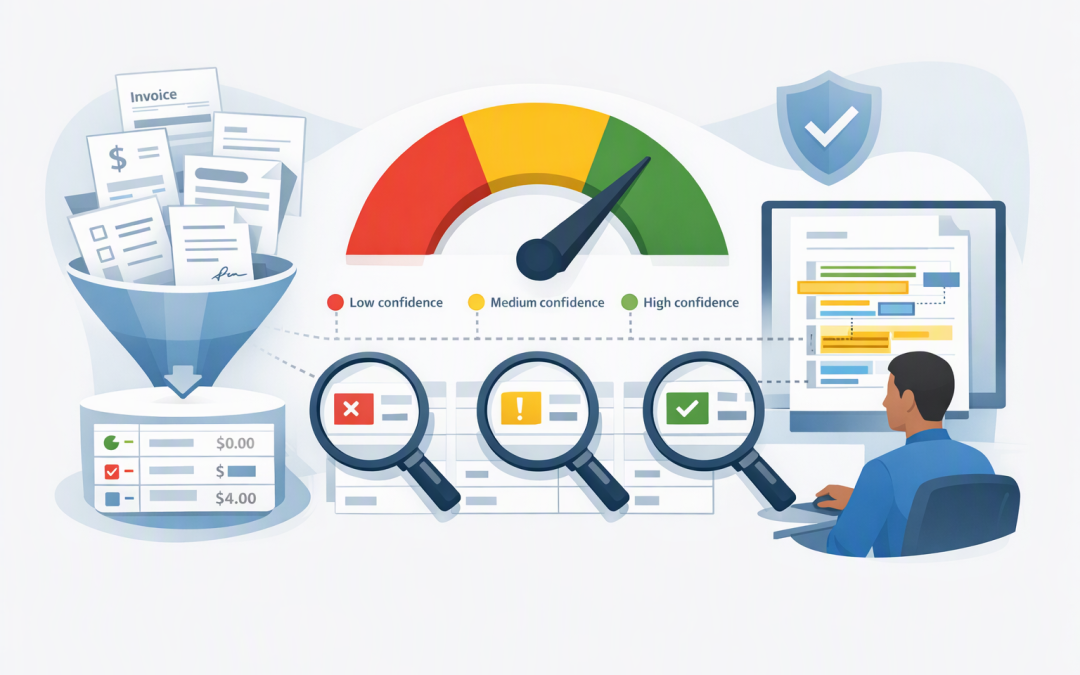
In this blog post How Azure Document AI Earns Trust With Confidence and Grounding we will explain how to automate document processing without asking your business to trust AI blindly.


The problem is familiar. An AI system reads invoices, contracts or application forms accurately during a demonstration, but nobody is comfortable letting it update financial systems or trigger approvals. One incorrect bank account, contract date or invoice total can wipe out months of expected savings.
Azure Content Understanding, Microsoft’s service for turning documents and other unstructured content into organised business data, addresses this trust gap with two important controls. Confidence indicates how certain the system is about a result, while grounding connects that result to evidence in the original document.
Together, these controls let you decide what can proceed automatically, what needs human review and what should be rejected. That is what turns impressive document AI into a dependable business process.
Why document accuracy alone is not enough
Most document automation projects begin with an accuracy target. The team might aim to extract 95% of invoice fields correctly, for example.
That headline number can hide serious business risk. An incorrect office address is inconvenient, but an incorrect payment amount or supplier bank account could create a financial loss.
Trust therefore needs to be managed field by field. The system should understand that some information can tolerate occasional uncertainty, while other information requires stronger evidence or human approval.
This builds on the approach described in making document data agent-ready. Structuring information is only the first step. The next step is deciding when that information is safe enough to use.
How Azure Content Understanding works
An Azure Content Understanding analyser is a reusable set of instructions for processing content. It defines the document type, the information required and how the results should be organised.
For an invoice, you might ask for the supplier name, invoice number, issue date, total amount, purchase order number and line items. Azure reads the document, interprets its layout and returns those values in a structured format that accounting software or an AI agent can use.
Each field can use one of three broad methods. Extraction finds information stated directly in the document. Classification selects a category, such as invoice, credit note or purchase order. Generation creates an interpreted result, such as a contract summary or risk description.
Clear field definitions matter. If “contract date” could mean the signing date, commencement date or expiry date, the analyser needs to be told which one the business requires.
Confidence should control the workflow
When confidence estimation is enabled, Azure can return a score between zero and one for each field. A higher score means the analyser has greater certainty in its result.
A confidence score is not a guarantee. It is a decision signal that must be tested against your own documents, formats and risk requirements.
A sensible workflow might apply three routes:
- High confidence: The field can proceed automatically if its source evidence is also present.
- Medium confidence: A staff member reviews the highlighted value before processing continues.
- Low confidence: The document is rejected, reprocessed or sent to a specialist queue.
Do not use one threshold for every field. An invoice description might be accepted at a lower confidence level than a total amount, bank account or contract expiry date.
The following simplified configuration enables source and confidence estimates across document fields:
{
 "config": {
 "estimateFieldSourceAndConfidence": true
 }
}
The important work happens after the score is returned. Your application needs rules that convert uncertainty into a controlled business action.
if critical_field_is_missing:
 route_to_manual_review()
elif confidence >= approved_threshold and source_is_present:
 continue_automatically()
elif confidence >= review_threshold:
 request_human_approval()
else:
 reject_or_reprocess()
These thresholds are examples, not recommended defaults. They should be calibrated using real documents and measured error rates before production use.
Grounding provides evidence people can check
Grounding records where an extracted result came from in the source document. A reviewer can see the page, text or document region supporting the value instead of searching through a 40-page PDF.
Consider a contract system that reports a termination notice period of 30 days. Confidence tells the reviewer how certain the analyser is. Grounding helps the reviewer jump to the clause that contains the answer.
This improves review speed, but it also creates a better audit trail. The business can retain the original document, the extracted value, its confidence, its supporting source and any human approval.
It is useful to distinguish this from checking whether a generative AI answer is supported by supplied information. We cover that broader control in our guide to Azure AI Groundedness. Field grounding answers “where did this document value come from?” Groundedness checking asks “is this generated statement supported by the available evidence?”
A practical scenario for a 200-person business
Imagine an Australian professional services company processing hundreds of supplier invoices each month. Staff currently open each attachment, copy information into the finance platform and check it against purchase orders.
The company introduces Azure Content Understanding to extract invoice details. Rather than automating every result, it applies stricter controls to supplier identity, bank details, purchase order numbers and payment totals.
Invoices with strong confidence and clear source evidence proceed to purchase order matching. Uncertain values appear in a review screen with the relevant document area highlighted. Bank account changes always require approval, regardless of confidence.
The outcome is not “zero humans.” It is fewer hours spent checking routine invoices, while staff focus on exceptions carrying real financial risk.
The same model works for insurance claims, employee onboarding, customer applications and contract review. Confidence controls the route, grounding supports the decision and people remain involved where consequences are significant.
Five controls to put around document AI
- Define risk by field. Identify which incorrect values could cause financial loss, privacy exposure, compliance failure or customer harm.
- Test representative documents. Include scans, mobile photos, handwriting, unusual layouts and documents from your least consistent suppliers.
- Set thresholds from evidence. Compare confidence scores with actual errors. Do not copy thresholds from a demonstration or another organisation.
- Make human review quick. Show the extracted value beside its source location. A review process that takes almost as long as manual entry will not deliver the expected savings.
- Monitor changes over time. Track confidence, correction rates, document formats and exception volumes. A new supplier template can change performance without warning.
Security controls also remain essential. Restrict access to sensitive documents, encrypt data, separate development from production and record who approved exceptions. These practices support Australian privacy obligations and broader Essential 8 governance, although deploying AI does not automatically make an organisation compliant.
For a controlled starting point, follow a secure 30-day Azure Content Understanding pilot. If document results will feed autonomous workflows, also consider how durable AI agents stay under control and how to maintain an audit-ready evidence trail.
Trust comes from visible controls
Document AI earns trust when the business can see uncertainty, inspect evidence and stop risky transactions. Confidence and grounding provide the signals, but your approval rules, security controls and monitoring turn those signals into protection.
CloudProInc combines more than 20 years of enterprise IT experience with hands-on expertise across Azure, Microsoft 365, OpenAI, Claude, Microsoft Defender and Wiz. As a Melbourne-based Microsoft Partner and Wiz Security Integrator, we help organisations build practical AI systems without losing control of security, cost or accountability.
If you are unsure whether document AI can safely reduce manual work in your organisation, we are happy to review the process and identify a sensible pilot—no strings attached.