
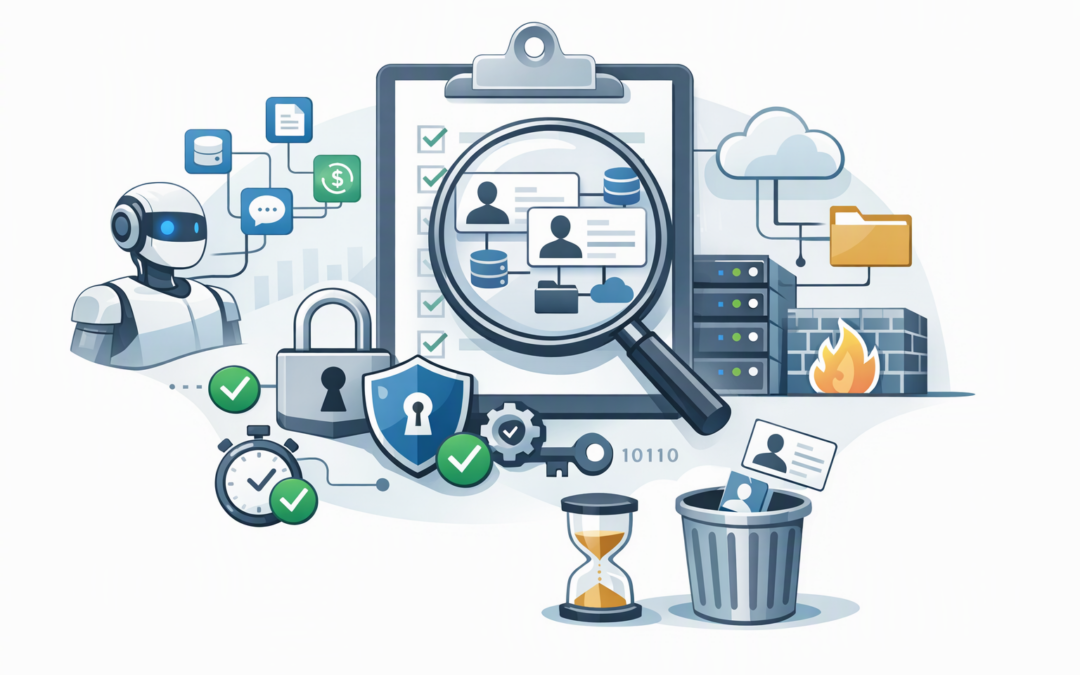
In this blog post Why Unsecured Non-Human Identities Put Your AI Growth at Risk we will explain how Microsoft Entra secures the applications, automations and AI agents acting inside your business without a person signing in.
Most organisations already have more digital identities than they realise. Backup tools, finance integrations, deployment pipelines, reporting services and automated workflows may all need permission to access company systems. AI agents are now increasing that number quickly.
These accounts are called non-human identities. When properly controlled, they allow software to work safely in the background. When they are forgotten, over-permissioned or protected by old passwords, they can become an invisible route to sensitive data.
What is a non-human identity in Microsoft Entra?
Microsoft Entra ID is the identity service that controls access to Microsoft 365, Azure and many third-party business applications. It manages employee accounts, but it can also create identities for software.
CPI Consulting helps organisations design, build and secure Azure AI solutions, from Azure OpenAI and Microsoft Foundry to agents, governance and production deployment.
Visit CPI ConsultingMicrosoft calls many of these software accounts workload identities. They commonly appear as applications, service principals or managed identities.
- An application identity represents a registered piece of software.
- A service principal is the working identity that determines what that application can access inside your organisation.
- A managed identity is an Azure-managed account that lets software authenticate without developers storing a password or secret in code.
An AI assistant that reads SharePoint files, a script that updates customer records and a service that retrieves information from Azure Storage may each need a workload identity. That identity receives a digital token confirming who it is and what it is allowed to do.
Microsoft Entra Agent ID extends this approach with identity controls designed specifically for AI agents. Our guide to why every AI agent needs an identity covers that specialised layer. The broader challenge is making sure the workload identities underneath your applications and agents are already secure.
Why the risk grows faster than the number of agents
One AI agent may depend on several supporting identities. It might use one identity to access a model, another to search company documents, another to call a finance system and another to write results into Microsoft Teams.
If ten departments create their own agents, the business may not end up with ten new identities. It could end up with dozens, spread across Entra, Azure, software platforms and development tools.
The risk is not simply that one account could be compromised. The larger problem is that nobody may know who owns it, why it exists or whether it still needs its permissions.
Unlike an employee, a workload identity cannot respond to a multifactor authentication prompt. It also does not resign, request annual leave or remind IT that its role has changed. Without a deliberate lifecycle process, it may retain access indefinitely.
Five controls to put in place before AI expands
1. Build an inventory with a named business owner
Start by listing applications, service principals, managed identities, automation accounts and AI agent identities. Each one should have a clear purpose, technical owner, business owner and review date.
Do not accept labels such as “Azure App 3” or “Production Service” as sufficient documentation. A useful record should tell you what would stop working if the identity were disabled and who can approve changes to it.
This reduces incident response time and helps IT remove abandoned identities instead of keeping them because nobody understands them.
2. Replace stored passwords and secrets
Many older applications authenticate using a client secret, which is effectively a password for software. These secrets are often copied into configuration files, scripts, documentation or development systems.
Where possible, use managed identities for services hosted in Azure. Microsoft manages the authentication process, so there is no password for a developer to copy, expose or forget to renew.
For workloads running outside Azure, workload identity federation can exchange trusted, short-lived tokens instead of relying on a permanent stored secret. This lowers breach risk and reduces outages caused by expired credentials.
3. Give every workload the minimum access it needs
Convenience is where many identity problems begin. A project needs access quickly, so an application receives broad administrator rights or permission to read an entire environment.
That may save an hour during deployment but create years of unnecessary exposure. If the identity is later compromised, the attacker inherits everything it can reach.
Assign only the permissions needed for the specific task. An agent summarising documents from one SharePoint site should not automatically receive access to every SharePoint site, mailbox and Teams conversation.
Separate identities should also be used for development, testing and production. This limits the damage caused by a mistake and gives you a cleaner audit trail.
4. Apply access policies to software, not only employees
Many businesses have strong sign-in policies for staff but very few controls for applications. Microsoft Entra Conditional Access for workload identities can restrict where service principals connect from and respond when risky activity is detected.
Microsoft Entra ID Protection can also identify suspicious behaviour involving supported workload identities. Depending on your licensing and identity type, risky access can be investigated or blocked.
These controls should be introduced carefully. Start in reporting or audit mode where available, understand legitimate traffic, and test the impact before enforcing a block. A poorly planned policy can interrupt a critical integration just as easily as it can stop an attacker.
5. Review identities throughout their lifecycle
Every non-human identity should have a creation process, regular access review and retirement process. When an application, project or agent is decommissioned, its identity and permissions should also be removed.
Monitor sign-in logs, unused permissions, expiring credentials and identities that have been inactive for extended periods. Tools such as Microsoft Defender and Wiz can add context by showing whether an identity can reach sensitive data, exposed systems or other high-risk resources.
This is particularly important when an agent crosses several systems. Our identity at every hop guide explains why each connection should be authenticated and recorded rather than relying on one powerful shared account.
What this looks like in a 200-person business
Consider a 200-person professional services company introducing AI assistants for document search, project reporting and invoice follow-up. The first pilot works well, so different departments begin creating their own versions.
Within months, several agents are using shared application credentials. One has broad access to SharePoint, another uses a secret stored in a workflow, and two former test agents remain active because nobody was assigned as their owner.
The immediate answer is not to cancel the AI program. It is to create an inventory, assign owners, replace stored secrets with managed identities, reduce permissions and separate each agent’s access.
The business keeps the productivity gains while reducing the chance that one compromised agent exposes client records, financial data or internal communications.
How this supports Essential Eight compliance
The Essential Eight is the Australian government’s cybersecurity framework for reducing common security risks. It does not provide a complete non-human identity program, but several of its principles are directly relevant.
Restricting administrative privileges means software should not receive powerful access unless it genuinely needs it. Application control and patching help reduce the risk that compromised software misuses its identity. Strong monitoring and backups reduce the impact if an incident occurs.
Multifactor authentication remains vital for employees, but machines cannot use it in the same way. For workload identities, the equivalent protection comes from removing stored secrets, using short-lived authentication, limiting permissions and monitoring behaviour.
A practical 30-day starting plan
- Export your Entra application, service principal and managed identity inventory.
- Identify identities with no owner, no recent activity or broad permissions.
- Find secrets stored in code, scripts, workflow tools and configuration files.
- Move suitable Azure workloads to managed identities.
- Assign a business owner and review date to every production identity.
- Set a rule that every new AI project must document its identities and data access before launch.
The goal is not to secure every identity overnight. It is to stop the number of unknown and over-permissioned accounts from growing while you address the highest-risk access first.
Secure the foundation before adding more agents
AI agents make non-human identity management urgent, but they did not create the underlying problem. Most businesses already have years of applications, scripts and integrations operating with limited oversight.
CloudProInc combines more than 20 years of enterprise IT experience with hands-on expertise across Microsoft Entra, Azure, Microsoft 365, Defender, OpenAI, Claude and Wiz. As a Melbourne-based Microsoft Partner and Wiz Security Integrator, we help organisations understand what their non-human identities can actually access and fix the risks without disrupting useful automation.
If you are not sure how many workload identities exist in your environment, who owns them or what they can reach, we are happy to take a practical look with you — no strings attached.