
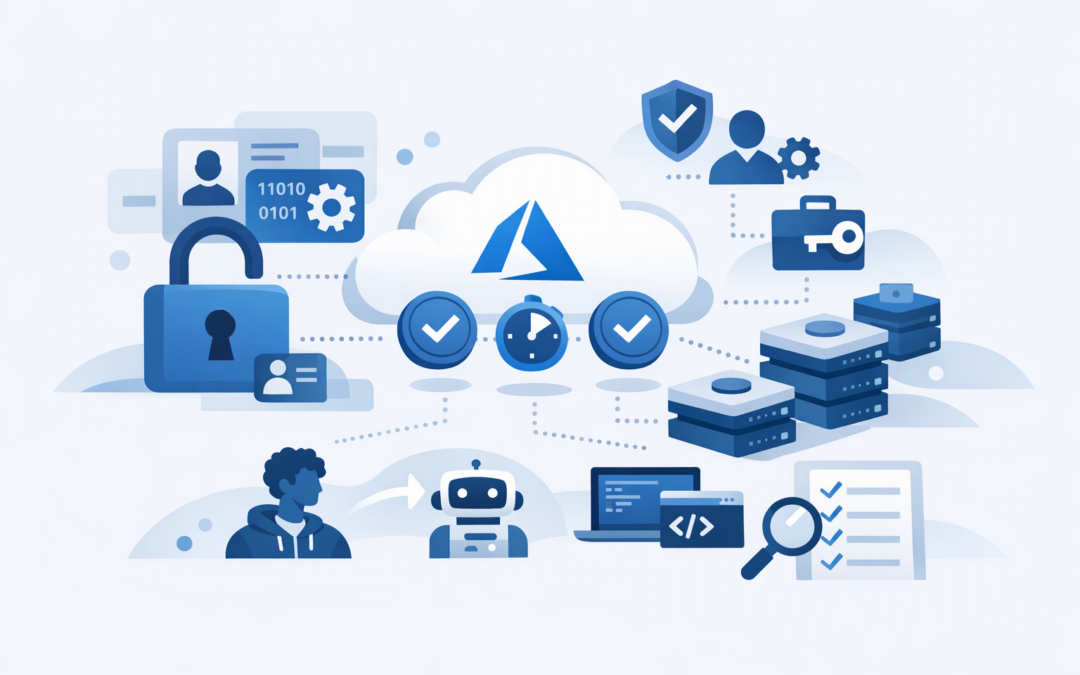
In this blog post Keyless Microsoft Foundry Model Access with Entra ID in Australia we will explain how to remove long-lived API keys from model access, replace them with identity-based permissions, and make the change without disrupting production applications.
Many AI projects begin with an API key copied into an application setting, developer laptop or deployment pipeline. That is convenient for a pilot, but risky in production: anyone who obtains the key may be able to use the model, generate unexpected costs and leave limited evidence of who made each request.
Keyless access solves this by requiring every person, application or automated process to prove its identity through Microsoft Entra ID. Access is then granted through defined roles, while short-lived security tokens replace permanent credentials stored in code.
What keyless access actually means
Keyless does not mean authentication-free. It means your applications no longer rely on a shared password-like API key.
CPI Consulting helps organisations design, build and secure Azure AI solutions, from Azure OpenAI and Microsoft Foundry to agents, governance and production deployment.
Visit CPI ConsultingMicrosoft Entra ID, which manages identities and access across Microsoft cloud services, verifies the caller. Azure role-based access control, usually shortened to RBAC, then determines what that identity is allowed to do.
For example, a developer might use their work account while testing locally. An application running in Azure would normally use a managed identity, which is an identity Azure creates and maintains for the application without your team storing a password.
This provides three immediate business benefits:
- Lower security risk because there is no permanent model key sitting in source code, scripts or configuration files.
- Better accountability because access can be linked to a specific person, application or workload.
- Less administration because Azure issues and refreshes access tokens automatically.
This guide builds on our earlier article about how to secure Microsoft Foundry projects with RBAC and managed identity. Here, we focus specifically on model calls, application code and a safe migration away from API keys.
How the technology works behind the scenes
When an application sends a request to a Microsoft Foundry model, it must prove that it is authorised. With key-based access, it sends the same static key with every request.
With Entra ID, the process works differently:
- The person or application signs in using an approved Entra ID identity.
- Entra ID issues a short-lived access token for Microsoft Foundry.
- The application sends that token to the Foundry endpoint.
- Azure checks the identity’s assigned role and the scope of that role.
- The model request is accepted or rejected based on those permissions.
The token expires automatically. The Azure Identity software library obtains a new one when required, so developers do not need to build their own token renewal process.
It is also important to separate management access from model usage. Someone who can deploy or delete Azure resources does not automatically need permission to submit prompts, and an application calling a model should not normally be able to change the Foundry environment.
A practical rollout approach
1. Identify every current consumer
Start by finding where the existing API key is used. Check application settings, Azure DevOps or GitHub pipelines, local environment files, automation scripts, test tools and third-party integrations.
This discovery step matters because disabling keys too early can stop an overlooked reporting process or internal application. It also often reveals old credentials that should have been removed months ago.
2. Give each workload its own identity
Applications running in Azure App Service, Azure Functions, virtual machines or other supported Azure services should generally use a managed identity. Azure maintains its underlying credentials, and the identity can be removed when the application is retired.
For local development, staff can use their individual Entra ID accounts. For systems outside Azure, consider workload identity federation, which establishes trust without storing a client secret, where the hosting platform supports it.
Avoid sharing one identity across every application. Separate identities make it easier to remove access, investigate unusual activity and understand which system is generating model costs.
3. Assign only the required role
For direct Microsoft Foundry model inference, the identity typically requires the Cognitive Services User role on the relevant Foundry resource. This role allows the identity to call the model without giving it broad resource administration rights.
If the application also uses Foundry project APIs or agents, additional Foundry roles may be required. Assign them at the narrowest practical scope rather than at the whole subscription level.
Where possible, manage human access through Entra ID security groups rather than assigning roles person by person. This reduces administration when staff join, change roles or leave the business.
4. Update the application code
The following simplified Python example uses the Azure Identity library to obtain tokens automatically. The same approach can work locally with a developer account and in Azure with a managed identity.
pip install --upgrade openai azure-identityfrom azure.identity import DefaultAzureCredential, get_bearer_token_provider
from openai import OpenAI
project_endpoint = "https://your-resource.services.ai.azure.com/api/projects/your-project"
token_provider = get_bearer_token_provider(
DefaultAzureCredential(),
"https://ai.azure.com/.default"
)
client = OpenAI(
base_url=f"{project_endpoint}/openai/v1",
api_key=token_provider
)
response = client.responses.create(
model="your-deployment-name",
input="Summarise the key business risks in this document."
)
print(response.output_text)DefaultAzureCredential checks the environment and selects an appropriate identity. On a developer workstation, it can use the person’s Azure sign-in. In an Azure-hosted production application, it can use the application’s managed identity.
Use the exact project endpoint and model deployment name from your Foundry environment. Endpoints differ between project APIs, Azure OpenAI-compatible APIs and provider-specific SDKs, so copying an endpoint from another project can lead to confusing authentication errors.
5. Test before disabling keys
Test keyless access in a non-production environment first. Confirm successful model requests, expected denials for unauthorised identities, application logging, failure handling and deployment pipeline behaviour.
Once every known consumer has moved to Entra ID, disable local authentication on the Foundry resource. In infrastructure-as-code templates, this is controlled through the disableLocalAuth property:
properties: {
 disableLocalAuth: true
}
You can also enforce this through Azure Policy so new AI resources cannot quietly reintroduce key-based access. Allow for propagation time and verify that an old key returns an authentication failure before considering the migration complete.
Common mistakes that weaken keyless access
- Leaving API keys enabled indefinitely. Changing the code is not enough if an old key can still be used.
- Giving applications Owner or Contributor access. Model inference rarely requires permission to manage the entire Azure resource.
- Using one managed identity everywhere. This makes investigations and access removal unnecessarily difficult.
- Ignoring human identity controls. Developer accounts still need multifactor authentication, sensible administrator permissions and regular access reviews. Our guide to Microsoft Entra ID security settings covers these controls in more detail.
- Assuming identity controls replace network security. Entra ID controls who can connect, while private networking controls where connections can come from. Sensitive environments may need both, as explained in our article on private network access for Microsoft Foundry.
Why this matters for Australian organisations
Keyless access does not automatically make an organisation compliant. However, it supports stronger access control, individual accountability and reduced reliance on shared credentials.
These are useful foundations when working toward the Essential 8, the Australian government’s cybersecurity framework that many organisations use to reduce common attack paths. They can also improve the evidence available during customer reviews, cyber insurance assessments and security audits.
Consider a 180-person professional services firm running several internal AI tools. If every tool uses the same API key, the business cannot easily tell which application generated a cost spike or safely remove one tool’s access without affecting the others.
Giving each application its own managed identity changes that. Access can be removed from one system, model activity can be traced more clearly, and there are no permanent model keys for staff to copy into an unapproved tool.
A short checklist for technology leaders
- Inventory every application, pipeline and person using Foundry model keys.
- Create separate managed identities for production workloads.
- Assign the minimum role at the narrowest practical scope.
- Update applications to request Entra ID tokens automatically.
- Test successful access and expected failures.
- Disable local authentication and verify old keys no longer work.
- Monitor identities, model usage, costs and role changes.
- Review the design whenever a new model, agent or data source is added.
Moving to keyless Microsoft Foundry access is not a large AI redesign. It is a focused security improvement that reduces credential risk, strengthens accountability and makes AI access easier to manage as usage grows.
CloudProInc is a Melbourne-based Microsoft Partner and Wiz Security Integrator with more than 20 years of enterprise IT experience. If you are unsure where Foundry keys are stored, which roles your applications need or whether disabling them will break production, we are happy to review the setup with you — no strings attached.