
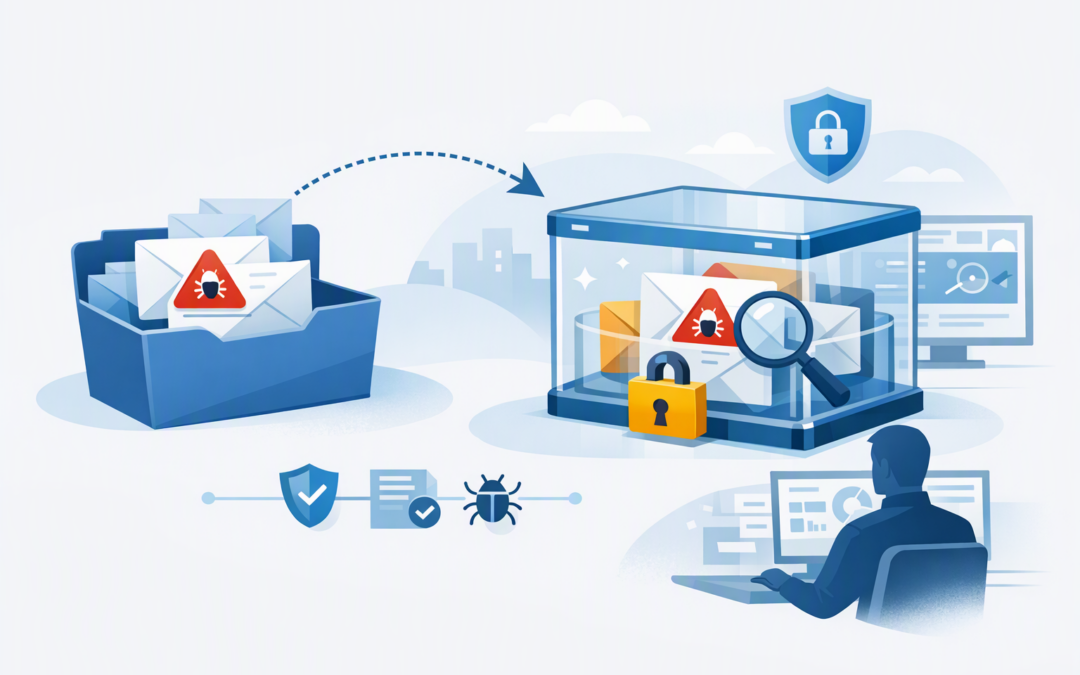
In this blog post Defender Move to Quarantine Speeds Up Email Threat Containment we will explain how Microsoft’s new remediation action helps security teams remove suspicious emails from employee mailboxes while keeping them available for investigation.
This addresses a common and stressful situation. A phishing email has reached several employees, someone may have clicked it, and your IT team must act quickly without accidentally deleting a legitimate customer order, supplier invoice or legal record.
Microsoft plans to roll out Move to Quarantine worldwide from early November 2026, with completion expected by mid-December 2026. It will be available to organisations with Microsoft Defender for Office 365 Plan 2, which is Microsoft’s advanced email and collaboration security service.
Why post-delivery email containment matters
Email security is not a one-time check at the gateway. A message that appears harmless when delivered may later be linked to a malicious website, compromised sender or newly discovered attack.
CPI Consulting helps organisations design, build and secure Azure AI solutions, from Azure OpenAI and Microsoft Foundry to agents, governance and production deployment.
Visit CPI ConsultingMicrosoft Defender for Office 365 continuously reassesses messages using updated threat information. Its Zero-hour Auto Purge feature, usually called ZAP, can automatically remove some messages after delivery when Microsoft later identifies them as dangerous.
However, automatic detection will never cover every situation. Your team might receive a staff report, discover a fake invoice during an investigation or identify a message that closely copies your managing director.
Until now, administrators generally had to move the email to Junk or Deleted Items, perform a soft delete that placed it in a recoverable area, or permanently delete it. Each option created a compromise between fast containment, preserving evidence and avoiding business disruption.
What Move to Quarantine actually does
Move to Quarantine adds a new response option inside Microsoft Defender for Office 365. An authorised administrator can select suspicious messages and remove them from locations employees can access, placing them into Microsoft’s centrally managed quarantine.
The action supports messages located in the Inbox, Junk Email, Deleted Items and recoverable soft-deleted locations. This is useful when an employee has already moved or deleted the original email before reporting it.
Security teams will be able to use the action across several Microsoft Defender investigation tools, including:
- Threat Explorer, which lets administrators search for suspicious emails across the organisation.
- Advanced Hunting, which provides more detailed, query-based searches across security records.
- Custom detection rules, which automatically flag email activity matching conditions defined by your team.
- Email entity and summary pages, which show the sender, recipients, delivery location, links, attachments and detection history for a message.
- The Unified Action Center, which provides a central record of security actions and their status.
The technology is essentially a controlled post-delivery recall. Defender finds every selected copy, submits a remediation request and moves supported copies into quarantine. The team can then continue investigating before deciding whether to release or permanently delete the messages.
Administrators can also select the quarantine policy applied to the action. A quarantine policy controls whether employees receive notifications and whether they can view, request release or directly release the message.
Why this is useful for lean security teams
1. It reduces the time employees can interact with a threat
When a convincing phishing email reaches 30 mailboxes, every minute matters. Employees may forward it to colleagues, open an attachment or enter their Microsoft 365 password into a fake sign-in page.
Move to Quarantine allows the team to contain matching messages from one security workflow rather than contacting each employee or manually checking individual mailboxes. The business outcome is a smaller window for credential theft, fraud and malware infection.
2. It provides a safer alternative to permanent deletion
Hard deletion is appropriate when the team is certain that an email is malicious. It is less attractive during the first few minutes of an investigation, when the sender may be a real supplier whose account has been compromised.
Quarantine takes the message away from employees without immediately destroying it. That gives the team time to confirm what happened, preserve evidence and reverse the decision if the message turns out to be legitimate.
3. It brings containment and investigation together
Small IT teams lose time when they must switch between email administration, security investigation and compliance tools. They also risk losing track of who took an action and whether it completed successfully.
Move to Quarantine works across Defender’s investigation experiences, with remediation activity recorded in the Action Center. This creates a more consistent process and makes incident reviews easier.
Keep in mind that remediation requests still need time to process. Your runbook should require the responder to check the Action Center and confirm completion rather than assuming every selected message disappeared immediately.
4. It allows tighter control over employee access
A message is not fully contained if the recipient can release it without review. This is why the selected quarantine policy matters as much as the remediation action itself.
For high-risk phishing investigations, most organisations should use a policy that keeps release decisions with authorised administrators. Lower-risk spam and bulk email can follow a more flexible policy so routine requests do not overwhelm the help desk.
We have a separate guide explaining how to configure email security quarantine policies in Microsoft 365.
A practical business scenario
Consider a 200-person professional services company with one internal IT manager and an outsourced support provider. At 10:05 am, finance reports an email that appears to come from a regular supplier and requests payment to a new bank account.
Threat Explorer shows that the message reached 34 employees. Several copies are in inboxes, five are in Junk Email, and two employees have already deleted the message.
Previously, the IT manager might choose soft deletion to hide the messages while preserving some recovery options. With Move to Quarantine, the manager can select the full group, remove accessible copies and place them under a restrictive quarantine policy.
The team can then investigate the sender, check whether anyone clicked the link and contact the supplier using a known phone number. If the message is confirmed as fraudulent, it can be permanently deleted. If it is legitimate, authorised staff can release it.
The important outcome is not simply fewer clicks in a portal. It is faster containment without forcing an irreversible decision during the most pressured stage of the incident.
What to prepare before the feature arrives
- Confirm your licensing. Move to Quarantine requires Microsoft Defender for Office 365 Plan 2 or an eligible Microsoft 365 subscription that includes it.
- Check whether the feature has reached your tenant. Microsoft is rolling it out progressively, so it may not appear for every organisation on the same day.
- Review administrator permissions. Give responders only the access required to investigate and remediate email. Avoid using highly privileged Global Administrator accounts for routine security work.
- Review quarantine policies. Decide which policy responders should use for suspected phishing, malware, spam and uncertain messages.
- Update the incident response process. Document when staff should quarantine, soft delete or permanently delete a message, and who can approve each action.
- Run a controlled test. Confirm that responders can find a test message, move it, track the action and manage it from quarantine.
This feature improves response but does not replace prevention
Move to Quarantine deals with messages that have already been delivered. It should sit alongside strong anti-phishing policies, Safe Links, Safe Attachments, multifactor authentication and Microsoft Defender protections.
For a broader approach, read our guides on reducing phishing risk with Microsoft 365 Defender and moving from a basic Microsoft 365 setup to a properly secured workplace.
Faster email containment also supports stronger incident response and complements Essential Eight, the Australian Government’s cybersecurity framework. It does not achieve Essential Eight compliance by itself, but it can reduce the likelihood that one missed email becomes a larger identity or device compromise.
Make sure the process works before you need it
Move to Quarantine is a practical improvement for organisations without a large, round-the-clock security team. It provides a sensible middle ground between leaving suspicious messages accessible and deleting them before the facts are clear.
CloudPro Inc combines more than 20 years of enterprise IT experience with hands-on expertise across Microsoft 365, Defender, Intune, Azure and Wiz. As a Melbourne-based Microsoft Partner and Wiz Security Integrator, we help organisations build security processes that their actual teams can operate.
If you are not sure whether your current Microsoft 365 setup can contain a phishing campaign quickly, we are happy to review it and point out the practical gaps — no strings attached.