
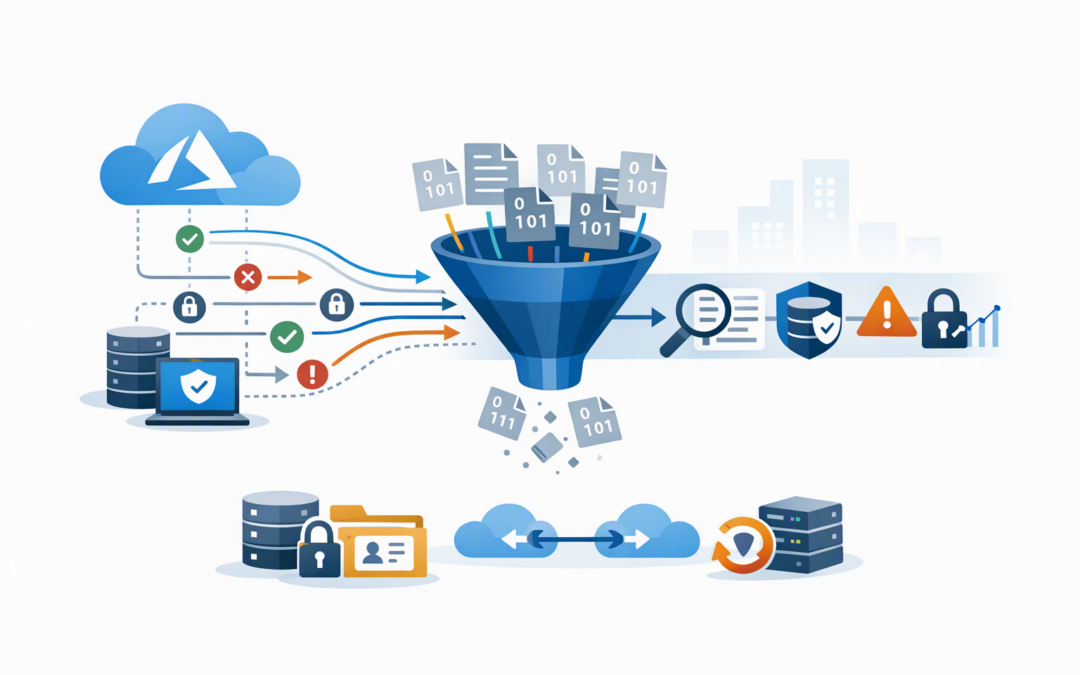
In this blog post Azure VNet Flow Log Filtering Cuts Costs Without Blind Spots we will explain how Azure’s newly generally available filtering can reduce network logging costs while preserving the evidence your security team may need.
Many organisations enable network logging with good intentions, then discover they are storing millions of repetitive records about routine activity. Useful security events become harder to find, storage grows, and more data is sent to analytics platforms that may charge by volume.
Azure Virtual Network flow logs record metadata about connections moving through an Azure VNet, which is your organisation’s private network inside Azure. They show details such as where traffic came from, where it went, which port it used, whether it was allowed or denied, and whether it was encrypted.
They do not record the contents of emails, files or application requests. Think of them as a detailed phone bill showing who called whom, when and for how long, rather than a recording of the conversation.
CPI Consulting helps organisations design, build and secure Azure AI solutions, from Azure OpenAI and Microsoft Foundry to agents, governance and production deployment.
Visit CPI ConsultingWhy network logging costs quietly grow
A busy Azure environment creates an enormous amount of routine network activity. Applications check databases, monitoring systems poll servers, backup services transfer data, and security tools repeatedly test whether systems are available.
Before filtering, VNet flow logging could capture large volumes of this activity even when only a portion was useful for investigations. The data was written to Azure Storage and could then be sent to Traffic Analytics, Microsoft Sentinel or another security information and event management platform, commonly called a SIEM.
A SIEM collects security information in one place so suspicious activity can be detected and investigated. Sending it unnecessary data can increase ingestion, retention and operational costs while giving analysts more noise to search through.
The result is not just a bigger Azure invoice. It can also mean slower investigations and a higher chance that an important connection is overlooked.
What VNet flow log filtering changes
Microsoft made VNet flow log filtering generally available in October 2026. General availability means it is ready for production use with Microsoft’s standard service commitments, rather than being an experimental preview feature.
Filtering lets your team decide which network flows should be recorded. Criteria can include:
- Source and destination IP addresses, identifying the systems at either end of a connection.
- Ports, which usually indicate the type of service being accessed.
- Protocols, such as TCP or UDP, which are different methods systems use to communicate.
- Traffic direction, allowing inbound and outbound activity to be treated differently.
- Encryption state, helping teams focus on traffic that is not properly protected.
- Flow state and action, including traffic that was allowed or blocked.
The filtering occurs when the logging configuration decides which flow records to keep. Instead of collecting everything and paying to sort it out later, the aim is to avoid writing low-value records in the first place.
Filters can now be managed through the Azure portal as well as PowerShell automation. That makes the capability more accessible while still allowing larger environments to apply consistent settings through scripts and governance processes.
The business case is bigger than storage
Lower data retention costs
Recording fewer flows reduces the amount of data stored. The exact saving depends on traffic patterns, retention periods and where the information is sent, but high-volume environments may have substantial amounts of repetitive activity to remove.
Less downstream processing
If flow data feeds analytics or security platforms, reducing unnecessary records can also reduce downstream processing and ingestion. This should be measured carefully because each service has its own pricing and data-handling model.
Faster security investigations
An analyst investigating an unusual connection should not have to search through millions of routine health checks. A cleaner dataset makes it easier to identify denied connections, unexpected internet access and movement between sensitive systems.
Clearer cost ownership
Logging costs often appear as shared infrastructure expenses with no obvious owner. Filtering by network, application or traffic type makes it easier to understand which systems are producing valuable security data and which are generating noise.
This complements the cost visibility discussed in our guide to using Azure Monitor advanced metrics to reduce risk and cloud costs. Metrics show where growth is occurring, while flow log filtering helps control one source of that growth.
Do not filter the evidence you may need
The danger is treating filtering as a simple cost-cutting exercise. An aggressive rule may lower the bill while removing evidence required to investigate an incident six months later.
Most organisations should consider retaining visibility into:
- Denied inbound connections, particularly from the internet.
- Administrative access using services such as remote desktop or secure shell.
- Outbound connections from servers that hold sensitive information.
- Traffic between production, development and management networks.
- Unencrypted connections where encryption is expected.
- Access to identity systems, databases, backups and security tools.
- Unexpected connections between separate Azure environments.
Flow logs are also useful around Azure Firewall, especially where encrypted SaaS and AI traffic must be inspected without creating bottlenecks. We explore that wider design issue in Azure Firewall Premium performance for secure AI and SaaS.
A practical filtering approach
- Measure before changing anything. Establish current storage volume, analytics ingestion, retention costs and the traffic types creating the most records.
- Classify important systems. Identify production applications, identity services, databases, management networks and systems holding personal or commercially sensitive information.
- Start with obvious low-value noise. Examples may include approved monitoring checks or repetitive service traffic that is already recorded elsewhere.
- Run filters in a controlled scope. Begin with a non-critical VNet or application and compare investigation results before and after filtering.
- Review the outcome with security and compliance owners. Cost reduction should not be approved by the cloud team alone.
- Document and revisit every filter. Applications, threats and compliance obligations change. A sensible rule today may create a gap next year.
A filter expression can combine criteria using AND and OR logic. For example, the following expressions focus on inbound administrative access and a specific database connection:
Direction=Inbound && DstPort=22,3389

SrcIP=10.20.0.0/16 && DstPort=1433 && Protocol=TCP
Azure supports equality and inequality checks, IP ranges, port ranges and multiple values. The expressions are case-insensitive, but brackets are not supported, so the order of AND and OR conditions matters. Complex rules should always be tested before production rollout.
What the savings could look like
Consider a representative 200-person organisation running customer applications, test systems, backups and monitoring tools in Azure. Its flow logs produce 1.2 terabytes of records each month, much of it from predictable internal checks and approved service communication.
After reviewing the traffic, the organisation retains denied connections, administrative access, sensitive network traffic and unusual outbound activity. It removes selected repetitive records that are already monitored through application and platform logs.
If that reduces monthly flow data to 420 gigabytes, the raw logging footprint falls by 65 per cent. The exact financial result will depend on storage, analytics and retention settings, but the organisation also gains a smaller and more useful investigation dataset.
This is an illustrative scenario, not a guaranteed saving. The correct target is not the smallest possible log volume. It is the lowest volume that still supports security, troubleshooting and compliance requirements.
Australian compliance still requires judgement
Network flow logs can support the Essential Eight, the Australian government’s cybersecurity framework that many organisations use to reduce common attack risks. They can help with monitoring, investigation and evidence collection, but enabling flow logs does not automatically make an organisation Essential Eight compliant.
Businesses must also consider contractual retention requirements, the Australian Privacy Act and any industry-specific obligations. Removing unnecessary data can reduce cost and exposure, but deleting security evidence too early can create a different risk.
A sound decision should document what is collected, why it is retained, who can access it and how quickly it can be searched during an incident.
The right outcome is focused visibility
VNet flow log filtering gives Azure customers a practical way to control logging volume before it becomes another uncontrolled cloud expense. Used carefully, it can reduce storage and analytics costs while helping security teams focus on activity that deserves attention.
The key is to begin with business risk, not a blanket percentage-reduction target. Keep the evidence needed to protect important systems, meet Australian obligations and investigate incidents, then remove noise in measured stages.
CloudProInc combines more than 20 years of enterprise IT experience with hands-on Azure and cybersecurity expertise as a Microsoft Partner and Wiz Security Integrator. If you are unsure whether your Azure logging is costing more than it should or leaving important gaps, we are happy to take a practical look at it with you — no strings attached.