
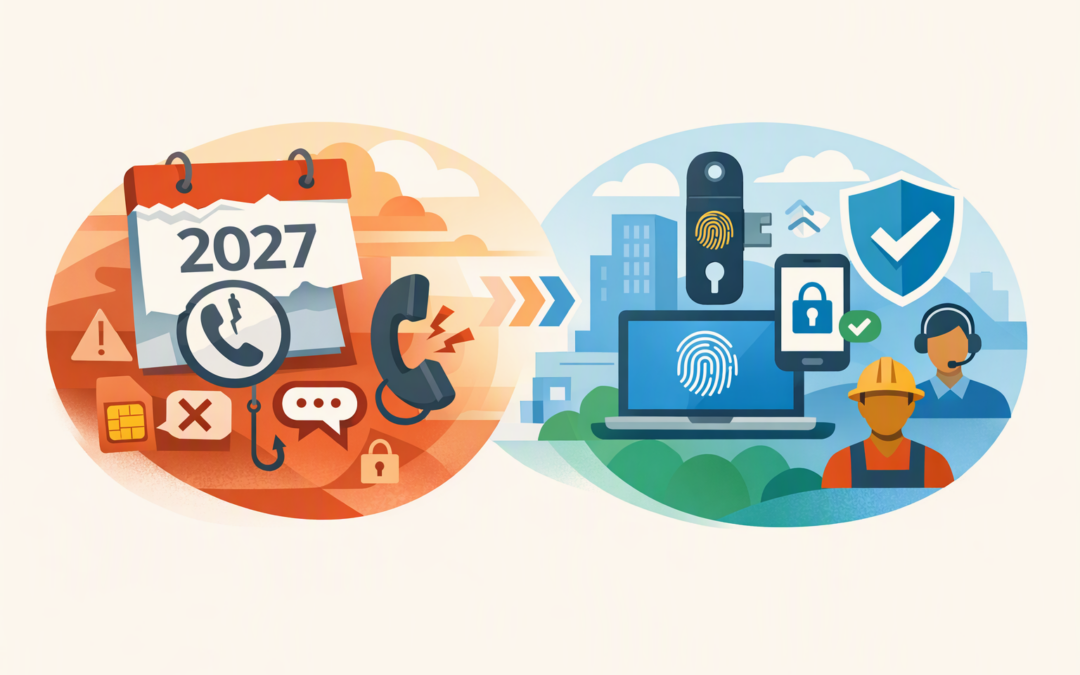
In this blog post Choose Your Own Telephony in Microsoft Entra Without the Risk we will explain what Microsoft’s telephony change means, when using your own provider makes sense, and how to avoid unexpected costs, security gaps and employee lockouts.
If some employees still rely on a text message or phone call to verify their identity, this is no longer a change you can leave until later. Microsoft will retire its own SMS and voice delivery for most Microsoft Entra ID users on 1 February 2027, with Global Administrators and external users following on 1 July 2027.
What Choose Your Own Telephony actually means
Microsoft Entra ID is the service that controls who can sign in to Microsoft 365, Azure and other connected business applications. Multi-factor authentication, or MFA, asks users for an additional form of proof when they sign in.
Today, Microsoft can deliver that proof through an SMS code or automated voice call. Under Choose Your Own Telephony Provider, your organisation selects and pays a supported telecommunications provider to deliver those messages or calls.
CPI Consulting helps organisations design, build and secure Azure AI solutions, from Azure OpenAI and Microsoft Foundry to agents, governance and production deployment.
Visit CPI ConsultingEntra still applies your sign-in rules, creates the authentication request and decides whether access should be allowed. The telephony provider handles the final delivery to the employee’s phone.
The configuration experience is scheduled to begin rolling out on 30 October 2026. Soprano and Telesign are the initial providers announced for the private preview, with more expected by general availability.
The first decision is whether you need telephony at all
Choose Your Own Telephony is a continuity option, not Microsoft’s recommended security direction. SMS codes and voice calls can be intercepted, redirected through SIM-swap fraud, or captured through convincing phishing attacks.
Passkeys, Windows Hello for Business and physical FIDO2 security keys are phishing-resistant. In plain English, they are designed so an employee cannot accidentally give a criminal a reusable sign-in code.
For Australian organisations working towards the Essential Eight, the Australian Government’s cybersecurity framework, this distinction matters. Higher maturity levels require phishing-resistant MFA for important systems and information.
We covered the wider retirement timeline in what to do about SMS and voice MFA before 2027. The practical question now is which users genuinely need an exception.
Where keeping SMS or voice can make business sense
Some frontline, remote or casual employees may not have company smartphones. Others may work in regulated environments where personal phones are prohibited, or depend on a fixed telephone because of accessibility requirements.
A common scenario is a 200-person organisation with 160 office employees and 40 field workers. Moving all 200 people to third-party SMS would preserve an old weakness and create an unnecessary monthly bill.
A better approach is to move the office workforce and administrators to passkeys, Windows Hello or security keys, while retaining telephony temporarily for the small field group that cannot yet use those methods. This reduces cost and risk without disrupting operations.
The business benefits of choosing a provider
Continuity for legitimate exceptions
Employees who cannot immediately move away from telephony can continue accessing business systems. This can prevent missed shifts, delayed customer work and a sudden increase in help desk calls.
More control over coverage and support
You can compare providers based on Australian and international coverage, voice support, delivery times and service commitments. This is useful for organisations with regional workers or teams across several countries.
Clearer visibility of usage
Direct pricing can make the cost of SMS and voice authentication more visible. That creates an incentive to remove unnecessary telephony use rather than allowing it to remain enabled indefinitely.
From 30 October 2026, Microsoft says organisations can configure one provider for SMS and one for voice. That offers some choice, but it does not provide automatic failover between multiple SMS providers.
The risks decision-makers should not overlook
You are adding another critical supplier
If the provider has an outage or delivery problem, affected employees may be unable to sign in. Your contract should clearly cover support ownership, response times, service availability and escalation procedures.
Costs can become unpredictable
Charges may vary by country, message volume and delivery channel. Voice calls can cost more than SMS, while repeated requests or fraudulent activity can produce unexpected bills.
Ask about spending alerts, rate limits, reporting and protections against artificially generated traffic before signing an agreement.
Personal information leaves Microsoft’s delivery service
Phone numbers and message delivery data will be handled by another supplier. Australian organisations should review where that information is processed, how long it is retained, which subcontractors can access it and how a breach would be reported.
Keeping SMS may create a false sense of compliance
Telephony-based MFA is better than relying on a password alone, but it is not equivalent to phishing-resistant MFA. Simply retaining SMS does not automatically meet your Essential Eight target.
Our guide to how Microsoft 365 tools fit the Essential Eight explains why policies, logging and evidence matter as much as owning the right licences.
Your Choose Your Own Telephony rollout checklist
- Identify active users, not just enabled users. Review authentication reports and sign-in records to find people who actually use SMS or voice. Separate MFA use from password reset and SMS used as a primary sign-in method.
- Confirm the genuine exceptions. Document why each group cannot use a passkey, Windows Hello, Microsoft Authenticator or a security key. Avoid selecting a provider for the whole workforce because a small group needs telephony.
- Move administrators first. Global Administrators and other privileged accounts should use phishing-resistant MFA. A phone call should not be the main barrier between a criminal and control of your Microsoft environment.
- Compare providers carefully. Assess Australian coverage, overseas destinations, supported channels, delivery performance, pricing, privacy terms, fraud controls, accessibility, support and disaster recovery.
- Check the service scope. Choose Your Own Telephony currently applies to Microsoft Entra ID. Do not assume the same setup covers Microsoft Entra External ID, Azure AD B2C or SMS used as a primary sign-in method.
- Create a small pilot group. Test different phone networks, locations, job roles and device types. Include remote employees and users who depend on voice calls.
- Prepare recovery options. Maintain controlled emergency access accounts and a documented help desk process. Test what happens if a message is delayed, a phone is lost or the provider is unavailable.
- Roll out in stages. Move one business group at a time and monitor failed sign-ins, delivery times, support requests and spending before expanding.
- Set an exit date for exceptions. Review telephony users quarterly. Otherwise, a temporary workaround can quietly become a permanent security weakness.
Do not treat this as a simple provider switch
This change is an opportunity to improve how your organisation verifies identities, not merely replace Microsoft’s SMS delivery with another company’s service.
Start with your business requirements, move as many employees as practical to phishing-resistant methods, and use third-party telephony only for documented exceptions. You should also review the wider Microsoft Entra ID security settings that reduce identity risk.
CloudProInc is a Melbourne-based Microsoft Partner with more than 20 years of enterprise IT experience. We take a practical, hands-on approach to reviewing Entra, Microsoft 365, Intune, Defender and wider cloud security controls for organisations across Australia and internationally.
If you are unsure who still depends on SMS or voice, whether Choose Your Own Telephony is necessary, or how to move users without interrupting work, we are happy to review your current setup and give you a clear rollout plan — no strings attached.