
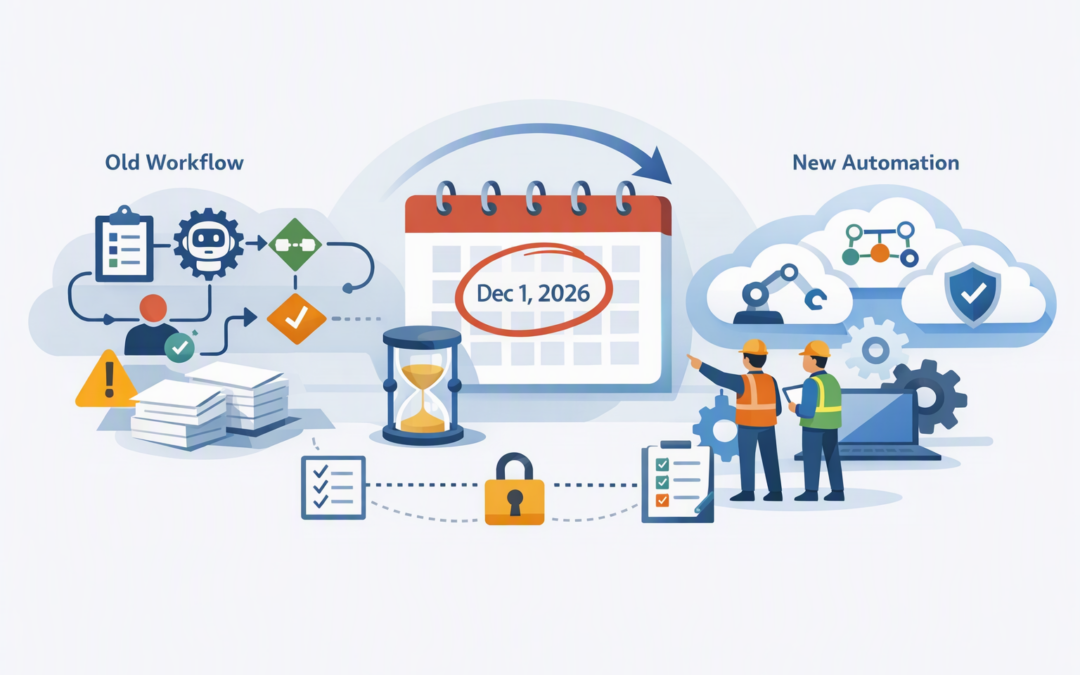
In this blog post Microsoft Foundry Workflows Retire on 1 December Migration Plan we will show Australian technology leaders how to identify affected automation, choose the right replacement and move safely before the 1 December 2026 deadline.
If your team has built customer support, document processing, employee onboarding or approval processes using Microsoft Foundry’s visual workflow builder, this is not just a developer housekeeping task. An overlooked workflow could stop a business process, remove an important approval or leave employees completing work manually during December.
At a high level, Foundry workflows let organisations connect AI agents and business rules in a visual sequence. One agent might read a request, another might search company information, and a third might prepare a response before asking a person to approve it.
Microsoft is retiring this preview workflow experience and recommends Microsoft Agent Framework for new development. The deadline does not mean Microsoft Foundry, AI agents or all forms of workflow automation are disappearing. It specifically affects the declarative workflows created through the retiring visual experience.
CPI Consulting helps organisations design, build and secure Azure AI solutions, from Azure OpenAI and Microsoft Foundry to agents, governance and production deployment.
Visit CPI ConsultingWhat is actually retiring
Foundry workflows are a low-code way to define how AI agents, decisions and human approvals work together. They can include sequential steps, conditional branches, variables and points where a person must review an action.
The feature remained in preview, meaning Microsoft did not provide the same service commitment it gives to production-ready services. On 1 December 2026, these workflows retire. Code-based orchestration running through hosted agents is not included in this retirement.
The recommended successor is Microsoft Agent Framework. In plain English, it is a structured way for developers to define, run and monitor processes involving AI agents, software functions, business data and human input.
Agent Framework supports both configuration-based workflows and programmatic workflows written in code. This gives teams a simpler option for standard processes and greater control where an automation contains complex rules or sensitive business actions.
Why the deadline matters to the business
A small workflow may support a large process
The workflow itself may look like a minor AI experiment, but the employees relying on it may see it as part of their normal job. It could be classifying service requests, drafting reports, checking contracts or preparing onboarding documents.
If it stops, the cost is measured in delayed work and manual effort rather than an Azure error message. The first objective is therefore to identify business dependencies, not simply count technical assets.
Migration can expose other retirement risks
A workflow may call a specific AI model, use a service account, access SharePoint or connect to an internal application. Rebuilding the workflow without checking those dependencies can move the original problem into a new platform.
This should be coordinated with your broader model lifecycle plan. Our guide on why Australian leaders should plan GPT-5 and o3 API migrations before December explains why model versions also need an owner, testing plan and replacement schedule.
A rushed rebuild can weaken controls
Teams under deadline pressure sometimes replace managed identities with shared passwords, grant excessive access or remove human approval steps to make testing easier. That creates a working migration but a weaker business control.
The replacement should preserve who can start the workflow, what information it can access, which actions require approval and how activity is recorded. These controls are especially important when personal information, financial data or customer records are involved.
A practical six-week migration plan
Build an inventory immediately. Search every Foundry project for workflows and record the owner, business purpose, users, frequency, data sources, connected agents and current status.
Do not assume the central AI team knows about every experiment. Check development subscriptions, innovation projects and work created by external consultants.
Classify each workflow by business impact. Place workflows into critical, important, low-use or unused categories. A workflow that influences customer communication, financial decisions or employee access deserves priority over an internal demonstration.
Assign a named business owner as well as a technical owner. The business owner should decide whether the process still delivers enough value to justify migration.
Choose the right destination. Complex agent processes will usually be candidates for Microsoft Agent Framework. Straightforward approvals and system integrations may be better suited to Azure Logic Apps or Power Automate, which automate repeatable business processes across Microsoft and third-party services.
Some workflows should simply be retired. Migration is a useful opportunity to remove experiments that never reached meaningful use.
Export and document the existing design. Save the workflow’s YAML definition, which is the text-based description of its steps and rules. Also capture prompts, model deployments, connections, permissions, variables, approval points, sample inputs and expected outputs.
Microsoft Foundry Toolkit for Visual Studio Code can help teams inspect exported definitions and prepare them for conversion. AI coding tools can assist with a first draft, but the result still needs developer review and business testing.
Rebuild security before functionality. Use Microsoft Entra ID, Microsoft’s identity and access service, instead of embedding passwords or access keys where possible. Give the workflow only the permissions it needs and retain human approval for high-impact actions.
This supports the intent of Essential 8, the Australian Government’s cybersecurity framework for reducing common attacks, particularly around limiting administrative privileges, controlling applications and strengthening access.
Test in parallel and cut over early. Run the existing and replacement workflows against the same representative test cases. Compare accuracy, completion time, human interventions, failures and AI usage costs.
Aim to complete production cutover by 20 November. That leaves time to resolve unexpected issues before 1 December rather than treating the retirement date as the project deadline.
What good testing looks like
Testing should cover more than whether the workflow produces an answer. Check what happens when information is missing, a connected service is unavailable, the AI model gives an uncertain response or a user submits sensitive data.
Include employees who perform the actual business process. A technically correct workflow can still fail if its output is confusing, its approval arrives in the wrong place or it adds extra steps to someone’s day.
For higher-risk agents, define an acceptable result before testing begins. Measure output quality, processing time, failure rate, cost per run and the percentage of cases requiring manual correction.
Our guide to moving AI agents into production safely with Microsoft Foundry provides a broader governance model for ownership, data access and business actions.
An example from a mid-market environment
Consider a 200-person professional services firm using a Foundry workflow to process new client documents. The workflow extracts key information, checks it against internal guidance and prepares a summary for employee approval.
At 80 matters per month, saving 25 minutes per matter returns more than 33 hours to the team. If that workflow stops in December, employees must either delay client onboarding or absorb almost a working week of additional manual effort each month.
The sensible migration is not to copy every component blindly. The firm should confirm which steps genuinely need AI, retain employee approval before records are updated and move stable integration tasks into conventional automation where they are easier to support.
Use the migration to improve governance
The strongest outcome is not merely having the workflow run on 2 December. It is having a supported process with clear ownership, controlled access and measurable value.
- Record a business and technical owner for every production workflow.
- Store definitions in version control so changes can be reviewed and reversed.
- Log workflow activity without unnecessarily recording sensitive information.
- Review how personal information is collected, used, stored and disclosed.
- Set cost alerts and monitor usage by workflow rather than waiting for the Azure invoice.
- Schedule quarterly reviews for models, permissions, connections and business value.
These steps also build on the actions covered in Microsoft Foundry September 2026 Actions Every CIO Should Take, particularly around cost control, governance and operational accountability.
Do not wait for the retirement date
The main risk is not the technical difficulty of rebuilding a workflow. It is discovering too late that an undocumented AI experiment has become part of a real business process.
Start with an inventory, remove what no longer delivers value, and migrate important workflows with their security and approval controls intact. Complete the production cutover before 1 December and keep enough time for employees to confirm that the replacement works in the real world.
CloudProInc is a Melbourne-based Microsoft Partner and Wiz Security Integrator with more than 20 years of enterprise IT experience. We help Australian teams assess Foundry dependencies, migrate agent workflows and put practical security and cost controls around AI.
If you are not sure whether your organisation is using the retiring workflow experience, or whether your current migration plan covers every dependency, we are happy to take a look with you — no strings attached.