
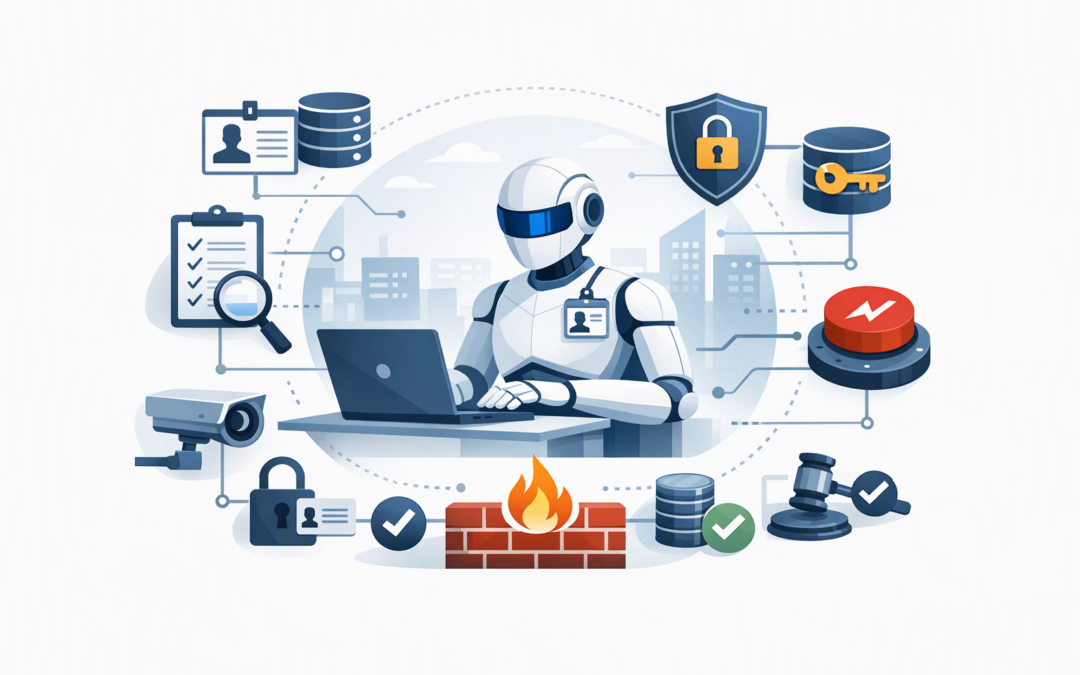
In this blog post How to Secure Agentic Insiders Before They Create Business Risk we will explain why production AI agents should be governed like trusted employees, and the practical controls that keep their access, actions and costs within safe limits.
Your AI agent may not have an employee number, but it can still read company files, update customer records, send emails and trigger business processes. If its permissions are too broad or its instructions are manipulated, it can create the same damage as a careless or compromised insider—only much faster.
This is why security teams increasingly describe production AI agents as agentic insiders. The term does not mean the agent is deliberately malicious. It means the agent operates inside your business, has trusted access and can take actions that affect real systems, data and people.
What makes an AI agent different from a chatbot?
A chatbot normally answers a question. An AI agent can decide what steps are needed, connect to tools and complete a task with limited human involvement.
CPI Consulting helps organisations design, build and secure Azure AI solutions, from Azure OpenAI and Microsoft Foundry to agents, governance and production deployment.
Visit CPI ConsultingThe technology typically has several parts. A large language model, such as OpenAI or Anthropic Claude, interprets the request and plans the work. An agent harness—the software layer surrounding the model—connects it to company data, applications, memory and tools.
Those tools might allow the agent to search Microsoft 365, create an Azure resource, update a CRM record or raise a supplier payment request. The model makes a decision, but the harness and connected systems turn that decision into action.
This distinction matters. A better prompt may improve behaviour, but it cannot replace identity controls, approval rules and monitoring around the agent. Our guide to moving from an agent harness prototype to secure production operations explains why a successful demonstration is not automatically safe to deploy.
1. Give every agent its own identity and accountable owner
You cannot govern an agent if you do not know it exists. Every production agent should be registered with a clear business purpose, named owner, technical contact and list of systems it can access.
The agent should also have its own digital identity rather than borrowing an employee account or using shared credentials. In a Microsoft environment, identity services such as Microsoft Entra can help authenticate the agent and control which resources it is allowed to use.
Each registration should answer five basic questions:
- What business task is the agent approved to perform?
- Who is responsible for its decisions and ongoing review?
- Which data and systems can it access?
- Which actions can it take without human approval?
- When will its access be reviewed, renewed or removed?
This creates accountability. It also prevents forgotten test agents from retaining access months after a project has ended.
2. Limit permissions to the smallest practical scope
An accounts agent that checks invoice status does not need permission to change bank details. A support agent that reads customer records does not automatically need the ability to delete them.
This is known as least-privilege access: giving an identity only the permissions required for its approved task. It is also consistent with the Essential Eight, the Australian Government’s cybersecurity framework, which includes restricting administrative privileges as a core protection.
Start agents with read-only access wherever possible. Add write access only after testing demonstrates a clear business need, and place expiry dates on elevated permissions so they do not remain active indefinitely.
High-impact actions should require a second control. Payments, account deletion, security changes, bulk customer communications and access to sensitive personal information are common examples where human approval remains appropriate.
Example production policy

Agent purpose: Validate supplier invoices
Allowed: Read invoice and purchase-order records
Approval required: Change supplier details or release payment
Transaction limit: $5,000
Blocked: Exporting customer or employee records
Owner: Finance Operations Manager
Access review: Every 90 days
This kind of policy is understandable to executives, auditors and technical teams. It turns a vague instruction to “use AI safely” into enforceable business rules.
3. Enforce policy while the agent is working
Checking the employee’s original request is not enough. Once an agent starts working, it may read documents, call several tools, receive new information and change its plan.
Controls should therefore inspect important actions as they happen. The agent harness can check whether a requested tool is approved, whether the data is sensitive and whether the proposed action exceeds a financial or operational limit.
For example, an agent may be authorised to draft customer refunds but not approve them. If it attempts to bypass that rule through another connected tool, the policy layer should block the action rather than relying on the model to remember its instructions.
This builds on the idea of a secure control plane for enterprise AI agents, which centralises permissions, approvals and spending limits. It also requires policy enforcement while agents are operating, not just before work begins.
4. Record what the agent did and why
Traditional application logs may show that a database was updated, but not why the agent decided to update it. Production monitoring should capture the request, agent identity, tools used, approvals received, records changed and final outcome.
That information should feed into the organisation’s security monitoring. Microsoft Defender can help identify suspicious activity across identities, endpoints and cloud services, while Wiz can provide visibility into cloud risks, exposed data and dangerous access paths.
Monitoring should also cover business issues, not only cyberattacks. Unexpected increases in model usage, repeated failed actions or a sudden rise in automated refunds may indicate faulty instructions, process changes or deliberate misuse.
Good records reduce investigation time and support privacy, risk and compliance reviews. They also help management measure whether an agent is genuinely saving time or simply moving costs into cloud consumption and supervision.
5. Prepare to stop an agent quickly
An agent should have a tested kill switch. Your team must be able to disable its identity, revoke credentials, block tool access and pause connected workflows without waiting for the developer who built it.
Changes should also trigger review. Adding a new tool, changing the AI model or expanding the agent’s data access can materially alter its risk, even if the agent keeps the same name and stated purpose.
Treat these changes like changes to any important business system. Test them in an isolated environment, document the approval and confirm that monitoring and rollback procedures still work.
What this looks like in a 200-person business
Consider a 200-person professional services firm using an agent to prepare client onboarding packs. The agent reads signed contracts, creates Microsoft 365 folders, drafts welcome emails and assigns internal tasks.
Without governance, it could create folders with incorrect permissions, expose one client’s documents to another or send unapproved contractual statements. The issue is not that the AI is “bad”; it has simply been given broad access without enough boundaries.
A safer design gives the agent a dedicated identity, approved templates and access only to the relevant client workspace. Folder sharing outside the company requires approval, every action is logged, and unusual bulk activity automatically pauses the workflow.
The business still receives the productivity benefit, but a single AI error is less likely to become a privacy incident or expensive client dispute.
Start with governance before increasing autonomy
The Australian Signals Directorate recommends introducing agentic AI carefully, beginning with well-defined, lower-risk tasks. Essential Eight controls provide a useful security foundation, but AI agents also need explicit ownership, tool restrictions, ongoing monitoring and human intervention points.
A practical first step is to create an agent register and review every production agent against identity, permission, approval, logging and shutdown requirements. Our CIO guide to governing enterprise AI agents provides a broader framework for leadership teams establishing these responsibilities.
CloudPro Inc brings more than 20 years of enterprise IT experience to this work. As a Melbourne-based Microsoft Partner and Wiz Security Integrator, we help organisations build practical controls across Azure, Microsoft 365, OpenAI, Claude, Defender and Wiz without turning every AI project into a slow compliance exercise.
If you are unsure whether your production agents have more access or autonomy than they should, we are happy to review the setup and identify the most important gaps—no strings attached.