
In this blog post SQL Server Snapshot Backup Is GA What Australian Teams Should Test we will explain what the technology does, where it can improve recovery, and what to validate before relying on it in production.
If your largest SQL Server database takes hours to back up, slows down business applications, or has never been restored under pressure, you have a recovery risk. A successful backup report does not prove that payroll, finance, customer service or online ordering can return within the timeframe the business expects.
Microsoft’s snapshot-based backup capability for SQL Server instances running on Azure virtual machines is now positioned for production use. General availability, or GA, means organisations can assess it as a supported service rather than treating it as an experimental feature. However, GA does not mean it should be enabled everywhere without testing.
What SQL Server snapshot backup actually does
Traditional SQL Server backups usually stream a copy of the database into backup storage. For a large database, that process can consume processing power, disk performance and network capacity for a considerable period.
CPI Consulting helps organisations design, build and secure Azure AI solutions, from Azure OpenAI and Microsoft Foundry to agents, governance and production deployment.
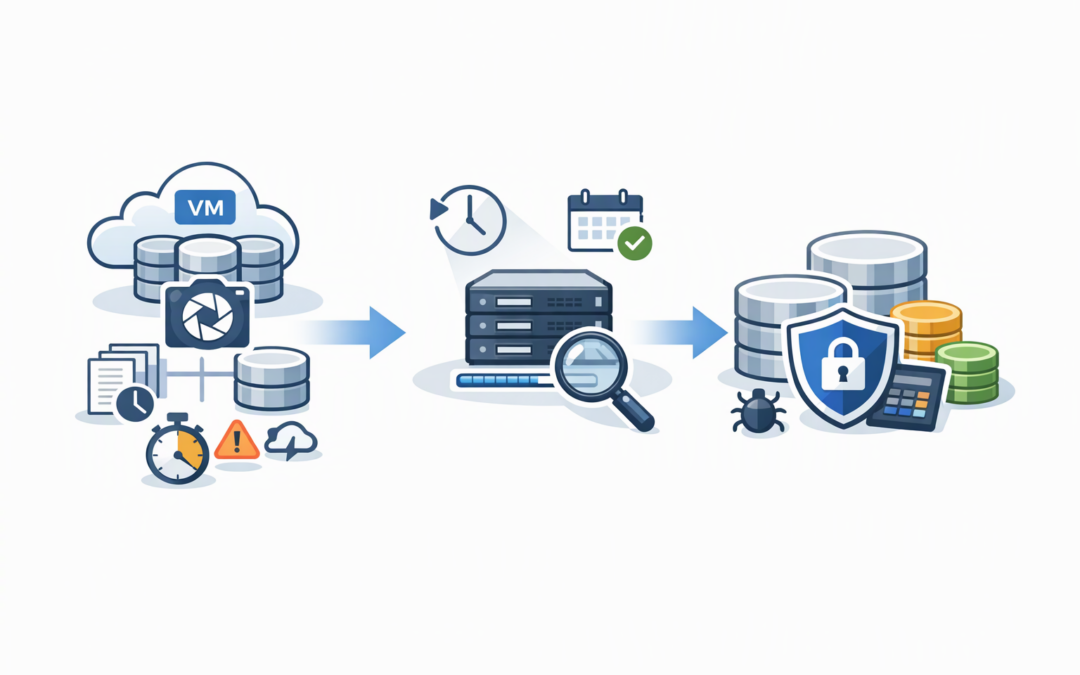
Visit CPI ConsultingA snapshot backup works differently. Azure Backup briefly places selected databases into a consistent state and takes a point-in-time snapshot of the Azure managed disks holding the database files. In plain English, it captures the storage quickly rather than copying every database block through the SQL Server backup process.
The snapshot is combined with transaction log backups, which record database changes between snapshots. This supports point-in-time recovery, allowing the team to restore close to the moment before an accidental deletion, failed release or data corruption incident.
This capability is for SQL Server instances hosted on Azure virtual machines. It should not be confused with SQL Server database snapshots, which are read-only database views, or with Azure SQL Database’s built-in backup service.
Why mid-market IT teams should care
The biggest benefit is not simply a faster backup. It is the potential to reduce the time needed to recover a large operational database while placing less sustained load on the production server.
That matters when a business has outgrown backup processes designed for smaller databases. A four-terabyte database may now support customer orders, warehouse operations and financial reporting, yet still use a backup design chosen when it was a fraction of that size.
Snapshot backup can protect multiple selected databases at the SQL Server instance level. Teams can then restore an entire instance or an individual database, depending on the recovery scenario. Current configuration guidance also places limits on how many databases can be included in one snapshot operation, so large estates may need several protection groups.
The practical business outcomes can include shorter outages, less overnight performance disruption and a clearer recovery process. Those benefits only count if the restore works within the agreed target.
Five tests to run before production rollout
1. Measure a complete restore, not just backup speed
Snapshot creation may finish quickly, but the business experiences the restore process. Test restoring both a single database and the complete SQL Server instance to an alternate Azure virtual machine.
Measure the time from approving the recovery to users successfully accessing the application. Include disk creation, database recovery, application checks, network changes and the time required for the business owner to confirm that the data is usable.
Compare the result with your recovery time objective, which is the maximum acceptable outage. If the business expects a two-hour recovery but the full process takes five hours, the gap remains regardless of how fast the snapshot was created.
2. Test point-in-time recovery after a realistic mistake
Create a safe test scenario in which records are accidentally deleted or changed. Then restore the database to the moment immediately before the error by applying the available transaction logs.
This test confirms the recovery point objective, meaning the amount of recent data the business could lose. It also reveals whether log backups are running frequently enough and whether administrators can identify the correct recovery time without guesswork.
Use application owners during validation. A database can appear technically healthy while still containing incomplete orders, mismatched transactions or broken links between systems.
3. Watch production performance during the snapshot
SQL Server write activity is briefly paused while an application-consistent snapshot is coordinated. Reads can continue, and the pause should be short, but every workload behaves differently.
Run the pilot during a representative workload rather than a quiet Sunday morning. Monitor transaction delays, application errors and user response times while the snapshot runs.
For a distributor, that could mean testing while warehouse staff are processing orders. For a professional services firm, it might mean running the test during timesheet submission or month-end reporting. The goal is to prove that faster protection does not create a noticeable business interruption.
4. Validate identity, permissions and ransomware separation
The service uses a managed identity, which is an Azure identity assigned to the backup process rather than a password stored in a script. That identity requires permission to create and access snapshots in the nominated resource groups.
Test whether backup administrators can perform their work without receiving broad control over production. Also confirm that a compromised SQL administrator or virtual machine cannot easily delete every usable recovery point.
Snapshot backup should sit inside a wider recovery design that includes restricted access, retention controls and protected copies. Our guide to immutable Azure SQL backups for ransomware recovery explains why a recovery copy that cannot be easily changed or deleted is still important.
5. Calculate the real cost of retention
Snapshots are incremental, meaning they generally store changed data rather than creating a complete new copy every time. That can be cost-effective, but spending will still depend on database change rates, snapshot frequency, log volume and retention periods.
Run the pilot long enough to capture normal operations, month-end activity and major data loads. A one-week test may substantially underestimate storage growth in a business with seasonal or monthly processing peaks.
Compare the cost with the value of faster recovery and any reduction in existing backup infrastructure. The cheapest backup is not the best option if it leaves a revenue-generating system offline for an extra day.
A practical mid-market test scenario
Consider a 180-person Australian wholesaler with a multi-terabyte SQL Server database supporting ordering, stock and invoicing. Its nightly streaming backup competes with reporting jobs, while the last full restore test happened more than a year ago.
Rather than replacing the current process immediately, the IT team enables snapshot protection for a controlled set of databases. It then runs three recovery exercises: a single database restore, a complete instance restore to an alternate virtual machine, and a point-in-time recovery following a simulated deletion.
The team records total recovery time, missing permissions, application changes and estimated monthly storage cost. Management can then decide based on measurable outage reduction, not simply on a new feature announcement.
How this fits Essential Eight and disaster recovery
Regular backups are one of the Essential Eight, the Australian government’s cybersecurity framework that many organisations use to reduce common attack risks. Maturity depends on more than scheduling a backup. Recovery points need appropriate protection, access restrictions and regular restore testing.
Snapshot backup also does not replace disaster recovery. Backup restores data, while services such as Azure Site Recovery help bring complete servers and applications online after a broader outage. Our Azure resilience checklist for Australian mid-market CIOs explains how backups, restore points and disaster recovery should work together.
A simple go-live checklist
- Confirm every selected SQL Server, operating system, disk design and database configuration is supported.
- Define recovery time and acceptable data-loss targets with business owners.
- Test single-database, full-instance and point-in-time recovery.
- Measure application performance during snapshot creation.
- Review managed identity permissions and administrator separation.
- Confirm retention, immutability and ransomware recovery requirements.
- Estimate ongoing snapshot and transaction log storage costs.
- Document the recovery steps and assign named owners.
- Schedule recurring restore exercises rather than a one-off test.
Move from backup confidence to recovery evidence
SQL Server snapshot backup can be valuable for Australian mid-market organisations with large databases, slow backup windows or demanding recovery targets. Its value comes from faster, lower-impact protection combined with proven restore procedures.
CloudProInc brings more than 20 years of enterprise IT experience to Azure, SQL Server, Microsoft 365 and cybersecurity projects. As a Melbourne-based Microsoft Partner and Wiz Security Integrator, we focus on practical recovery testing rather than producing another backup report that nobody has challenged.
If you are not sure whether your current SQL Server backup design can meet the outage your business can actually tolerate, we are happy to review it and identify a sensible pilot approach — no strings attached.