
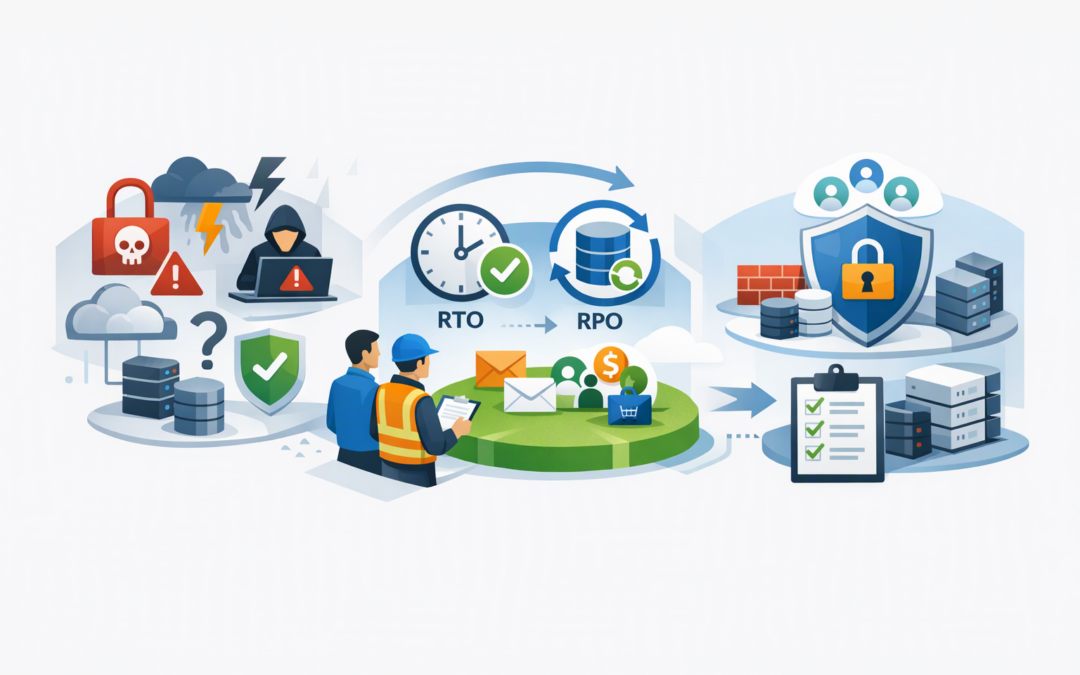
In this blog post How to Build an Azure Cyber Recovery Plan Your Board Can Trust we will show how to turn backups, recovery tools and security controls into a recoverability plan your leadership team can understand and rely on.
Most boards are told that backups are running and systems are protected. The uncomfortable question is whether the business can actually recover after ransomware, administrator compromise or a major Azure outage. A list of successful backup jobs does not answer that question.
A credible plan connects technology to business outcomes. It identifies which services must return first, how much data the business can afford to lose, who can authorise recovery and what evidence proves the plan works.
Cyber recovery is more than disaster recovery
Traditional disaster recovery usually assumes the secondary environment is trustworthy. Cyber recovery assumes an attacker may have compromised production systems, administrator accounts, backup settings and automated deployment tools.
CPI Consulting helps organisations design, build and secure Azure AI solutions, from Azure OpenAI and Microsoft Foundry to agents, governance and production deployment.
Visit CPI ConsultingThis changes the objective. The goal is not simply to restart servers quickly. It is to restore clean data into a trusted environment without bringing the attacker back with it.
Azure provides several technologies that support this outcome:
- Azure Backup creates protected recovery points for data and workloads. Vaulted backups are stored separately from the production workload, reducing the chance that an attack on a server also destroys its backup.
- Azure Site Recovery replicates supported systems to another location and coordinates the order in which they restart. This is useful when applications depend on databases, identity services and network components becoming available in sequence.
- Immutable vaults prevent protected backups from being changed or deleted before their retention period ends. Locking immutability makes that protection difficult for an attacker or rogue administrator to reverse.
- Multi-user authorisation requires additional approval for sensitive backup operations. This helps prevent one compromised administrator account from dismantling the recovery environment.
These services provide strong building blocks, but buying or enabling them does not create a complete recoverability plan. Governance, clean recovery procedures and regular testing are equally important.
Start with business services rather than servers
A board does not need a report showing that 97 virtual machines are protected. It needs to know when customer orders, payroll, communications and revenue-generating services can operate again.
Begin by grouping technology around critical business services. For each service, record its owner, supporting systems, data dependencies and the financial or operational impact of downtime.
Then agree on two targets:
- Recovery time objective means the longest acceptable period the service can be unavailable.
- Recovery point objective means the maximum amount of recent data the business can afford to lose.
For example, losing four hours of internal reporting data may be manageable. Losing four hours of online orders, medical records or financial transactions may not be.
These targets prevent unnecessary spending. Not every system needs instant recovery, and treating every workload as critical can make an Azure recovery design expensive without making the business safer.
Protect the recovery path from the same attacker
A common weakness is allowing the same administrators to control production systems and delete their backups. If one privileged account is compromised, the attacker may be able to damage both environments.
Azure Backup can reduce this risk through locked immutability, soft delete and multi-user authorisation using Resource Guard, which adds a separate approval layer around sensitive actions. For higher-risk environments, that approval control can be placed in a separate Microsoft Entra tenant, meaning a separate cloud identity boundary.
Database protection deserves particular attention because applications are often useless without trustworthy data. Our guide to immutable Azure SQL backups for reliable ransomware recovery explains how tamper-resistant recovery points can protect this critical layer.
Access should also be limited to the people who genuinely need it. Emergency recovery accounts must use strong authentication, remain monitored and be tested without becoming everyday administrator accounts.
Plan for a compromised Azure tenant
Many recovery plans assume the organisation will retain access to its primary Microsoft cloud environment. That assumption may fail if attackers take control of administrator identities, security policies or subscriptions.
A mature plan therefore includes a clean recovery location. This may use a separate Azure subscription, an isolated network or, for suitable workloads, a separate tenant with independently controlled identities.
Azure Backup cross-tenant restore can provide another recovery path by allowing supported vaulted backups to be restored into a different tenant. The capability is still subject to workload, region and preview limitations, so it should not be treated as the organisation’s only recovery method.
Our cross-tenant restore cyber resilience playbook covers the preparation, permissions and governance needed to make this approach practical.
Test recovery as a business process
A backup is only useful when it can be restored within the required time. The Australian government’s Essential Eight cybersecurity framework includes regular backups, while ASD guidance also places importance on testing the restoration of data, applications and settings.
A meaningful exercise should test more than whether a file can be downloaded. It should confirm that:
- Decision-makers know who can declare a cyber recovery event.
- The recovery team can gain access without relying on compromised accounts.
- Clean recovery points can be identified and restored.
- Applications start in the correct order.
- Security checks are completed before users reconnect.
- Recovery time and data-loss targets are met.
- Evidence and lessons are recorded for management and auditors.
Azure Site Recovery supports test failovers in an isolated network, allowing teams to practise without interrupting production. Microsoft Defender and Wiz can then help identify security weaknesses or unexpected exposure in the restored environment before it is released to users.
For hybrid organisations, this testing should include on-premises systems as well as Azure resources. Our article on building stronger Azure resilience explores how accountable access and tested recovery plans work across mixed environments.
Give the board a recovery scorecard
Board reporting should be short, measurable and connected to business risk. Avoid pages of backup statistics that hide the important questions.
A useful quarterly scorecard can show:
- Percentage of critical business services with an approved recovery plan.
- Percentage meeting agreed recovery time and data-loss targets.
- Date and result of the most recent recovery exercise.
- Number of critical systems without immutable recovery points.
- Number of unresolved findings from the last exercise.
- Named executive and technical owners for each critical service.
Consider an anonymised 200-person professional services business with working backups but no tested application recovery sequence. During its first exercise, the database returned successfully, but identity, network and application dependencies delayed usable recovery for most of the day.
The company did not need a completely new platform. It needed clear service priorities, a documented recovery order and controlled access to the backup vault. The next exercise demonstrated recovery within the approved window and gave management evidence rather than reassurance.
A practical 90-day starting plan
Days 1 to 30
Identify critical services, owners, dependencies and acceptable downtime. Compare these requirements with current Azure Backup and Site Recovery coverage.
Days 31 to 60
Address the largest security gaps. This may include immutable vaults, multi-user authorisation, separate recovery identities, improved monitoring and an isolated recovery network.
Days 61 to 90
Run a controlled recovery exercise for one critical business service. Measure the result, document the gaps and provide management with a simple scorecard and improvement plan.
Confidence comes from evidence
A recoverability plan your board will trust does not promise that nothing will go wrong. It demonstrates that the organisation can make decisions, access protected data and restore essential services under difficult conditions.
CloudProInc combines more than 20 years of enterprise IT experience with hands-on Azure, Microsoft 365, Defender and Wiz expertise. As a Melbourne-based Microsoft Partner and Wiz Security Integrator, we help organisations build practical recovery plans without turning them into oversized consulting projects.
If you are not sure whether your current Azure setup can survive a serious cyber incident, we are happy to review the recovery path and highlight the gaps — no strings attached.