
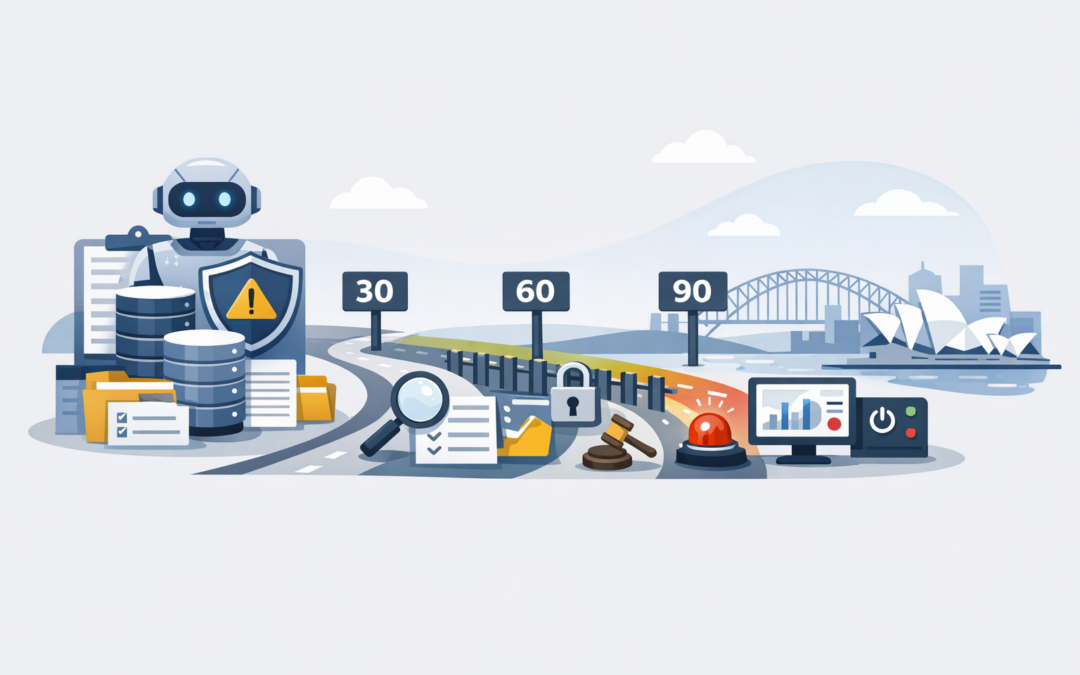
In this blog post A 90-Day AI Agent Governance Plan for Australian Mid-Market CIOs we will explain how to bring AI agents under control without burying useful projects in approvals.
For many CIOs, the immediate problem is not a lack of AI ideas. It is that different teams are already testing agents with customer records, internal documents and business systems, while nobody has a complete view of what those agents can access or do.
An AI agent is more than a chatbot. It combines an AI model, such as OpenAI or Anthropic Claude, with instructions, company information and tools that let it take actions. Those actions might include updating a CRM record, creating a service ticket, drafting an email, checking an invoice or starting a workflow.
This ability to act is what makes agents valuable. It is also what creates risk. A chatbot might give a poor answer, but an agent with excessive permissions could change data, contact a customer or approve the wrong step before anyone notices.
CPI Consulting helps organisations design, build and secure Azure AI solutions, from Azure OpenAI and Microsoft Foundry to agents, governance and production deployment.
Visit CPI ConsultingWhat good AI agent governance actually means
Governance does not mean creating a committee that debates every prompt. It means knowing which agents exist, who owns them, what information they use, what actions they can take and how the business will detect problems.
Australian organisations should also remember that AI does not sit outside existing obligations. Privacy, employment, consumer protection, discrimination, security and record-keeping requirements may still apply, even when a decision is partly made by software.
The Australian Government’s AI adoption guidance provides practical foundations for responsible use. The Essential 8, the Australian government’s cybersecurity framework, also remains important because an AI agent connected to a poorly secured account or unpatched system can magnify an existing weakness.
From 10 December 2026, certain organisations covered by the Australian Privacy Principles will also need to include information in their privacy policies when computer programs use personal information to make, or directly support, decisions that could significantly affect an individual’s rights or interests. Your legal and privacy teams should confirm how this applies to your organisation.
If you need a broader starting point, our guide to AI governance before Copilot and agent rollouts explains why access, data and accountability must be addressed before scaling.
Days 1 to 30 Find the agents and assign accountability
Build one register of every AI use case
Start with discovery, not policy writing. Ask business units, IT teams and external providers what they have built, purchased or trialled.
Your register should include Microsoft Copilot agents, Microsoft Foundry projects, Copilot Studio workflows, third-party tools and smaller experiments created with OpenAI or Claude. Shadow AI must be included too, even if the answer is uncomfortable.
For each agent, record:
- Its business purpose and expected benefit.
- A named business owner and technical owner.
- The information it reads, creates or stores.
- The systems and tools it can access.
- Whether it uses personal, sensitive or confidential information.
- The decisions or actions it can make.
- Its current users, operating cost and status.
This exercise often identifies duplicate tools, forgotten subscriptions and pilots with no clear business outcome. Removing those projects can deliver savings before the governance program has finished.
Put agents into three risk levels
Do not apply the same controls to every use case. An agent that summarises public reports does not carry the same risk as one that recommends whether a customer receives credit.
- Low risk agents work with public or low-sensitivity information and cannot change business records.
- Medium risk agents use internal information or prepare actions that a person must approve.
- High risk agents use sensitive data, affect people, move money, change important records or act without immediate human approval.
Pause any high-risk agent that has no accountable owner, reliable activity records or human intervention process. The business benefit rarely justifies operating blind.
Days 31 to 60 Set the rules and technical boundaries
Give every agent its own identity
An agent should not sign in using a shared administrator account or an employee’s credentials. It should have its own managed identity, which is a dedicated digital account showing exactly what the agent is allowed to access.
Apply least privilege, meaning the agent receives only the minimum access required for its task. An invoice agent may need to read invoices and prepare an entry, but it should not automatically receive permission to approve payments.
Platforms such as Microsoft Foundry can connect agent identities, permissions, monitoring and policy controls. Our Microsoft Foundry vendor evaluation guide covers the wider platform questions CIOs should consider.
Define where human approval is mandatory
Write down the actions an agent may complete alone and the actions that always require a person. Human approval should normally remain in place for payments, hiring decisions, contract commitments, access changes, customer eligibility decisions and deletion of important data.
For long-running processes, the agent must be able to stop safely, wait for approval and resume without repeating completed work. This is particularly important for the durable AI agents used in multi-step business processes.
Create a short acceptable-use standard
Employees need rules they can understand in five minutes. State which tools are approved, what information must never be entered into public AI services, when outputs require checking and how to report an unexpected result.
Support the standard with Microsoft Intune, which manages and secures company devices, and Microsoft Defender, which helps detect threats across users, devices and cloud services. Policy without technical enforcement is easy to ignore.
Days 61 to 90 Test, monitor and prove the business value
Test realistic failures before launch
Do not test only whether the agent succeeds under perfect conditions. Test what happens when information is missing, instructions conflict, a connected service fails or a user tries to persuade the agent to ignore its rules.
Set measurable release criteria. These might include task accuracy, the percentage of actions correctly sent for human approval, unacceptable response rates, maximum processing time and a monthly spending limit.
For a more detailed release review, use our production-ready AI agent checklist. It covers permissions, privacy, resilience, testing, monitoring and cost controls.
Monitor actions, quality and cost
Management needs a simple monthly dashboard, not thousands of technical logs. Report how many tasks each agent completed, how often people had to correct it, which systems it accessed, what incidents occurred and what it cost.
Include a kill switch so an authorised person can quickly disable the agent, remove access or return the process to a manual workflow. Make sure your incident response plan covers incorrect actions, privacy events and suspected account compromise.
Recent changes to models, agent platforms and pricing can also affect an approved design. The actions in our Microsoft Foundry update for CIOs help connect platform changes to governance and cost decisions.
A practical mid-market scenario
Consider a 200-person organisation with three agents. One answers internal policy questions, one drafts customer responses and one updates finance records after reading emailed invoices.
The first two may be low or medium risk with appropriate data controls. The finance agent is higher risk because a false invoice, compromised mailbox or incorrect supplier detail could create a direct financial loss.
Under this 90-day plan, the finance agent receives read-only access first, prepares entries rather than approving them, and sends changes above a set value to a finance manager. Every action is recorded, and the agent can be disabled without stopping the underlying finance system.
At the same time, suppose 60 employees save 15 minutes per working day through the lower-risk agents. That is roughly 975 hours returned to the business each quarter. Governance protects that productivity gain instead of blocking it.
What the CIO should have by day 90
- A complete register of approved, trial and unapproved agents.
- A named owner and risk level for every agent.
- Clear rules for data access and human approval.
- Dedicated identities with minimum necessary permissions.
- Testing standards and launch criteria.
- Monitoring for quality, security, cost and business value.
- A shutdown and incident response process.
- A repeatable approval path for future projects.
The goal is not perfect governance in 90 days. It is to replace unknown risk with visible, manageable decisions while allowing worthwhile AI projects to move forward.
CloudProInc brings more than 20 years of enterprise IT experience to this work. As a Melbourne-based Microsoft Partner and Wiz Security Integrator, we help organisations connect AI governance with Microsoft 365, Azure, Intune, Defender, Wiz and their existing Essential 8 program.
If you are not sure which agents are already operating in your business, or whether your current controls are enough, we are happy to help you map the environment and build a practical 90-day plan — no strings attached.