
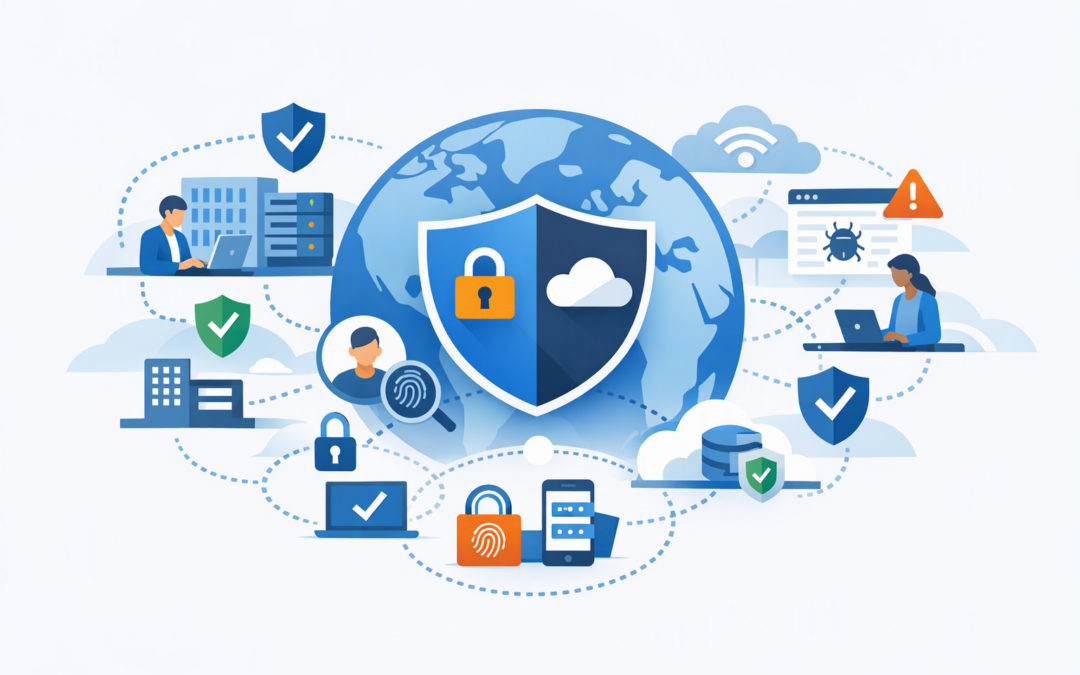
In this blog post Entra Global Secure Access Simplifies Private and Internet Access we will explain Microsoft’s combined offering, how the technology works and what it could change for your security costs, remote access and IT planning.
If your employees use one tool to reach internal systems, another to browse the internet safely and several more to prove who they are, you are not alone. Many businesses have built their access controls one product at a time, leaving IT teams with overlapping licences, inconsistent rules and too many places to investigate problems.
At a high level, Microsoft Entra Global Secure Access connects identity security with network security. It checks who is requesting access, whether their device is trusted, what they are trying to reach and whether the activity appears risky before allowing the connection.
What has actually changed
From 2 November 2026, Microsoft began offering Entra Private Access and Entra Internet Access together under a single Entra Global Secure Access offering. This is primarily a simpler purchasing and planning option, not a completely new product. The two components also remain available separately.
CPI Consulting helps organisations design, build and secure Azure AI solutions, from Azure OpenAI and Microsoft Foundry to agents, governance and production deployment.
Visit CPI ConsultingEntra Private Access provides controlled access to private business applications and systems. It can reduce dependence on a traditional virtual private network, or VPN, which often connects a remote employee to a much larger part of the company network than they need.
Entra Internet Access protects web and cloud application traffic. It acts as a secure checkpoint between users and the internet, helping block malicious destinations, restrict inappropriate website categories and record activity for investigations.
The combined offering allows an organisation to plan both sides of access together: what employees can reach inside the business and what they can reach outside it.
How the technology works in plain English
Traditional network security often assumes that somebody connected to the office network or VPN can be trusted. Entra Global Secure Access instead follows Zero Trust, meaning every access request is checked rather than automatically trusted because of where it came from.
A lightweight Global Secure Access client can be installed on company devices. Branch offices and other networks can also send traffic to the service through remote network connections.
That traffic is directed to Microsoft’s global network, where access policies are applied. Microsoft Entra ID, the identity platform behind Microsoft 365 sign-ins, can consider details such as:
- Who the user is and which business group they belong to.
- Whether multifactor authentication has been completed.
- Whether the device is managed and meets company security rules.
- Whether the sign-in or user behaviour appears risky.
- Which application, website or private system is being requested.
These decisions use Conditional Access, which is Microsoft’s policy engine for deciding when access should be allowed, blocked or given additional checks. Global Secure Access extends those identity-based decisions beyond the initial sign-in and into network connections.
For private applications, connectors are placed near the systems employees need to use. These connectors establish secure outbound connections, so businesses do not need to expose private applications directly to the public internet or open broad inbound access through the firewall.
Why one offering matters to business leaders
1. Fewer overlapping security products
Many mid-sized organisations pay separately for VPN infrastructure, secure web browsing, identity controls and reporting tools. Even where every product works, the combined cost and administration can become difficult to justify.
Entra Global Secure Access may allow some businesses to consolidate parts of that environment. It will not replace every firewall, security platform or monitoring tool, but it creates an opportunity to identify duplicated functions and retire products that no longer add enough value.
The outcome should be measured in total cost, not licence price alone. Include support hours, infrastructure, renewals, employee downtime and the cost of maintaining specialist knowledge for multiple platforms.
2. More precise access than a traditional VPN
A VPN can be like giving an employee access to an entire office floor when they only need one meeting room. If their password or device is compromised, that broad connection can give an attacker more room to move.
Private Access can limit users to specific applications and services based on their role. A payroll employee might reach the payroll system without gaining general access to every server on the internal network.
This can reduce the impact of a compromised account while making remote access easier to manage for employees, contractors and third parties.
3. Consistent protection wherever people work
Office-based security controls lose value when employees work from home, travel or connect through client networks. Internet Access applies policy closer to the user, rather than relying entirely on traffic being sent back through the main office.
That means the same web rules can follow the employee across approved working locations. It can also reduce the slow browsing experience caused by sending traffic on an unnecessary round trip through a corporate data centre.
4. Better visibility for investigations and compliance
When access systems operate separately, investigating an incident can mean searching identity logs, VPN records, firewall reports and device alerts one by one. Connecting access decisions to user identity gives the IT team a clearer picture of who accessed what and under which conditions.
This visibility can support evidence gathering for the Essential Eight, the Australian Government’s widely used cybersecurity baseline, and the newer ASD Essentials for enterprise IT. However, Global Secure Access is not a compliance shortcut. It must work alongside patching, application control, restricted administration, backups and other required safeguards. ASD published transition guidance for organisations moving from the Essential Eight to ASD Essentials for enterprise IT on 15 October 2026.
5. A stronger foundation for AI access
Employees are not the only identities connecting to business systems. AI assistants and autonomous agents may also need controlled access to documents, applications, internet services and internal data.
Using consistent identity and network policies makes it easier to limit what an AI agent can reach. We explored this in more detail in how Entra Global Secure Access changes Zero Trust for AI agents.
Organisations building agents with Microsoft tools should also consider where their connected data resides. Our guide to designing private network access for Microsoft Foundry agents explains how to keep sensitive connections away from the public internet.
A practical 200-person business scenario
Consider a 200-person professional services company with two offices, remote employees and several private finance and project systems. It uses a traditional VPN, separate web filtering and Microsoft 365 security tools managed by different providers.
Employees regularly report slow VPN performance, while IT struggles to confirm whether contractors still have access after projects finish. Security investigations require reports from several systems, each identifying users differently.
A staged Global Secure Access project could begin with one private application and a small employee group. The business could then test internet filtering, device checks and access reporting before deciding whether parts of the existing VPN and web security environment can be retired.
The immediate win is not simply buying another Microsoft licence. It is reducing broad network access, simplifying support and creating a clearer path to removing duplicated tools.
How to evaluate Global Secure Access safely
- Map current access. List private applications, VPN users, internet controls, contractors, branch offices and existing security licences.
- Choose one business problem. Start with an expensive VPN, inconsistent remote access or limited visibility rather than attempting a company-wide replacement.
- Run a controlled pilot. Test with users from different locations, roles and device types.
- Measure business results. Track support tickets, connection performance, blocked threats, administration time and products that could be removed.
- Expand in stages. Keep rollback options and avoid switching off existing controls until access, logging and recovery processes have been proven.
Device management should be part of this plan. Microsoft Intune, which manages and secures company devices, can provide device compliance information for access decisions. Microsoft Defender can contribute threat information, while Entra ID confirms identity and applies policy. We explain this relationship in how Defender, Intune and Entra ID secure Microsoft 365 together.
One offering does not mean one-click deployment
Entra Global Secure Access can simplify purchasing and policy design, but successful adoption still depends on understanding applications, user roles, devices and existing network dependencies. Poorly planned rules can block legitimate work just as easily as they block threats.
CloudPro Inc combines more than 20 years of enterprise IT experience with hands-on expertise across Azure, Microsoft 365, Intune, Defender, Wiz, OpenAI and Claude. As a Melbourne-based Microsoft Partner and Wiz Security Integrator, we help organisations determine where consolidation is practical and where existing controls should remain.
If you are unsure whether your VPN, internet security and Microsoft licences overlap, we are happy to review the current setup and identify a sensible pilot. No unnecessary replacement project and no strings attached.