
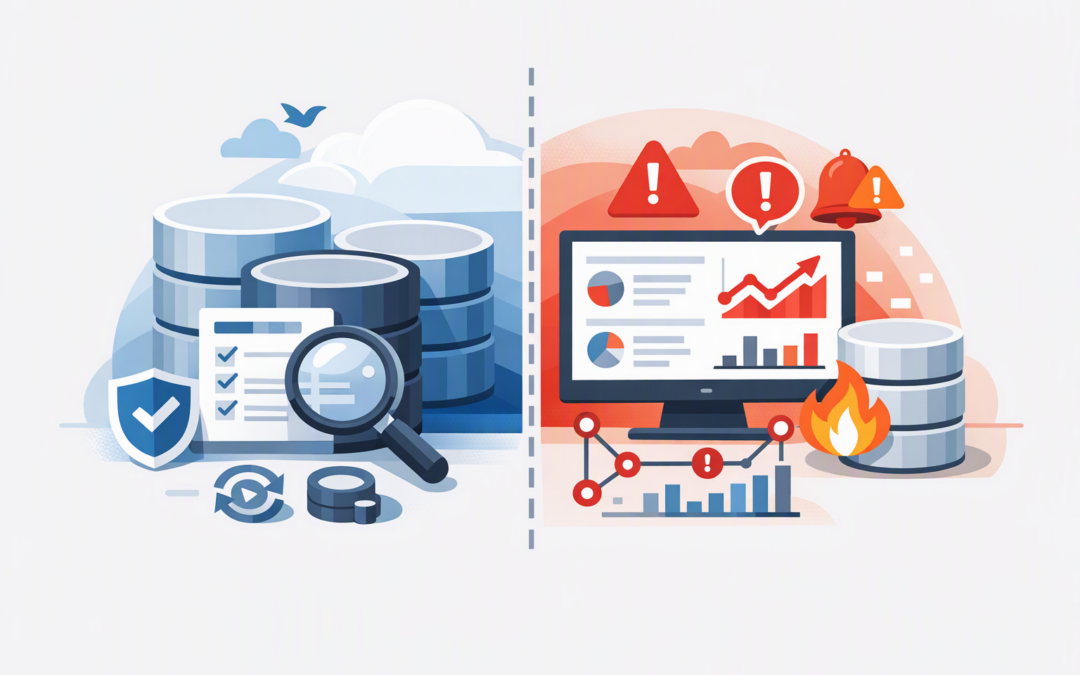
In this blog post SQL Server 2025 CU10 and Azure SQL Alerts for Safer Operations we will explain how to patch critical database servers without creating unnecessary downtime, then improve monitoring so problems are detected before they affect the business.
For many organisations, the database is only discussed when an application becomes slow, an overnight process fails or customers cannot complete a transaction. Patching feels risky, but delaying updates leaves known faults and security gaps in systems that often hold the company’s most important information.
The answer is not simply to install every update immediately. It is to combine controlled patching with monitoring that tells your team whether performance, capacity or reliability has changed.
What these two technologies actually do
SQL Server 2025 Cumulative Update 10, or CU10, is a Microsoft update package for SQL Server 2025. A cumulative update bundles product fixes and improvements released since the original version, so you do not normally need to install CU1 through CU9 before installing CU10.
CPI Consulting helps organisations design, build and secure Azure AI solutions, from Azure OpenAI and Microsoft Foundry to agents, governance and production deployment.
Visit CPI ConsultingCU10 was released on 22 October 2026 as KB5125471. It moves the SQL Server database engine to build 17.0.5035.5. That build number matters because it gives your IT team and auditors a clear way to confirm which update is installed.
Database Hub is a preview capability in Microsoft Fabric that gives teams a consolidated view of supported Microsoft databases. Its alerts use Fabric Activator, which checks performance information on a schedule and can notify the right people when a condition continues for too long.
These are separate controls. CU10 updates SQL Server 2025 installations that your organisation operates, while Microsoft manages the underlying patching of Azure SQL Database. Database Hub alerts help monitor Azure SQL Database and supported SQL Server environments; they do not install CU10 for you.
Why patching is a business risk decision
The common mistake is to treat patching as a choice between security and stability. In reality, leaving a database unpatched also creates stability risk because known software faults remain in production.
For Australian organisations, patching is also part of Essential Eight, the Australian government’s cybersecurity framework that many organisations use for compliance and risk management. Critical vulnerabilities and vulnerabilities with working exploits can require action within 48 hours, depending on the system’s exposure and your required maturity level.
The goal should be a repeatable process that lets you assess, test, deploy and prove updates quickly. Our SQL Server patching and modernisation checklist covers the broader governance process. CU10 is a good opportunity to put that process into practice.
A practical SQL Server 2025 CU10 patch playbook
1. Confirm what you actually operate
Start with an inventory of SQL Server 2025 instances, business owners, hosted applications, recovery requirements and maintenance windows. Include test systems, reporting servers and forgotten instances running inside Azure virtual machines.
Run the following query on each instance to record its current edition, version and patch level:
SELECT
 SERVERPROPERTY('ServerName') AS ServerName,
 SERVERPROPERTY('Edition') AS Edition,
 SERVERPROPERTY('ProductVersion') AS ProductVersion,
 SERVERPROPERTY('ProductLevel') AS ProductLevel,
 SERVERPROPERTY('ProductUpdateLevel') AS UpdateLevel;
This evidence is useful for change approval and Essential Eight assessments. It also prevents the classic problem of successfully patching one server while missing another server used by the same application.
2. Check the servicing branch and release notes
SQL Server updates follow two main servicing paths. The General Distribution Release path focuses on security and critical fixes, while the cumulative update path also includes broader product fixes and improvements.
Once an instance is on the cumulative update path, updates should be planned for that path. Do not approve CU10 based only on its name; confirm the current build, supported operating system, installed SQL components and any update-specific known issues.
If your team recently deployed Microsoft’s October security updates, review our explanation of what the October 2026 SQL Server updates mean for Australian organisations before selecting the next package.
3. Prove that recovery will work
A backup job showing “successful” is not the same as a proven recovery plan. Before patching, confirm that recent database and configuration backups exist, then test a restore for the applications that the business cannot operate without.
Record the current performance baseline as well. Capture normal CPU use, query duration, failed jobs, database growth, blocking and application response times. Without a baseline, every post-patch complaint becomes guesswork.
4. Patch a representative test system first
Your test server should resemble production closely enough to reveal problems. Run the business processes that matter, including finance integrations, linked servers, scheduled imports, reporting tools, backups and failover procedures.
For a quiet installation on a named Windows instance, an administrator can use a command similar to the following after validating the package:
SQLServer2025-KB5125471-x64.exe /qs
/IAcceptSQLServerLicenseTerms /Action=Patch
/InstanceName=MSSQLSERVER
Automation makes deployment consistent, but it does not replace testing. The command, package checksum, start time, finish time and result should all be captured in the change record.
5. Deploy in controlled stages
Patch low-risk production systems before the database supporting your most important application. For highly available environments, follow the documented sequence for secondary and primary servers rather than updating every node at once.
Azure Update Manager can help schedule and report on server maintenance. Our guide to practical maintenance orchestration with Azure Update Manager explains how to reduce manual work without losing control of approvals and evidence.
6. Validate the service, not just the installer
A successful installer only proves that installation completed. Confirm the new build, review SQL Server and operating system logs, check backups and scheduled jobs, and test the application from a user’s perspective.
Compare performance with the baseline. If transaction times or failure rates change materially, pause the rollout and investigate before patching the next group.
Add Azure SQL Database Hub alerts as an early warning system
Database Hub alerts can turn performance information into useful action. For example, an alert could send a Microsoft Teams notification when CPU remains above 80% for ten minutes, rather than waking someone every time there is a harmless ten-second spike.
The alert queries telemetry collected by the performance monitoring service. It does not connect directly to the database, create database credentials or add query load to your production workload.
A practical starting set should cover:
- Sustained resource pressure so capacity problems are found before applications become unusable.
- Deadlock increases which indicate transactions are repeatedly blocking and cancelling each other.
- Unexpected storage growth to reduce the risk of capacity-related outages or surprise Azure costs.
- Estate-wide conditions so a small IT team can see which database needs attention first.
Avoid sending every alert to every manager. Give each rule an owner, a business severity, a response window and a clear next step. Tune thresholds against normal workload patterns rather than copying generic numbers from another organisation.
Database Hub and its Activator alerts are still in preview. Performance monitoring currently has limitations for resources such as elastic pools, Azure SQL Managed Instance and secondary replicas. Keep established Azure Monitor alerts in place for production-critical services until the preview capability has been fully assessed in your environment.
Access also needs care. People who receive an alert may be able to see the telemetry returned by the rule even if they cannot access the underlying Azure resource. Store rules in an appropriately secured Fabric workspace and limit notification recipients.
What this looks like in practice
Consider an illustrative 180-person company with an on-premises SQL Server supporting finance and Azure SQL Database supporting its customer portal. Patching was performed manually every few months, while performance problems were usually reported first by employees or customers.
The company introduced a test-first CU process, documented build checks and staged deployment. It then created alerts for sustained CPU pressure, deadlocks and storage growth, with each notification assigned to a named owner.
The business outcome was not “more monitoring”. It was shorter outages, fewer after-hours surprises, clearer compliance evidence and less time spent arguing about whether a slowdown started before or after a change.
Turn patching into a controlled business process
SQL Server 2025 CU10 should not be treated as a one-off technical task. Use it to build an ongoing cycle of inventory, risk assessment, recovery testing, staged deployment, validation and monitoring.
CloudProInc brings more than 20 years of enterprise IT experience to this work. As a Melbourne-based Microsoft Partner and Wiz Security Integrator, we help organisations connect SQL Server, Azure, Microsoft security and Essential Eight requirements without the overhead of a large, faceless provider.
If you are not sure whether your SQL environment is patched safely or monitored well enough, we are happy to take a practical look at the current setup and identify the highest-risk gaps — no strings attached.