
In this blog post Identity at Every Hop with Entra Agent ID and Managed Identity we will explain how to stop trusted AI agents becoming an uncontrolled path into sensitive business systems.
An employee may ask one agent to prepare a customer summary, but that simple request can trigger calls to Microsoft 365, a customer relationship management system, an internal database and another AI agent. If those connections rely on shared passwords, broad permissions or reusable API keys, your security team may struggle to determine who accessed what and why.
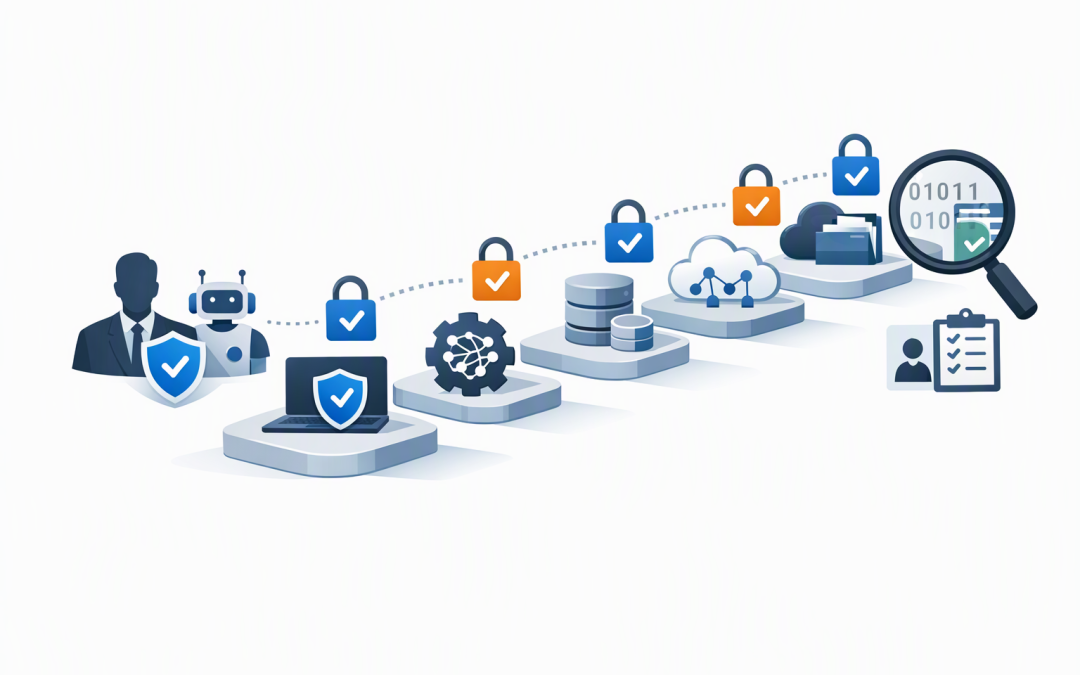
Identity at every hop means checking identity and permissions each time the request moves between people, agents, applications and data sources. Microsoft Entra Agent ID gives the AI agent its own governed identity, while managed identities allow services running in Microsoft Azure to authenticate without passwords or secret keys stored in code.
Why one secure login is not enough
Many AI projects secure the first interaction and assume everything behind it can be trusted. The user signs in through Microsoft Teams or an application, the agent receives the request, and security checks effectively stop there.
CPI Consulting helps organisations design, build and secure Azure AI solutions, from Azure OpenAI and Microsoft Foundry to agents, governance and production deployment.
Visit CPI ConsultingThat approach creates a large blind spot. Once inside, the agent may use a shared credential to search documents, query a database or call another agent. Logs might show that an application accessed the data, but not which agent initiated the action, which user requested it or whether that access was appropriate.
The risk grows quickly because agents operate at machine speed. A person might open five customer records in ten minutes. An incorrectly configured agent could retrieve thousands before anyone notices.
For an introduction to assigning individual identities, owners and audit records, read why every AI agent needs an identity. The next step is making sure that identity remains meaningful across the complete workflow.
What the technology does in plain English
Microsoft Entra is Microsoft’s identity and access platform. It already helps businesses control how employees and applications sign in, what they can access and under which conditions.
Microsoft Entra Agent ID extends that model to AI agents. Each agent can receive a distinct identity, a responsible human sponsor, defined permissions and its own activity records. An agent identity blueprint acts as a reusable template, helping organisations apply consistent rules when multiple agents perform similar roles.
A managed identity solves a related but different problem. It gives an Azure-hosted service a secure identity that Azure manages automatically, removing the need to place a password or API key inside source code, configuration files or deployment pipelines.
A useful way to separate the two is:
- Entra Agent ID identifies the agent. It answers which agent acted, who is accountable for it and what it should be allowed to do.
- A managed identity identifies the Azure workload hosting or supporting it. It lets that workload request short-lived access tokens without storing reusable secrets.
- Role-based access control limits permissions. This means each identity receives only the actions needed for its job.
Used together, these controls create a traceable chain rather than a collection of trusted systems sharing powerful credentials.
What identity at every hop looks like
Consider an employee asking a finance agent to prepare a supplier payment summary. The workflow may involve five separate hops:
- The employee signs in and sends the request.
- The finance agent confirms the employee’s identity and permission to use it.
- The agent calls a document service to find approved invoices.
- It asks a second agent to check supplier details.
- It queries a finance system and returns the summary.
At each hop, the receiving system should validate who or what is calling. It should then grant access only to the required information, rather than accepting a general token or shared key that works everywhere.
If the finance agent is acting for a signed-in employee, Microsoft Entra can use an on-behalf-of flow. In plain English, the agent receives a new access token for the next service while preserving the user context and the agent’s role in the request.
If the agent is completing an approved background task, it can act using its own identity. That makes it possible to distinguish employee-driven activity from autonomous activity in security and audit records.
Agent-to-agent connections require the same discipline. Our guide to securing agent-to-agent communication examines that trust boundary in more detail.
Why managed identities matter
API keys are easy to use during a trial, which is why they often appear in early AI projects. The problem begins when the trial becomes a production service and the original key remains in a configuration file, developer laptop or automation script.
Anyone who obtains that key may inherit the same access. Keys also need to be stored, rotated and replaced, creating ongoing work and the risk of business disruption when an expired credential is discovered too late.
Managed identities replace that reusable secret with token-based access. Azure confirms the workload’s identity and issues a time-limited token for a specific destination. The receiving service still needs an appropriate role assignment, so having an identity does not automatically mean having broad access.
A simplified Python example looks like this:
from azure.identity import DefaultAzureCredential

credential = DefaultAzureCredential()
token = credential.get_token(
 "https://cognitiveservices.azure.com/.default"
)

# The Azure service authenticates without an API key in the code.
This example shows the managed identity part of the design, not the complete Agent ID workflow. Production agents also need properly configured agent identities, permissions, token validation, logging and human ownership.
A practical business scenario
Consider a 200-person professional services business introducing an AI agent to prepare project updates. The agent searches SharePoint, reads selected customer records and sends a draft through Microsoft Teams.
In the first design, every connection uses the same application credential with broad access. The setup works, but the company cannot easily separate one agent’s activity from another, and a leaked credential could expose several systems.
In the improved design, the agent receives its own Entra Agent ID with an accountable business sponsor. The Azure services use managed identities, and each connection receives only the minimum role required.
The business outcome is not simply “better security”. The organisation can investigate unusual activity faster, disable one agent without interrupting unrelated services, reduce manual secret rotation and provide clearer access evidence during customer or compliance reviews.
Five steps for safer agent deployment
1. Map every hop
Document each person, agent, service and data source involved. Hidden connections are often where shared credentials and excessive permissions survive.
2. Choose the correct operating context
Decide whether the agent acts for a signed-in user or independently. Do not use autonomous access when a task should remain limited by the employee’s existing permissions.
3. Remove stored secrets
Use managed identities for supported Azure services. Treat API keys as temporary exceptions rather than the default production design.
4. Apply minimum access
Give each identity only the roles and data access required for its task. Separate agents with different business purposes instead of placing them behind one powerful identity.
5. Assign ownership and review access
Every agent should have a named sponsor, an approval process and a retirement plan. Review permissions regularly, particularly when the agent’s tools, data sources or responsibilities change.
How this supports Australian security obligations
Identity at every hop does not automatically make a business compliant. It does, however, support the access control, accountability and monitoring practices expected by customers, auditors and Australian regulators.
It also complements the Essential Eight, the Australian Government’s cybersecurity framework for reducing common attack risks. In particular, controlled identities and minimum permissions support stronger administration practices, while detailed logs make suspicious activity easier to investigate.
For organisations handling personal information, clear access records can also improve incident assessment and response. The important point is being able to show which user, agent and service accessed information, rather than relying on a generic application account.
Build the trust chain before scaling AI
AI security is no longer only about protecting the model or filtering prompts. The bigger operational question is whether your organisation can verify identity, permission and accountability every time an agent crosses into another system.
CloudProInc combines more than 20 years of enterprise IT experience with practical expertise across Microsoft Entra, Azure, Microsoft 365, Microsoft Foundry, OpenAI, Claude, Defender and Wiz. As a Melbourne-based Microsoft Partner and Wiz Security Integrator, we help organisations design agent access that is useful without becoming invisible or overly powerful.
If you are unsure where your AI agents use shared secrets, broad permissions or untracked connections, we are happy to map the identity chain with you and identify the highest-priority risks—no strings attached.