
In this blog post Building RAG That Stays Current Across Azure AI Foundry Teams we will explain why a useful AI assistant can quietly become unreliable as business information changes, and how to prevent stale answers from creating cost, compliance and operational problems.
Retrieval augmented generation, usually shortened to RAG, allows an AI model to search approved company information before answering a question. Instead of relying only on what the model learned during training, it can use your current policies, procedures, product records and internal knowledge.
The concept sounds simple. However, the AI is only as current as the information it can retrieve. If a policy changes on Monday but the search index is not updated until Friday, the assistant can confidently provide an answer that is four days out of date.
The real problem is stale knowledge, not the AI model
Many teams focus first on choosing the model. They compare response quality, speed and cost across models available through Azure AI Foundry, which Microsoft now brings together under Microsoft Foundry.
CPI Consulting helps organisations design, build and secure Azure AI solutions, from Azure OpenAI and Microsoft Foundry to agents, governance and production deployment.
Visit CPI ConsultingThose choices matter, but they do not solve information freshness. Even an excellent model will give the wrong answer if the retrieval system supplies an old document.
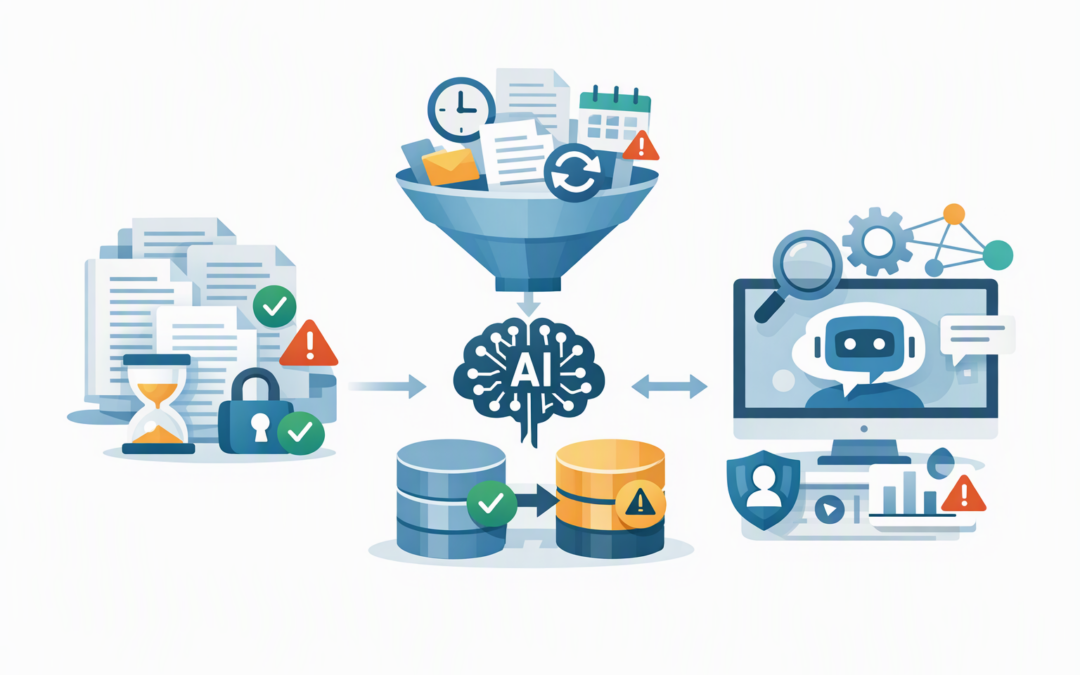
A production RAG system normally has several moving parts:
- A source such as SharePoint, Azure Storage, a business application or database.
- An ingestion process that detects new, changed and deleted information.
- A process that divides documents into smaller searchable sections.
- An Azure AI Search index, which works like a highly organised catalogue of company knowledge.
- An AI model that uses the retrieved sections to produce an answer.
Our guide to the architecture of reliable RAG covers this overall flow. The next challenge is operating that flow continuously, after the initial build is complete.
1. Define what current actually means
Not every source needs to update at the same speed. An employee handbook might tolerate a delay of several hours. Product availability, incident procedures or pricing information may need to update within minutes.
Set a freshness target for each source before designing the ingestion process. A practical target might say that 95 per cent of approved policy changes must become searchable within 30 minutes.
This turns “keep it current” into something the business and technology teams can measure. It also avoids paying for near-real-time processing where a daily update would be perfectly adequate.
2. Combine scheduled and event-driven updates
Azure AI Search indexers can check supported data sources on a recurring schedule and process new or modified content. An indexer is simply a service that reads information from a source and places a searchable version into the index.
Scheduled indexing works well for routine documents. However, urgent changes should not have to wait for the next scheduled run.
For important sources, use an event-driven process as well. When a document is approved, a product record changes or a policy is published, that event can trigger an update immediately. The regular schedule then acts as a safety net if an event is missed.
This mixed approach usually provides the best balance between speed, reliability and Azure cost.
3. Treat deletions and superseded documents as first-class events
New documents are the easy part. Deleted, replaced and expired documents cause more production problems.
Imagine that Finance replaces a travel policy but the previous version remains in the search index. The RAG application may retrieve sections from both policies and create an answer that combines two different sets of rules.
Each indexed section should therefore include business metadata such as:
{
 "documentId": "travel-policy",
 "version": "4.2",
 "status": "approved",
 "sourceModifiedAt": "2026-10-20T03:15:00Z",
 "indexedAt": "2026-10-20T03:18:00Z",
 "validFrom": "2026-11-01",
 "validTo": null
}
This information lets the application exclude drafts, expired records and old versions before they reach the model. It also makes troubleshooting much easier because the team can see when the source changed and when the index caught up.
4. Make retrieval aware of time and business status
Similarity alone should not decide which information the AI uses. Similarity means finding text that is close in meaning to the user’s question, but the most similar section is not always the most valid one.
A good retrieval process also considers approval status, effective dates, document type and version. For time-sensitive use cases, newer information can receive a ranking boost, while expired content is filtered out completely.
Azure AI Search also supports newer freshness-aware retrieval options for suitable workloads. Teams should still test preview capabilities carefully and avoid making a critical production process dependent on a feature without the required support commitments.
5. Keep permissions current as well as content
A document can be factually current and still be unsafe to retrieve. If an employee moves departments, the AI assistant should not continue showing information they are no longer authorised to access.
Permissions should travel with the content during indexing and be enforced when a user searches. Microsoft Entra ID, Microsoft’s identity and access service, can help identify the user and the groups they belong to.
This is particularly important for HR, legal, financial and customer information. It also supports Australian privacy obligations and the access-control principles expected in mature cybersecurity programs.
Do not copy restricted information into a general-purpose index and assume the prompt will keep it hidden. Prompts are instructions, not security boundaries.
6. Monitor the delay from source to answer
Most RAG dashboards show response time, token usage and model errors. Far fewer show whether the underlying knowledge is current.
Useful freshness measures include:
- The time between a source change and successful indexing.
- The age of the newest searchable version of each critical source.
- Failed or partially completed indexing runs.
- Documents that appear in the source but not in the index.
- Answers that cite an expired or superseded document.
Alerts should go to the team responsible for the data pipeline, not wait for an employee to report a bad answer. This is one of the operational disciplines required when moving from an AI proof of concept into production.
7. Rebuild indexes without interrupting the business
Changes to document structure, metadata or the model used to create search representations can require a full index rebuild. Rebuilding the live index in place creates unnecessary risk.
A safer pattern is to build a second index, load and test it, and then switch the application across using an index alias. An alias is a stable name that can point to a different index without changing the application itself.
If quality drops, the team can switch back. This reduces downtime and makes major RAG changes easier to approve.
A common scenario
Consider a 200-person company using an internal assistant for HR, operations and sales questions. The first demonstration works well because the source documents were manually cleaned and indexed immediately before testing.
Three months later, several policies have changed, sales documents have been replaced and former employees still appear in access groups. Staff begin checking every answer manually, removing much of the productivity benefit the project was meant to create.
The solution is not necessarily a larger model. It is a controlled update process with freshness targets, version metadata, deletion handling, permission checks and monitoring.
Once those controls are in place, the organisation can reduce manual checking, lower the risk of incorrect advice and restore employee confidence in the assistant.
A practical checklist for Foundry teams
- List every knowledge source and assign an owner.
- Define how quickly each source must become searchable after a change.
- Choose scheduled, event-driven or combined ingestion.
- Store version, approval, modification and effective-date metadata.
- Test new documents, updates, deletions and permission changes.
- Create alerts for failed indexing and breached freshness targets.
- Evaluate answers using current, expired and conflicting documents.
- Use a separate index and controlled switch for major rebuilds.
If you are still building the application layer, our introduction to building AI applications with Azure AI Foundry provides a useful starting point. Teams introducing agents should also consider the governance controls outlined in moving AI agents into production safely.
Current knowledge creates trusted AI
A RAG system does not stay accurate simply because it worked at launch. It needs the same operational attention as any other business-critical service.
The outcome is bigger than better technical performance. Current, permission-aware information reduces incorrect decisions, avoids repeated manual checking and protects the value of your AI investment.
CloudProInc is a Melbourne-based Microsoft Partner and Wiz Security Integrator with more than 20 years of enterprise IT experience. We help organisations across Australia build practical Azure, Microsoft 365, AI and cybersecurity services without the overhead of a giant, faceless provider.
If you are not sure whether your RAG application is using the latest approved information, we are happy to review the design and identify the gaps—no strings attached.