
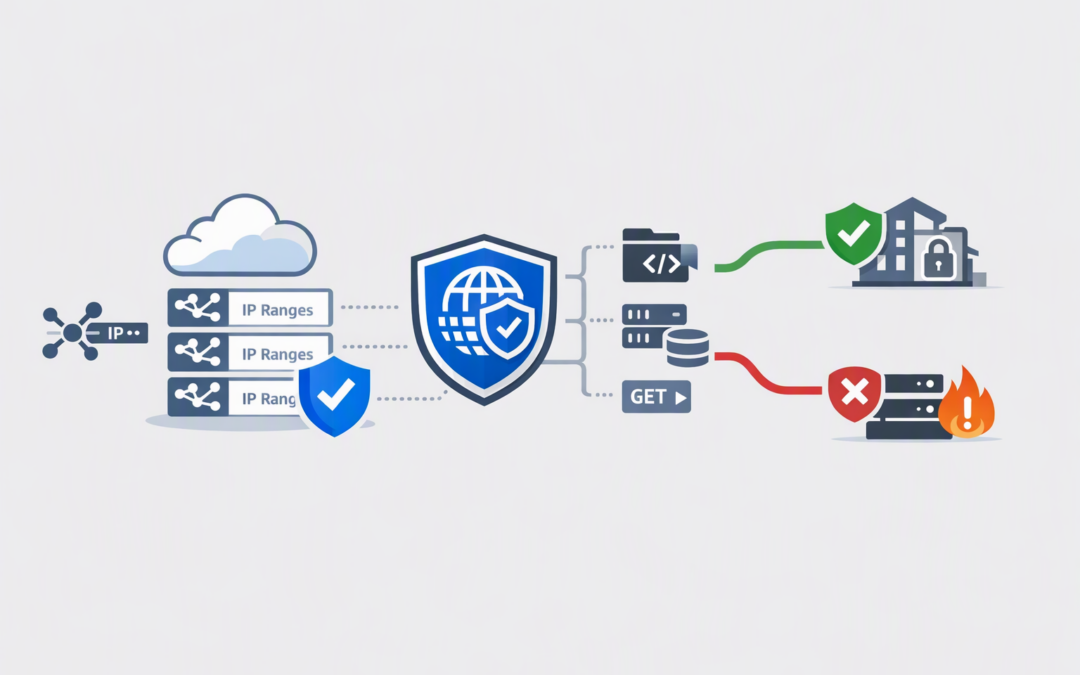
In this blog post Hardening Azure Front Door WAF with Service Tag Match Conditions we will explain how to replace fragile Azure IP allowlists with clearer, automatically maintained security rules without accidentally blocking legitimate traffic.
If your team maintains spreadsheets of Azure IP addresses, schedules firewall updates or worries that an old address range could expose a sensitive endpoint, this capability is worth reviewing. Service tag matching moves much of that maintenance to Microsoft while giving your organisation more precise control at the edge of its environment.
What service tag matching does
Azure Front Door is the public entry point that receives web and API traffic before forwarding it to your application. Its Web Application Firewall, usually shortened to WAF, inspects those requests and can allow, block, log or rate-limit them based on rules you define.
A service tag is a Microsoft-managed label representing the IP address ranges used by an Azure service. Microsoft updates the addresses behind the label as its infrastructure changes, so your security team does not have to keep downloading and entering new IP lists.
CPI Consulting helps organisations design, build and secure Azure AI solutions, from Azure OpenAI and Microsoft Foundry to agents, governance and production deployment.
Visit CPI ConsultingService tag matching is now generally available for Azure Front Door Premium WAF. A custom rule can check whether an incoming connection belongs to a nominated Azure service and then combine that check with other details, including the requested path, hostname or HTTP method.
Do not confuse service tags with the resource metadata discussed in our guide to implementing Azure tags effectively. Resource tags help organise ownership and costs. Service tags represent groups of network addresses.
Why hardcoded IP lists create business risk
IP allowlists often look secure because they permit traffic from known addresses and reject everything else. The problem is that cloud service addresses change, sometimes while the business process depending on them remains unchanged.
If an IP list is not updated promptly, an important monitoring service or integration can stop working. If old entries are never removed, the business may retain access paths that are no longer required.
This creates three avoidable costs:
- Administrative cost: IT staff spend time checking Microsoft address files and raising routine firewall changes.
- Availability risk: a missed update can interrupt monitoring, automation or a customer-facing integration.
- Security risk: large or stale allowlists provide more access than the application actually needs.
Service tags reduce that manual work because Microsoft maintains the underlying address ranges. Your team still owns the rule’s purpose and scope, but it no longer needs to track every individual address.
How the WAF makes the decision
A service tag rule has three important parts. The match variable tells the WAF which source address to examine, the ServiceTagMatch operator tells it to compare that address with an Azure service tag, and the match value identifies the relevant service.
Azure Front Door supports two source-address variables for this purpose:
- SocketAddr is the address of the system directly connecting to the WAF.
- RemoteAddr represents the original client address, usually derived from forwarded request information.
For security enforcement, SocketAddr is normally the safer starting point because it uses the connection source observed by the WAF. Use RemoteAddr only when you understand and have tested the proxy chain in front of the application.
The WAF can then combine the service tag with other conditions. For example, a monitoring service might be permitted to reach /health, but it should not automatically receive access to every page and API behind the same Front Door profile.
A practical Bicep example
The following simplified Bicep example blocks requests to a health endpoint unless the connecting address matches the ApplicationInsightsAvailability service tag. That tag represents infrastructure used for Azure Application Insights availability testing.
resource wafPolicy 'Microsoft.Network/frontDoorWebApplicationFirewallPolicies@2026-04-01' = {
 name: wafPolicyName
 location: 'global'
 sku: {
 name: 'Premium_AzureFrontDoor'
 }
 properties: {
 policySettings: {
 enabledState: 'Enabled'
 mode: 'Detection'
 }
 customRules: {
 rules: [
 {
 name: 'RestrictHealthEndpoint'
 priority: 20
 enabledState: 'Enabled'
 ruleType: 'MatchRule'
 action: 'Block'
 matchConditions: [
 {
 matchVariable: 'SocketAddr'
 operator: 'ServiceTagMatch'
 negateCondition: true
 matchValue: [
 'ApplicationInsightsAvailability'
 ]
 }
 {
 matchVariable: 'RequestUri'
 operator: 'BeginsWith'
 negateCondition: false
 matchValue: [
 '/health'
 ]
 }
 ]
 }
 ]
 }
 }
}
The two conditions use AND logic. The block therefore applies when the request targets /health and its source does not match the approved service tag.
The example starts in Detection mode, which records what the rule would do without enforcing the block. After reviewing legitimate traffic and confirming the match behaviour, the policy can be moved to Prevention mode.
Five checks before enabling the rule
- Confirm the Front Door tier. Service tag matching applies to Azure Front Door Premium WAF. Check the deployed tier before planning the change.
- Choose the narrowest tag available. A broad tag such as
AzureCloudincludes ranges used by many Azure services. Matching it may trust far more infrastructure than intended. - Add application context. Combine the tag with a path, hostname or request method. A service that needs to submit a status check should not automatically gain broad application access.
- Review rule priority. Lower priority numbers run first. Be particularly careful with Allow actions because a matching Allow rule stops further WAF evaluation, potentially bypassing managed security rules.
- Test before enforcing. Use Detection mode, examine WAF logs and test both approved and unapproved sources. Move to Prevention only when the results are understood.
If your deployment tool does not recognise ServiceTagMatch, check whether its Azure API version, command-line extension, PowerShell module or software development kit needs updating. Do not immediately fall back to another manually maintained IP list.
What service tags do not solve
A service tag identifies Azure network ranges. It does not prove which customer, subscription, workload or person sent the request.
For a highly sensitive API, retain application authentication and authorisation. Where partner identity must be verified at the connection level, consider the stronger certificate-based controls covered in our Azure Front Door mutual TLS playbook.
You must also protect the origin, meaning the server or service behind Front Door. A strong WAF rule provides little value if attackers can bypass Front Door and connect directly to the application. Private Link, App Service access restrictions and origin-header validation may be required depending on the architecture.
Finally, make blocked requests useful to operations without revealing your rule design. Our guide to safe Azure WAF custom responses explains how to reduce support confusion while avoiding information that helps an attacker.
A common business scenario
Consider a 200-person Australian company using an Azure-hosted monitoring service to check a customer portal. Its IT team maintains a list of approved source addresses and reviews it during quarterly firewall changes.
Moving to a narrow service tag, limited to the health-check path and tested in Detection mode, removes most of that repetitive administration. It also reduces the chance that an outdated address list causes a monitoring outage or leaves unnecessary access in place.
This type of control can support a broader Essential 8 program, the Australian government’s cybersecurity framework, by improving access restriction, monitoring and configuration discipline. It does not create Essential 8 compliance by itself, but it provides cleaner evidence that internet-facing access is deliberately managed.
Make the rule maintainable
The best WAF rule is not merely one that works today. It should have a named owner, a documented business purpose, logging, a tested rollback process and regular reviews for scope changes.
CloudPro Inc combines more than 20 years of enterprise IT experience with practical Azure security work as a Microsoft Partner and Wiz Security Integrator. We help organisations review Front Door, Defender and Wiz controls as one security design rather than a collection of disconnected settings.
If you are unsure whether your Azure Front Door rules are reducing risk or simply adding complexity, our Melbourne-based team is happy to take a practical look at the current setup, with no strings attached.