
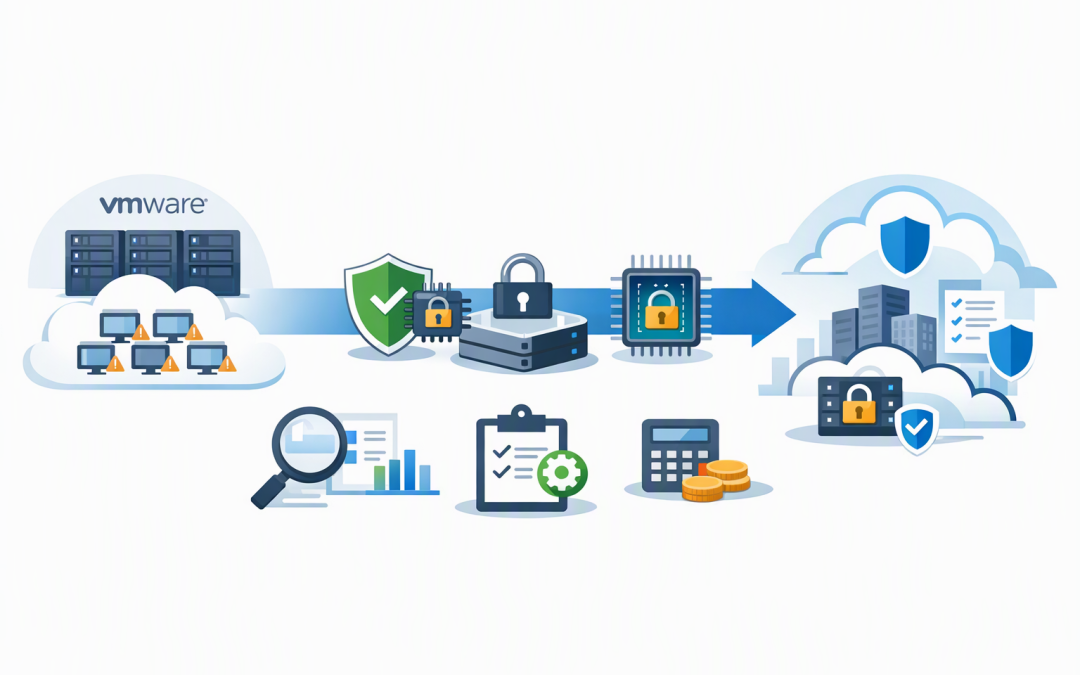
In this blog post VMware to Azure Migration Security Choices CIOs Face in 2026 we will explain the security decisions that should be made before your VMware servers move, rather than after the migration team has already built the new environment.
For many CIOs, the immediate pressure is to leave ageing VMware infrastructure, reduce licensing exposure or avoid another hardware refresh. The risk is treating the project as a simple relocation exercise and carrying old security weaknesses, oversized servers and poor recovery processes into Azure.
At a high level, Azure Migrate discovers your VMware environment, measures how servers are being used and helps replicate them into Azure. The technology can make the move relatively straightforward, but it cannot decide how much protection each workload needs or whether an old operating system will work with modern security controls.
The three protections solve different problems
Confidential VMs, Secure Boot and disk encryption are often grouped together, but they protect different parts of the environment.
CPI Consulting helps organisations design, build and secure Azure AI solutions, from Azure OpenAI and Microsoft Foundry to agents, governance and production deployment.
Visit CPI Consulting- Secure Boot checks that trusted, digitally signed software is loading when a server starts. It helps block hidden malware that tries to take control before the operating system and security tools are running.
- Disk encryption protects information stored on disks, including operating system files, databases and documents.
- Confidential VMs use processor-based security to protect data while it is actively being processed in memory, not only while it is stored or travelling across a network.
These controls complement each other. None replaces patching, identity protection, backups or Microsoft Defender, which detects and responds to suspicious activity.
Decision one is whether every workload needs a Confidential VM
A Confidential VM creates a hardware-enforced boundary between the workload and the underlying cloud host. In plain English, it reduces the number of people and systems that could potentially view sensitive information while the server is using it.
This can be valuable for health records, financial data, intellectual property, sensitive legal matters and workloads governed by strict customer contracts. It can also help organisations demonstrate stronger technical measures under Australian privacy obligations.
However, making every migrated server confidential is rarely necessary. Confidential VM sizes, regions and features may differ from standard Azure options, and additional protection can affect cost, performance and operational flexibility.
A better approach is to classify workloads before migration:
- Standard business workloads may be suitable for a normal Generation 2 Azure VM with Trusted Launch enabled.
- Sensitive workloads may justify a Confidential VM with confidential operating system disk encryption.
- Legacy or incompatible workloads may need remediation, replacement or temporary isolation before stronger controls can be enabled.
The business question is not “Can we use Confidential VMs?” It is “Which information would create serious financial, regulatory or reputational damage if it were exposed?”
Decision two is whether Secure Boot will break an old workload
Trusted Launch is Azure’s protected startup configuration for modern Generation 2 virtual machines. It combines Secure Boot with a virtual Trusted Platform Module, or vTPM, which securely stores measurements and cryptographic information used to verify the server’s startup process.
The complication is that some older VMware machines use Generation 1 architecture, legacy boot methods or unsigned drivers. These machines cannot simply inherit Secure Boot settings during migration, and an incompatible driver can leave a migrated server unable to start.
CIOs should ask for an exception report before approving migration waves. It should identify Generation 1 machines, unsupported operating systems, unsigned drivers and any server where Secure Boot will remain disabled.
An exception may be acceptable for a short period, but it needs an owner and an expiry date. Otherwise, “temporary” compatibility settings tend to become permanent security gaps.
Decision three is who controls the encryption keys
Azure managed disks are encrypted at rest by default using keys managed by Microsoft. For many general business applications, this provides strong protection without adding a complicated key-management process.
Customer-managed keys place control of the encryption keys with your organisation through Azure Key Vault, which securely stores and controls access to keys and secrets. This may be required by a regulator, government contract, cyber insurance condition or major customer.
More control also creates more responsibility. An expired, deleted or inaccessible key can cause a business outage, so key rotation, recovery, permissions and emergency access must be designed before production cutover.
This is also why engineering teams should keep Key Vault integrations current. Our guide to the Azure Key Vault SDK issue CIOs should assess explains why using encryption is not enough if the surrounding application logic is outdated.
Do not confuse storage encryption with complete coverage
Default server-side encryption protects managed disks in Azure storage. It may not cover temporary disks and disk caches in every configuration, which is where encryption at host becomes important.
Encryption at host protects information earlier, while it is still on the physical server hosting the VM, and includes temporary storage and caches. For Confidential VMs, confidential disk encryption can also bind the operating system disk to the VM’s vTPM so it is only unlocked after the platform passes security checks.
That confidential operating system disk choice needs to be made during deployment because it cannot simply be switched later. It should be treated as an architecture decision, not a box for the migration team to tick during cutover.
CIOs should also avoid creating new long-term dependencies on Azure Disk Encryption, the older guest-level approach that uses BitLocker or Linux disk encryption inside the VM. Microsoft has scheduled it for retirement on 15 September 2028, so new migration designs should generally use encryption at host or confidential disk encryption where appropriate.
A 200-person migration scenario
Consider a 200-person professional services firm with 65 VMware machines. Its initial plan is to move every server to a similarly sized Azure VM using the same security settings.
Assessment finds that 18 servers are oversized, seven run unsupported operating systems and only four contain highly sensitive client information. Instead of paying for Confidential VMs everywhere, the firm uses them for those four sensitive systems, enables Trusted Launch for compatible Generation 2 workloads and puts the seven legacy servers into a time-limited remediation plan.
The outcome is stronger protection where exposure would hurt most, lower monthly costs and a clear path to remove insecure exceptions. The firm also avoids paying Azure rates for capacity that its VMware servers were not actually using.
What CIOs should require before approving cutover
- A workload classification. Record the data sensitivity, business owner, recovery priority and compliance obligations of every server.
- A compatibility assessment. Test operating systems, drivers, backup software and monitoring agents with Trusted Launch and Secure Boot.
- A written encryption standard. Define when platform-managed keys, customer-managed keys, encryption at host and confidential disk encryption are required.
- A real test migration. Start representative servers in an isolated Azure network and prove that applications, integrations and security controls work.
- A recovery test. Confirm that encrypted systems can be restored and that key loss does not make backups unusable. Our Azure platform resilience checklist covers the broader recovery questions.
- A cost model based on measured use. Include licensing, backup, security, connectivity, support and disaster recovery rather than comparing VM prices alone. See our discussion of what cloud cost reviews often miss.
These controls also support Essential Eight work, the Australian government’s cybersecurity framework for reducing common attack paths. However, moving to Azure or enabling Secure Boot does not automatically make an organisation Essential Eight compliant; patching, access restrictions, backups and evidence still matter.
The migration should leave you safer and simpler
A successful VMware migration is not measured by how many machines moved over a weekend. It is measured by whether the business ends up with lower operating costs, fewer security exceptions, tested recovery and controls that can be explained to executives, auditors and customers.
CloudProInc brings more than 20 years of enterprise IT experience to these decisions as a Microsoft Partner and Wiz Security Integrator. Our Melbourne-based team works hands-on across Azure, Defender, Key Vault, cloud security and migration planning rather than handing clients a generic report.
If you are unsure whether your VMware migration plan is making the right choices about Confidential VMs, Secure Boot and encryption, we are happy to review it with you before those choices become expensive to change.