
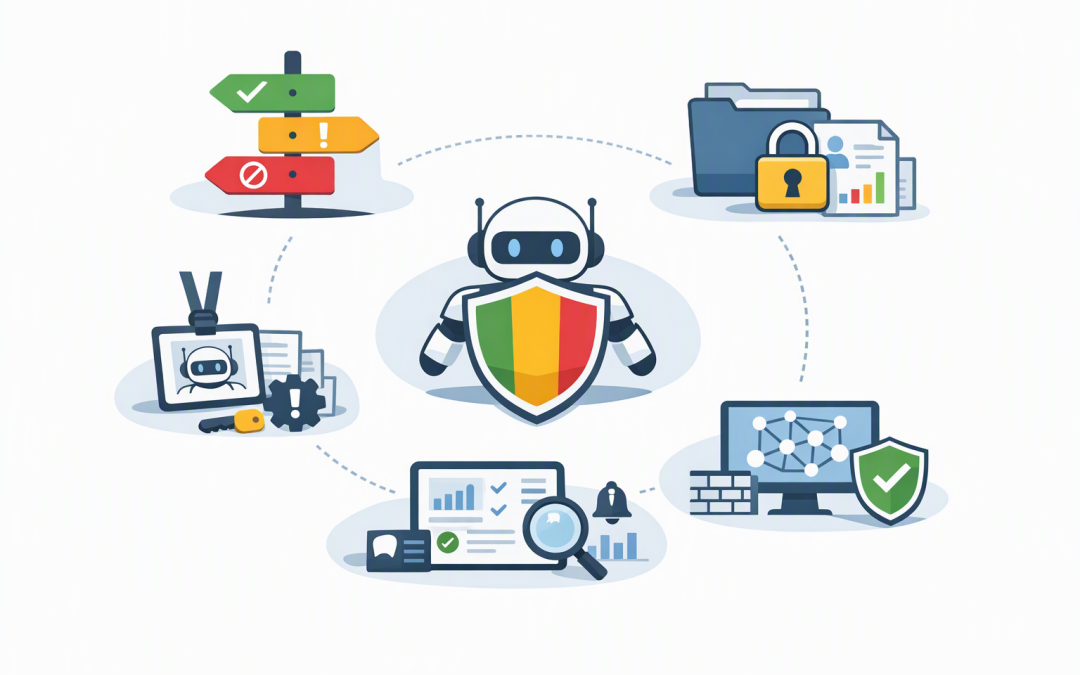
In this blog post How CIOs Can Govern Microsoft Foundry AI Agents in Production we will map the boundaries every Australian mid-market organisation should define before an AI agent is trusted with company data, systems or business actions.
The problem is rarely whether an AI agent works in a demonstration. The real concern is what happens when it misunderstands a request, accesses the wrong customer record, changes a live system or quietly consumes thousands of dollars in computing resources.
A boundary map answers five practical questions: what can the agent see, what can it decide, what can it do, how is it monitored, and who is accountable when something goes wrong.
What Microsoft Foundry agents actually do
Microsoft Foundry Agent Service is a managed platform for building and operating AI agents. An agent combines an AI model with instructions, approved information sources and tools that let it perform tasks.
CPI Consulting helps organisations design, build and secure Azure AI solutions, from Azure OpenAI and Microsoft Foundry to agents, governance and production deployment.
Visit CPI ConsultingFor example, a service desk agent might read a support request, check an internal knowledge base, look up a device record and draft a response. A more powerful agent might also reset a password, update the ticket or order replacement equipment.
That difference matters. The first agent mainly provides information. The second can change the business environment.
Foundry provides useful controls for identity, network access, testing, monitoring and deployment. But the technology cannot decide your organisation’s risk appetite. CIOs still need to define the operating boundaries.
Our earlier guide to moving AI agents into production safely explains the broader governance model. The boundary map below turns that model into a practical decision tool.
Boundary one defines the agent’s purpose
Start with the business task, not the model. An agent described as “helping finance” is almost impossible to govern because that purpose could include reading invoices, changing suppliers, approving payments and forecasting cash flow.
A safer definition would be: “Compare incoming invoices with approved purchase orders, flag mismatches and prepare an exception report for the accounts payable manager.”
This creates a clear finish line. The agent can analyse and recommend, but a person remains responsible for approving changes or payments.
Classify each proposed activity into three categories:
- Green: The agent can complete the task automatically because the impact of an error is low and easily reversed.
- Amber: The agent can prepare an action, but a person must review and approve it.
- Red: The action is prohibited, such as independently approving payments, dismissing employees or changing its own access.
This prevents a productivity project from quietly becoming an automated decision-making system with financial, legal or reputational consequences.
Boundary two controls what data the agent can see
AI agents are only as contained as their data access. If an agent can search every SharePoint site, mailbox and customer database, a badly worded request could expose information that the employee making the request was never meant to see.
Access should be limited by job, data sensitivity and business purpose. A sales assistant may need approved product documents and the records assigned to its sales team. It probably does not need payroll files, legal correspondence or the full customer database.
Australian organisations must also consider whether prompts, retrieved documents and monitoring logs contain personal information. The Office of the Australian Information Commissioner recommends careful assessment of privacy risks, data accuracy and how personal information is collected and used in AI systems.
Ask four questions before connecting a data source:
- Does the agent genuinely need this information?
- Can access be restricted to specific records, folders or fields?
- Could personal or sensitive information appear in prompts or logs?
- How long should agent conversations and monitoring data be retained?
The business outcome is straightforward: less unnecessary access means a smaller privacy and security exposure.
Boundary three limits identity and business actions
Every production agent should have its own digital identity. This works like an employee account and allows the organisation to control which systems and actions the agent is authorised to use.
Microsoft Foundry supports dedicated agent identities through Microsoft Entra ID, Microsoft’s identity and access management service. These identities can receive narrowly defined permissions without storing passwords inside prompts or application code.
A common mistake is giving the agent the same broad access as the project developer or system administrator. That is convenient during testing but dangerous in production.
If the agent only needs to read open service tickets, it should not be able to close tickets, create administrator accounts or export the entire database. If it drafts customer refunds, a manager should approve the refund before money moves.
This is particularly important when connecting Microsoft Foundry agents to business systems. Each additional connection increases both the agent’s usefulness and the possible impact of an error.
Boundary four contains where the agent can connect
An agent may need to communicate with models, company databases, Microsoft 365 and external services. Without network controls, it may also have routes to systems or internet destinations that were never approved.
Microsoft Foundry supports private networking, which keeps approved connections inside controlled network boundaries rather than exposing services directly to the public internet. Organisations can also apply deny-by-default rules so the agent can reach only listed systems.
Think of this as placing the agent in a secured office. It can use the doors required for its job, but every other door remains locked.
This boundary supports the Essential Eight, the Australian Signals Directorate’s baseline cybersecurity framework. The Essential Eight is not a complete AI governance framework, but controls such as multi-factor authentication, restricted administrative access, patching and reliable backups provide an important security foundation.
Boundary five sets monitoring, cost and accountability
A production agent should never become a black box. Technology leaders need to know which tools it used, what information it retrieved, what action it attempted, how long it took and what the interaction cost.
Foundry supports tracing, which records the steps taken during an agent run, and evaluations, which test output quality, safety and task performance. Trace data can include customer content and personal information, so access and retention must also be governed carefully.
Each production agent should have:
- A named business owner accountable for its purpose and results.
- A technical owner responsible for access, reliability and incident response.
- Quality and safety thresholds that must be met before release.
- Alerts for unusual activity, repeated failures and unexpected costs.
- A documented shutdown process that can quickly disable the agent.
- A scheduled review of permissions, connected systems and business value.
Monitoring should answer a commercial question as well as a technical one: is the agent saving more time and money than it costs to operate and supervise?
What the boundary map looks like in practice
Consider a 180-person professional services firm introducing an accounts payable agent. The early design gives it access to a shared finance mailbox, the purchasing system and the accounting platform.
Without boundaries, the agent could potentially read unrelated correspondence, modify supplier details or act on a fraudulent invoice.
Under a production boundary map, the agent can read invoices from an approved mailbox, retrieve matching purchase orders and prepare an exception report. It cannot change bank details, create suppliers or release payments. Those actions require a finance manager’s approval.
The agent receives its own restricted identity, connects through approved private routes and generates monitoring records available only to authorised staff. Monthly spending limits and alerts identify unexpected usage before it becomes a material cost.
The company still gains faster invoice processing and fewer manual checks. The difference is that one incorrect output cannot become an unauthorised payment or privacy incident.
A practical 30-day starting plan
- Inventory every agent. Record its owner, purpose, model, data sources, connected systems and current permissions.
- Classify the risk. Separate read-only assistants from agents that can change records, communicate externally or trigger financial actions.
- Remove broad access. Replace shared accounts and administrator permissions with dedicated, limited agent identities.
- Set approval points. Require human review for consequential, sensitive or difficult-to-reverse actions.
- Test realistic failures. Include misleading instructions, incorrect data, excessive requests and attempts to access prohibited information.
- Monitor business value. Track time saved, error rates, operating costs and incidents rather than reporting only the number of users.
Good AI governance should make safe progress easier
The goal is not to surround every AI project with paperwork. It is to give useful agents a clear, controlled route into production while stopping risky designs before they affect customers, employees or financial systems.
CloudProInc combines more than 20 years of enterprise IT experience with hands-on expertise across Microsoft Foundry, Azure, Microsoft 365, Intune, Defender, OpenAI, Claude and Wiz. As a Microsoft Partner and Wiz Security Integrator based in Melbourne, we help Australian organisations turn governance requirements into controls that teams can actually operate.
If you are unsure what your production AI agents can currently see or do, we are happy to help map the boundaries and identify the highest-priority gaps—no strings attached.