
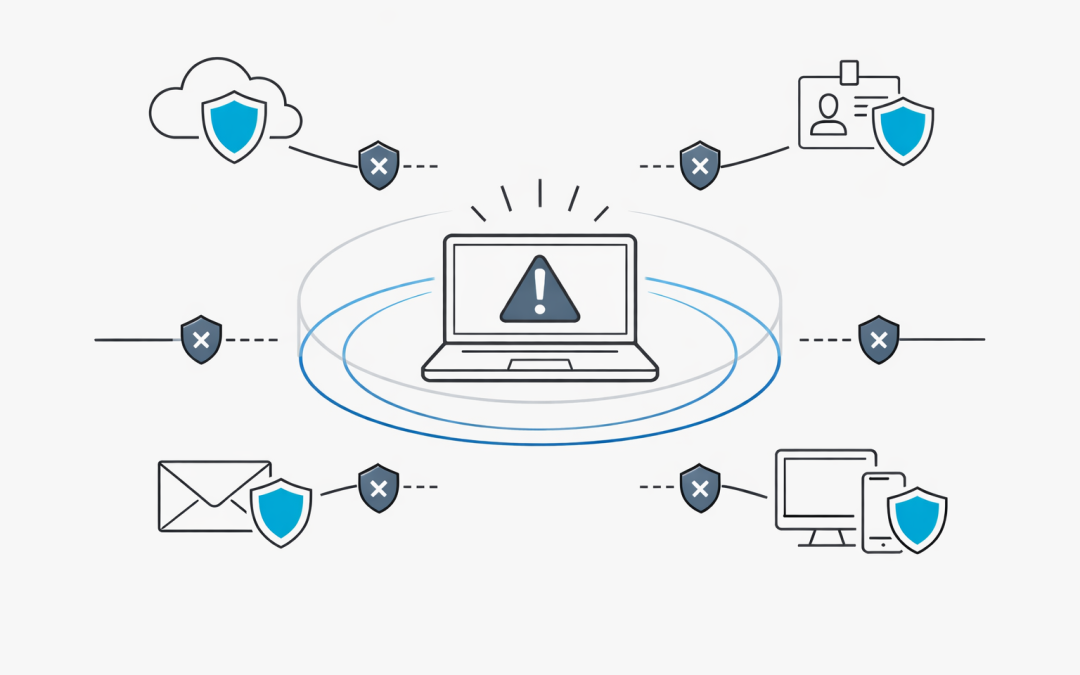
When a device is compromised, every minute matters.
For many Australian organisations, the hardest part of incident response is not detecting that something is wrong. It is acting quickly enough to stop the attack spreading while still keeping enough visibility to investigate what happened.
Microsoft Defender XDR has taken an important step in that direction with an enhancement to Automatic Attack Disruption: the ability to automatically isolate compromised devices from the network during high-confidence attacks.
For CIOs, IT managers, and security teams, this is more than another security feature. It changes the operational model for containment.
CPI Consulting helps organisations design, build and secure Azure AI solutions, from Azure OpenAI and Microsoft Foundry to agents, governance and production deployment.
Visit CPI ConsultingWhy automatic isolation matters
Modern attacks move quickly.
A compromised workstation can become the starting point for credential theft, lateral movement, data staging, ransomware deployment, or business email compromise. By the time an alert reaches the queue, an attacker may already be using stolen credentials or remote tools to move further into the environment.
Traditional incident response often depends on a human analyst to:
- Review the alert
- Confirm the incident
- Identify the affected endpoint
- Decide whether isolation is safe
- Trigger containment manually
- Coordinate with the service desk or infrastructure team
That process can work, but it takes time. It also depends on staff availability, escalation paths, and the maturity of the security operations function.
Automatic device isolation helps reduce that delay. When Microsoft Defender XDR determines that an attack has reached a high-confidence threshold, it can isolate the compromised endpoint from the corporate network and limit the attacker’s ability to continue operating.
What Defender XDR is doing differently
Microsoft Defender XDR already correlates signals across endpoints, identities, email, collaboration tools, cloud apps, and other Microsoft security services.
The key point is correlation.
Instead of responding to a single weak signal, Defender XDR evaluates the broader incident context. For example, it may combine suspicious endpoint behaviour, identity misuse, malicious email activity, token theft indicators, or known attacker techniques into a single incident.
Automatic Attack Disruption is designed to act when confidence is high enough that the platform can take containment steps without waiting for manual intervention.
With the new device isolation capability, those steps can now include isolating affected devices from the network.
What happens when a device is isolated
When Defender XDR isolates a compromised device, the intent is to stop communication with the broader network while maintaining security management connectivity.
In practical terms, isolation can help prevent:
- Lateral movement to file servers, domain resources, or other endpoints
- Continued command-and-control activity
- Data exfiltration from the affected workstation
- Ransomware propagation
- Further credential harvesting from the same machine
At the same time, the device remains connected to Microsoft Defender for Endpoint services so that security teams can continue to receive telemetry and manage the response.
That distinction is important. Isolation does not mean the organisation loses all visibility. It means the endpoint is contained while investigation and remediation continue.
Why this matters for Australian businesses
Australian organisations are under pressure to improve cyber resilience without significantly increasing operational complexity.
The ACSC Essential Eight places strong emphasis on controls such as patching, application control, restricting administrative privileges, and multi-factor authentication. These controls reduce risk, but they do not remove the need for fast detection and containment when an incident occurs.
Automatic isolation supports that broader resilience model by helping organisations reduce the window between compromise and containment.
For mid-market businesses, this can be especially valuable. Many organisations do not operate a fully staffed 24/7 security operations centre. Some rely on a small internal IT team, outsourced monitoring, or business-hours escalation. In those environments, automated containment can help close a dangerous timing gap.
The benefit is not just technical. It is operational.
A faster containment action can reduce:
- Business disruption
- Incident response cost
- Ransomware blast radius
- Data loss risk
- Manual coordination during a crisis
- Pressure on internal IT teams
Automation still needs governance
Automatic isolation is powerful, but it should not be enabled without planning.
Security automation works best when it is supported by clear governance, asset classification, and response procedures. Otherwise, organisations may find themselves dealing with avoidable operational disruption or confusion during an incident.
Before relying on automatic isolation, IT and security leaders should review:
- Which devices are onboarded to Microsoft Defender for Endpoint
- Which endpoints are business-critical
- Whether any systems should be excluded from automatic isolation
- How the service desk will respond when users report disconnection
- Who can release a device from isolation
- How forensic evidence will be preserved
- How incidents will be documented for audit and compliance purposes
This is particularly important for sectors with strict availability requirements, privacy obligations, or regulatory reporting expectations.
Do not treat this as a replacement for incident response
Automatic device isolation is a containment capability. It is not a complete incident response process.
After isolation, teams still need to determine:
- How the compromise occurred
- Whether credentials were stolen
- Whether other devices or accounts were affected
- Whether persistence mechanisms were created
- Whether data was accessed, copied, or exfiltrated
- Whether notification obligations apply under Australian privacy law or contractual requirements
In other words, isolation buys time. It does not finish the job.
The value is that it can stop the attacker from continuing to operate while the response team investigates.
Practical readiness checklist
Organisations using Microsoft Defender XDR should treat this update as a prompt to review their response readiness.
A practical checklist includes:
- Confirm endpoint onboarding
Ensure workstations are correctly onboarded to Microsoft Defender for Endpoint and reporting healthy telemetry.
- Review incident severity and automation settings
Understand when Defender XDR can take automated response actions and how those actions are logged.
- Classify critical assets
Identify systems where isolation could create operational risk and define appropriate handling rules.
- Update incident response runbooks
Include steps for validating isolation, communicating with users, collecting evidence, and releasing devices.
- Test the support workflow
Make sure the service desk knows what an isolated device looks like and how to escalate the ticket.
- Align with Essential Eight maturity goals
Use containment automation as part of a broader control uplift, not as a substitute for patching, MFA, least privilege, and application control.
- Review audit and reporting requirements
Confirm that incident activity, automated actions, and administrator decisions are captured for later review.
The productivity angle
Cybersecurity controls often create tension between protection and productivity.
Manual containment can be slow and inconsistent. Overly aggressive blocking can disrupt users and business systems. Doing nothing quickly enough can allow an incident to become a major outage.
The promise of Defender XDR’s automatic isolation is that it applies containment based on broader incident intelligence, not just isolated alerts. That helps security teams act faster while reducing the chance of unnecessary disruption.
For business leaders, the productivity benefit is straightforward: contain the compromised device quickly so the rest of the organisation can keep operating.
What organisations should do next
This feature should encourage Australian organisations to revisit how they use Microsoft Defender XDR across detection, response, and governance.
The most important question is not simply whether automatic isolation is available. It is whether the organisation is ready to use it safely and effectively.
That means having the right endpoint coverage, the right response process, the right exclusions, and the right operational ownership.
Automatic isolation can materially reduce the impact of a fast-moving attack, but it works best as part of a mature security operating model.
For organisations already invested in Microsoft security, now is the time to review Defender XDR configuration, incident response runbooks, and Essential Eight alignment so automated containment becomes a controlled advantage rather than an unexpected surprise.
Our team can help assess Defender XDR readiness, review endpoint coverage, and design practical response processes that fit the way Australian businesses operate.