
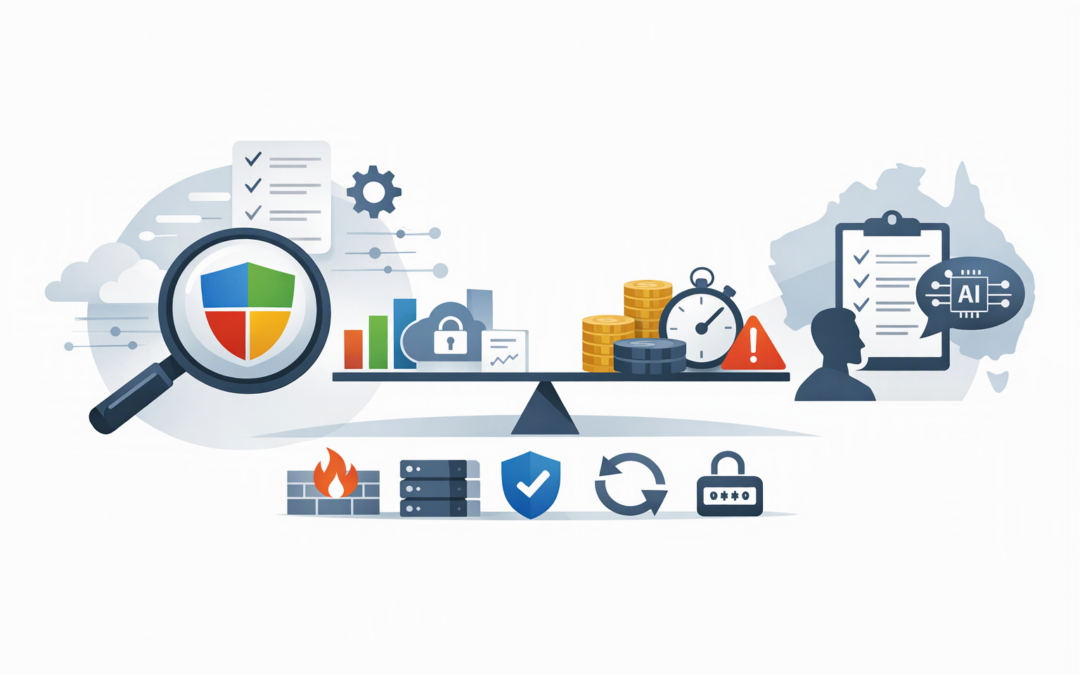
In this blog post What Microsoft’s 2026 Gartner SIEM Leader Status Means in Australia we will explain what Microsoft’s latest recognition means for Australian mid-market security teams—and what it does not mean. The report was published on 18 November 2026, with Microsoft confirming its Leader position on 20 November 2026.
If your team is already juggling Microsoft 365 alerts, Azure activity, firewall logs, cloud security findings and messages from an outsourced IT provider, the announcement may sound like another vendor badge. The practical question is whether Microsoft Sentinel can reduce that noise, improve response times and give management clearer evidence that security controls are working.
What the Gartner Leader position actually means
Gartner’s Magic Quadrant is not a simple league table, and Leader status does not mean Microsoft is automatically the best choice for every organisation. Vendors are assessed against two broad areas: their ability to execute today and the completeness of their future vision.
For a CIO or CTO, the recognition provides useful market validation. It suggests Microsoft has a credible product, a mature delivery capability and a roadmap that deserves consideration during a SIEM review.
CPI Consulting helps organisations design, build and secure Azure AI solutions, from Azure OpenAI and Microsoft Foundry to agents, governance and production deployment.
Visit CPI ConsultingIt does not replace due diligence. Your decision still needs to consider licensing, internal skills, data volumes, existing security products, regulatory obligations and who will actually monitor the system after deployment.
What SIEM technology does in plain English
SIEM stands for security information and event management. It collects security records—usually called logs—from the systems your business depends on, then looks for combinations of activity that could indicate an attack.
For example, a user signing in from Melbourne and then appearing in another country ten minutes later may be suspicious. It becomes more serious if the same account downloads confidential files, creates a new administrator and disables a security control.
Microsoft Sentinel is Microsoft’s cloud-based SIEM. It can collect information from Microsoft 365, Azure, employee devices, identity systems, firewalls, applications and non-Microsoft platforms. It then groups related signals into incidents, helps analysts investigate them and can automate selected response steps.
Sentinel supports more than 500 connectors, allowing it to work across Microsoft, third-party and multi-cloud environments. Its data lake provides a lower-cost place to retain selected historical security data for investigations, reporting and threat hunting.
What this means for Australian mid-market teams
1. Existing Microsoft customers have a genuine integration advantage
If your organisation already uses Microsoft 365, Azure, Microsoft Defender and Entra ID—the service that controls user identities and sign-ins—Sentinel can bring those signals into a more complete investigation.
This matters because attackers rarely stay in one system. A compromised email account can lead to a stolen identity, an infected laptop and unauthorised access to cloud data. Viewing those events separately makes the attack harder to recognise.
The business outcome is less time switching between portals and a better chance of stopping an incident before it becomes a major disruption. However, businesses should first confirm whether they have configured the protection they already own. As we explain in why Defender for Business is often enough for smaller companies, buying more technology is not always the first answer.
2. Microsoft is bringing security operations into one working view
Microsoft is increasingly combining Sentinel with Microsoft Defender, which protects identities, devices, email and applications. Its Integrated Security Operations Center brings SIEM information and threat protection together in the Defender portal.
For eligible customers, recent updates include broader Sentinel capabilities, 90 days of built-in Defender data retention, a security data lake and improved monitoring of data connectors. Microsoft is also directing Sentinel customers to plan their move from the Azure portal before support there ends on 31 March 2027.
For a small security team, that consolidation can reduce duplicated work. It can also make outsourcing easier because your provider and internal team can work from the same incidents, priorities and response process.
3. Cost control depends on what data you collect
A Leader badge does not prevent bill shock. SIEM costs are heavily influenced by how much data is collected, how long it is retained and whether it needs immediate analysis.
The common mistake is sending everything into the platform because it might be useful one day. The result is a larger bill without a matching improvement in security.
A better approach is to start with high-value sources such as administrator activity, identity sign-ins, endpoint alerts, critical cloud workloads, firewalls, backup systems and applications holding sensitive information. Less urgent data can be retained in a lower-cost tier.
This is where hands-on design matters. A well-planned Sentinel deployment should connect spending to a detection or compliance purpose, not simply maximise the volume of data being stored.
4. Sentinel can support compliance but cannot create it
Australian organisations are increasingly being asked to demonstrate alignment with the Essential Eight, the Australian Government’s baseline cybersecurity framework. Sentinel can help by centralising evidence, monitoring administrator activity and showing how the organisation investigated security events.
Australian Signals Directorate guidance recommends effective event logging and monitoring to improve threat detection and incident response. The Office of the Australian Information Commissioner also expects organisations covered by the Privacy Act to prepare for and respond appropriately to eligible data breaches.
But installing Sentinel does not make a business Essential Eight compliant. You still need properly configured access controls, patching, backups, multi-factor authentication and clear incident response responsibilities. These are among the recurring issues covered in the biggest security gaps we see in mid-size Australian businesses.
5. AI can accelerate response but still needs boundaries
Microsoft’s direction is clearly towards AI-assisted security operations. The goal is to help teams summarise incidents, connect related evidence, recommend actions and automate repetitive investigation steps.
That can be valuable when a two-person security team receives hundreds of alerts. It does not mean an AI agent should be allowed to disable accounts, isolate business-critical systems or change production settings without suitable approval controls.
The safest approach is to automate low-risk, repeatable tasks first. High-impact actions should remain subject to human review, documented permissions and an audit trail showing who—or what—made each decision.
A practical mid-market scenario
Consider a 200-person professional services company using Microsoft 365, Azure, Defender, several business applications and a third-party firewall. Its internal IT manager receives alerts from five different dashboards, while its external provider sends a monthly security report containing little operational detail.
A sensible Sentinel project would not begin by connecting every available system. It would begin with the company’s most important risks: stolen administrator accounts, ransomware, unusual data downloads, disabled backups and unauthorised changes to critical Azure services.
The team could then connect the relevant identity, device, firewall, backup and Azure logs. If it uses Wiz—a cloud security platform that finds dangerous cloud exposures—high-priority Wiz findings can also be brought into Sentinel for central investigation.
The likely outcome is not “more alerts”. It is fewer, better-organised incidents, clearer responsibility for response and more useful evidence for management, insurers and auditors.
A sensible 90-day evaluation plan
- Document your priority risks. Identify the five to ten incidents that could cause the greatest financial, operational or regulatory damage.
- Review current Microsoft licensing. Confirm what Defender, Sentinel and data-retention capabilities are already available before purchasing more products.
- Map essential data sources. Decide which identity, device, cloud, firewall, application and backup logs are required to detect those priority risks.
- Estimate operating costs. Model ingestion, retention, automation and support costs under normal conditions and during an incident.
- Assign response ownership. Define who monitors alerts, who investigates after hours and who can approve disruptive containment actions.
- Measure business outcomes. Track investigation time, false alerts, detection coverage, unresolved incidents and monthly platform costs.
The decision is operational, not just technical
Microsoft’s 2026 Gartner Leader status makes Sentinel a credible option for Australian mid-market organisations, particularly those already invested in Microsoft 365 and Azure. Its strongest argument is not the badge itself, but the ability to connect identity, endpoint, email, cloud and third-party security information in one response process.
The real test is whether your organisation can operate it well. That requires sensible data selection, clear response responsibilities, controlled automation and regular tuning—not simply switching on another cloud service.
CloudPro Inc brings more than 20 years of enterprise IT experience to these decisions as a Microsoft Partner and Wiz Security Integrator. We provide practical, hands-on support from Melbourne for organisations across Australia and internationally, without the layers of a large, faceless managed service provider.
If you are unsure whether Sentinel would reduce risk or simply add another bill, we are happy to review your current tools, licensing and security operations—no strings attached.