
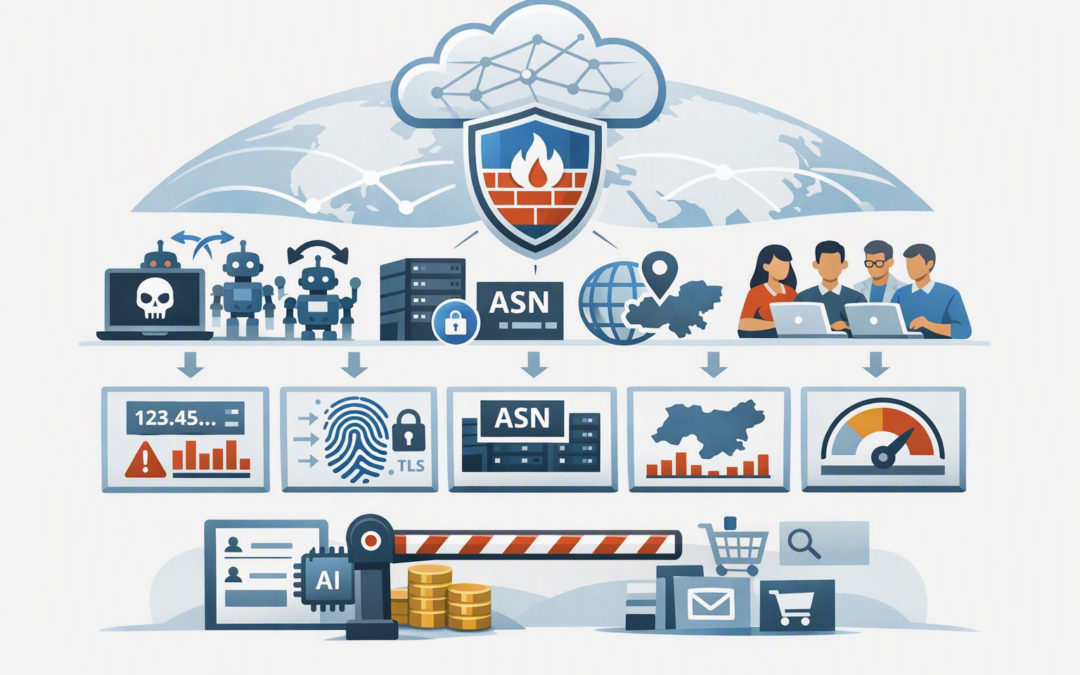
In this blog post How Azure Front Door WAF Group-By Rate Limiting Stops Abuse we will explain how the new grouping options help protect public websites, APIs and customer portals from abusive traffic that traditional IP-based limits can miss.
The problem often starts quietly. Login attempts rise, an API begins consuming more computing resources, or a promotion page receives thousands of automated requests. The application may remain online, but response times slow down, Azure costs climb and genuine customers have a worse experience.
Azure Front Door sits between internet users and your application. Its web application firewall, usually shortened to WAF, inspects incoming requests at Microsoft’s global network edge before they reach your servers. Rate limiting lets the WAF block a source when it sends more requests than your business considers reasonable.
Why traditional IP rate limiting is no longer enough
Standard rate limiting normally counts requests using the socket IP address. In plain English, this is the internet address that directly connects to Azure Front Door.
CPI Consulting helps organisations design, build and secure Azure AI solutions, from Azure OpenAI and Microsoft Foundry to agents, governance and production deployment.
Visit CPI ConsultingThis remains useful. If one device sends 1,000 requests to your login page within a minute, a per-IP rule can quickly stop it.
However, modern abuse is rarely that simple. Attackers use botnets, cloud hosting providers, residential proxy services and constantly changing IP addresses. Each address stays below the limit while the combined traffic overwhelms the application.
Legitimate traffic can create the opposite problem. Hundreds of employees, customers or students may appear to come from one shared corporate or carrier network. A strict IP limit could block everyone because of one badly configured process.
The new Azure Front Door Premium group-by options give security teams more ways to decide which requests should share a rate-limit counter. At the time of writing, grouping by country or region, autonomous system number, JA4 fingerprint, or all matching traffic is in preview. Default socket IP grouping remains generally available.
How the group-by technology works
A rate-limit rule has three main parts. The match conditions decide which requests are counted, the threshold defines how many requests are allowed, and the group-by setting determines which requests share the same counter.
For example, you could apply a rule only to /login, allow 120 matching requests during a one-minute window, and group those requests by JA4 fingerprint. When a group exceeds the threshold, matching requests from that group are blocked for the remainder of the fixed window.
Azure supports one-minute and five-minute rate-limit windows. Because Azure Front Door is distributed across many edge locations, very low thresholds should be tested carefully. Some additional requests can occasionally pass while counters are refreshed across Front Door servers.
What each group-by option is designed to stop
Socket IP for individual noisy sources
Socket IP is the default and should usually remain your baseline control. It works well for a single script, compromised device or misconfigured integration repeatedly calling the same endpoint.
The business outcome is straightforward: fewer unnecessary requests reach your application, reducing performance pressure and avoidable consumption costs.
JA4 fingerprint for bots that rotate IP addresses
A JA4 fingerprint identifies characteristics of the software making an encrypted connection. It does not identify a person, but it can help recognise clients using the same connection behaviour even when their IP addresses change.
This is useful when an automated tool moves through hundreds of proxy addresses. Each IP may look harmless by itself, while the common fingerprint reveals that the requests are likely part of the same campaign.
JA4 grouping can be particularly valuable for login pages, password reset functions, account registration and APIs targeted by scraping tools. The result is better protection against distributed abuse without trying to maintain an endless list of hostile addresses.
ASN for abuse coming from the same network
An autonomous system number, or ASN, identifies a network operated by an internet provider, cloud platform, university or large organisation. Grouping by ASN allows Azure Front Door to count matching requests from the network collectively.
This can help when an attacker creates many temporary servers within the same hosting provider. The IP addresses change, but the network they belong to remains the same.
ASN controls must be used carefully. A large Australian carrier or public cloud provider may serve many genuine users. Start with tightly scoped paths and realistic thresholds rather than placing a low ASN limit across an entire website.
Country or region for geographically concentrated abuse
Country or region grouping counts matching requests based on their detected location. It can help contain a campaign that is spread across many addresses but concentrated in one geographic area.
This is different from blocking a country outright. You can continue accepting normal traffic while limiting unusually high request volumes to sensitive or expensive endpoints.
Location data is not perfect, and virtual private networks can make traffic appear elsewhere. Treat this option as one security signal, not a complete access policy.
None for a shared application-wide safety limit
Selecting no grouping places all matching requests into one counter. This creates a shared ceiling regardless of IP address, network, location or fingerprint.
It can act as a circuit breaker for an expensive function such as report generation, product searches, AI requests or document processing. If the application can safely handle 5,000 requests over five minutes, a shared limit can prevent a sudden flood from creating a much larger Azure bill.
The trade-off is that one traffic spike can affect everyone using that endpoint. Shared limits should therefore protect carefully selected routes rather than the whole application.
A practical layered rule design
Consider a 200-person financial services business with a customer portal. Its login endpoint receives about 20 requests per minute during normal periods, but automated password testing occasionally generates several thousand requests across rotating residential IP addresses.
A single per-IP limit barely slows the campaign. A more effective design could include:
- A socket IP rule to stop individual sources sending excessive requests.
- A JA4 rule with a higher threshold to detect automation spread across changing addresses.
- An ASN rule focused on hosting networks repeatedly associated with abusive traffic.
- A shared limit that protects the authentication service from total request overload.
This layered approach reduces pressure on the application, lowers the risk of account compromise and gives the operations team clearer evidence about what caused the traffic spike.
The group-by rules should complement Microsoft-managed WAF protections rather than replace them. They can also sit alongside controls such as service tag match conditions, which help control traffic from recognised Azure services without maintaining fragile IP lists.
A simple Bicep configuration example
The following example shows the important part of a rate-limit rule defined in Bicep, Microsoft’s language for deploying Azure resources consistently. It limits login requests and groups the counter by JA4 fingerprint.
customRules: {
 rules: [
 {
 name: 'LimitLoginByJa4'
 priority: 20
 enabledState: 'Enabled'
 ruleType: 'RateLimitRule'
 rateLimitThreshold: 120
 rateLimitDurationInMinutes: 1
 groupBy: [
 {
 variableName: 'Ja4'
 }
 ]
 matchConditions: [
 {
 matchVariable: 'RequestUri'
 operator: 'Contains'
 matchValue: [
 '/login'
 ]
 transforms: [
 'Lowercase'
 ]
 negateCondition: false
 }
 ]
 action: 'Block'
 }
 ]
}
Infrastructure code should be version-controlled, reviewed and tested like application code. This prevents undocumented portal changes and makes it easier to restore a known-good policy.
How to introduce the new controls safely
- Measure normal traffic first. Review at least several weeks of request patterns, including busy periods, promotions and scheduled integrations.
- Protect specific paths. Start with login, registration, search, checkout and expensive API routes rather than applying one threshold everywhere.
- Run in detection mode. Detection mode records what the WAF would match without blocking genuine users while you validate thresholds.
- Use multiple layers. Microsoft recommends adding the new grouping methods alongside per-IP rate limiting, not treating them as a replacement.
- Monitor business impact. Track blocked requests, application response times, support complaints and back-end resource consumption.
Azure Monitor advanced metrics can help identify whether request growth is translating into higher resource use or cost. If blocking is enabled, carefully designed WAF custom responses can also reduce customer confusion without revealing useful information to attackers.
Better rate limiting is a business control
The new group-by options make Azure Front Door WAF more effective against abuse that hides across changing IP addresses. Used correctly, they can reduce application outages, cloud waste, account attacks and operational noise.
They also support broader risk-management and Essential 8 programs, although rate limiting alone does not achieve compliance with the Australian government’s cybersecurity framework. The strongest result comes from combining edge protection, identity security, monitoring and tested incident response.
CloudProInc brings more than 20 years of enterprise IT experience as a Microsoft Partner and Wiz Security Integrator. Our Melbourne-based team helps organisations across Australia review Azure Front Door, Microsoft Defender, Wiz and wider Azure security controls without the overhead of a giant, faceless provider.
If you are unsure whether your current WAF rules would stop a distributed traffic spike without blocking customers, we are happy to review the setup and explain the practical options — no strings attached.