
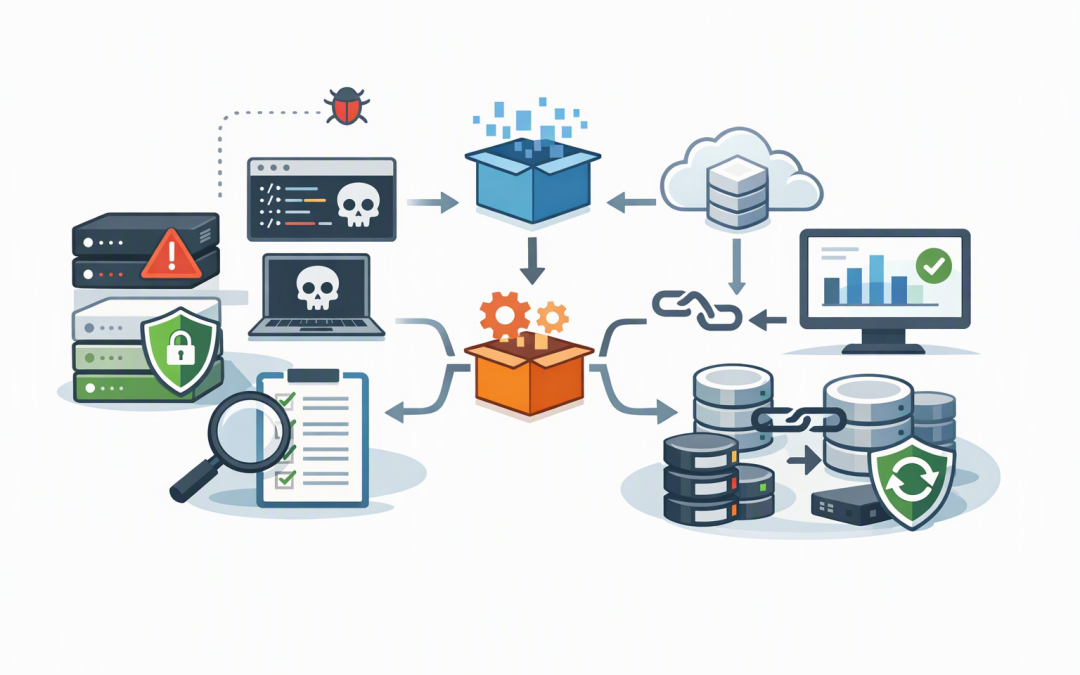
In this blog post Patch Now What October 2026 SQL Server Updates Mean in Australia we will explain what Microsoft has fixed, why the updates matter and how to deploy them without turning a security task into a business outage.
If your finance platform, customer portal, warehouse system or reporting tools rely on Microsoft SQL Server, a database problem can quickly become a company-wide problem. Orders stop processing, staff lose access to records and management reports suddenly become unavailable.
Microsoft released new SQL Server security updates on 13 October 2026. They address a broad collection of vulnerabilities across supported versions, including weaknesses that could allow attackers to run malicious commands, gain additional access, expose information or interrupt database services.
What SQL Server does and why these updates matter
SQL Server is Microsoft’s business database platform. It stores, processes and protects the information used by many accounting systems, customer relationship platforms, inventory applications, websites and internal reporting tools.
A security update replaces vulnerable parts of that software with corrected code. It does not normally change the information inside your databases, but installation usually requires SQL Server services to restart. That can briefly make connected applications unavailable.
The October release covers SQL Server 2017, 2019, 2022 and 2025 across Windows and Linux. The exact update required depends on the SQL Server version and whether the system follows Microsoft’s GDR or CU servicing path.
A GDR, or General Distribution Release, mainly contains security and essential reliability fixes. A CU, or Cumulative Update, includes security fixes together with a broader collection of product corrections. Installing the wrong package may fail or move the server onto an update path your team did not intend to use.
Why this is more than routine maintenance
1. The vulnerabilities affect several layers of database security
The October updates address remote code execution, privilege elevation, information disclosure and denial-of-service risks. In plain English, those weaknesses could help an attacker run unwanted software, obtain access they should not have, view protected data or make a database unavailable.
Not every vulnerability will be equally dangerous in every environment. A database isolated behind several security controls has a different risk profile from one supporting an internet-facing customer portal. However, delaying all updates because some databases are internal is not a sound risk decision.
Attackers often enter through one system and move through trusted connections to reach more valuable servers. SQL Server frequently contains exactly the data they are looking for.
2. Patching supports Essential 8 alignment
Patching applications is part of the Essential 8, the Australian government’s cybersecurity framework that many organisations use to measure and improve their defences. The framework places particular urgency on critical vulnerabilities, including certain flaws that enable remote code execution without user interaction.
For CIOs and business owners, the key issue is evidence. It is not enough for an IT provider to say that patching is automatic. You should be able to see which SQL Server instances exist, which versions they run, when they were updated and whether the installation succeeded.
This is one of the recurring weaknesses discussed in the three biggest security gaps in mid-size Australian businesses. Organisations often own patching tools but lack reliable coverage and reporting.
3. The update has a known compatibility risk
Microsoft has documented an issue affecting some linked-server queries that use MSDASQL, a Microsoft component that lets SQL Server connect to other database systems through ODBC drivers. After patching, certain connections may fail with error 7416 because the update applies stricter security validation.
This does not mean the patch should be skipped. It means teams should identify linked servers before deployment and test the business processes that depend on them.
Examples could include an ERP platform pulling warehouse data from another database, a reporting server combining information from several systems or a scheduled integration exchanging records with an older application. A basic test that only confirms the SQL service has started will not detect these workflow failures.
A practical six-step patching plan
1. Find every SQL Server instance
Start with an inventory covering production, test, disaster recovery and forgotten departmental servers. Include SQL Server running in Azure, other clouds, physical servers and virtual machines.
Microsoft Defender and Wiz can help identify vulnerable cloud workloads and exposed systems. These tools improve visibility, but they do not replace an accurate asset register or accountable patch owner.
2. Confirm versions and servicing branches
Your team can run the following simple query on each instance. It displays the installed SQL Server version and update level.
SELECT @@VERSION;The result should be recorded before and after patching. For October 2026, teams should verify that SQL Server 2017, 2019, 2022 and 2025 systems reach the correct Microsoft security build for their existing GDR or CU branch.
3. Map business dependencies
Ask which applications connect to each database, who owns them and when an outage would cause the least disruption. Pay particular attention to linked servers, reporting services, scheduled jobs, payment processes and third-party applications with strict version requirements.
This turns a technical server list into a business impact plan. It also prevents the IT team from discovering during the maintenance window that the “internal database” actually runs payroll.
4. Test the real workflow
Apply the relevant update to a representative test system first. Check application logins, reports, integrations, database jobs, backups and linked-server queries.
Our earlier article on why mid-market patch validation cannot be optional explains why successful installation is only one part of testing. The real measure is whether the business service still works.
5. Prepare recovery before production deployment
Confirm that recent backups exist and can be restored. Where SQL Server supports a critical service, document the rollback or failover decision before work begins rather than debating it during an outage.
Businesses using hybrid infrastructure should also review the recovery practices covered in our guide to building stronger Azure resilience. A backup that has never been tested is an assumption, not a recovery plan.
6. Verify and report
After deployment, confirm the new build number, review service and application logs, run database health checks and repeat the important business transactions. Monitor the environment closely for delayed failures in overnight jobs and integrations.
Management reporting should show systems patched, systems outstanding, business exceptions and the date each remaining risk will be resolved. “Most servers are done” is not sufficient for audit, Essential 8 assessment or board assurance.
Do not overlook SQL Server 2016
SQL Server 2016 reached the end of extended support in July 2026. Organisations still using it now need paid Extended Security Updates, known as ESUs, while they upgrade or migrate. These updates only cover vulnerabilities Microsoft rates as Critical and are intended as a temporary safety net rather than a permanent strategy.
This creates an important question for Australian mid-market teams. If SQL Server 2016 is still running, has it been correctly enrolled for ESUs through Azure or Azure Arc, which connects on-premises servers to Azure management services?
Without that coverage, your business may be operating a database platform that no longer receives the protection you expect. The cost of ESUs should also be compared with upgrading to a supported SQL Server release or moving suitable workloads to Azure SQL.
What this looks like in a mid-market business
Consider a 200-person distributor with SQL Server supporting its ERP, warehouse scanning and management reports. The IT team schedules the update, confirms that SQL Server starts and considers the work complete.
The next morning, warehouse reports fail because a linked server can no longer connect to an older data source. Dispatch continues, but supervisors are working from spreadsheets and cannot see accurate stock movements.
A better process would identify the linked server during discovery, test the warehouse report before production deployment and prepare the required connection change in advance. The security risk is reduced without creating hours of avoidable disruption.
Questions leaders should ask this week
- Which versions of SQL Server do we operate, including test and disaster recovery systems?
- Have the 13 October 2026 security updates been assessed and scheduled?
- Do any systems use linked servers or MSDASQL connections?
- How will we confirm that applications still work after patching?
- Are backups recent, protected and proven through restore testing?
- Are any SQL Server 2016 instances missing Extended Security Update coverage?
- Can our IT provider produce a clear patch compliance report?
Patch quickly but do it with control
The October 2026 SQL Server updates should be treated as priority work. They address serious security weaknesses, but the known linked-server issue means pushing updates blindly across production is not good risk management either.
The right approach is rapid inventory, focused testing, controlled deployment and documented verification. That reduces breach risk, protects uptime and provides stronger evidence for Essential 8 and governance reviews.
CloudProInc is a Melbourne-based Microsoft Partner and Wiz Security Integrator with more than 20 years of enterprise IT experience. We take a practical, hands-on approach to SQL Server, Azure, Microsoft Defender and cloud security rather than operating like a giant, faceless managed service provider.
If you are not sure whether every SQL Server is patched, supported and safely covered, we are happy to take a look and help you build a clear action plan with no strings attached.