
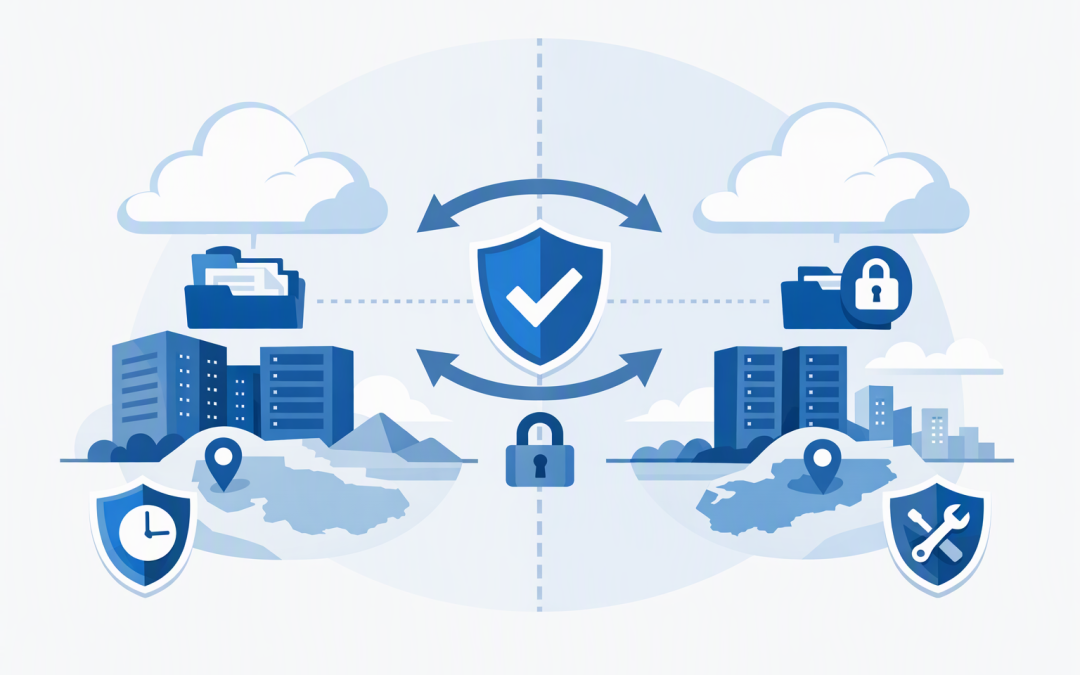
In this blog post Practical Azure Files Cross-Region Recovery with Storage Mover we will explain how to keep a usable copy of critical file data in another Azure region, without relying on fragile scripts or an oversized disaster recovery platform.
Many businesses assume that because their files are in Azure, a serious regional outage is already covered. That assumption can leave teams discovering during an incident that their data is protected against hardware failure, but not available where applications and employees need it.
The high-level idea
Azure Files provides managed cloud file shares that applications and employees can access using SMB, the standard file-sharing method used by Windows environments. Azure Storage Mover is a Microsoft-managed service that copies files, folders, permissions and other supported information between storage locations.
Its Azure Files-to-Azure Files capability can copy an SMB file share into a separate storage account, subscription or Azure region. A recurring job then transfers changes, creating a secondary share that can support recovery testing or regional failover.
Primary Azure Files share
 ↓
Recurring Azure Storage Mover job
 ↓
Secondary Azure Files share in another region
Unlike traditional file migration tools, the Azure-to-Azure transfer is managed in the cloud. You do not need to maintain a dedicated virtual machine simply to run copy scripts, store credentials and retry failed transfers.
As of October 2026, Azure Files-to-Azure Files data copy is in preview for SMB shares and must be enabled for each subscription. That makes it promising, but it should be introduced through a controlled pilot before becoming the only recovery path for a critical workload.
Why this pattern matters
Azure Files offers several redundancy choices. Locally redundant storage keeps multiple copies within a region, while zone-redundant storage spreads copies across separate availability zones, meaning physically separated data centre locations within that region.
Those options improve availability, but they do not always provide a business-ready copy in a region you have chosen. Premium SSD file shares, commonly used for performance-sensitive workloads, also do not support geo-redundant storage.
Storage Mover addresses this gap by letting you maintain a separate Azure file share in another region. For an Australian organisation, that could mean copying a primary share in Australia East to Australia Southeast, subject to preview and regional availability.
This follows the same principle discussed in our guide to designing zone-resilient Azure workloads. Local resilience and regional recovery solve different problems, and most important systems need a deliberate position on both.
Storage Mover is not a backup
This distinction is important. A synchronised copy helps when the primary region or storage account is unavailable, but it may also copy unwanted changes.
If ransomware encrypts thousands of files, an administrator deletes a folder or an application corrupts documents, a later sync can carry those changes to the secondary share. Storage Mover also does not guarantee a recovery point objective, even when jobs are scheduled regularly.
Your recovery point objective, or RPO, is the maximum amount of recent data the business can afford to lose. A job scheduled every hour does not automatically deliver a one-hour RPO because the job might still be running, delayed or unsuccessful.
Use Storage Mover alongside Azure Backup, snapshots and soft delete rather than instead of them. For ransomware recovery, vaulted backups with protected retention provide a different layer of defence from a synchronised operational copy.
Our article on identifying immutable backup recovery gaps explores why having protected data is only useful when the organisation can restore it through a tested process.
How the recoverability pattern works
1. Create an independent target
Place the secondary file share in a different storage account and region. For stronger separation, consider a dedicated subscription with restricted administration, separate monitoring and its own cost controls.
The destination should have enough capacity and performance to run the workload during recovery. A cheap target that cannot support normal application demand may reduce storage costs but extend the outage.
2. Define the source and target endpoints
Storage Mover endpoints identify the primary and secondary shares. A project groups the recovery activity, while a job definition records what should be copied and how it should behave.
The service can preserve supported SMB information such as folder structure, timestamps, file attributes and access control lists, which are the permissions determining who can open or modify a file. Preserving permissions reduces rework during a failover.
3. Choose the copy mode carefully
The merge option keeps files that exist only on the target while updating matching files from the source. The mirror option is intended to make the target reflect the source more closely.
Mirroring is usually easier to understand during recovery, but source deletions can affect the destination. Merge mode may retain useful files, yet it can also leave outdated content that complicates validation.
Neither choice replaces backups. Select the mode based on the recovery scenario, document the expected behaviour and test deletions as well as new and modified files.
4. Keep the secondary share read-only
Storage Mover does not resolve conflicts between independent changes on both shares. If users or applications modify the target while scheduled copying is active, their changes may be overwritten or lost.
Treat the secondary share as read-only during normal operations. Limit write access, separate administrative roles and alert on unexpected activity so that a recovery asset does not quietly become another production share.
5. Measure actual recovery readiness
A green job status is not enough. Monitor when the last successful job finished, how long it ran, the number of failed files and the age of the newest confirmed data at the destination.
Then test whether applications can use the copy. That includes permissions, private network access, identity services, DNS records, firewall rules and any application settings containing the original file path.
A practical business scenario
Consider a composite example based on a common mid-sized environment. A 200-person engineering company stores 12 TB of project drawings on a premium Azure file share in Australia East.
The share is protected against individual hardware and data centre failures, but a regional disruption would stop access to active projects. Restoring 12 TB from backup could take longer than the business considers acceptable.
The company creates a second premium share in another Australian region and schedules recurring Storage Mover jobs. The target remains read-only, while vaulted backups protect historical recovery points from corruption and malicious deletion.
A documented runbook explains how to pause copying, confirm the last clean transfer, enable controlled access and redirect applications. Quarterly testing proves whether the business can restore file access within its two-hour recovery target.
The business outcome is not simply “another copy of the data.” It is a shorter, more predictable outage with less dependence on administrators rebuilding storage under pressure.
A practical implementation checklist
- Identify file shares whose unavailability would stop important business operations.
- Set an agreed RPO and recovery time objective for each workload.
- Confirm preview eligibility, regional availability and current service limitations.
- Create the target in a separate region and preferably a separate storage account.
- Match target capacity, performance and authentication to the recovery workload.
- Choose merge or mirror behaviour based on tested deletion requirements.
- Restrict writes to the secondary share during normal operation.
- Configure alerts for failed, delayed or unusually long copy jobs.
- Protect both the primary data and recovery points with suitable backup controls.
- Run scheduled recovery exercises and record evidence for management and auditors.
How this supports Essential 8 planning
The Essential 8 is the Australian Government’s cybersecurity framework for reducing common security risks. One of its strategies is regular backups, including ensuring that unauthorised accounts cannot modify or delete protected recovery data.
Cross-region copying can support business continuity, but it should not be reported as full compliance with the backup requirement. A credible design separates rapid operational recovery from protected historical backup and regularly tests both.
With more than 20 years of enterprise IT experience, CloudProInc approaches these designs by starting with the outage the business cannot tolerate. As a Melbourne-based Microsoft Partner and Wiz Security Integrator, we then assess the storage, identity, networking, backup and security controls needed to make recovery practical.
If you are unsure whether your Azure file shares could survive a regional outage without an extended restore, CloudProInc is happy to review the current setup and identify the gaps, with no obligation to proceed further.