
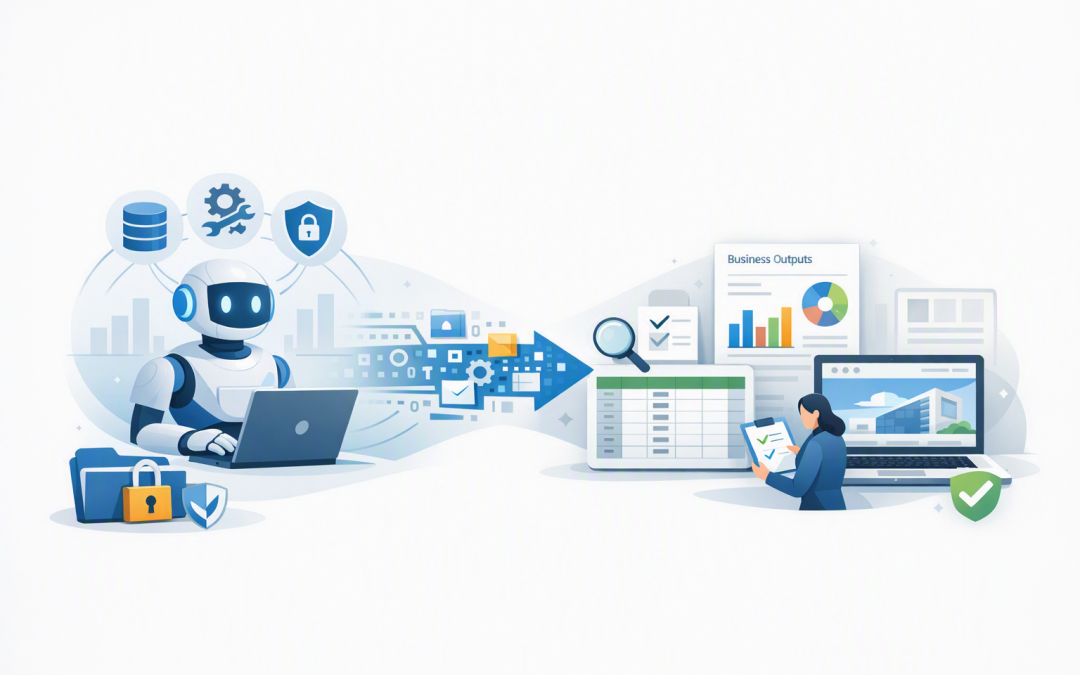
In this blog post How AI Agents Create Reports Data Files and Business Websites we will explain how AI agents can turn business information into useful, finished outputs rather than simply answering questions in a chat window.
If your managers spend days copying figures into monthly reports, cleaning spreadsheets or waiting for a simple website update, the problem is not usually a lack of data. It is the manual work required to collect, check, format and publish that data.
AI agents can take on much of this repetitive process. With the right permissions and controls, an agent can gather information, analyse it, create a file, check the result and send it to a person for approval.
What is an AI agent?
An AI agent combines an AI model, such as OpenAI or Anthropic Claude, with instructions and business tools. Those tools might allow it to search approved documents, query a database, run calculations, create files or update a content management system.
This is the main difference between an agent and a standard chatbot. A chatbot gives you an answer. An agent can complete a series of steps and produce something your business can use.
We covered the broader workplace impact in how AI agents will reshape the modern workplace. Here, we are focusing on three practical outputs: reports, data files and business websites.
The technology behind AI-generated business outputs
The process may look simple to the user, but a reliable business agent usually has several layers working together.
- The AI model interprets the request. It works out what information is needed and what the finished output should contain.
- Approved tools collect the data. The agent might read SharePoint documents, call an application programming interface, which is a controlled connection to another system, or query a business database.
- A secure workspace processes the information. This is an isolated environment where the agent can run calculations and create files without receiving unrestricted access to your wider network.
- Templates and business rules shape the output. These define headings, branding, calculations, file formats and mandatory compliance wording.
- Checks and approvals control delivery. Important outputs can be validated and held for human approval before they are emailed, uploaded or published.
Platforms such as Microsoft Foundry on Azure can provide the model, secure file processing, business system connections and monitoring needed for this workflow. The same approach can also use OpenAI or Claude models, depending on the task and the organisation’s requirements.
AI agents can generate management reports
Monthly reporting is often a chain of small manual jobs. Someone exports figures from several systems, removes duplicate records, updates charts, writes a summary and emails the finished document.
An agent can perform that sequence using an approved report template. It can collect sales, service, finance or operational data, calculate agreed measures and produce a Word document, PDF, presentation or dashboard-ready file.
For example, an operations agent could:
- retrieve service desk figures from the previous month;
- compare response times against agreed targets;
- identify recurring issues and unusual changes;
- generate charts and an executive summary;
- create a draft PDF for the IT manager to approve.
The business outcome is not merely a faster document. Managers receive consistent information sooner, staff spend less time assembling slides, and unusual results can be investigated before the next leadership meeting.
The agent should not be allowed to invent explanations for missing data. If a source is unavailable or a total does not reconcile, it should clearly flag the problem rather than quietly producing a polished but unreliable report.
AI agents can create clean data files
Many organisations have data trapped in email attachments, supplier documents and spreadsheets created in different formats. Employees regularly spend hours renaming columns, separating addresses, correcting dates and combining files.
An AI agent with a controlled code execution tool can perform this work inside an isolated workspace. It can read source files, apply business rules and create CSV, Excel or JSON files ready for another system.
JSON is simply a structured text format commonly used to move information between applications. Business users do not need to work with it directly, but it allows the agent to prepare data for finance, customer relationship management, inventory or reporting platforms.
A simplified instruction might look like this:
Input: Approved supplier spreadsheets
Rules:
- Standardise Australian date formats
- Remove duplicate invoice numbers
- Flag missing ABNs
- Do not change financial totals
Output: Clean Excel file and exception report
Approval: Finance manager
The exception report is important. Instead of guessing when information is unclear, the agent gives a person a short list of records requiring attention.
If the agent needs to install specialist software packages while processing files, additional safeguards are required. Our article on how AI agents install packages and run automation safely explains why isolation, approved package lists and activity logs matter.
AI agents can build business websites
AI agents can also generate the files behind a website, including page structure, styling, forms and basic interactive features. They can apply an approved brand guide, create multiple pages and revise the site after reviewing test results.
This is particularly useful for campaign pages, internal knowledge sites, event websites, product demonstrations and simple customer portals. A marketing team could provide the agent with approved copy, brand colours and a page template, then receive a working draft for review.
A more capable agent can test links, check how pages appear on different screen sizes and identify missing accessibility information. It can then correct straightforward problems before a developer or content owner completes the final review.
This extends the ideas discussed in how AI coding agents help businesses build software faster and safely. The goal is not to remove developers. It is to reduce repetitive setup and give skilled people more time for security, user experience and business requirements.
Public publishing should still require approval. An agent should not be free to change pricing, make legal claims, collect customer information or deploy new website code without checks.
A practical example for a 200-person business
Consider a 200-person professional services firm producing a monthly client performance pack. An analyst spends around two days exporting data, updating charts, writing commentary and creating separate files for each account.
A controlled agent could retrieve approved data, generate the charts, create each client’s branded PDF and place the drafts in SharePoint. The analyst would review exceptions and approve the final documents rather than building every page manually.
The same agent could also create CSV files for the client portal and prepare an HTML summary for a secure website. One workflow would support three different outputs without employees repeatedly copying the same information.
The likely benefit is not immediate staff reduction. It is faster reporting, fewer formatting errors and more time for the analyst to investigate what the numbers actually mean.
Controls matter more than impressive demonstrations
An agent that can create files and websites can also expose sensitive data or publish incorrect information if it is poorly designed. Business use therefore requires stronger controls than a public AI chat account.
At a minimum, organisations should have:
- limited access so the agent can only reach the data required for its task;
- secure identities rather than passwords or access keys hidden inside prompts;
- isolated execution so generated code cannot freely access other systems;
- output validation for totals, file structures, links and required fields;
- human approval before high-impact reports or public content are released;
- activity logs showing the information accessed, tools used and files produced;
- retention rules covering temporary files and sensitive business data.
These controls also support the Essential Eight, the Australian Government’s cybersecurity framework that many organisations use to reduce common security risks. Application control, patching, multi-factor authentication, restricted administrator access and reliable backups remain important when AI agents are introduced.
For a deeper look at identities, data access and network separation, see designing secure AI agent infrastructure on Azure.
Start with one repeatable output
The best first project is rarely an agent that can do everything. Choose one output that is created frequently, follows clear rules and currently consumes measurable staff time.
A monthly operational report, supplier data cleanup process or internal project website is a better starting point than giving an agent broad access to every system. Measure preparation time, error rates, approval effort and delivery speed before and after the trial.
CloudProInc brings more than 20 years of enterprise IT experience across Azure, Microsoft 365, OpenAI, Claude and cybersecurity. As a Melbourne-based Microsoft Partner and Wiz Security Integrator, we focus on practical systems that fit the way Australian organisations actually work.
If your teams are still spending days turning the same business information into reports, spreadsheets and web pages, we are happy to help identify a safe first use case — no strings attached.
Discover more from CPI Consulting
Subscribe to get the latest posts sent to your email.