
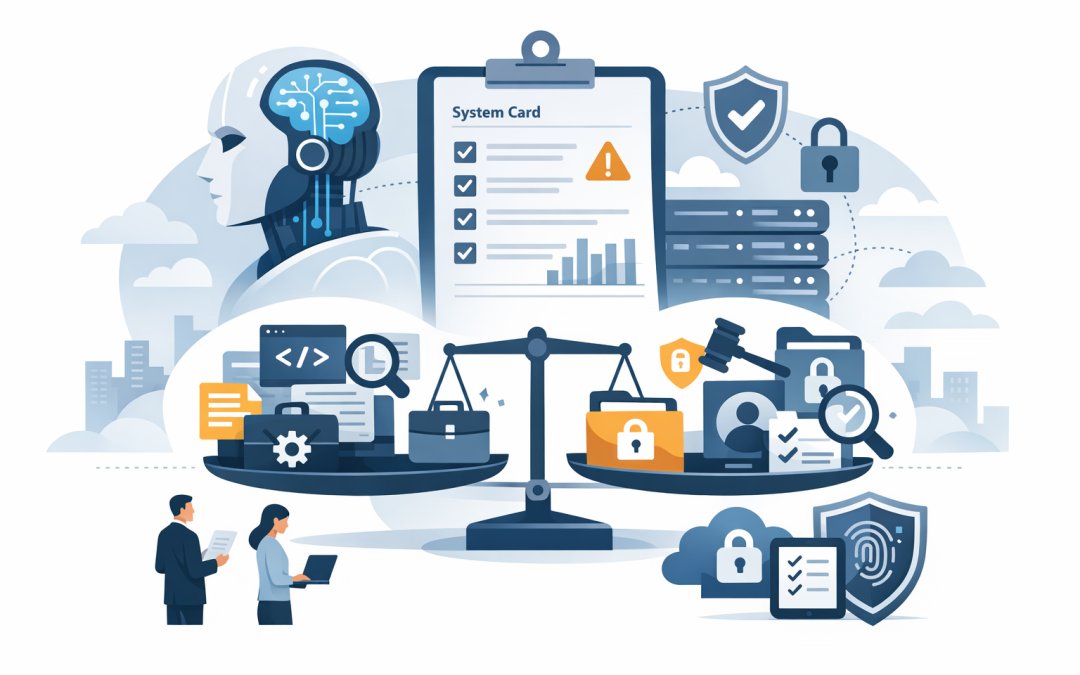
In this blog post Why GPT-5.6’s System Card Raises the Bar for AI Risk Reviews we will explain what changed, why it matters for business leaders, and how to review AI models before they quietly become a new source of cost, security risk, or compliance trouble.
Most organisations are no longer asking whether AI is useful. They are asking a harder question: can we trust it inside the business without creating a problem we do not fully understand?
That is why OpenAI’s GPT-5.6 system card matters. A system card is like a detailed safety and performance report for an AI model. It explains what the model is designed to do, where it performs well, where it can fail, and what safeguards are in place.
For CIOs, CTOs and business owners, this is not just an AI research document. It is a buying signal. If the model itself is getting more capable, the review process around it needs to become more serious too.
What GPT-5.6 is in plain English
GPT-5.6 is a newer generation of large language model, or LLM. A large language model is an AI system trained to understand and produce text, code, analysis, plans and instructions based on patterns in huge amounts of data.
The important shift is not only that models can write better emails or summarise meetings faster. Models like GPT-5.6 can reason across longer tasks, use tools, assist with coding, analyse security problems, and support more complex workflows.
That is powerful. It also means the model can influence more business decisions, touch more data, and potentially take actions if connected to other systems.
Think of it this way. An older chatbot was like a helpful intern answering questions. A modern AI agent can be more like a junior analyst with access to files, systems and tools. That changes the risk profile.
Why a system card now belongs in your AI governance process
Many businesses still assess AI tools the way they assess normal software. They ask: what does it cost, does it integrate with Microsoft 365, and will staff use it?
Those questions are still useful, but they are not enough.
A system card gives leaders a better set of questions. What has the model been tested for? What risky behaviours were found? What areas require extra controls? Are there limits around cybersecurity, biology, privacy, misinformation, autonomy or misuse?
This is where model risk reviews come in. A model risk review is a structured business check before you let an AI model handle important work. It looks at security, privacy, accuracy, business impact, compliance and operational control.
In financial terms, it is due diligence. In security terms, it is risk management. In plain English, it is asking: what could go wrong, how likely is it, and what will we do about it?
The business problem most companies miss
The biggest AI risk is rarely one dramatic event. It is usually quiet overconfidence.
A team starts using an AI tool to draft customer responses. Then it is used to analyse contracts. Then someone connects it to internal documents. Then a developer uses it to help fix production code. Before long, the organisation has AI embedded in real work, but no one has clearly approved the risk.
That creates three problems.
- Data exposure: sensitive information may be copied into tools without proper controls.
- Decision risk: staff may rely on AI output without checking it properly.
- Security risk: powerful models can help defenders, but they can also assist attackers if used badly.
For Australian organisations, this also connects to compliance. The Essential 8, the Australian government’s cybersecurity framework that many organisations are now required or expected to follow, focuses on reducing common security risks. AI does not replace those controls. It makes them more important.
What GPT-5.6 changes for AI risk reviews
1. Capability is now a risk factor
For years, businesses treated AI risk as mostly about privacy and accuracy. Could the tool leak data? Could it make things up?
Those risks still matter, but stronger models add a new concern: capability itself.
If a model is better at cybersecurity analysis, software development, scientific reasoning or tool use, that can be excellent for productivity. It can help your IT team find weaknesses faster, write documentation, investigate alerts and automate repetitive work.
But the same capability needs boundaries. A model that can help a security engineer understand a vulnerability should not be available to every employee without controls. A model that can generate scripts should not be allowed to change production systems without approval.
The business outcome is simple: better AI productivity without creating a new attack path.
2. “Approved tool” is not the same as “approved use”
This is one of the most common mistakes we see in AI adoption.
A company approves an AI platform, then assumes every use of that platform is fine. It is not.
Using AI to summarise a public marketing article is low risk. Using the same AI model to review confidential HR complaints, customer financial records, legal advice or security logs is a very different risk.
A good model risk review separates the tool from the use case. It asks what data is involved, who can access it, what the output will influence, and whether a human must approve the result.
This helps avoid blanket bans, which frustrate staff, and blanket approvals, which create avoidable exposure.
3. AI agents need stronger guardrails
An AI agent is an AI system that can take steps toward a goal, often by using tools such as browsers, code editors, email, document stores or business applications.
Agents are useful because they can complete multi-step work. For example, an agent might review support tickets, draft responses, check a knowledge base and suggest updates.
The risk is that agents may do too much, misunderstand instructions, or act in a way that was technically allowed but not intended.
For business leaders, the key question is not “can the AI do it?” The key question is “should it be allowed to do it without a person approving the action?”
Practical controls include limiting what systems the AI can access, logging what it does, requiring human approval for sensitive actions, and testing it before broader rollout.
4. Security teams need AI-specific monitoring
Traditional security tools were not designed for every AI risk.
You still need the basics: Microsoft Defender for threat protection, Intune which manages and secures company devices, strong identity controls, and proper patching. These align well with Essential 8 expectations such as application control, patching, restricting admin privileges and multi-factor authentication.
But AI adds new questions. Who is sending sensitive data to AI tools? Are staff using unapproved AI services? Are AI agents accessing cloud systems? Are prompts and outputs being logged safely? Can the organisation investigate an AI-related incident?
This is where CloudProInc often brings Microsoft 365, Azure, Defender, Intune and specialist cloud security tools such as Wiz together into one practical view. The goal is not more dashboards. The goal is to see where risk is building before it becomes an incident.
A realistic scenario
Consider a 180-person professional services firm with offices in Melbourne and Sydney.
The leadership team wants to use AI to reduce admin work, improve proposal writing and help the IT team respond to security alerts faster. Staff are already experimenting with public AI tools, but there is no approved policy, no usage logging and no clear rule about client data.
At first glance, the business problem looks like productivity. In reality, it is governance.
A practical AI risk review would map the use cases into three groups.
- Low risk: drafting internal announcements, summarising public information, creating meeting agendas.
- Medium risk: analysing internal documents, summarising customer conversations, drafting policies.
- High risk: reviewing legal material, handling personal information, writing production code, assisting with cybersecurity investigations.
The business can then move quickly where risk is low, add approvals where risk is medium, and apply stronger controls where risk is high.
The result is not slower AI adoption. It is safer AI adoption. Staff get useful tools, leaders get visibility, and the organisation reduces the chance of a privacy, compliance or security surprise.
What should be in your model risk review
You do not need a 60-page framework to start. For most mid-sized organisations, a useful model risk review can begin with five practical questions.
- What business process will this AI support?
Be specific. “Improve productivity” is too vague. “Summarise sales calls in Microsoft Teams” is useful. - What data will the model see?
Classify the data as public, internal, confidential, personal information, regulated data or security-sensitive data. - What could the output influence?
A draft email is low impact. A legal recommendation, hiring decision, customer credit assessment or security action is much higher impact. - What controls are required?
This may include Microsoft 365 permissions, Intune-managed devices, Defender monitoring, data loss prevention, approval workflows, restricted access, or cloud security checks through tools like Wiz. - How will we review and improve it?
AI models change. Business use changes. Your review should not be a one-off document that disappears into SharePoint.
Where Australian businesses should pay attention
Australian organisations should connect AI risk reviews to existing obligations, not create a separate paperwork monster.
If you already report to a board, risk committee or executive team, AI should appear in that same risk language. If you follow Essential 8, AI should be considered in access control, patching, admin privileges, logging and incident response. If you handle personal information, AI usage should be reviewed through the lens of Australian privacy obligations.
This is also where many businesses should challenge their current IT provider.
Ask them: do we have visibility of AI tools in use? Can we stop sensitive data being copied into unapproved services? Are our Microsoft 365 permissions too open? Are our devices managed through Intune? Can we detect risky cloud activity? Do we have an AI policy people can actually understand?
If the answer is unclear, that is not a reason to panic. It is a reason to get a proper baseline.
The practical takeaway
GPT-5.6’s system card is a reminder that AI is moving from novelty to infrastructure. Once AI starts touching documents, decisions, customer data, code and security workflows, it deserves the same level of review as any other important business system.
The winners will not be the companies that say yes to every AI tool. They will be the companies that move quickly with clear guardrails.
That means choosing the right model for the right job, limiting access to sensitive data, keeping humans in charge of important decisions, monitoring usage, and aligning AI adoption with cybersecurity basics like Essential 8.
CloudProInc works with organisations across Australia and internationally to make this practical. As a Melbourne-based Microsoft Partner and Wiz Security Integrator, with more than 20 years of enterprise IT experience, we help businesses assess AI tools, secure Microsoft 365 and Azure environments, manage devices with Intune, and build sensible controls around OpenAI, Claude, Defender and cloud security platforms.
If you are not sure whether your current AI use is safe, approved or quietly creating risk, we are happy to take a look. No scare tactics, no hard sell — just a practical review of where you are and what should happen next.
Discover more from CPI Consulting
Subscribe to get the latest posts sent to your email.