
In this blog post Why Every SMB Needs a Proper Device Compliance Strategy Today we will explain why company laptops, phones and tablets can quietly become one of the biggest risks in your business — and what to do about it.
Most businesses do not have a “device problem” until something goes wrong. A staff member leaves with company data still synced to a personal laptop. A manager clicks a link on an unpatched device. A contractor accesses Microsoft 365 from a home computer that nobody in IT has ever seen.
That is when the real question appears: do we actually know which devices are allowed to access our business data?
A proper device compliance strategy answers that question before there is a breach, audit issue or productivity outage. It gives your business a clear set of rules for which devices are trusted, which are not, and what happens when a device falls out of line.
What device compliance means in plain English
Device compliance is the process of checking whether a laptop, desktop, phone or tablet meets your company’s security requirements before it can access business systems.
Think of it like a roadworthy certificate for your IT environment. The device may turn on, connect to Wi-Fi and open email, but that does not mean it is safe enough to access sensitive files, customer records or finance systems.
A compliant device might need to meet rules such as:
- It has a strong password or biometric sign-in.
- Its storage is encrypted, meaning stolen data cannot easily be read.
- It is running a supported operating system, such as Windows 11 instead of unsupported Windows 10.
- It has the latest security updates installed.
- It has endpoint protection, such as Microsoft Defender, running properly.
- It is enrolled in a management tool, such as Microsoft Intune, which manages and secures company devices.
The important point is this: compliance is not just a technical checkbox. It is a business control that protects your people, data, customers and reputation.
The technology behind device compliance
For many SMBs using Microsoft 365, the core technology is Microsoft Intune, which manages and secures laptops, phones and tablets from one central place. Intune can apply security settings, check device health, deploy apps, enforce encryption and report whether each device meets your company’s rules.
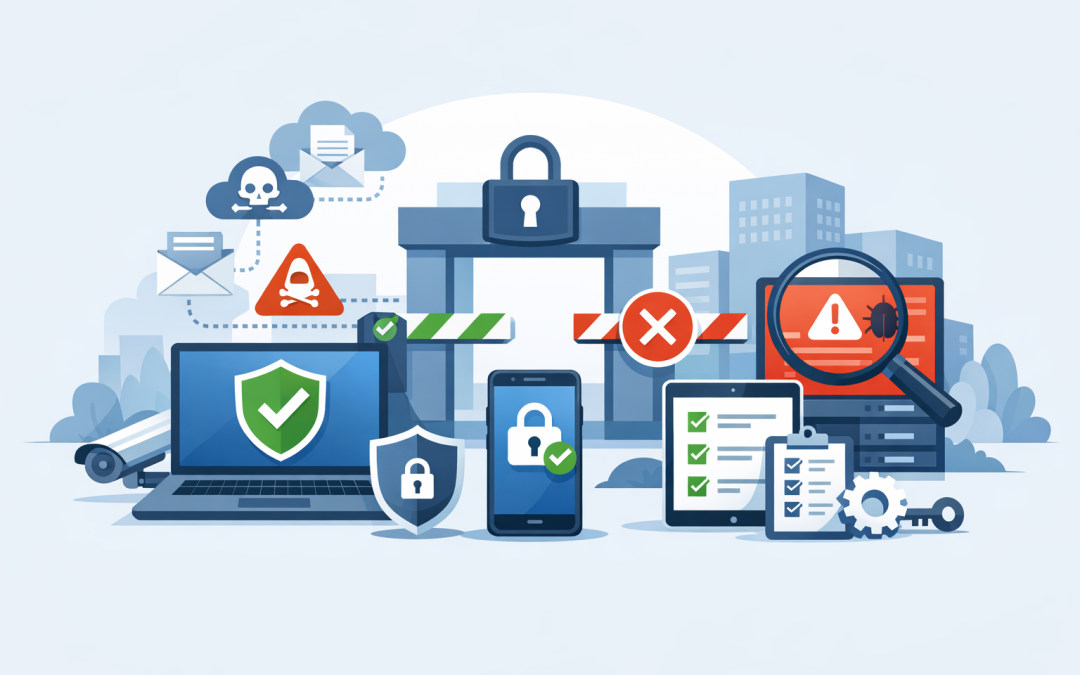
Intune often works with Microsoft Entra Conditional Access. Conditional Access is a gatekeeper for your business apps. It can allow, block or limit access based on conditions such as who the user is, where they are signing in from, whether multi-factor authentication is used, and whether the device is compliant.
In simple terms, Intune checks the device. Conditional Access decides whether that device should be allowed into systems like Outlook, SharePoint, Teams, OneDrive, finance apps or cloud platforms.
Security tools such as Microsoft Defender and Wiz can add another layer. Defender helps protect endpoints from malware and suspicious behaviour. Wiz gives visibility into cloud security risks, especially across environments such as Azure. Together, these tools help businesses move from “we hope everything is fine” to “we can see what is happening and act quickly.”
Why SMBs can no longer treat devices as an IT afterthought
In a 50 to 500 person business, device management often grows organically. Someone buys laptops from a retailer. A few staff use personal phones. Remote workers connect from home. Executives want access from iPads. Contractors need temporary access.
Individually, each decision makes sense. Together, they create a messy environment where nobody has a clear view of risk.
The problem is not that people are careless. The problem is that the business has not defined what “safe enough to connect” actually means.
1. Unmanaged devices increase the chance of a breach
A single unmanaged device can become the weak link. If it is missing security updates, has no encryption or uses a weak password, it can expose business data even if the rest of your environment is well protected.
This matters even more now that many staff work from different locations. Your company data is no longer only inside the office. It is on laptops at home, phones in taxis, tablets in airports and shared files in cloud apps.
Business outcome: fewer unmanaged access points and lower risk of data loss, ransomware and account compromise.
2. Device compliance supports Essential 8 readiness
In Australia, many organisations are being asked by customers, insurers, boards or government-related contracts about the Essential 8. The Essential 8 is the Australian government’s cybersecurity framework designed to reduce common cyber risks.
Several Essential 8 areas are directly affected by device compliance, including patching operating systems, patching applications, restricting admin privileges, using multi-factor authentication and hardening user applications. In plain English, that means keeping devices updated, limiting risky access and making it harder for attackers to run malicious software.
If your devices are not centrally managed, proving Essential 8 alignment becomes much harder. You may believe updates are installed, but belief is not evidence. A compliance strategy gives you reporting, enforcement and a clearer path to maturity.
Business outcome: stronger compliance evidence and fewer surprises when a customer, auditor or insurer asks difficult questions.
3. Unsupported devices create hidden cost
When old devices stay in the business too long, they rarely look expensive at first. They still turn on. Staff can still open email. Replacing them feels like a cost that can wait.
But unsupported or poorly maintained devices create hidden costs. They take longer to troubleshoot. They may not run modern security features. They frustrate staff. They increase the risk that an incident will require emergency support, downtime or expensive remediation.
Windows 10 is a useful example. Many businesses still have Windows 10 machines in circulation, but support has ended for standard security updates. That does not mean the devices stop working. It means the risk profile has changed, and businesses need a plan.
Business outcome: fewer urgent fixes, clearer hardware planning and less wasted time for staff and IT teams.
4. It improves employee productivity, not just security
Device compliance can sound restrictive, but when done properly it makes work easier. Staff receive a properly configured device from day one. Apps are installed automatically. Security settings are already applied. Lost devices can be locked or wiped remotely.
For new starters, this can reduce onboarding delays. For remote teams, it means fewer “I cannot access Teams” or “my laptop is asking for something weird” tickets. For IT teams, it reduces manual setup work.
Good compliance should be almost invisible to staff. The only time they notice it is when something genuinely needs attention, such as a missing update or a security risk.
Business outcome: faster onboarding, fewer support tickets and a smoother experience for employees.
5. It gives leaders visibility instead of assumptions
Many executives ask a simple question after a cyber incident: “How did this happen?” The uncomfortable answer is often that nobody had a complete view.
A device compliance strategy gives leadership useful visibility. How many devices are compliant? Which devices are missing updates? Which users are accessing business data from unmanaged devices? Which operating systems are still in use? Which devices have not checked in recently?
This does not mean drowning leaders in technical reports. It means giving them the right summary so they can make better decisions about budget, risk and priorities.
Business outcome: better decisions, clearer accountability and fewer blind spots.
A common scenario we see in growing businesses
Consider a 180-person professional services firm with offices in Melbourne and staff working remotely across Australia. The business uses Microsoft 365, Teams, SharePoint and a few industry-specific cloud apps.
On paper, the setup looks modern. In reality, about 25 percent of devices are not centrally managed. Several staff use personal laptops when travelling. Some devices are missing updates. A few senior staff still have local administrator rights, which means they can install software without approval.
Nothing has gone wrong yet, so the risk feels theoretical.
Then a customer asks for evidence of Essential 8 progress before renewing a contract. Suddenly, the business needs to prove how devices are patched, how access is controlled and how lost or compromised devices are handled.
With a proper device compliance strategy, the business can move from guesswork to evidence. Devices are enrolled into Intune, which manages and secures company devices. Compliance rules are created for encryption, supported operating systems, security updates and Defender health. Conditional Access is then used to stop non-compliant devices from accessing sensitive company data.
The result is not just better security. The business gains cleaner reporting, fewer manual processes, faster onboarding and a stronger position in customer due diligence conversations.
What a practical device compliance strategy should include
You do not need to boil the ocean. The best approach is usually staged, practical and aligned to business risk.
Step 1. Build a device inventory
Start by finding out what you have. List company laptops, desktops, mobiles, tablets, shared devices and any personal devices used for work.
If you cannot see it, you cannot secure it.
Step 2. Define your minimum standard
Agree on the baseline rules for business access. For example, every device must be encrypted, patched, protected by Defender, enrolled in Intune and running a supported operating system.
Keep the language simple enough that executives can understand and approve it.
Step 3. Separate company and personal access
Not every business wants to manage personal devices fully. That is fine, but you still need rules.
For example, personal phones may be allowed to access email only if company data is protected inside approved apps. Personal laptops may be blocked from downloading files. High-risk systems may require a fully managed company device.
Step 4. Use Conditional Access carefully
Conditional Access is powerful, but it should be rolled out with care. Start by monitoring what would be blocked, then communicate changes before enforcing them.
The goal is to reduce risk without locking out half the business on Monday morning.
Step 5. Report on compliance regularly
Device compliance is not a one-off project. Devices drift. Updates fail. Staff change roles. Contractors come and go.
Review compliance reports monthly and include device risk in leadership discussions. It should become part of normal business hygiene.
Where CloudProInc helps
CloudProInc works with SMBs that need practical, hands-on help securing Microsoft environments without turning IT into a roadblock. As a Melbourne-based Microsoft Partner and Wiz Security Integrator, we help businesses design and implement device compliance strategies across Microsoft 365, Azure, Intune, Windows 365, Defender and cloud security platforms like Wiz.
Our focus is not just on configuring tools. It is on making sure the strategy supports the business: lower risk, fewer support issues, better compliance evidence and a smoother experience for staff.
With 20+ years of enterprise IT experience, we have seen what happens when device management is left too late. We have also seen how quickly businesses can improve when the right foundations are put in place.
The bottom line
Every SMB now relies on devices that sit outside the traditional office boundary. Laptops, phones and tablets are the front door to your business data.
If that front door is not checked, managed and monitored, your business is carrying unnecessary risk.
A proper device compliance strategy helps you reduce cyber risk, support Essential 8 readiness, cut hidden IT costs and give staff a better working experience.
If you are not sure whether your current device setup is helping or hurting your business, CloudProInc is happy to take a look — no pressure, no jargon, just practical advice on where you stand and what to fix first.
Discover more from CPI Consulting
Subscribe to get the latest posts sent to your email.