
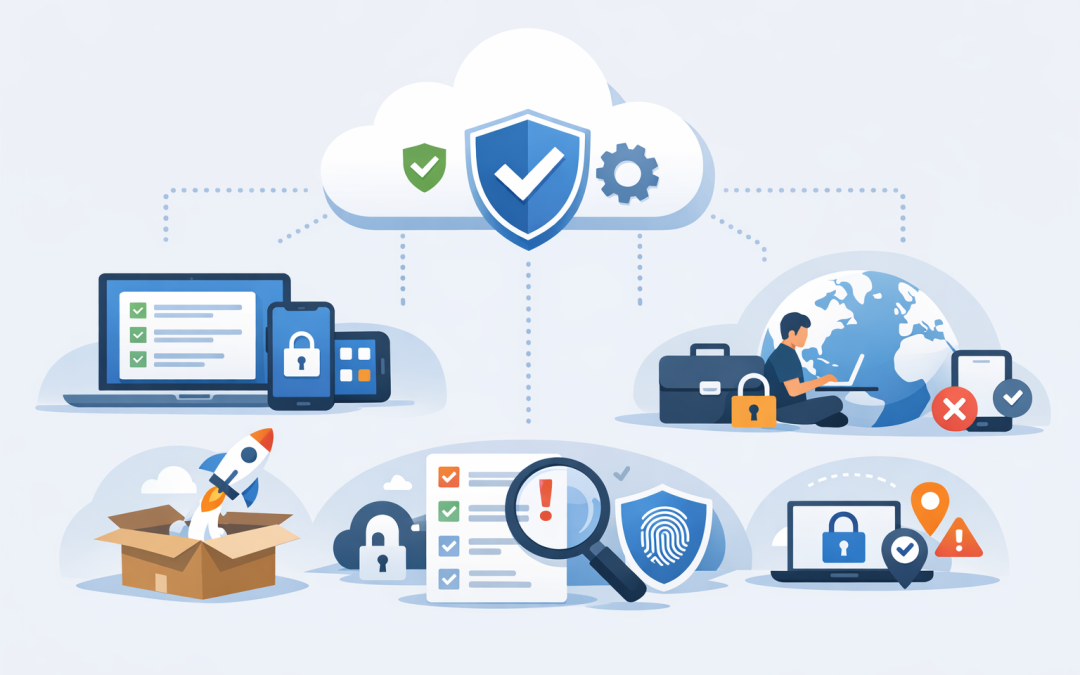
In this blog post How Intune Helps SMBs Secure Devices Without Complex IT Risks we will look at how Microsoft Intune helps small and mid-sized businesses secure company devices, support remote work, reduce manual IT effort and avoid turning device management into a full-time headache.
If your business has grown past 50 people, device management can get messy quickly. Laptops are bought at different times, staff use phones for work, people work from home, contractors need access, and someone eventually asks the uncomfortable question: “Do we actually know which devices can access our company data?”
That is usually where risk starts to build. Not because the business is careless, but because the old way of managing devices does not scale. Spreadsheets, one-off setup checklists and “just call IT if something breaks” might work for 20 people. They become risky and expensive at 100, 200 or 500 people.
First, what is Intune in plain English?
Microsoft Intune is a cloud-based tool that manages and secures company devices such as Windows laptops, Macs, iPhones, iPads and Android phones. It helps IT set rules for those devices, install business apps, check whether devices are secure, and remove company data if a device is lost or an employee leaves.
The important part is that Intune does this without your IT team needing to physically touch every device. A new laptop can be shipped to an employee, connected to the internet, signed into with their work account, and automatically configured with the right security settings and apps.
For business leaders, the value is simple: fewer manual setup tasks, fewer unmanaged devices, better protection for company data, and a clearer path toward compliance frameworks such as Essential 8, the Australian government’s cybersecurity framework that many organisations are now expected to follow.
The problem Intune solves for SMBs
Most SMBs do not have a large internal IT department. They may have one IT manager, a small support team, or an external provider handling day-to-day work.
At the same time, their device environment often looks like a much larger company. Staff work across offices, homes, client sites and airports. Devices connect from different networks. People expect fast access to Microsoft 365, Teams, SharePoint, line-of-business apps and cloud systems.
Without central device management, IT teams usually face five common problems:
- They do not have a reliable list of every device accessing company data.
- Security settings are inconsistent across laptops and phones.
- New starter setup takes too long and depends on manual effort.
- Lost or stolen devices create uncertainty and stress.
- Compliance reporting becomes slow, reactive and difficult to prove.
Intune helps by creating one central place to manage device security and access. It does not remove the need for good IT judgement, but it gives your team a practical control point instead of relying on trust, memory and manual follow-up.
How the technology works behind the scenes
Intune works by connecting three things: the person, the device and the apps they use. In Microsoft language, the person is managed through Microsoft Entra ID, which is the sign-in and identity system behind Microsoft 365. The device is enrolled into Intune. The apps are then controlled through policies.
A policy is simply a rule. For example: “All company laptops must have encryption turned on,” “Phones must require a PIN,” or “Only healthy devices can access company email.”
Once those rules are created, Intune checks devices against them. If a device meets the rules, staff can keep working. If it does not, the business can block access, warn the user, or guide them through fixing the issue.
This is where Intune becomes powerful for SMBs. It turns device security from a manual checklist into an automated process that runs in the background.
1. Intune gives you visibility over every work device
You cannot secure what you cannot see. Many businesses are surprised to discover how many old laptops, personal phones or unmanaged devices still have access to company email and files.
Intune gives IT a central view of enrolled devices, including who uses them, what operating system they run, whether they are encrypted, and whether they meet company security rules. This matters because security gaps often come from unknown devices rather than obvious failures.
For a CIO or IT manager, the business outcome is better control. Instead of asking “who has access?”, you can answer it. That is a big step forward for risk management, cyber insurance conversations and board reporting.
2. Intune makes onboarding faster and more consistent
New starter setup is one of the easiest places to lose time. Someone needs a laptop. IT needs to configure it. Apps need to be installed. Security settings need to be applied. If the employee is interstate, the process becomes even slower.
With Intune and Windows Autopilot, a Microsoft service that helps automatically set up new Windows devices, the laptop can be configured when the employee signs in. The right apps, settings and security controls are applied based on their role.
For example, a finance employee might receive accounting software, stricter data protection settings and access to specific Microsoft 365 groups. A field worker might receive different apps and mobile settings.
The business outcome is less downtime. New employees can start work sooner, IT spends less time building devices by hand, and the setup process becomes repeatable rather than dependent on whoever handled the ticket that day.
3. Intune protects company data on personal devices
Many SMBs allow staff to use personal phones for work email, Teams and documents. That can be convenient, but it creates a real question: how do you protect business data without taking over someone’s personal phone?
Intune can manage work apps separately from personal content. This is called mobile application management, which means the business can protect company data inside apps such as Outlook, Teams and OneDrive without controlling the entire personal device.
For example, you can stop company files from being copied into personal apps, require a PIN before opening work email, and remove only business data if the employee leaves.
The business outcome is balance. Staff keep the flexibility they want, while the company reduces the risk of sensitive data being copied, forwarded or left on personal devices indefinitely.
4. Intune supports Essential 8 readiness
For Australian organisations, Essential 8 is becoming harder to ignore. It is the Australian Signals Directorate’s recommended set of cybersecurity controls designed to reduce the likelihood and impact of cyber incidents.
Intune is not a magic “Essential 8 compliance button”. No single tool is. But it can help with several practical areas, especially when combined with Microsoft Defender, which helps protect devices from malware and suspicious activity.
Intune can help enforce device encryption, manage software updates, reduce local administrator access, apply security baselines, and report on whether devices meet required settings. These are all important when you are trying to move from informal security practices to a more measurable maturity level.
The business outcome is reduced audit stress. Instead of scrambling to prove what is configured across your fleet, you can show policies, compliance status and device reports from a central platform.
5. Intune reduces the impact of lost or stolen devices
Lost laptops are not rare. They are left in taxis, airport lounges, hotel rooms and cars. The real issue is not the replacement cost of the device. It is the company data stored on it or accessible from it.
With Intune, IT can remotely wipe a company device or remove work data from a personal device. It can also require encryption, which makes the data unreadable without the right sign-in credentials.
This gives leaders a much clearer response plan. Instead of asking “what was on that laptop?”, the business can act quickly: block access, wipe data and confirm the device no longer meets access requirements.
The business outcome is faster incident response and lower data exposure. That matters for customer trust, privacy obligations and internal confidence.
A real-world scenario
A 180-person professional services firm we worked with had a familiar problem. Their team had grown quickly across Melbourne, Sydney and remote locations, but device management had not kept up.
New laptops were taking several hours each to prepare. Some staff had local administrator rights, meaning they could install software without approval. A handful of personal phones still had access to work email after people had changed roles or left the business.
The company did not need a complex enterprise project. It needed a sensible device baseline, better visibility and a simpler way to support staff.
We helped them roll out Intune policies in stages. First, we identified active devices and cleaned up stale access. Then we applied encryption, password and update rules. After that, we standardised app deployment and created different settings for office staff, executives and mobile workers.
The result was not flashy, but it was valuable. New device setup became faster. IT had fewer repetitive support tasks. The leadership team had better reporting. Most importantly, the business had a clearer answer when asked how company data was protected on laptops and phones.
What most SMBs get wrong with Intune
The biggest mistake is treating Intune as a quick technical switch. It is better to treat it as a business control system for devices and access.
If you turn on too many restrictions too quickly, staff get frustrated and IT gets flooded with tickets. If you barely configure it, you pay for the tool but do not reduce much risk.
A practical Intune rollout should usually start with these steps:
- Review your current licences. Many businesses already have Intune through Microsoft 365 Business Premium, E3 or E5 licensing, but it may not be fully configured.
- Identify all devices accessing company data. This includes laptops, phones, tablets and shared devices.
- Create a sensible security baseline. Start with encryption, password rules, updates, antivirus and device health checks.
- Separate company-owned and personal devices. The right controls for a company laptop are not always right for a personal phone.
- Roll out in stages. Pilot with a small group, fix issues, then expand.
- Report in business language. Track risk reduced, devices compliant, onboarding time saved and support tickets avoided.
Where Intune fits with your wider security stack
Intune is strongest when it is part of a broader security approach. For many SMBs, that means Microsoft 365, Microsoft Defender, identity protection, backup, security awareness and clear operating processes.
For businesses using Azure, Windows 365 or cloud applications, Intune helps make sure access is based on device health, not just a password. That matters because stolen passwords are still one of the most common ways attackers get in.
For organisations with higher risk environments, tools such as Wiz can add deeper cloud security visibility across Azure and other cloud platforms. As a Microsoft Partner and Wiz Security Integrator, CloudProInc often helps clients connect these pieces so security is practical, not just theoretical.
Is Intune worth it for a 50 to 500 person business?
In most cases, yes, especially if your business uses Microsoft 365 and has staff working across multiple locations. The value is not just cybersecurity. It is operational consistency.
Intune helps answer basic but important questions:
- Which devices can access our data?
- Are those devices encrypted and up to date?
- Can we remove company data when someone leaves?
- Can we onboard staff faster?
- Can we prove our controls for compliance or insurance?
If the answer to those questions is currently “we think so,” Intune is worth a closer look.
Final thoughts
Securing devices does not need to become complicated, expensive or painful for staff. The goal is not to lock everything down so tightly that people cannot work. The goal is to create clear, sensible guardrails that protect the business while keeping employees productive.
Microsoft Intune gives SMBs a practical way to manage laptops, phones, apps and access from one place. Used well, it reduces manual IT work, improves security, supports Essential 8 readiness and gives leaders better visibility over risk.
CloudProInc is based in Melbourne and works with clients across Australia and internationally. With 20+ years of enterprise IT experience across Azure, Microsoft 365, Intune, Windows 365, Microsoft Defender, Wiz, OpenAI and Claude, we help businesses make these tools work in the real world, not just on paper.
If you are not sure whether your current device setup is protecting the business properly, or whether you are already paying for Intune but not using it well, we are happy to take a look — no strings attached.
Discover more from CPI Consulting
Subscribe to get the latest posts sent to your email.