
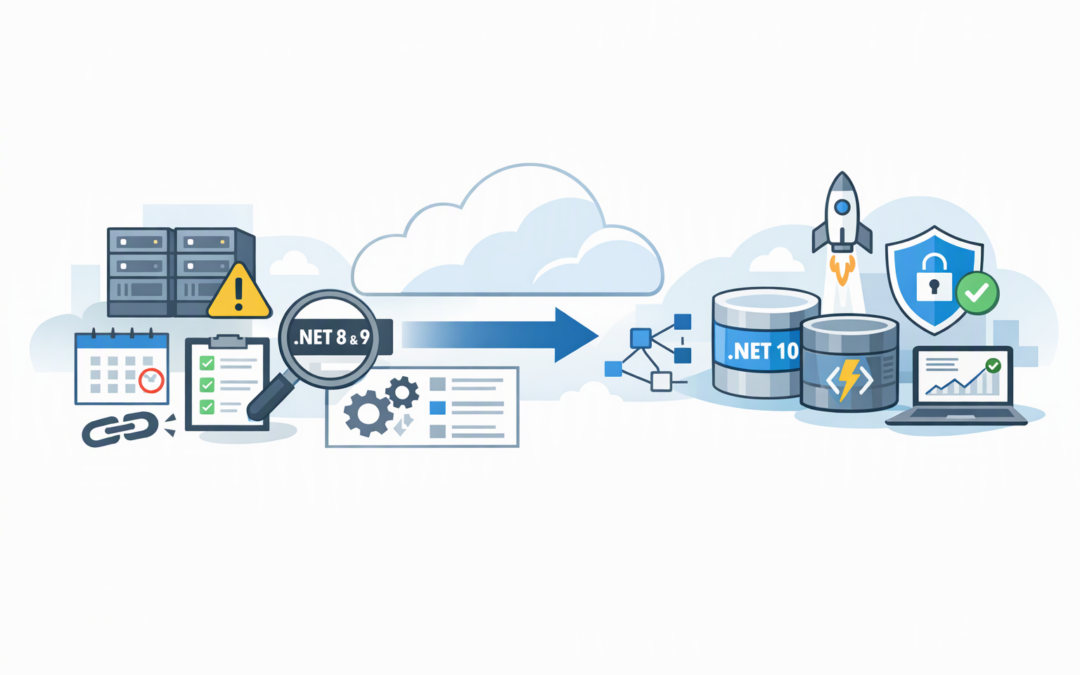
In this blog post The Safe Way to Retire .NET 8 and 9 on Azure Static Web Apps we will explain what has changed, how to identify your exposure and how to move affected applications to a supported platform without unnecessary disruption.
If your customer portal or internal application still works, it is easy to assume there is no urgent problem. However, support for .NET 8 and .NET 9 APIs on Azure Static Web Apps ended on 10 November 2026. Applications left behind may continue running, but they are no longer on a supported path for ongoing security fixes and Microsoft assistance.
What technology is actually being retired?
Azure Static Web Apps is a Microsoft service for hosting modern websites and web applications. It usually serves the visible front end while optional Azure Functions handle tasks such as processing forms, looking up customer records or connecting to other business systems.
.NET is the Microsoft software platform used to build many of those background functions. The retirement mainly affects Static Web Apps with managed APIs running on .NET 8 or .NET 9. A simple website with no .NET API may not be affected, even if it uses the same Azure service.
CPI Consulting helps organisations design, build and secure Azure AI solutions, from Azure OpenAI and Microsoft Foundry to agents, governance and production deployment.
Visit CPI ConsultingThe important point for IT managers is that this is not necessarily a website replacement project. In many cases, the front end can remain unchanged while the API is upgraded to .NET 10, Microsoft’s supported long-term release for this migration path.
Why an application can look healthy while risk is growing
End of support does not normally switch an application off overnight. The home page may load, employees may sign in and customers may continue submitting requests.
The problem appears later. An unsupported component may miss security updates, fail a compliance review or become difficult to restore after an unrelated change. Microsoft support may also require the application to be upgraded before helping investigate a production issue.
This matters for organisations following the Essential Eight, the Australian Government’s baseline cybersecurity framework. Keeping applications patched and supported is a central part of reducing exposure to known vulnerabilities.
Our earlier Static Web Apps remediation checklist explains how to locate affected applications. The checklist below focuses on controlling the migration and proving that the risk has been removed.
The remediation checklist for IT managers
1. Build an application and ownership register
Start with every Azure Static Web App across all subscriptions, not just the applications your internal team remembers. Acquisitions, old projects and test subscriptions often contain forgotten production dependencies.
- Record the Azure subscription, resource group and application name.
- Link each application to its source-code repository.
- Identify the business owner and technical owner.
- Confirm whether the application has an API folder or linked Azure Function.
- Classify its importance as critical, important or low impact.
Do not rely on the Azure portal alone. The .NET version is commonly defined inside the application repository, so access to GitHub or Azure DevOps is essential.
2. Search for .NET 8 and .NET 9 references
Ask your development team or provider to search configuration files and project files. The following command can help when scanning a checked-out repository:
rg 'dotnet(-isolated)?:\.0|<TargetFramework>net(8|9)\.0</TargetFramework>'Look for values such as dotnet:8.0, dotnet-isolated:8.0, dotnet-isolated:9.0, net8.0 and net9.0. Record the result rather than immediately changing it.
A clean search is not complete evidence by itself. Build pipelines, deployment templates and separate API repositories may also contain runtime settings.
3. Confirm whether the API is in-process or isolated
There are two ways .NET code can run inside Azure Functions. The older in-process model runs the application closely coupled to the Functions host. The isolated model runs it separately, giving Microsoft and application teams more flexibility when updating .NET versions.
.NET 10 support in Azure Static Web Apps requires the isolated model. If an application currently uses dotnet:8.0, simply changing the version number is not enough. The project structure, startup process, software packages and some function code may need adjustment.
This distinction is where rushed remediation projects often fail. Make it a specific question in your plan: “Is this a version upgrade, or a version and execution-model migration?”
4. Select the right destination
For most managed APIs, the practical destination is .NET 10 using the isolated worker model. The application project and Static Web Apps configuration must agree on the target.
The configuration should include:
{
 "platform": {
 "apiRuntime": "dotnet-isolated:10.0"
 }
}
The project file should also target .NET 10:
<PropertyGroup>
 <TargetFramework>net10.0</TargetFramework>
 <AzureFunctionsVersion>v4</AzureFunctionsVersion>
 <OutputType>Exe</OutputType>
</PropertyGroup>
Some applications may have requirements that do not fit the managed API model. In that case, the API can be moved to a separately managed Azure Functions app or another appropriate Azure service. This offers more control, but it can add cost and operational responsibility.
5. Test business processes, not just the home page
A successful deployment does not prove that the application works. Testing must cover the business activities that depend on the API.
- Sign-in, sign-out and user-role checks.
- Form submissions and approval workflows.
- Customer, finance and document-system integrations.
- Scheduled jobs, notifications and email delivery.
- Error handling, logs and operational alerts.
- Performance during expected busy periods.
Use a staging environment with production-like settings wherever possible. Confirm that secrets, connection strings and application settings are available without copying sensitive information into source code.
6. Plan deployment and rollback together
A common scenario is a 180-person organisation with a customer portal that appears straightforward. The front end works after the upgrade, but quote requests fail because one API dependency is incompatible with the isolated model.
Without a rollback plan, the team is forced to troubleshoot under pressure while customers wait. With a tested deployment window, a known-good release and named decision-maker, the previous version can be restored while the issue is corrected.
Your change plan should define who deploys, who tests, who approves the result and what triggers a rollback. It should also explain how the organisation will operate if a critical function is temporarily unavailable.
7. Capture evidence and monitor after deployment
Do not close the task when the pipeline turns green. Record the updated runtime, deployment date, test results, approver and source-code commit.
Monitor API failures, response times, authentication errors and integration queues after release. Review again after one business day and one full operating cycle, particularly if the application processes monthly or weekly tasks.
Turn this retirement into a repeatable process
The real lesson is not limited to .NET 8 and .NET 9. Azure services, software runtimes and security products all have support deadlines. Treating each retirement as an emergency creates avoidable cost and business risk.
Create a quarterly lifecycle review covering application runtimes, operating systems, databases and major cloud services. Our guide to Azure retirements to plan for before they disrupt operations provides a broader approach to ownership, budgeting and dependency management.
The business outcome is straightforward: supported applications, fewer emergency changes, clearer compliance evidence and less chance of a customer-facing failure.
CloudProInc combines more than 20 years of enterprise IT experience with hands-on work as a Microsoft Partner and Wiz Security Integrator. If you are unsure whether your Static Web Apps are still running .NET 8 or .NET 9, we are happy to review the environment and give you a practical remediation plan with no strings attached.