
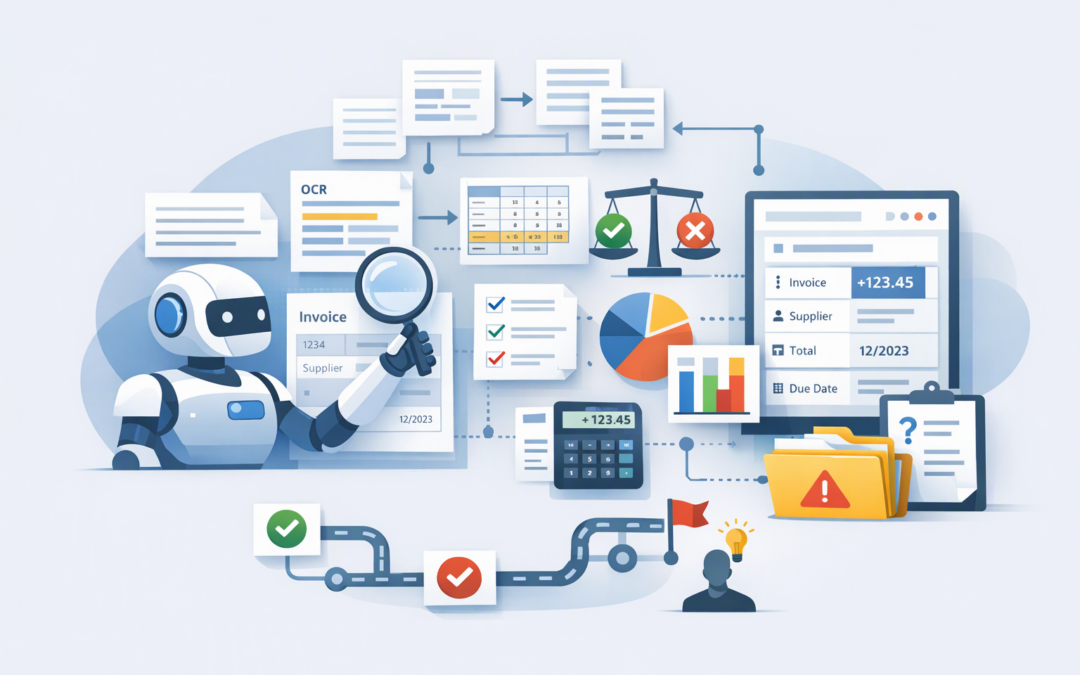
In this blog post Document AI Beyond OCR When Azure Agentic Mode Delivers Value we will explain why reading text is no longer the hardest part of document automation, and when deeper AI reasoning is worth the additional cost and processing time.
Many businesses already use optical character recognition, or OCR, to turn scanned pages into digital text. The problem starts when the answer is not written neatly in one place. It may be spread across a contract, hidden in a table, affected by an amendment or dependent on several business rules.
This is where agentic mode in Azure Content Understanding can help. Instead of simply copying information, it can work through evidence across a document, perform calculations, check conditions and return a structured answer that another business system can use.
OCR reads the page but it does not make the decision
Traditional OCR answers a useful but limited question: “What words and numbers appear on this page?” It is ideal for digitising scanned forms, searchable archives and straightforward data capture.
CPI Consulting helps organisations design, build and secure Azure AI solutions, from Azure OpenAI and Microsoft Foundry to agents, governance and production deployment.
Visit CPI ConsultingStandard document extraction goes further. It can identify fields such as an invoice number, total, supplier name or contract expiry date, even when document layouts vary.
Agentic mode is intended for a different level of difficulty. It helps when the required result must be constructed from several pieces of evidence rather than copied from one location.
For example, imagine asking an AI system to determine whether a supplier contract complies with company policy. The system may need to find the liability clause, compare the insurance amount with a minimum threshold, check the termination period and account for an amendment near the end of the file.
OCR can read those sections. Agentic mode can examine how they relate and produce a structured compliance result.
What agentic mode actually does
Azure Content Understanding is a managed Microsoft service that converts documents, images, audio and video into organised data. For documents, it combines text recognition, page layout analysis, visual understanding and generative AI.
You define a schema, which is simply a list of the answers your business needs. Those answers could include a renewal date, a calculated exposure amount, a policy exception and the evidence supporting the result.
With a standard workflow, Azure generally analyses the content efficiently and fills those fields. With agentic mode, the AI can take multiple reasoning steps. It can navigate long documents, inspect tables or charts, keep track of intermediate findings, calculate a result and check whether it has met the instructions.
It is important not to confuse this with an autonomous bot making unrestricted business decisions. Agentic mode operates within the document-analysis task and the schema you provide. Your application still controls what happens with the output.
We previously explained how to create structured inputs in How Azure Content Understanding Makes Document Data Agent-Ready. Agentic mode extends that idea by handling cases where producing the structured data requires deeper reasoning.
Four signs agentic mode may be justified
1. The answer depends on several sections
Use agentic mode when the AI must connect facts from different pages, schedules or logically related documents contained in the same file.
Contract reviews are a good example. A clause in the main agreement may be changed by an appendix or later amendment. Extracting the original clause without considering the change could create a costly legal or commercial mistake.
2. A calculation must be assembled from evidence
A printed invoice total does not normally require agentic reasoning. A total that must be rebuilt from selected rows across several tables might.
Financial reports, insurance claims and operational logs can include exclusions, negative values and revised figures. Agentic mode can collect the relevant values, apply the stated rules and calculate the requested result.
3. The document must be tested against rules
Some workflows are about validation rather than extraction. You may need to determine whether a submission includes every required item, whether figures agree or whether contractual terms meet an internal standard.
The field descriptions in your schema can explain those conditions in plain language. The AI then returns consistent fields that can support approval, rejection or human review.
4. Important information sits inside complex visuals
Charts, cross-page tables and irregular forms are difficult because meaning depends on position and visual relationships, not just text.
Agentic mode can inspect these visual elements as part of its reasoning. This can be valuable for board reports, engineering documents, financial statements and compliance packs.
When standard extraction remains the better choice
Agentic mode should not become the default for every file. More reasoning normally means higher model usage, longer processing times and less predictable costs.
Use standard extraction for high-volume, repeatable tasks where the required value is clearly stated. Common examples include invoice numbers, purchase order references, customer names and form dates.
Existing Azure Document Intelligence workflows should not be replaced simply because a newer option exists. If a proven process already meets your accuracy, cost and speed requirements, changing it may create work without improving the business outcome.
A sensible design can also combine approaches. Standard extraction can handle most files, while uncertain or unusually complex documents are routed to agentic analysis or human review.
A practical business scenario
Consider a 200-person Australian business reviewing 400 supplier packs each month. If each manual review takes 20 minutes, the process consumes more than 130 staff hours before anyone resolves exceptions or follows up missing information.
OCR alone would make the files searchable, but employees would still need to interpret them. Standard extraction could capture supplier details and dates. Agentic mode could then be reserved for packs requiring policy checks across insurance certificates, contract terms and schedules.
The likely business value would not come from eliminating every review. It would come from sending staff only the uncertain or high-risk cases, reducing repetitive work while keeping people involved in important decisions.
This is also where confidence and traceability matter. Our guide to confidence and grounding in Azure Document AI explains how to show reviewers why a result was produced rather than asking them to trust a black box.
How the workflow is enabled
Agentic mode is selected when creating an Azure Content Understanding document analyser. At a simplified level, the configuration looks like this:
{
 "baseAnalyzerId": "prebuilt-document",
 "config": {
 "workflow": "agentic"
 },
 "fieldSchema": {
 "fields": {
 "complianceStatus": {
 "type": "string",
 "description": "Determine whether the document meets the stated policy conditions."
 }
 }
 }
}
The schema is crucial. Vague instructions produce vague results. A strong implementation defines the required decision, acceptable evidence, calculation rules and conditions that should trigger human review.
Agentic mode currently uses a preview API. Preview services do not carry the same production commitments as generally available Azure services, and the initial release processes one input file per request. It should therefore begin as a controlled pilot rather than an unattended, business-critical approval system.
A safer way to evaluate the investment
- Choose one expensive document problem. Start where employees spend significant time comparing, calculating or checking information.
- Create a representative test set. Include clean files, poor scans, unusual layouts and difficult exceptions.
- Benchmark the simplest approach first. Compare OCR, standard extraction and agentic mode instead of assuming the most advanced option will be best.
- Measure business outcomes. Track processing cost, review time, accuracy, false approvals and the percentage of files requiring human attention.
- Add security and governance. Restrict access, protect sensitive documents, log processing activity and apply the Essential 8, the Australian Government’s cybersecurity framework, to the systems surrounding the workflow.
If the extracted information will support a broader employee assistant or business agent, it can also feed a controlled search layer. Our article on designing agentic retrieval with Azure AI Search Knowledge Sources covers that next stage.
Use more AI only when it creates more value
The key question is not whether agentic mode is more advanced than OCR. It is whether the document problem requires evidence gathering, calculations, rule checking or visual reasoning that simpler tools cannot handle reliably.
CloudProInc brings more than 20 years of enterprise IT experience to these decisions. As a Melbourne-based Microsoft Partner and Wiz Security Integrator, we take a practical, hands-on approach to testing Azure AI against real documents, measurable costs and Australian security expectations.
If your teams are still reading, comparing and checking complex documents by hand, we are happy to help assess whether standard extraction, agentic mode or a blended workflow makes business sense — no strings attached.