
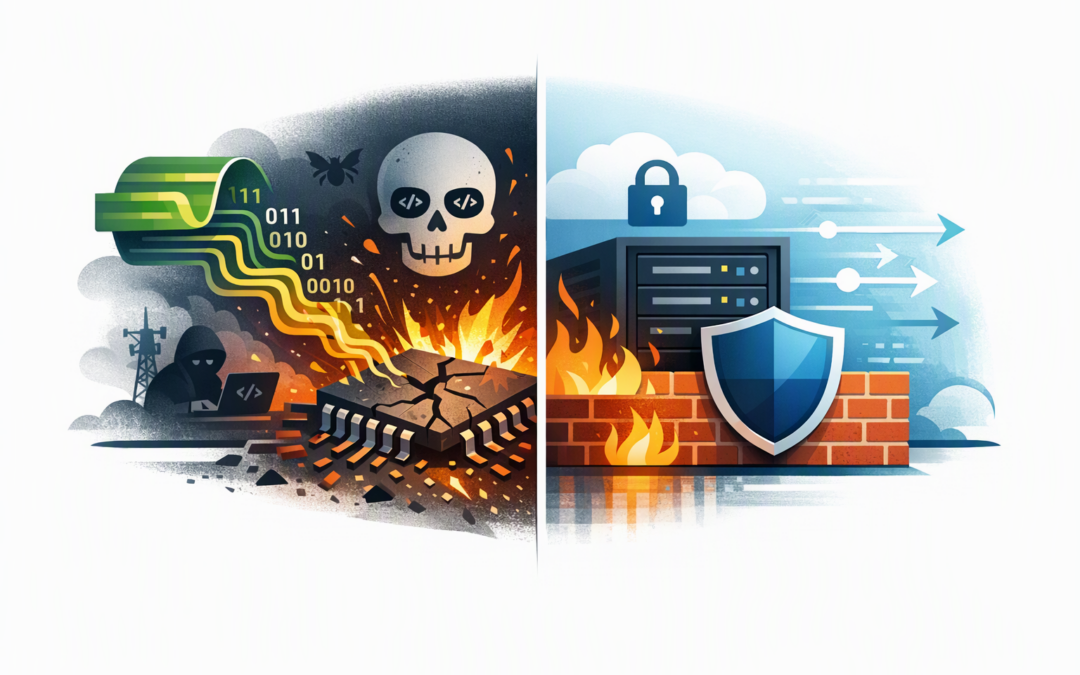
In this blog post Patching Brotli CVE-2026-111497 Safely with Azure WAF Controls we will explain how to reduce immediate business risk without mistaking a firewall rule for the actual patch. If your applications accept compressed requests, a single overlooked service could expose the business to outages, data leakage or potentially remote code execution.
Brotli is a compression technology used to make web traffic and files smaller. CVE-2026-111497 affects the Brotli decoder, which is the software component that expands compressed data back into its original form. A specially crafted Brotli stream can cause the decoder to write data outside its intended memory area.
Azure Web Application Firewall, or Azure WAF, inspects and controls web requests before they reach your application. It cannot repair the vulnerable Brotli software, but it can provide a valuable temporary safety barrier while your team finds affected systems, tests patches and completes deployment.
Why this vulnerability deserves prompt attention
CVE-2026-111497 was publicly disclosed in October 2026. It affects Google Brotli versions from 1.0.3 through 1.2.0, with corrected releases available in the 1.0.10, 1.1.1 and 1.2.1 branches.
CPI Consulting helps organisations design, build and secure Azure AI solutions, from Azure OpenAI and Microsoft Foundry to agents, governance and production deployment.
Visit CPI ConsultingThe complication is that many businesses do not knowingly install Brotli. It may be included inside Node.js, .NET, Envoy proxies, containers, API gateways, Python packages or third-party business applications.
The risk becomes more serious when a public-facing service decompresses data supplied by an unknown user. Depending on the affected product and how it uses Brotli, an attack may crash the service, expose information from memory or potentially allow an attacker to run commands.
For Australian organisations, responding quickly also supports the application-patching requirements in Essential Eight, the Australian Government’s cybersecurity framework that many organisations are now expected or contractually required to follow.
Step 1 Work out where Brotli is actually exposed
Do not begin by patching every server at random. First identify applications that receive or process Brotli-compressed data from customers, suppliers, mobile applications or other external systems.
- Public APIs that accept POST, PUT or PATCH requests.
- File upload, document import and data integration services.
- Node.js and .NET web applications.
- Envoy-based gateways, proxies and service platforms.
- Containers that include Brotli through an operating system package or embedded library.
- Background services that decompress files received through email, storage or message queues.
A software bill of materials, which is an inventory of the components inside an application, can speed up this process. Microsoft Defender and Wiz can also help identify vulnerable packages across cloud workloads. As a Wiz Security Integrator, CloudProInc commonly uses this workload-level view to find dependencies that traditional server lists miss.
Pay particular attention to direct and indirect exposure. An application may not mention Brotli in its own configuration but could still use it through its runtime, proxy or base container image.
Step 2 Use Azure WAF as a temporary containment control
If your application does not need to accept Brotli-compressed request bodies, the cleanest emergency control is to block requests containing the Content-Encoding: br header. This tells the application that the incoming body has been compressed with Brotli.
A practical Azure Front Door WAF custom rule could use the following conditions:
Rule name: BlockInboundBrotli
Priority: 100
Rule type: Match

Conditions:
 Request header: Content-Encoding
 Operator: Contains
 Match value: br
 Transform: Lowercase

Optional scope conditions:
 Request method: POST, PUT or PATCH
 Request URI: /api/import, /api/upload or another exposed path

Action: Block
Use the narrowest scope that still protects the vulnerable service. If only one import API performs request decompression, apply the rule to that route instead of every website behind the WAF policy. This reduces the chance of interrupting an unrelated application.
Do not block Accept-Encoding: br without a separate reason. Browsers commonly send that header to say they can receive Brotli-compressed responses. That is different from sending a compressed request body to your application.
Know what the WAF rule cannot protect
This distinction matters. Azure WAF reduces exposure at the web edge, but it does not cover every path to a vulnerable decoder.
- It will not protect an application that can be reached directly around Azure Front Door.
- It may not detect Brotli data hidden inside an uploaded file or custom message format.
- It does not protect workers processing files from storage, email or a message queue.
- It does not protect an outbound application that downloads and decompresses a malicious response.
- Rate limiting can reduce repeated attempts, but it cannot reliably stop a single successful exploit.
Confirm that the origin application only accepts approved traffic from Azure Front Door. Private connectivity or tightly controlled origin access is preferable to leaving a public back door that bypasses the WAF.
Step 3 Test before broad enforcement
If time permits, start the custom rule in logging mode for a short period. Review whether any legitimate partners, mobile applications or internal integrations are sending Brotli-compressed request bodies.
You can then perform a safe validation that tests the rule without sending an exploit:
curl -i -X POST https://app.example.com/api/import \
 -H "Content-Encoding: br" \
 -H "Content-Type: application/octet-stream" \
 --data-binary "waf-validation-only"
The test request should be blocked at Azure Front Door. Run a second normal, uncompressed request to confirm that the business function still works.
Enable Azure WAF diagnostic logs and monitor the rule name, requested path, action and client address. A sudden increase in matching traffic should trigger an alert and investigation rather than waiting for a user to report an outage.
Keep the block response generic. Our guide to Azure WAF custom responses explains how to give users a useful reference number without revealing the security rule that stopped them.
Step 4 Patch the vulnerable component rather than stopping at WAF
Once immediate exposure is reduced, update the affected runtime, package, proxy or vendor application. If Brotli is bundled inside a supported product, install the vendor’s security release instead of manually replacing one library file.
- Record the affected application, owner, version and exposure.
- Obtain the fixed release from the relevant software vendor.
- Test decompression, uploads, APIs and partner integrations.
- Rebuild container images from a patched base image.
- Deploy through the normal controlled release process.
- Rescan the running workload, not just the source repository.
Restarting a service is not a patch. Likewise, updating a build file without rebuilding and redeploying the production container leaves the old vulnerable component running.
The same staged testing principles apply to application libraries as database updates. Our SQL Server patching and monitoring playbook covers how to combine controlled deployment with early warning alerts.
A practical business scenario
Consider a 180-person logistics company with a public API used by several transport partners. Its main application inventory shows Node.js, but a deeper scan also finds an Envoy proxy performing Brotli decompression in front of the application.
The company first applies a scoped Azure WAF rule to block Brotli-encoded requests on the affected import route. Testing reveals that one legacy partner legitimately uses compressed requests, so the team temporarily moves that integration to a controlled route with stronger partner authentication.
The Node.js runtime, proxy image and base containers are then patched and redeployed. The outcome is not simply a closed vulnerability: the company avoids a rushed shutdown of its partner API, maintains deliveries and gains a more accurate inventory for future incidents.
For partner-facing APIs, certificate-based access can provide another useful layer. See our Azure Front Door mutual TLS playbook for a practical approach to blocking unknown partner systems.
The goal is controlled risk reduction
The right response to CVE-2026-111497 has two parts. Azure WAF can quickly reduce public exposure, while tested vendor patches remove the underlying vulnerability.
CloudProInc brings more than 20 years of enterprise IT experience across Azure, Microsoft 365, Defender, Wiz and application security. As a Melbourne-based Microsoft Partner and Wiz Security Integrator, we focus on practical remediation rather than handing clients a vulnerability report and walking away.
If you are unsure whether Brotli is hidden inside your applications or whether your Azure WAF policy will actually contain the risk, we are happy to review the setup with you — no strings attached.