
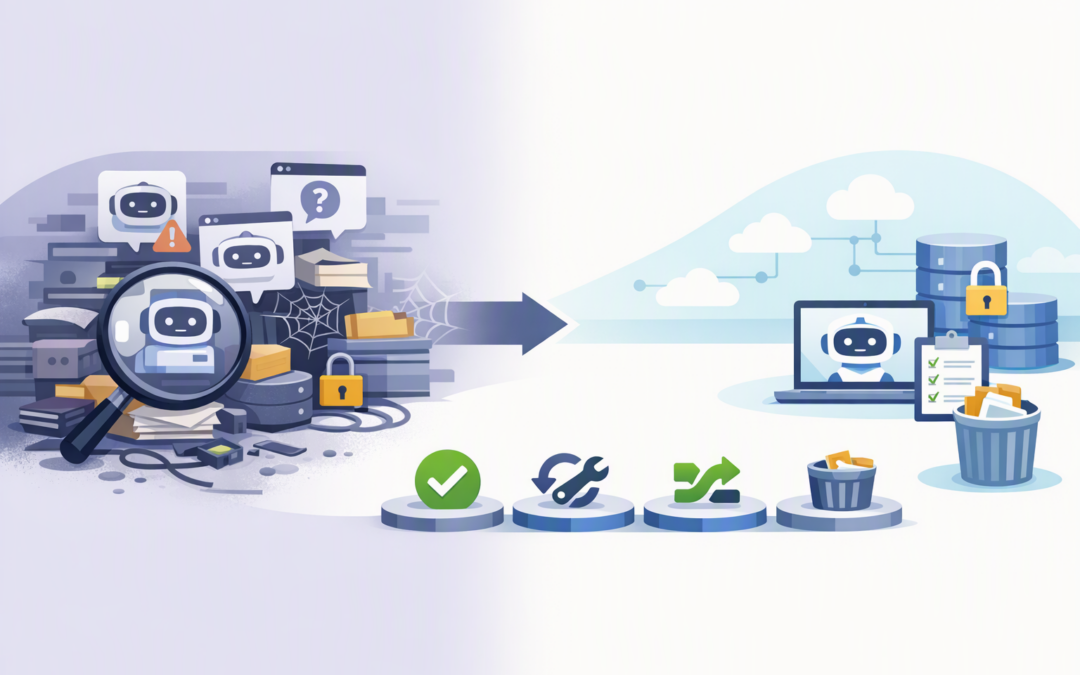
In this blog post How to Find Review and Retire Dormant Copilot Studio Agents Safely we will explain how to build a repeatable clean-up process without accidentally removing automation your business still needs.
Agent sprawl usually starts innocently. A team creates a Copilot agent for a project, another employee tests an idea, and someone else duplicates an existing agent rather than changing it. Months later, IT has dozens of agents with unclear owners, overlapping purposes and unknown access to company information.
Microsoft Copilot Studio is a low-code platform for creating AI agents. These agents combine instructions, company knowledge and connected tools so they can answer questions or complete tasks, such as checking an order, summarising a policy or starting an approval process.
Because agents are easy to create, the number of them can grow faster than the controls around them. Our earlier article explains why dormant Copilot Studio agents create cost and security risk. This guide focuses on the practical work of finding, reviewing and retiring them.
CPI Consulting helps organisations design, build and secure Azure AI solutions, from Azure OpenAI and Microsoft Foundry to agents, governance and production deployment.
Visit CPI ConsultingWhy finding dormant agents is harder than it sounds
An agent is not necessarily dormant just because nobody has chatted with it recently. Some agents operate in the background and are triggered by events, such as a new support request, an updated spreadsheet or a scheduled process.
You also need to look across different Microsoft environments. An environment is a separate workspace where agents, apps and automated processes are stored. Your production environment might be well managed while old trials remain forgotten in development, testing or personal workspaces.
The business risk is not simply the number of agents. It is the number of agents nobody can confidently explain, support or approve.
Step 1 Build a complete agent inventory
Start with the Power Platform admin centre and Microsoft 365 Agent Registry. These tools give authorised administrators a central view of agents across the organisation, rather than relying on individual creators to remember what they built.
Microsoft’s inventory capabilities can show both published agents and unfinished drafts. Depending on the agent type, administrators can review details including the owner, environment, creation date, publication status, connected channels, authentication settings and enabled capabilities.
At minimum, capture these fields in your working inventory:
- Agent name and business purpose
- Current owner and responsible business team
- Environment and publication status
- Last modified and last published dates
- Recent conversations, automated runs or other activity
- Knowledge sources and connected business systems
- Users or groups with access
- Licensing or usage costs where applicable
Exporting the inventory to a spreadsheet can make the first review easier. It allows IT, security and business owners to work from the same list and record decisions without repeatedly searching through different admin screens.
Step 2 Create a useful definition of dormant
A practical starting point is to flag agents with no meaningful activity for 60 to 90 days. However, this should be a trigger for review, not an automatic deletion rule.
A quarterly reporting agent, for example, may appear inactive for weeks while still performing an important function. A recruitment agent might only be needed during hiring periods. Business context matters more than a single usage number.
We recommend treating an agent as a retirement candidate when several warning signs appear together:
- No recent conversations, triggers or completed tasks
- No active or contactable owner
- No documented business purpose
- No recent updates despite changes to its source information
- Duplicate functionality already exists elsewhere
- Access to sensitive data is broader than its value justifies
- The project, campaign or process it supported has ended
This avoids deleting low-volume agents that remain valuable while quickly highlighting agents that have been genuinely abandoned.
Step 3 Review value and risk together
Usage alone does not tell you whether an agent should stay. An agent used five times a month might save a finance manager several hours each time. Another agent might receive hundreds of questions but provide unreliable answers and create more work.
For each flagged agent, ask four simple questions:
- Does it still solve a real business problem? Confirm that the process, policy or audience still exists.
- Is somebody accountable for it? Every production agent needs a named business owner and a technical contact.
- Is its access appropriate? Check what company information and systems it can reach, not just who can open it.
- Is it delivering a measurable outcome? Look for time saved, requests resolved, errors reduced or another useful result.
This is also the right time to examine the instructions, knowledge sources and connected tools that influence the agent’s behaviour. We cover these components in more detail in the hidden intelligence behind Copilot agents.
Step 4 Put each agent into one of four categories
A clear decision model prevents reviews from becoming endless discussions. Give every agent one of four outcomes.
- Keep when it has a clear owner, acceptable risk and measurable business value.
- Fix when it remains useful but needs updated information, tighter access or a new owner.
- Consolidate when several agents perform similar tasks and one supported agent could replace them.
- Retire when there is no confirmed need, accountable owner or reasonable business case.
Set a deadline for owners to respond. If nobody accepts responsibility for an agent within that period, it should normally move into a controlled retirement process rather than remain available indefinitely.
Step 5 Retire agents in stages
Immediate deletion is rarely the safest first action. Begin by blocking access, removing the agent from distribution or otherwise placing it into a short quarantine period.
A 14 to 30-day quarantine gives users time to report an overlooked dependency. It also provides evidence that the agent can be removed without interrupting a hidden business process.
Before final deletion:
- Record the owner, purpose and reason for retirement
- Review connected flows, systems and data sources
- Save any configuration needed for audit or recovery
- Check privacy, legal and information-retention requirements
- Notify affected users and the service desk
- Confirm that a replacement is available if required
Some Microsoft 365 Agent Registry deletion actions provide a recovery window before permanent removal. Do not assume every deletion method behaves the same way, particularly when administrators use automated tools or application programming interfaces.
A typical agent sprawl scenario
Consider a composite example based on patterns commonly found in mid-sized organisations. A 180-person professional services business discovers 42 agents across production, testing and personal environments.
Only 11 have regular activity. Nine are unfinished experiments, seven duplicate HR and policy functions, five belong to former employees, and several can access information that is no longer required for their original purpose.
After business review, the company keeps 16 agents, fixes six, combines eight into two supported agents and retires the rest. The immediate outcome is a smaller risk surface, clearer ownership and less time spent supporting tools that deliver no business value.
Make agent reviews part of normal governance
A one-off clean-up helps, but agent sprawl will return unless ownership and review rules become part of normal operations. This is why agent retirement should connect to your wider AI agent lifecycle.
Review the inventory quarterly, require an owner before publication, and include agent ownership in employee offboarding. Larger agent fleets may justify automated alerts for inactivity, missing owners or unusual growth in a particular environment.
This work does not make an organisation compliant with the Essential Eight by itself. However, it supports the disciplined access control, asset visibility and administration expected by the Australian government’s cybersecurity framework.
Turn agent sprawl into a manageable portfolio
The goal is not to stop employees experimenting with AI. It is to make sure successful ideas become supported business tools while forgotten experiments do not remain as permanent security, cost and compliance risks.
CloudPro Inc combines more than 20 years of enterprise IT experience with hands-on expertise across Microsoft 365, Azure, Copilot Studio and cybersecurity. As a Melbourne-based Microsoft Partner and Wiz Security Integrator, we help organisations review their AI estate without turning governance into unnecessary red tape.
If you are unsure how many Copilot agents exist in your organisation, who owns them or what they can access, we are happy to help you build a practical inventory and retirement plan — no strings attached.