
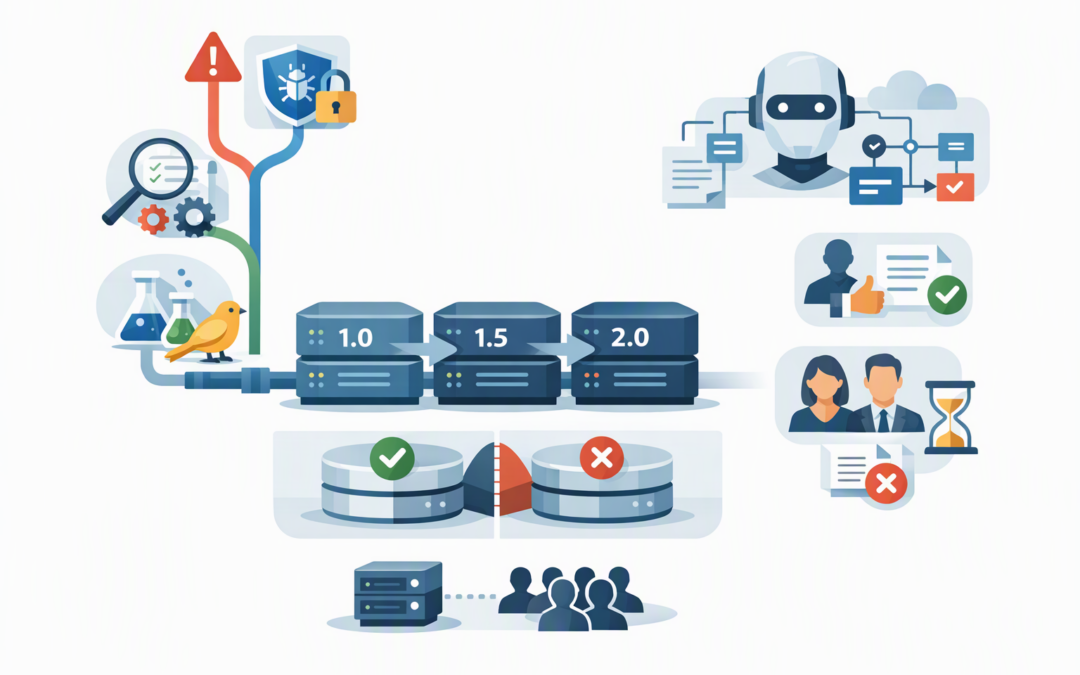
In this blog post Microsoft Agent Framework Release Cadence for Australian Teams we will explain how to adopt useful updates without turning every new release into a production incident.
If your AI agent works on Friday but behaves differently on Monday, the problem may not be the model. An automatic framework, connector or dependency update can change how the agent uses tools, stores conversations or resumes unfinished work.
Microsoft Agent Framework is the software foundation used to build and operate AI agents. It connects models such as Azure OpenAI, OpenAI and Anthropic Claude with business systems, tools, approval steps, memory and multi-step workflows.
Microsoft released the production-ready 1.0 version in April 2026. Since then, the Python and .NET editions have moved through frequent releases, sometimes approximately weekly during active development periods. The two editions also use separate version numbers, so teams cannot assume that matching numbers provide matching capabilities.
CPI Consulting helps organisations design, build and secure Azure AI solutions, from Azure OpenAI and Microsoft Foundry to agents, governance and production deployment.
Visit CPI ConsultingWhy frequent releases create a business problem
Frequent updates are not inherently bad. They can deliver security fixes, more reliable workflows, better monitoring and support for newer models and protocols.
The risk appears when development teams automatically install the newest available package. A minor-looking update can affect stored agent sessions, tool permissions, response formats or connections to external systems.
That can create three expensive outcomes:
- Service disruption when an agent can no longer complete an established workflow.
- Incorrect business actions when tool calls, approval rules or data formats change.
- Unsafe rollbacks when a new version writes stored data that the previous version cannot read.
Our broader Agent Framework release and upgrade governance guide explains who should approve changes. Here, we will focus on the practical question of what your technical team should pin, test and upgrade.
What your team should pin
Pinning means specifying the exact version your production environment is allowed to use. It prevents an unreviewed release from arriving during a routine deployment.
1. Pin the framework and its connectors
Pin the core Agent Framework package and every connector used to reach Azure OpenAI, Foundry, OpenAI, Claude, databases or Model Context Protocol servers. Model Context Protocol, or MCP, is a standard that allows agents to connect to external tools and data.
For Python, an exact requirement might look like this:
agent-framework==1.23.0For a .NET project, the same principle applies:
<PackageReference Include="Microsoft.Agents.AI.OpenAI" Version="1.25.0" />These versions are examples of exact pinning, not a recommendation to install them without testing. Record the approved package set in source control and use a dependency lock file so every environment receives the same components.
2. Pin the runtime and deployment image
The framework does not operate alone. Pin the Python or .NET runtime, the operating system image and the container image used to deploy the agent.
Where possible, pin container images using an immutable digest rather than a moving label such as “latest”. This gives your team a known-good production build that can be recreated during an incident.
3. Pin model and protocol dependencies
Record the approved AI model deployment, API version, MCP server version and Agent-to-Agent protocol version. Agent-to-Agent, or A2A, lets separate agents communicate and hand work to each other.
A framework update may be compatible with one protocol version but not another. Treat the agent, framework, model, connectors and external tools as one tested release unit.
4. Protect stored state
Agent state includes conversation histories, workflow checkpoints and records of unfinished work. It is what allows an agent to remember progress and continue a task later.
Recent releases have demonstrated why this matters. Newer runtimes may read older records, while older runtimes may be unable to read data written by the newer version.
Do not allow old and new workers to share the same state store until compatibility is confirmed. Our production release and pinning guide covers this issue in more depth.
What to test before production
A successful build is not proof that an AI agent still works correctly. Testing must confirm the business result, not merely that the software starts.
- Business outcome tests: Run a fixed set of real tasks and confirm the answers, decisions and actions remain acceptable.
- Tool and permission tests: Check that the agent can access only the systems and information it needs.
- Approval tests: Confirm that high-risk actions still pause for human approval.
- State recovery tests: Stop a workflow midway, restart it and confirm it resumes without losing or duplicating work.
- Rollback tests: Prove that you can return to the previous production build without corrupting stored sessions.
- Cost and performance tests: Compare response time, model usage and cost per completed task with the current production version.
Include failure scenarios. Disconnect a tool, deny a permission, provide malformed data and make a model call time out. A production agent needs to fail safely rather than guess, repeat actions or expose sensitive information.
Use three upgrade lanes
A practical mid-market policy does not treat every release with the same urgency.
- Emergency lane: Assess critical security fixes immediately and deploy them through an accelerated test process.
- Routine lane: Review releases weekly but combine approved changes into a planned monthly production upgrade.
- Major-change lane: Schedule breaking changes, state migrations and protocol upgrades as controlled projects with rollback plans.
This approach also supports the Essential Eight, the Australian Government’s cybersecurity framework that many organisations use for security and compliance planning. Australian Signals Directorate guidance expects critical vendor-assessed vulnerabilities to be patched or otherwise mitigated quickly, potentially within 48 hours.
That does not mean installing every feature release immediately. It means having a process that can separate an urgent security fix from a lower-priority capability update.
A common mid-market scenario
Picture a 180-person professional services firm using an agent to collect customer information, prepare documents and update its customer management system. The agent stores sessions so employees can resume work the following day.
An automatic dependency update changes how parts of that session data are recorded. New workers write the updated format while old workers remain active during deployment.
The result is intermittent failures that are difficult to reproduce. Rolling back the application does not solve the issue because some stored sessions have already been changed.
A safer deployment would use a separate state store for the new version, replay representative workflows and direct a small percentage of low-risk work to it first. This is known as a canary release because the change is observed on a limited scale before wider deployment.
If the new version performs correctly, traffic can increase gradually. If it fails, the existing production environment and its data remain untouched. Our guide to upgrading Agent Framework without production disruption provides a fuller rollout model.
A simple decision checklist
Before approving an Agent Framework release, ask:
- What business problem does this update solve?
- Does it contain a security fix that changes the deadline?
- Are all framework packages and connectors pinned?
- Could it change stored sessions or workflow checkpoints?
- Have business tasks, permissions, recovery and costs been tested?
- Can we return to the previous environment without sharing changed state?
- Who has approved the production release?
The goal is not to run the newest version at all times. It is to run the newest version your organisation has tested, approved and can recover from.
CloudProInc brings more than 20 years of enterprise IT experience to this process. As a Melbourne-based Microsoft Partner and Wiz Security Integrator, we help Australian organisations connect AI release management with Azure operations, cybersecurity and Essential Eight requirements.
If you are unsure whether your production agents are pinned, recoverable or quietly changing between deployments, we are happy to review the setup and identify the practical risks — no strings attached.