
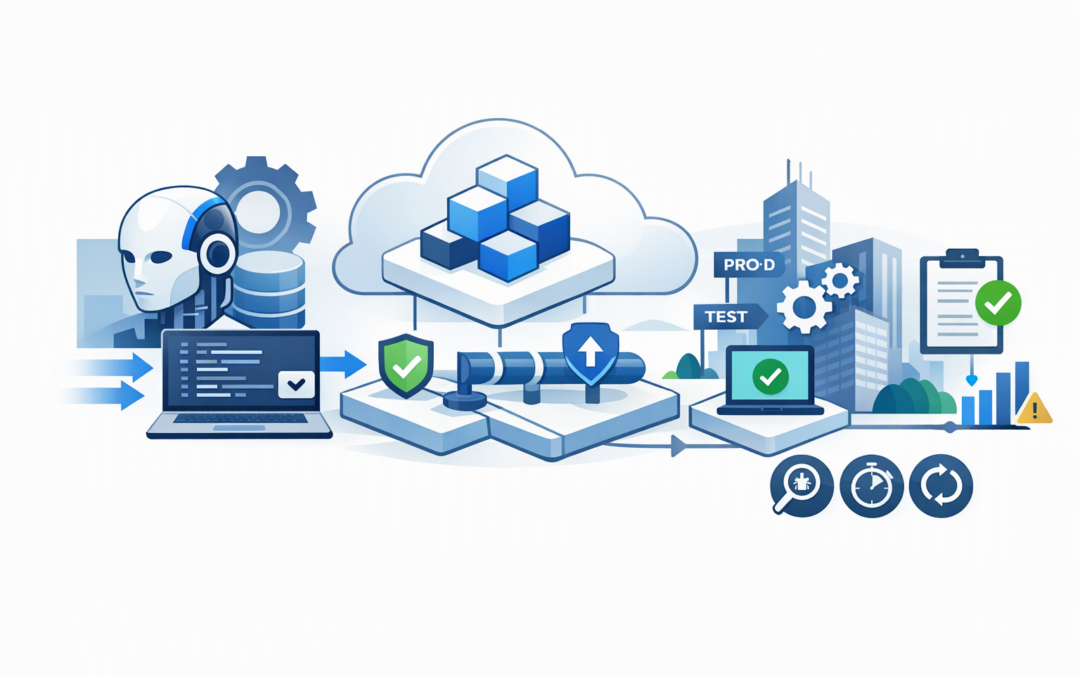
In this blog post Microsoft Foundry and Azure Developer CLI GA Deployment Guide we will explain how the new tooling can help organisations move AI agents from promising prototypes into controlled production services.
Many AI projects work well until they leave the developer’s laptop. Deployment then becomes a manual mix of cloud setup, security permissions, model configuration and last-minute fixes. The result is delay, inconsistent environments and an AI service that nobody feels comfortable approving.
Microsoft addressed part of this problem on 5 November 2026 by making version 1.0 of the Microsoft Foundry extension bundle for Azure Developer CLI generally available. “Generally available” means the extension has moved beyond its early testing phase and is now a supported release intended for production use.
What are Microsoft Foundry and Azure Developer CLI?
Microsoft Foundry is Microsoft’s platform for building, testing, deploying and managing AI applications and agents. An agent is an AI-powered service that can do more than answer questions. Depending on its permissions, it may search company information, use business systems or complete defined tasks.
CPI Consulting helps organisations design, build and secure Azure AI solutions, from Azure OpenAI and Microsoft Foundry to agents, governance and production deployment.
Visit CPI ConsultingAzure Developer CLI, usually shortened to azd, is a command-line tool that helps development teams create the Azure resources an application needs and deploy its code. The new Foundry extension adds agent setup, local testing, evaluation and deployment to this workflow.
In plain English, it gives developers a repeatable set of instructions for taking an agent from a local computer to Microsoft Foundry. This is important because reliable production systems should not depend on someone remembering a long list of manual portal steps.
Why this GA release matters to business leaders
1. The deployment process becomes repeatable
One of the biggest risks in an AI pilot is configuration drift. The development, testing and production versions gradually become different because people make changes manually.
The Foundry extension keeps the agent and its deployment requirements in an azure.yaml file alongside the application code. This file can describe the agent, model deployment, computing requirements and related Azure services.
That may sound like a developer detail, but the business outcome is straightforward. Changes can be reviewed, approved and repeated instead of living in one person’s memory.
2. Developers can find problems before paying for cloud deployment
The extension allows a hosted agent to run locally before it is deployed. Teams can send test requests, inspect responses and check how changes to instructions, tools or code affect behaviour.
This shortens the feedback cycle. A developer does not need to rebuild the cloud environment every time a prompt changes, which can reduce both engineering time and unnecessary Azure usage.
The basic workflow looks like this:
azd auth login
azd ext install microsoft.foundry

azd ai agent init
azd ai agent run
azd ai agent invoke --local "Summarise this service request"

azd up
azd ai agent invoke "Summarise this service request"
The first commands sign in, install the extension and initialise the project. The agent is then tested locally before azd up creates the required Azure resources and deploys it.
3. The same definition can be used across environments
A production agent should not be deployed directly from a developer’s computer whenever someone makes a change. It should pass through a controlled release process, often called continuous integration and delivery, or CI/CD.
This process automatically checks and deploys approved changes using tools such as GitHub Actions or Azure DevOps. Because the Foundry configuration sits with the code, the same deployment definition can be used for development, testing and production, while each environment retains its own subscription, region and security settings.
This reduces release errors and makes recovery easier. If a new version behaves badly, the team has a clearer record of what changed and which version should be restored.
4. Security can be built into deployment rather than added later
The Foundry workflow supports managed identities, which allow an agent to access approved Azure services without developers storing passwords or access keys in code. Permissions can also be limited according to what the agent actually needs.
This matters because an AI agent’s risk depends less on how well it writes and more on what it can access or change. An agent that only drafts a response is very different from one that can update a customer record, issue a refund or retrieve confidential documents.
Australian organisations should connect this deployment process to the Essential Eight, the Australian Government’s cybersecurity framework that many organisations use to reduce common attack risks. Controlled access, application control, patching and administrative restrictions still apply to AI systems.
The GA extension makes secure deployment easier, but it does not make an agent compliant by itself. Our guide to moving AI agents into production safely with Microsoft Foundry covers the wider governance model, including data access, business actions and accountability.
5. Production operations become easier to standardise
Microsoft Foundry hosted agents run your organisation’s agent code on managed Azure computing resources. Your team chooses the agent framework and business logic, while Foundry manages the underlying runtime.
The extension can also help teams invoke deployed agents, inspect behaviour and connect releases to monitoring. This supports a more disciplined operating model where every production agent has an owner, approved purpose, cost limit and response plan.
Some related Foundry and software development kit features may still be in preview even though the extension bundle is generally available. Before approving production use, confirm the status, regional availability and support conditions of every feature the agent depends on.
A practical example for a 200-person company
Consider a 200-person professional services business building an agent to review incoming support requests. The prototype correctly categorises requests and drafts useful replies, but deployment is manual and only one developer understands the setup.
Without a repeatable process, each release could take several hours and introduce different permissions or model settings. Security reviewers would also struggle to confirm exactly what changed.
Using the Foundry extension, the company could keep its agent configuration with the code, test changes locally and deploy through an approval pipeline. Separate development and production environments could use the same structure without sharing production data or credentials.
If the improved process saves four hours across each weekly release, that is more than 200 engineering hours recovered each year. More importantly, it reduces the chance that an unreviewed configuration gives the agent excessive access to customer information.
A sensible production path
Technology leaders do not need to turn every AI prototype into a large platform project. Start with a controlled path that answers the important business questions:
- Define the outcome. Specify the task, expected time saving and person accountable for the result.
- Limit the agent’s access. Give it only the data and actions needed for that task.
- Put configuration with the code. Review agent and infrastructure changes together.
- Test locally and in a separate environment. Include normal requests, incorrect information, sensitive data and attempted misuse.
- Automate approved deployments. Avoid production changes made directly from individual computers.
- Measure production behaviour. Track quality, response time, failures, security events and cost per completed task.
- Plan for rollback. Make sure the agent can be disabled or returned to a known safe version quickly.
For deeper guidance on the hosting layer, see our article on hosting AI agents on Microsoft Foundry. Organisations planning several connected agents should also review our Foundry and Agent-to-Agent production operating model.
The real value is consistency, not another command-line tool
The Foundry extension for Azure Developer CLI will not fix an unclear business case, poor-quality data or weak governance. What it does provide is a more consistent bridge between development and production.
That consistency can mean faster releases, fewer deployment mistakes, clearer security reviews and better cost control. For technology leaders, those outcomes are far more valuable than simply getting an impressive AI demonstration online.
CloudProInc combines more than 20 years of enterprise IT experience with practical expertise across Microsoft Foundry, Azure, Microsoft 365, Defender and Wiz. As a Melbourne-based Microsoft Partner and Wiz Security Integrator, we help organisations design AI services that can survive real-world security, cost and operational requirements.
If you have an AI agent that works in a pilot but are unsure whether it is ready for production, we are happy to review the deployment path and highlight the gaps — no strings attached.