
In this blog post How Compaction Keeps Long-Running AI Agent Workflows on Track we will explain how compaction helps business AI continue complex work without becoming slower, more expensive or increasingly confused as its history grows.
This matters because an AI agent can perform well during the first few steps of a task, then lose focus after processing documents, calling business systems, receiving corrections and waiting for approvals. The problem is not always the model. It is often the growing amount of information the agent must reconsider every time it takes another step.
What compaction means in plain English
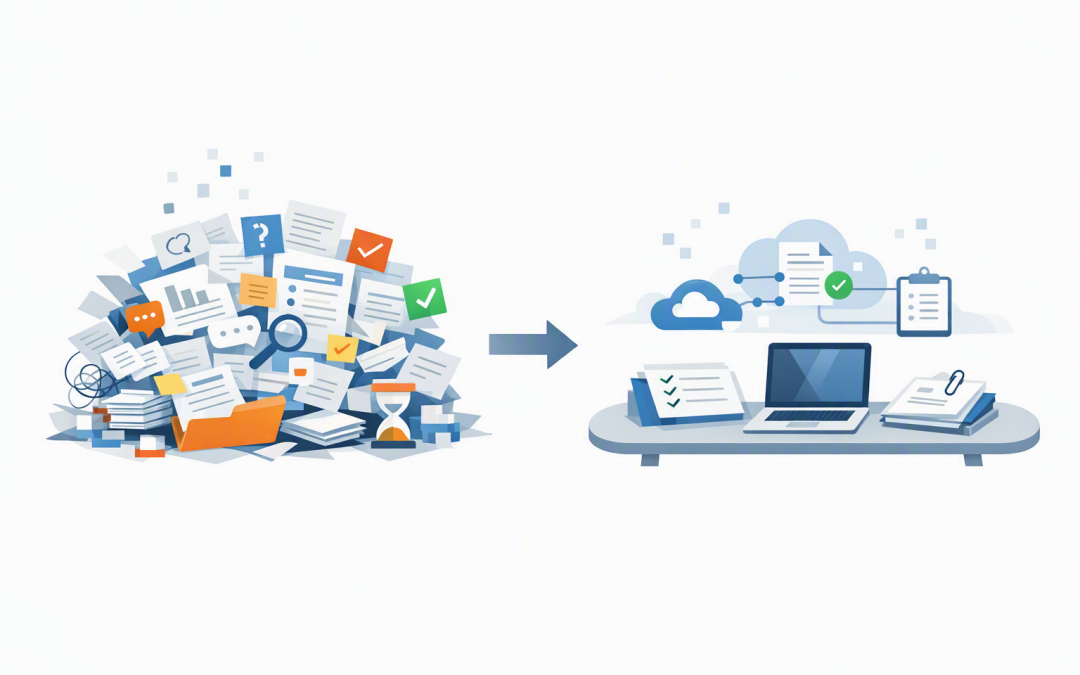
An AI agent has a limited working space known as a context window. Think of it as the agent’s desk: instructions, messages, search results, tool outputs and previous decisions are placed on that desk so the agent knows what is happening.
During a long workflow, the desk fills up. Without a way to manage it, the agent may hit a hard limit, take longer to respond or repeatedly process information that is no longer useful.
Compaction reduces that history while carrying forward the information needed for the next stage. Older conversations and large tool results can be summarised, replaced or removed, while key instructions, decisions, unresolved questions and recent activity remain available. OpenAI and Microsoft now provide compaction capabilities for managing this problem in long-running agent workflows.
It is similar to replacing 200 pages of meeting transcripts with a concise handover containing the agreed scope, completed actions, open risks and next steps. The agent does not need every sentence, but it must retain the facts that affect what happens next.
Why long-running agents need compaction
1. It keeps token costs under control
AI services generally measure usage in tokens, which are small pieces of text processed by the model. If an agent sends its entire history back to the model on every step, the same information may be processed dozens of times.
Imagine an agent reviewing supplier contracts. After analysing 40 documents, it may have accumulated extracted clauses, duplicate search results, working notes and earlier drafts. Sending all of that material with every new request increases costs without necessarily improving the final decision.
Compaction keeps the active context smaller. The business outcome is straightforward: less repeated processing and more predictable operating costs.
2. It reduces slowdowns during complex work
Large histories take longer to process. That delay may be acceptable in a test, but it becomes frustrating when an employee is waiting for an approval recommendation or an operations team needs an incident summary.
By removing outdated detail and compressing completed stages, compaction gives the model a cleaner working set. This can improve response times and help an agent stay focused on the current task rather than rereading its entire journey.
3. It helps prevent context-limit failures
Every AI model has a maximum amount of context it can process at once. A workflow that keeps adding messages, documents and system results will eventually approach that limit.
Poorly designed agents may then fail, discard information unpredictably or require the task to restart. Compaction can be triggered before the limit is reached, giving the agent enough room to continue safely. OpenAI supports automatic threshold-based compaction, while Microsoft Agent Framework provides strategies for summarising, removing or collapsing older history.
4. It improves the signal the agent sees
More context is not always better. An agent reviewing an IT security incident does not need every repeated status check or raw system response once the important finding has been recorded.
Too much low-value information can hide the details that matter. Good compaction keeps approved decisions, evidence references, exceptions and open actions visible while reducing routine noise.
How the technology works
A typical implementation monitors the size of the agent’s active history. When that history reaches a defined threshold, a compaction process reorganises it before the next model request.
The process usually follows five steps:
- Measure the context. The platform estimates the number of tokens, messages or workflow steps currently being carried.
- Protect critical information. Core instructions, recent requests, approvals and active constraints are marked for retention.
- Group related actions. A system request and its result are kept together so the agent does not see an action without knowing what happened.
- Reduce older material. Completed sections may be summarised, while repetitive messages and oversized tool outputs can be removed.
- Continue with the compacted state. The agent receives the smaller working history and proceeds with the next step.
A simplified OpenAI API pattern looks like this:
response = client.responses.create(
 model="your-approved-model",
 input=conversation,
 store=False,
 context_management=[{
 "type": "compaction",
 "compact_threshold": 200000
 }]
)

conversation.extend
The threshold should not simply be copied into every project. It should reflect the selected model, the size of expected tool results, the required response length and how much safety margin the workflow needs.
Compaction is not the same as memory or recovery
Compaction helps an agent manage the working history of its current run. Memory stores useful knowledge for future sessions. A snapshot records a trusted point in the workflow that can be restored later.
These capabilities solve different problems and are strongest when used together. Our guide to snapshots for reliable AI agent workflows explains how restart points support recovery and auditability.
Compaction also does not replace durable execution. If an agent must survive a system outage or wait three days for management approval, it still needs the ability to pause and resume safely. That is covered in our article on resilient tasks for long-running business AI.
A practical business scenario
Consider a 200-person professional services firm using an agent to prepare monthly client compliance reports. The agent collects information from Microsoft 365, checks security findings, identifies missing evidence, requests manager approval and produces a final report.
Without compaction, the agent may repeatedly carry raw exports, earlier drafts, routine system confirmations and every approval message. By the final stage, costs and response times have grown, and an important exception may be buried among thousands of lines of history.
With compaction, completed data-gathering stages are reduced to structured summaries. The agent retains the client name, reporting period, confirmed findings, evidence locations, outstanding risks and approval status.
The outcome is a workflow that can run longer at a more predictable cost while giving reviewers a clearer explanation of what was completed and what still requires attention.
Where compaction can go wrong
Compaction is deliberately selective, which means poor rules can remove something important. A vague summary such as “security review completed” is not enough if the agent needs to remember that two devices failed a required control.
For workflows involving finance, security, privacy or the Essential Eight—the Australian Government’s recommended cybersecurity framework—critical facts should also be stored outside the conversation history. Approved decisions, evidence, reports and transaction records belong in controlled business systems, not only inside an AI-generated summary.
- Define which facts must never be removed.
- Keep final documents and evidence in approved storage.
- Test compaction using long and difficult scenarios.
- Record when compaction occurs and what state continues.
- Require human approval before high-impact actions.
- Confirm data retention and access controls align with Australian privacy obligations.
What IT leaders should ask before investing
Start by asking whether the proposed agent genuinely needs to run across many steps, documents or approval delays. Simple chatbots may not need compaction at all.
For longer workflows, ask your delivery team what triggers compaction, what information is protected, how summaries are tested and where the authoritative business record is stored. Also confirm what happens if compaction produces an incomplete handover.
These questions should form part of the broader assessment described in our guide to Microsoft Agent Framework and durable AI agents.
Keeping long-running AI useful and affordable
Compaction is not a flashy feature, but it solves a practical production problem. It helps AI agents continue complex work without endlessly carrying every message, system response and temporary note.
The best results come from combining compaction with durable tasks, snapshots, external records, security controls and human approval. That creates an agent that is not only capable, but also affordable, recoverable and accountable.
CloudProInc brings more than 20 years of enterprise IT experience to AI projects across Azure, Microsoft 365, OpenAI, Claude and cybersecurity. As a Melbourne-based Microsoft Partner and Wiz Security Integrator, we focus on practical systems that can be operated safely rather than impressive demonstrations that fall apart in production.
If you are unsure whether a long-running AI workflow will remain reliable and cost-effective as it grows, we are happy to review the design and point out the gaps—no strings attached.
Discover more from CPI Consulting
Subscribe to get the latest posts sent to your email.