
In this blog post How Workspace Isolation Makes Business AI Agents Safer at Scale we will explain how separate, controlled workspaces reduce the chance of an AI agent exposing data, changing the wrong files or taking an action outside its intended role.
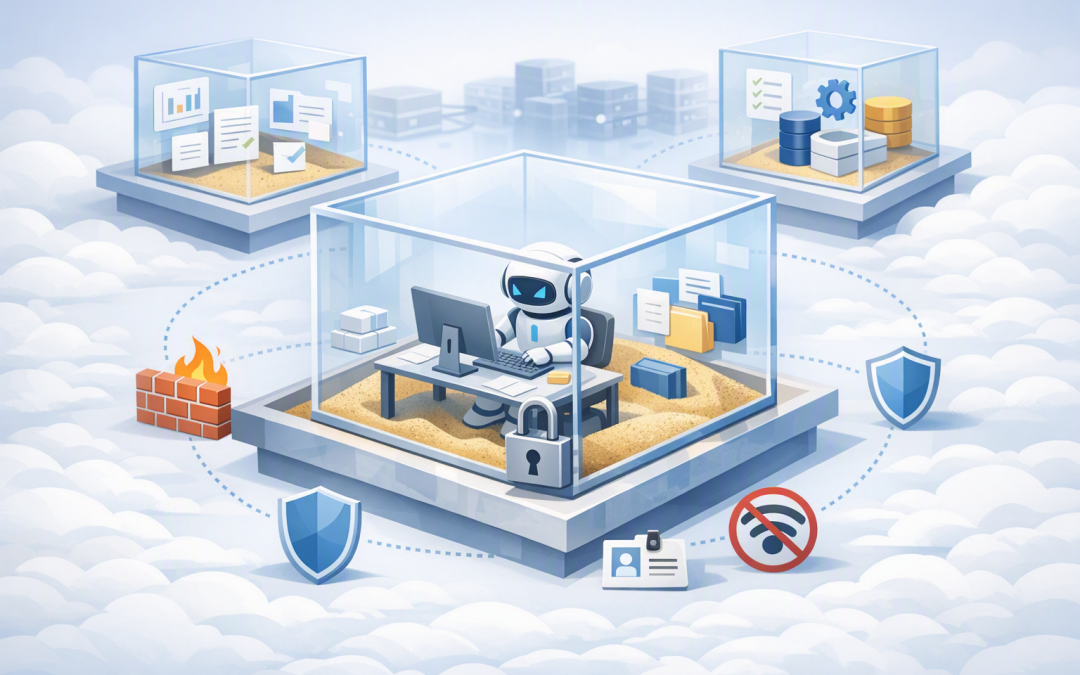
At a high level, workspace isolation is like giving an AI agent a secure project room. It can use the documents, tools and systems placed inside that room, but it cannot wander through the rest of the business looking for more information or access.
This matters because an AI agent is more than a chatbot. It may read documents, create reports, run software, update records or communicate with business systems. The more freedom it has, the more important it becomes to control where it works and what it can reach.
What workspace isolation actually means
A workspace is the digital area an AI agent uses while completing a task. It may contain uploaded documents, temporary files, generated reports, software packages and a record of work completed so far.
Isolation means that this workspace is separated from other users, departments, customers and business processes. An agent preparing a finance report should not be able to see files from a human resources task simply because both jobs use the same AI platform.
Modern agent platforms can isolate each user’s conversations, sessions, stored data and working files, even when everyone accesses the same agent. This is the difference between one shared workbench and a set of private, locked work areas.
Workspace isolation is closely related to a sandbox, but the terms are not identical. A secure AI agent sandbox is the protected computing environment in which work happens. Workspace isolation determines which task, user or customer gets access to which files, memory and resources inside that environment.
Why ordinary access controls are not enough
Many early AI projects connect an agent to a shared folder, a broad Microsoft 365 account or an application programming interface, which is simply a way for software systems to exchange information. The pilot works, so the same design is moved into production.
The problem appears when 50, 100 or 500 employees begin using it. Files accumulate, sessions overlap and permissions become difficult to follow. One poorly designed connection can give the agent far more access than any individual employee should have.
There is also the risk of prompt injection. This occurs when content inside a document, email or website contains instructions intended to manipulate the agent. A malicious document might tell the agent to ignore its original task, search for confidential files or send information somewhere it should not go.
You cannot rely on the AI model to reject every harmful instruction. A safer approach is to limit what the agent can physically access and do, so even a successful manipulation has a small impact. This approach focuses on containing potential damage rather than assuming every mistake can be prevented.
Five ways workspace isolation reduces business risk
1. It prevents one task from contaminating another
Without isolation, temporary files from one job may remain available during the next. That creates a risk that an agent uses outdated, confidential or irrelevant information when producing an answer.
Separate workspaces keep each task’s evidence and output together. This improves accuracy and reduces the chance that information from one customer, employee or department appears in another result.
The same principle applies to memory. As we explain in conversation memory versus sandbox memory, chat history and working files serve different purposes and should not be treated as one unrestricted pool of information.
2. It limits the agent’s blast radius
The “blast radius” is the maximum damage a mistake or compromised account could cause. If an agent can access every shared drive, customer database and internal application, its blast radius is unnecessarily large.
An isolated workspace might instead receive read-only copies of six relevant documents, a temporary folder and permission to create one draft report. If the agent behaves unexpectedly, the potential impact remains limited to that controlled area.
This is similar to restricting administrative privileges under the Essential Eight, the Australian government’s cybersecurity framework that many organisations use as a security baseline. Workspace isolation does not achieve Essential Eight compliance by itself, but it supports the same principle of granting only the access required for the job.
3. It protects credentials and business connections
AI agents often need credentials to connect to Microsoft 365, customer relationship management systems or other applications. Those credentials should not be stored as ordinary files in the agent’s working folder.
A well-designed system keeps authentication, approvals and audit records outside the agent’s workspace. It then provides narrowly scoped, short-lived access when a specific action is required.
Where Microsoft 365 context is needed, permission-aware services can help ensure the agent sees only what the signed-in user is already entitled to access. Our article on connecting AI agents securely to Microsoft 365 data examines that layer in more detail.
4. It makes investigations faster
When all agent activity happens in one shared environment, it can be difficult to determine which user triggered an action, which documents were used and what the agent changed.
Isolated workspaces create clearer records. Security teams can review the relevant session, files, commands, connections and outputs without sorting through unrelated activity from hundreds of other users.
This reduces the time and cost involved in investigating an incident. It also gives technology leaders better evidence when answering questions from executives, customers, auditors or insurers.
5. It supports safer automation at scale
Constant approval prompts may feel safe, but employees often begin approving them without careful review. Isolation allows low-risk work to continue within firm boundaries while reserving human approval for important actions, such as sending an external email, deleting records or changing a production system.
The result is a better balance between productivity and control. Agents can complete routine work without repeatedly interrupting employees, while higher-impact decisions still require deliberate approval.
How the technology works behind the scenes
A secure design normally separates the agent’s decision-making process from the computing environment where it handles files and runs tools. The control layer manages instructions, identity, approvals and logs. The isolated workspace performs the actual file and software operations.
A typical workflow looks like this:
- The user is identified. The system confirms who is requesting the work, usually through a business identity platform such as Microsoft Entra ID.
- A workspace is created. A temporary container or virtual machine provides a separate file system and computing area for the task.
- Only required data is added. Relevant files are copied or securely mounted, preferably with read-only access where editing is unnecessary.
- Tools receive limited permissions. The agent may be permitted to read a particular folder or call one approved business service, rather than receiving broad access.
- Network access is restricted. The workspace can connect only to approved destinations, reducing the risk of information being sent to an unknown external service.
- Activity is recorded. File changes, tool calls, approvals and outputs are logged for monitoring and investigation.
- The workspace is closed. It is deleted after the task or retained under a defined policy if the work must resume later.
For Azure-based environments, private networking can also prevent agent infrastructure from using open internet connections. Approved Azure services remain reachable through controlled private paths, while unnecessary outbound access is blocked.
A practical business scenario
Consider a 200-person professional services firm using an AI agent to review client contracts. Without workspace isolation, contracts from multiple clients might be processed in the same shared directory, with the agent using one service account that can reach the entire document library.
With isolation, each contract review receives its own workspace. The agent gets a read-only copy of the contract, an approved clause library and permission to create a draft risk report. It cannot browse another client’s folder, send emails or update the original contract.
Once a lawyer approves the report, the final document is transferred to the correct client record and the temporary workspace is deleted. The firm gains faster contract reviews without creating an uncontrolled path across its client data.
Isolation still needs supporting controls
Workspace isolation is an important boundary, not a complete security strategy. Organisations should also apply strong identity controls, multi-factor authentication, data classification, monitoring, vulnerability management and human approval for high-impact actions.
Software packages installed by agents should also be controlled. The agent should not be free to download and run anything it finds online. Our guide to safe package installation and business automation explains how approved sources, scanning and audit controls reduce this risk.
Australian organisations should also consider privacy obligations. The safest design provides only the personal information reasonably necessary for the task and removes it when it is no longer required. Isolation supports this data-minimisation approach, but retention rules and access policies still need to be documented and enforced.
Questions to ask before approving an AI agent
- Does every user, customer or task receive a separate workspace?
- Can one workspace access files or memory belonging to another?
- Are business credentials stored outside the agent’s working area?
- Can the agent connect to any website, or only approved services?
- Are sensitive files mounted as read-only wherever possible?
- Which actions require human approval?
- Can we reconstruct exactly what the agent accessed and changed?
- When are temporary files, logs and snapshots deleted?
- Are the workspace and its software regularly patched and monitored?
Safer agents are easier to trust and scale
Workspace isolation does not make an AI agent infallible. It makes mistakes easier to contain, investigate and correct. That is what turns an interesting demonstration into a business system leaders can responsibly approve.
CloudPro Inc combines more than 20 years of enterprise IT experience with practical expertise across Azure, Microsoft 365, OpenAI, Claude, Microsoft Defender and Wiz. As a Microsoft Partner and Wiz Security Integrator, we help organisations design agent infrastructure with security boundaries built in from the beginning.
If you are not sure whether your proposed AI agent has the right isolation, permissions and monitoring, we are happy to review the design and explain the risks in plain English — no strings attached.
Discover more from CPI Consulting
Subscribe to get the latest posts sent to your email.