
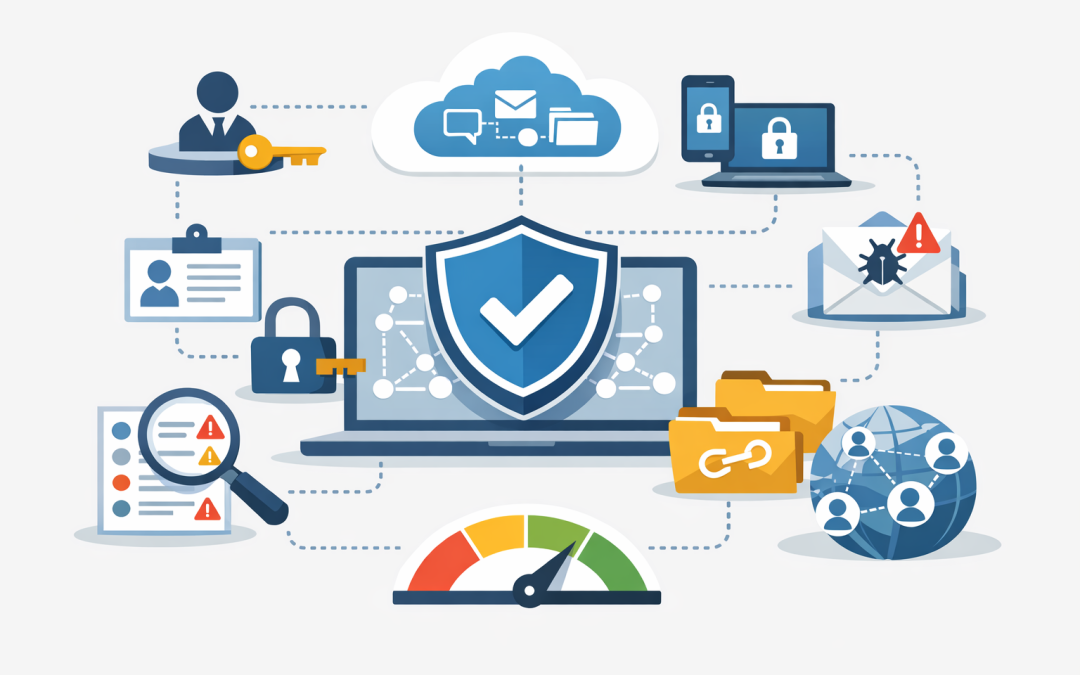
In this blog post Microsoft 365 Security Health Check First Steps for Australia we will look at the first areas every Australian business should review before spending more money on tools, licences, or another security project.
If your business runs on Microsoft 365, most of your day-to-day risk now sits in one place. Email, Teams, SharePoint files, staff logins, mobile phones, laptops, admin accounts, and security alerts are all connected. That is convenient, but it also means one weak setting can quietly create a much bigger problem.
For many organisations with 50 to 500 staff, Microsoft 365 was set up to get people working quickly. Security was added later, often in pieces. The result is a platform that looks fine from the outside, but may have gaps in sign-in protection, device control, email filtering, file sharing, and admin access.
A Microsoft 365 security health check is not about making your environment perfect overnight. It is about finding the risks most likely to hurt the business first, then fixing them in a sensible order.
What a Microsoft 365 security health check actually reviews
Microsoft 365 is not just Word, Excel, Outlook, and Teams. Behind the scenes, it is a connected business platform with several important security layers.
Microsoft Entra ID, formerly Azure Active Directory, controls staff logins and identity. Microsoft Defender helps protect email, devices, and cloud activity. Microsoft Intune manages and secures company devices such as laptops, phones, and tablets. SharePoint and OneDrive control file storage and sharing. Teams connects communication, meetings, files, and external collaboration.
A proper health check reviews how these parts work together. The business outcome is simple: fewer weak points, less chance of account compromise, clearer compliance evidence, and less wasted spend on tools that are not configured properly.
If you want a more detailed checklist, we have previously covered the first 10 things we check in a Microsoft 365 security review. This article focuses on what business leaders should prioritise first, and why those areas matter commercially.
1. Start with identity because attackers do
The first thing to review is how people sign in. Most Microsoft 365 incidents do not start with someone breaking through a firewall. They start with a stolen password, a fake login page, or an old account that nobody disabled.
Multi-factor authentication, often called MFA, requires a second proof of identity when someone signs in. In plain English, it means a password alone is not enough. The user may also need to approve a prompt, enter a code, or use a stronger sign-in method.
For Australian businesses working towards Essential 8, the Australian government’s cybersecurity framework that many organisations are now expected to align with, MFA is a key control. It is especially important for administrators, remote access, cloud services, and users handling sensitive data.
The health check should confirm whether MFA is enabled for all users, whether administrator accounts have stronger protection, and whether old sign-in methods are still allowed. Older methods can bypass modern controls and are often unnecessary in a current Microsoft 365 environment.
Business outcome: fewer account takeovers, reduced risk of invoice fraud, better Essential 8 alignment, and less disruption from compromised mailboxes.
2. Review administrator access before reviewing anything else
Administrator accounts are the keys to the building. If a normal user account is compromised, the damage may be limited. If an administrator account is compromised, the attacker may be able to change security settings, create new accounts, access data, and hide their activity.
A health check should identify every administrator account, who owns it, whether it is still required, and whether it is used for day-to-day email or browsing. Admin accounts should be limited, monitored, and protected with strong MFA.
We often see businesses with too many global administrators. A global administrator has broad control across Microsoft 365. In many cases, people were granted this access years ago for convenience and it was never removed.
The better approach is least privilege. That simply means giving people only the access they need to do their job, not full control “just in case”.
Business outcome: lower breach impact, cleaner audit trails, and fewer accidental changes that can affect the whole business.
3. Check whether unmanaged devices can access company data
Many organisations have good security policies on paper, but staff can still access email and files from personal laptops, old phones, or contractor devices that are not managed. This is one of the most common gaps we find.
Microsoft Intune, which manages and secures company devices, helps close this gap. It can check whether a device has encryption enabled, a passcode set, security updates installed, and company policies applied before it accesses Microsoft 365.
This matters because company data no longer lives only inside the office. It is on laptops, phones, browsers, Teams chats, synced OneDrive folders, and shared SharePoint sites. If a personal laptop is infected or a staff member leaves with company files synced locally, the business may not have much control.
We explored this issue in more depth in the hidden risk of unmanaged devices accessing Microsoft 365. A health check should build on that by showing which devices are trusted, which are unknown, and which should be blocked or restricted.
Business outcome: better control over company data, safer remote work, reduced privacy risk, and fewer surprises when staff or contractors leave.
4. Review email protection because email is still the front door
For most businesses, email remains the easiest way for attackers to reach staff. Fake invoices, payroll scams, password reset emails, supplier impersonation, and malicious attachments are still common because they work.
Microsoft Defender for Office 365 can help by checking suspicious links, scanning attachments, detecting impersonation attempts, and applying stronger anti-phishing policies. In plain English, it helps stop dangerous emails before staff click the wrong thing.
However, simply owning the licence does not mean the protection is configured well. A health check should review anti-phishing policies, safe link protection, safe attachment protection, spoofing controls, user reporting, and whether executives and finance staff have extra protection.
Finance teams, payroll staff, executives, and IT administrators are higher-value targets. Their accounts should not be treated exactly the same as a low-risk shared mailbox.
Business outcome: fewer phishing incidents, lower fraud risk, reduced downtime, and better protection for high-risk roles.
5. Look at file sharing before sensitive data walks out the door
SharePoint, OneDrive, and Teams make collaboration easy. That is good for productivity, but it can also create data leakage if sharing is too open.
A health check should review whether staff can create anonymous sharing links, whether external guests still need access, and whether sensitive files are being shared outside the organisation. It should also check whether old projects, inactive Teams, and unused guest accounts are still sitting there with access to company information.
This is particularly important for businesses handling customer records, health information, financial data, legal files, intellectual property, or government-related work. Under Australian privacy expectations, losing control of personal information can quickly become a legal, reputational, and operational issue.
The goal is not to block collaboration. The goal is to make sharing deliberate, visible, and controlled.
Business outcome: lower data leakage risk, cleaner external collaboration, stronger privacy posture, and fewer accidental overshares.
6. Use Secure Score carefully, not blindly
Microsoft Secure Score gives your organisation a security posture score inside the Microsoft security portal. It reviews many settings across identities, apps, and devices, then recommends improvements.
It is useful, but it is not the whole answer. A higher score usually means more recommended actions have been completed, but not every recommendation has the same business value. Some changes may create user friction, licensing cost, or operational complexity.
During a health check, Secure Score should be used as a guide, not a scoreboard. The right question is not “how do we get the highest number?” The right question is “which changes reduce our biggest risks without making the business harder to run?”
This is where experience matters. CloudProInc brings 20+ years of enterprise IT experience across Microsoft 365, Azure, Intune, Defender, Windows 365, OpenAI, Claude, Wiz, and cybersecurity. We know which recommendations usually matter first, and which ones need planning before they are switched on.
Business outcome: practical risk reduction, better use of existing licences, and fewer security changes that frustrate staff.
A real-world scenario we see often
A typical 200-person business may already be paying for Microsoft 365 Business Premium or E5-level security features. On paper, that sounds strong. In practice, the environment may still allow weak administrator access, unmanaged personal devices, open external sharing, and basic email protection settings.
In one common scenario, the business believes it needs to buy another security product. After a health check, the first savings often come from using what is already included. MFA is tightened, old admin accounts are removed, Intune policies are applied, Defender settings are improved, and risky sharing links are cleaned up.
The business does not need a huge project to make progress. It needs a clear risk-ranked plan, executive visibility, and careful rollout so staff are not blocked from doing their work.
What to review first in your next Microsoft 365 health check
If you are not sure where to start, use this order:
- Identity and MFA: confirm every user and admin account is protected properly.
- Administrator access: remove unnecessary privileges and separate admin work from daily email use.
- Device control: identify unmanaged laptops, phones, and tablets accessing company data.
- Email protection: strengthen phishing, link, attachment, and impersonation controls.
- File sharing: review external access, anonymous links, and inactive guest users.
- Secure Score: use it to prioritise practical improvements, not chase points.
- Essential 8 alignment: map the findings to MFA, patching, admin privilege, backups, macro control, and application hardening requirements.
This approach gives business leaders a clearer view of risk. It also helps IT teams focus on the areas most likely to reduce incidents, improve compliance, and avoid unnecessary spend.
Final thought
Microsoft 365 security is not a one-off setting. It is an operating discipline. As staff change, devices change, attackers change, and Microsoft adds new capabilities, your environment needs regular review.
The good news is that many businesses already own much of what they need. The gap is usually configuration, visibility, and a clear plan.
CloudProInc is a Melbourne-based Microsoft Partner and Wiz Security Integrator working with clients across Australia and internationally. We are practical, hands-on consultants rather than a giant faceless MSP, and we help organisations turn Microsoft 365 from “working” into “working securely”.
If you are not sure whether your Microsoft 365 environment is protecting the business as well as it should, we are happy to take a look. No pressure, no scare tactics — just a practical health check and clear advice on what to fix first.
Discover more from CPI Consulting
Subscribe to get the latest posts sent to your email.