
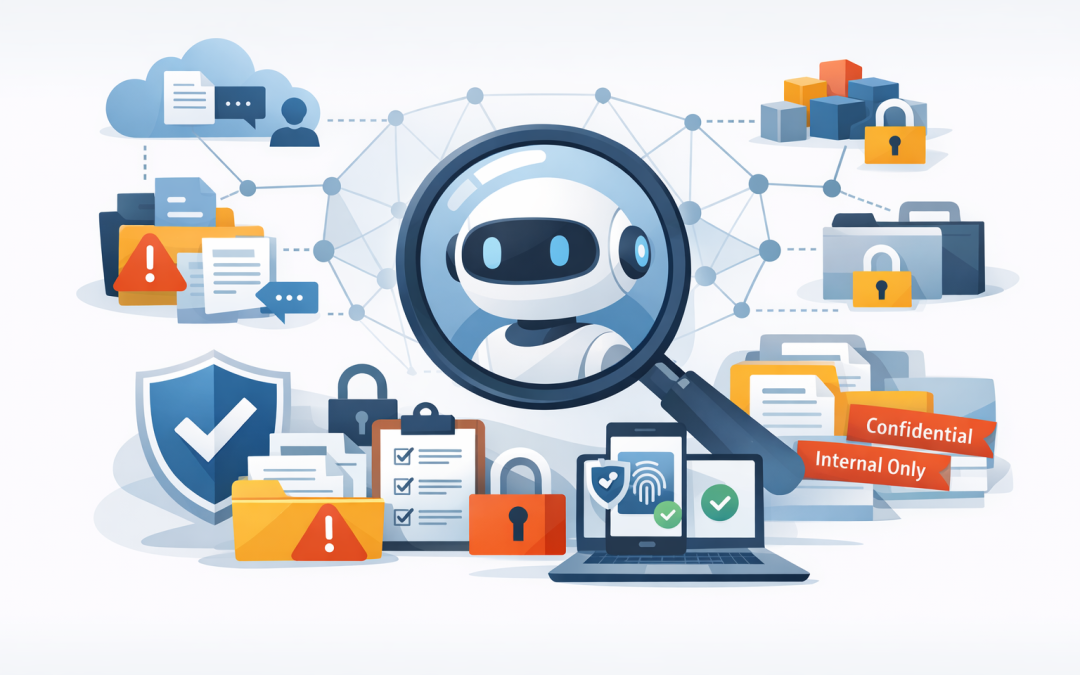
In this blog post Why Copilot Readiness Starts With Permissions and Governance we will explain why Microsoft 365 Copilot readiness is not mainly an AI project. It is a permissions and data governance project first.
Many businesses are excited about Copilot because it can summarise meetings, draft documents, search company knowledge, and help staff work faster across Microsoft 365. But Copilot does not magically know what is confidential, outdated, duplicated, or shared with too many people. It works with the information your people already have access to.
That is the part many leaders underestimate. If your SharePoint, Teams, OneDrive, and email permissions are messy today, Copilot can make that mess easier to find.
The simple version of how Copilot works
Microsoft 365 Copilot is an AI assistant built into tools such as Word, Excel, PowerPoint, Outlook, Teams, and Microsoft 365 Chat. Behind the scenes, it uses large language models, which are AI systems that can understand and generate human-like text.
But Copilot is not just “ChatGPT inside Office”. It connects to Microsoft Graph, which is the map of your organisation’s Microsoft 365 data, including emails, chats, files, calendars, meetings, and people relationships. In plain English, Microsoft Graph helps Copilot understand where business information lives and who is allowed to see it.
Copilot also uses something called grounding. That means it looks at relevant company information the user is already permitted to access, then uses that context to produce a more useful answer. If a finance manager asks Copilot to summarise the latest budget documents, Copilot checks what that person can access and responds based on that available content.
That permission-aware design is a good thing. The risk is that many organisations have spent years giving people broad access “just to get things done”. Copilot does not create that risk, but it can expose it very quickly.
The real problem is oversharing
Most mid-sized organisations have some version of this problem.
A project team creates a Teams channel for a client engagement. Someone shares a pricing spreadsheet with “everyone in the organisation” because it is faster than finding the right group. A manager leaves, but their OneDrive folders are copied around. HR stores draft salary letters in a SharePoint site that was originally private but later opened up for convenience.
No one meant to create a security issue. It just happened over time.
Before Copilot, finding that information might have required knowing the exact folder, filename, or person involved. With Copilot, a user can ask a natural question such as “summarise recent salary planning documents” or “find client pricing assumptions for next quarter”. If the permissions allow access, Copilot may surface information that was technically available but practically hidden.
That is why Copilot readiness starts with permissions. Not because Copilot is unsafe, but because it is very good at finding what your existing setup already exposes.
Why this matters to business leaders
For CIOs, CTOs, and business owners, this is not an abstract IT hygiene issue. It has direct business consequences.
- Confidentiality risk: Sensitive HR, legal, financial, client, or board information may be easier for the wrong internal people to discover.
- Compliance pressure: Australian organisations need to consider privacy obligations, client contracts, and the Essential 8, the Australian government’s cybersecurity framework that many organisations use as a baseline for reducing cyber risk.
- AI adoption delays: If permissions problems are discovered late, the Copilot rollout can stall just when the business expects productivity gains.
- Wasted licence spend: Copilot licences are not cheap. If users cannot safely use them because the data estate is not ready, the return on investment drops.
- Trust issues: One bad incident where Copilot surfaces the wrong document can damage confidence in the whole AI program.
This is why CloudProInc often advises clients to treat Copilot readiness like preparing for an audit, not installing a new app.
Permissions are the foundation
Permissions decide who can open, read, edit, share, and download information. In Microsoft 365, those permissions can come from Teams membership, SharePoint groups, OneDrive sharing links, Microsoft Entra ID groups, guest access, and individual file sharing.
That sounds technical, but the business question is simple: should this person be able to access this information?
In many organisations, the honest answer is “we are not sure”. That is the danger zone.
A practical Copilot readiness review should identify:
- Sites and folders shared with everyone in the organisation.
- Files shared externally with clients, suppliers, or personal email accounts.
- Old Teams and SharePoint sites with no clear owner.
- Highly sensitive documents stored in general collaboration areas.
- Users with access they inherited from old roles or projects.
- Guest accounts that were never removed after a project ended.
The goal is not to lock everything down so tightly that work slows down. The goal is to make access intentional.
Data governance makes permissions sustainable
Fixing permissions once is helpful. Keeping them clean is where governance comes in.
Data governance means having clear rules for how information is stored, classified, retained, shared, and deleted. For a non-technical leader, think of it as the operating model for company information.
Good governance answers questions like:
- Who owns this SharePoint site?
- Which documents are confidential?
- How long should project data be kept?
- Can staff share this file outside the company?
- What happens when someone changes role or leaves?
- Which information should Copilot be able to use?
Microsoft Purview can help with this. Purview is Microsoft’s data security and compliance platform. It can apply sensitivity labels, which are visible tags such as “Confidential” or “Internal Only”, and retention policies, which control how long information is kept.
Microsoft Intune, which manages and secures company devices, also plays a role because Copilot access often happens from laptops, phones, and tablets. If a user can access sensitive data from an unmanaged personal device, your Copilot governance is already weaker than it looks.
A real-world scenario
We recently reviewed the Microsoft 365 environment of a growing professional services firm with just under 200 staff. They were keen to roll out Copilot to managers and client-facing teams.
On paper, they were a strong candidate. They used Microsoft 365 heavily, had standardised on Teams, and had good executive support for AI.
The issue was their data estate. Several old SharePoint sites had broad access. Project folders contained commercial proposals, draft contracts, and margin calculations. Some OneDrive links had been shared externally and never reviewed. Their HR team had a private site, but some working documents were stored in a general operations area because it was easier at the time.
None of this was unusual. It is exactly what happens when a business grows quickly and people use Microsoft 365 organically.
Instead of rushing into a full Copilot deployment, we helped them run a readiness sprint. We identified overshared locations, cleaned up high-risk permissions, assigned site owners, introduced clearer sensitivity labels, and created a simple approval process for external sharing.
The result was not just a safer Copilot rollout. They also reduced unnecessary access across the business, improved audit readiness, and gave leaders more confidence that confidential client and employee information was being handled properly.
What most companies get wrong
The biggest mistake is assuming Copilot readiness is only about licences and user training.
Yes, people need to know how to write good prompts. Yes, finance needs to understand the licence cost. Yes, IT needs to configure the service correctly.
But if the underlying data is poorly governed, the business is building AI on unstable ground.
We see five common gaps:
- No data owner: Nobody is responsible for deciding whether a site should stay open, be archived, or be restricted.
- Too many “everyone” permissions: Broad access has become the default because it avoids short-term friction.
- External sharing is unmanaged: Guest users and anonymous links are not reviewed regularly.
- Labels are inconsistent: Staff do not know what counts as confidential, internal, or public.
- Security and productivity are treated separately: AI rollout teams focus on productivity while security teams worry later.
Copilot readiness works best when those conversations happen together.
A practical readiness checklist
If you are considering Copilot in the next 3 to 6 months, start with these steps.
1. Map where your important data lives
Focus first on high-value information: HR records, finance documents, legal files, board papers, contracts, client data, intellectual property, and security documentation.
You do not need to classify every file on day one. Start with the information that would cause the most harm if exposed to the wrong audience.
2. Review broad access
Look for SharePoint sites, Teams, folders, and files shared with all staff or large groups. Ask whether that access still makes sense.
In many cases, broad access can be replaced with role-based access. That means people get access based on their job, team, or project, not because someone clicked the fastest sharing option.
3. Clean up guests and external links
External collaboration is normal, especially with clients and suppliers. The risk is when external access never expires.
Set a review process for guest users and shared links. If the project is over, access should be removed.
4. Apply sensitivity labels
Sensitivity labels help staff and systems understand how information should be handled. For example, a document labelled “Confidential” may block external sharing or require encryption.
Keep labels simple. If you create ten labels with unclear differences, people will ignore them.
5. Decide what success looks like
Copilot success should not be measured only by how many users have licences. Better measures include hours saved, faster document creation, fewer repetitive admin tasks, safer data access, and improved compliance posture.
This connects closely with AI cost governance. We covered that in GitHub’s Copilot Billing Changes Put AI Spend Governance Back on the Agenda, where the same principle applies: AI value needs usage control, not just enthusiasm.
Copilot readiness is broader than Microsoft 365
For many organisations, Microsoft 365 Copilot is only the start. Teams are also experimenting with GitHub Copilot, AI agents, OpenAI, Claude, and custom assistants connected to internal systems.
The same governance principle applies everywhere: AI should only access the information it needs, for the purpose it was approved for.
If you are exploring more advanced AI agents, our post Before You Deploy AI Agents The Enterprise Governance Checklist goes deeper into accountability, approvals, and risk ownership.
And if your developers are using GitHub Copilot, governance also extends to code, repositories, prompts, and memory settings. We explored that in Copilot Memory Being Default On Changes Your Dev Data Retention Rules.
Where Essential 8 fits in
For Australian organisations, Copilot readiness should align with the Essential 8, the Australian government’s recommended baseline for reducing cyber risk.
Essential 8 does not specifically exist to govern AI, but its principles matter. Multifactor authentication reduces the chance of stolen accounts being used to access sensitive data. Restricting administrative privileges limits how much damage one compromised account can cause. Regular backups support recovery if data is deleted, corrupted, or encrypted by ransomware.
In practice, Copilot readiness and Essential 8 maturity should support each other. If your identity, device, patching, backup, and access controls are weak, AI will not fix that. It may simply make the weakness more visible.
The business outcome
Done properly, Copilot readiness gives you more than a safer AI rollout.
It helps reduce data leakage risk, improve compliance confidence, remove old access that should not exist, and make Microsoft 365 easier to manage. It also gives staff better search results because Copilot is working with cleaner, more trusted information.
That means less time hunting for documents, fewer awkward access surprises, and more confidence from executives that AI is being introduced responsibly.
For a 50 to 500 person business, that is the difference between “we bought Copilot licences” and “we are using AI safely to improve the way people work”.
How CloudProInc can help
CloudProInc is a Melbourne-based Microsoft Partner and Wiz Security Integrator with more than 20 years of enterprise IT experience. We work hands-on across Azure, Microsoft 365, Intune, Windows 365, Microsoft Defender, Wiz, OpenAI, Claude, and practical AI governance.
Our approach is simple: understand the business risk, clean up the foundations, then roll out AI in a way people can actually use.
If you are not sure whether your Microsoft 365 permissions are ready for Copilot, we are happy to take a look. No scare tactics, no giant consulting theatre — just a practical readiness review and clear next steps.
Discover more from CPI Consulting
Subscribe to get the latest posts sent to your email.