
In this blog post Why Claude Code Is Suddenly on Every CIO’s Radar in 2026 we will explain what Claude Code is, why it’s getting so much attention right now, and the practical next steps to adopt it safely and profitably.
Why Claude Code Is Suddenly on Every CIO’s Radar in 2026 isn’t about chasing the latest shiny AI tool. It’s about a very real pain most mid-market organisations are feeling: delivery expectations are rising, budgets aren’t, and security teams are already stretched.
If you’re a CIO, CTO, or IT manager, you’ve probably seen it already. Developers are being asked to ship faster, modernise legacy apps, fix security issues, and keep the lights on. Meanwhile, business leaders are asking, “Can’t AI just do this?”
A high-level explanation of Claude Code
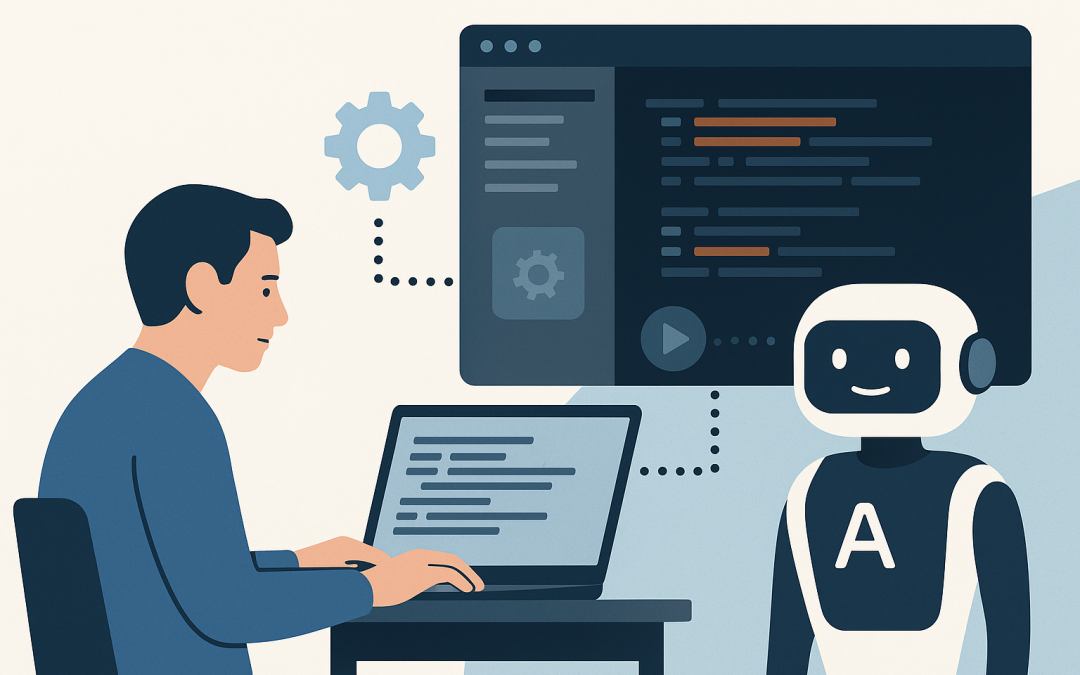
Claude Code is an AI “coding agent” that can work directly with a codebase on a developer’s machine. In plain English, it’s like giving your team a very fast assistant that can read your project, understand what you’re trying to achieve, and then propose (and often implement) the changes across files.
Unlike a basic chatbot that only answers questions, Claude Code is designed to do the work: create and edit files, run common development commands, and help with tasks like bug fixes, refactoring, writing tests, and explaining unfamiliar code.
What’s actually happening under the hood (without the jargon)
At its core, Claude Code is powered by a large language model (LLM). An LLM is an AI system trained on huge amounts of text and code, so it can predict the next “best” words (or code) in context.
Claude Code becomes useful in the real world because it can be given context (your code, your folder structure, your documentation) and tools (like the ability to run tests or search files). That combination turns it from “AI that talks about code” into “AI that can collaborate on code.”
In practical terms, a developer can ask for something like:
- “Find why invoices are duplicating and fix it without breaking existing customers.”
- “Add logging so we can trace failed payments.”
- “Write tests for this module and make sure they pass.”
Then Claude Code will inspect the project, identify relevant files, propose a change plan, and often generate a set of edits that your developer reviews and approves.
Why it’s suddenly on every CIO’s radar
There have been AI coding tools for a while. The difference now is that many organisations are seeing AI move from “nice for snippets” to “meaningful impact on throughput.” And that changes the CIO conversation from curiosity to governance.
1) It shifts delivery speed without adding headcount
Most mid-sized organisations don’t have the luxury of hiring 10 more engineers. Claude Code is getting attention because it can reduce the time spent on the “heavy but repetitive” work: plumbing code, wiring up integrations, writing tests, updating documentation, and fixing common classes of bugs.
The business outcome: more delivered per sprint, or the ability to tackle technical debt without pausing business projects.
2) It changes the bottleneck from “coding” to “decision-making”
When the AI can generate a working first draft quickly, the limiting factor becomes clarity: requirements, acceptance criteria, and what “good” looks like.
This is why CIOs are paying attention. The organisations that win aren’t the ones with the fanciest model. They’re the ones that can turn business intent into clear, testable instructions and then review changes safely.
The business outcome: less rework and fewer “we built the wrong thing” projects.
3) It forces a security conversation you can’t postpone
The moment developers can point an AI agent at a repository, you have to answer uncomfortable questions:
- What code and data is being shared with the AI service?
- Are secrets (like API keys) being exposed?
- Are we introducing licensing or IP risks?
- How do we keep changes auditable?
This is where security leaders start leaning in. If your organisation is working toward Essential 8 (the Australian government’s cybersecurity framework that many organisations are now required to follow), AI-assisted development needs to fit inside your controls—especially around patching, approvals, and limiting admin privileges.
The business outcome: reduced risk while still allowing the productivity uplift.
4) It’s not only for “elite engineers” anymore
One of the more surprising shifts is who can now contribute. A strong developer still matters. But Claude Code can help less experienced team members produce better work—if you give them guardrails.
This matters for mid-market businesses where teams are lean and skills are mixed. It can also help “accidental developers” in operations teams (the people who maintain scripts and automations that the business quietly depends on).
The business outcome: better resilience and less reliance on one or two key people.
A real-world scenario we see in mid-market IT
Imagine a 200-person professional services firm in Melbourne. They have a small internal IT team and a couple of developers maintaining a billing integration, a client portal, and a handful of automation scripts that run the business.
They’re not trying to build the next unicorn. They just need software changes delivered reliably, and they need fewer late nights when something breaks.
What typically happens:
- A feature request comes in (“Add a new billing rule”).
- The dev has to find where logic lives, update multiple files, and add tests.
- Because time is tight, tests are skipped, documentation isn’t updated, and the change ships with risk.
With Claude Code used properly, the workflow becomes:
- The developer writes a clear request with acceptance criteria.
- Claude Code scans the repo, identifies the right modules, and proposes a change plan.
- It generates the code update and suggests tests and documentation updates.
- The developer reviews, runs tests, and ships with confidence.
The result isn’t “AI replaced the developer.” It’s “the developer stopped drowning in grunt work.” That’s the shift CIOs care about.
What to do next (a practical CIO playbook)
If you want the productivity upside without creating a security and compliance mess, treat Claude Code like any other capability rollout: define outcomes, put guardrails in place, then scale.
Step 1: Pick 2–3 use cases with measurable outcomes
Start with work that is common, time-consuming, and easy to measure:
- Bug fixes in known modules
- Writing or improving automated tests
- Documentation updates for runbooks and handover notes
- Refactoring “spaghetti code” that slows every change
Track baseline time-to-deliver and defect rates, then compare after 4–6 weeks.
Step 2: Set simple rules for what can and can’t be shared
Non-negotiables you should define early:
- No credentials or secrets in prompts or files shared to the tool
- No customer personal information (relevant for Australian privacy obligations)
- Clear guidance on using anonymised data in examples
This doesn’t need to be a 40-page policy. A one-page “AI usage standard” that people actually follow beats a binder nobody reads.
Step 3: Keep human approval and auditability in the loop
Claude Code can propose and implement changes, but your process should still enforce:
- Peer review for changes (even if the AI wrote the first draft)
- Automated testing before merge
- Change tracking so you can answer “who approved this and why?”
This aligns neatly with Essential 8 thinking: you’re focusing on controlled change, patching discipline, and reducing the chance of unauthorised actions.
Step 4: Put guardrails around endpoints and identity
This is where modern Microsoft security tools matter. For many Australian organisations, the weakest link isn’t the AI model—it’s the laptop running with too much access.
As a Microsoft Partner, CloudPro Inc commonly designs these guardrails using Microsoft Intune (which manages and secures all your company devices) and Microsoft Defender (which helps detect and stop threats across devices, email, identity, and cloud apps). The goal is simple: if a device is compromised, an AI-enabled workflow shouldn’t make the blast radius bigger.
Step 5: Decide how you’ll handle “AI-written code quality”
AI can write clean-looking code that still creates long-term pain. Ask your engineering lead to define standards:
- Minimum test coverage for AI-assisted changes
- Preferred patterns and libraries
- Rules for dependency introduction
- Definition of done (including docs)
Think of it like onboarding a new developer who is very fast—but needs supervision until they learn your way of working.
A simple example your team can try this week
Here’s a safe starter task: ask Claude Code to explain a legacy module and propose tests. This reduces risk because you’re not changing production logic immediately.
# Example prompt your developer can use
# (Plain English, clear scope, clear outcome)

Please read the /billing directory and explain:
1) What the main workflow is
2) Where failures are likely to happen
3) A list of 10 automated tests we should add first

Constraints:
- Do not change production code yet
- Keep test names descriptive
- If you need assumptions, list them
The business value: you get clarity, reduced key-person risk, and a concrete test plan—often in hours, not days.
The CIO takeaway
Claude Code is on CIO radars because it’s one of the first AI tools that can materially affect software delivery speed and
If you treat it like a controlled capability rollout—measurable use cases, clear data rules, strong approvals, and endpoint security—you can get real productivity gains without compromising security or compliance.
If you’re not sure whether Claude Code (or any AI coding assistant) is a smart move for your environment, CloudPro Inc can help you run a low-risk pilot and put the right guardrails in place. If you want a second opinion on your current setup and where the risks or quick wins are, we’re happy to take a look—no strings attached.