
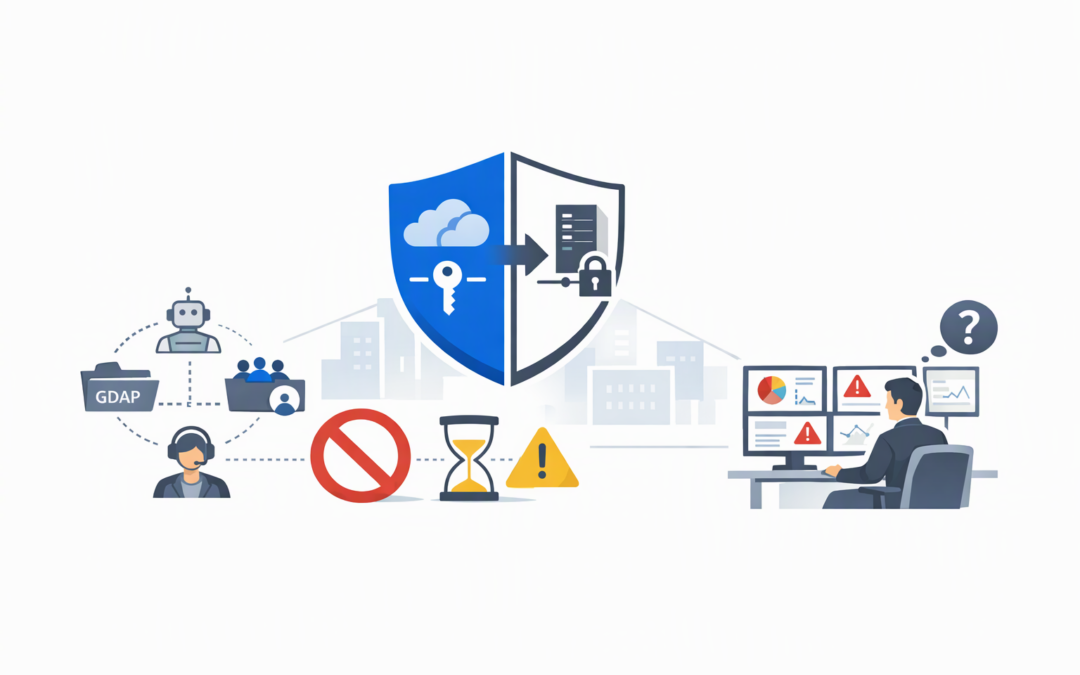
In this blog post Avoid Sentinel Unified RBAC Service Principal and GDAP Gotchas we will explain what changes when you activate Microsoft Sentinel in Defender Unified RBAC, why service principals and GDAP access can cause problems, and what to check before switching it on.
The risk is easy to underestimate. A security administrator sees an option to centralise permissions, activates it, and only later discovers that an automated process or external security partner can no longer receive the access it needs.
That is not simply an IT inconvenience. It can mean alerts going unreviewed, incident response slowing down, compliance evidence becoming harder to produce, or a critical security process failing outside business hours.
What Defender Unified RBAC actually changes
Role-based access control, usually shortened to RBAC, determines who can view security information and what actions they can perform. Microsoft Defender Unified RBAC brings permissions for several Microsoft security services into one management area in the Defender portal.
CPI Consulting helps organisations design, build and secure Azure AI solutions, from Azure OpenAI and Microsoft Foundry to agents, governance and production deployment.
Visit CPI ConsultingMicrosoft Sentinel is Microsoft’s cloud security monitoring platform. It collects security events, identifies suspicious activity and helps security teams investigate incidents across Microsoft and non-Microsoft systems.
Bringing Sentinel permissions into Unified RBAC can simplify administration. Instead of maintaining separate access models for endpoints, email, identities and Sentinel, an organisation can create roles based on real responsibilities, such as incident reader, security analyst or security administrator.
However, activation is more than a visual portal change. It changes which permission system controls Sentinel access in the Defender portal. Existing roles, non-human identities and delegated partner arrangements therefore need to be reviewed first.
The service principal limitation that can break automation
A service principal is a non-human identity used by an application, script or automated process. It allows software to access a service without someone signing in with a personal administrator account.
For example, an organisation may use a service principal to run scheduled security queries, update watchlists, deploy analytics rules, collect reports or connect Sentinel data to another business system. These processes often run quietly for months, so they are easy to miss during an access review.
As at November 2026, assigning Microsoft Sentinel permissions to a service principal through Defender Unified RBAC is not supported. Microsoft’s guidance is clear: if your Sentinel operating model requires this capability, do not activate Sentinel in Unified RBAC yet. Continue using Azure RBAC, which is the permission system used for Azure resources.
This does not mean every service principal will immediately stop working. It means you cannot assume its required Sentinel access can be represented and managed through the new model. Activating first and investigating later creates an avoidable business risk.
How to find hidden service principal dependencies
Ask your internal team or IT provider to inventory role assignments at the subscription, resource group and Sentinel workspace levels. Looking only at people listed in the Defender portal is not enough because permissions can be inherited from higher levels in Azure.
The following read-only Azure CLI command can help an administrator identify inherited assignments for a Sentinel workspace:
az role assignment list \
 --scope "/subscriptions/<subscription-id>/resourceGroups/<resource-group>/providers/Microsoft.OperationalInsights/workspaces/<workspace-name>" \
 --all \
 --include-inherited \
 --query "[].{Role:roleDefinitionName,Principal:principalName,Type:principalType,Scope:scope}" \
 --output table
For every result marked as a service principal, document what it does, who owns it, when it last operated and what would happen if it lost access. Do not remove an unfamiliar identity until its purpose has been confirmed; it could belong to a Microsoft service, connector or business-critical automation.
This follows the same principle discussed in our guide to securing Microsoft Foundry projects with RBAC and managed identity: non-human access should be deliberate, documented and limited to the permissions genuinely required.
Why GDAP access needs separate attention
Granular delegated admin privileges, or GDAP, allow a Microsoft partner or managed security provider to access a customer’s Microsoft environment using limited, time-bound roles. It is designed to avoid giving an external provider permanent Global Administrator access.
GDAP is valuable, but support differs between Microsoft workloads. A partner may be able to access Microsoft Defender through GDAP while still being unable to receive Sentinel permissions through a GDAP user group in Unified RBAC.
Microsoft currently states that assigning Sentinel permissions to a GDAP user group is not supported in Unified RBAC. If an external security operations team relies on that arrangement, activating Sentinel can leave the provider with partial Defender access but insufficient access to investigate or manage Sentinel incidents.
This distinction matters for organisations that assume “the partner can access Defender” means “the partner can access everything inside Defender.” The portal may look unified, but the identity and permission paths underneath it are not yet identical.
Plan the replacement access path before activation
Depending on the services being delivered, alternatives may include Microsoft Entra B2B guest access, Azure Lighthouse for cross-tenant Azure management, or Microsoft Defender tenant governance relationships. Each option serves a different purpose and must be tested against the tasks the provider actually performs.
For example, GDAP can support access to Microsoft Defender data, while cross-tenant queries over Sentinel workspaces can require Azure Lighthouse. Access to Sentinel data in Defender multitenant management can also depend on B2B authentication rather than the GDAP arrangement used elsewhere.
Do not replace one broad access arrangement with another merely to make the migration work. Use the opportunity to confirm least-privilege access, approval processes, access expiry dates and who is accountable for reviewing external access.
Some Sentinel permissions still remain in Azure
Unified RBAC does not move every Sentinel-related role into Defender. Microsoft Sentinel Playbook Operator, Automation Contributor and Workbook Contributor remain managed through Azure.
Playbooks are automated response workflows, such as disabling a compromised account or notifying the security team. Workbooks are dashboards used to present security data. These functions depend on underlying Azure resources, so their access continues to use Azure permissions.
The result is a mixed permission model. Defender Unified RBAC can control many investigation and response activities, while Azure RBAC still controls specific automation and resource-management tasks.
After Sentinel Unified RBAC is active, changing overlapping Sentinel permissions in Azure can also cause synchronisation errors. Your operating procedures should clearly state which portal is authoritative for each type of permission.
A practical pre-activation checklist
- Inventory human and non-human access. Include employees, groups, service principals, managed identities, guest accounts, GDAP groups and Azure Lighthouse delegations.
- Map access to business responsibilities. Record who investigates alerts, changes analytics rules, runs hunting queries, manages automation and administers workbooks.
- Identify unsupported assignments. Treat service principal and GDAP group dependencies as activation blockers until a supported design has been tested.
- Separate Defender and Azure permissions. Document which roles will move to Unified RBAC and which must remain in Azure.
- Create roles before switching. Prepare least-privilege roles and assignments rather than activating Unified RBAC with no tested access model.
- Run task-based testing. Confirm that each role can view incidents, run approved queries, assign cases, take response actions and use required automation.
- Test external support access. Ask your security provider to complete a real investigation workflow using its normal account.
- Keep emergency access available. Maintain a protected, monitored emergency account in case an incorrect role assignment locks out the security team.
- Freeze conflicting changes. Avoid simultaneous permission changes in Azure and Defender during the activation window.
- Define rollback criteria. Decide in advance which failed tests require activation to be reversed.
What this prevents in the real world
Consider a 180-person organisation using an external provider for after-hours monitoring. Its employees receive Sentinel access through local groups, while the provider uses GDAP and several scheduled reports run through service principals.
If Unified RBAC is activated without checking those dependencies, the internal security administrator may see incidents normally while the external provider and reporting automation lose required access. The problem might not be noticed until a serious alert arrives overnight.
This is how organisations end up with Defender alerts nobody looked at until it was too late. The security technology generated the signal, but the access and operating model failed around it.
Centralised access is useful when the groundwork is done
Defender Unified RBAC can reduce administration, make responsibilities clearer and support tighter control over privileged access. That can also strengthen evidence for Essential Eight, the Australian government’s cybersecurity framework, particularly where an organisation needs to demonstrate that administrative privileges are restricted and regularly reviewed.
But the activation decision should be based on your identities and operating processes, not simply the availability of a switch in the portal. Microsoft is also moving Sentinel towards the Defender portal, with Azure portal support scheduled to end after 31 March 2027, making early planning sensible even if immediate activation is not.
CloudProInc approaches these changes as an access and operational readiness exercise, not just a portal configuration task. As a Melbourne-based Microsoft Partner and Wiz Security Integrator with more than 20 years of enterprise IT experience, we help organisations map identities, automation and provider access before making changes that affect security operations.
If you are not sure whether your service principals, GDAP groups or Sentinel automation are ready for Unified RBAC, we are happy to review the current setup and identify the blockers before they become an incident response problem.