
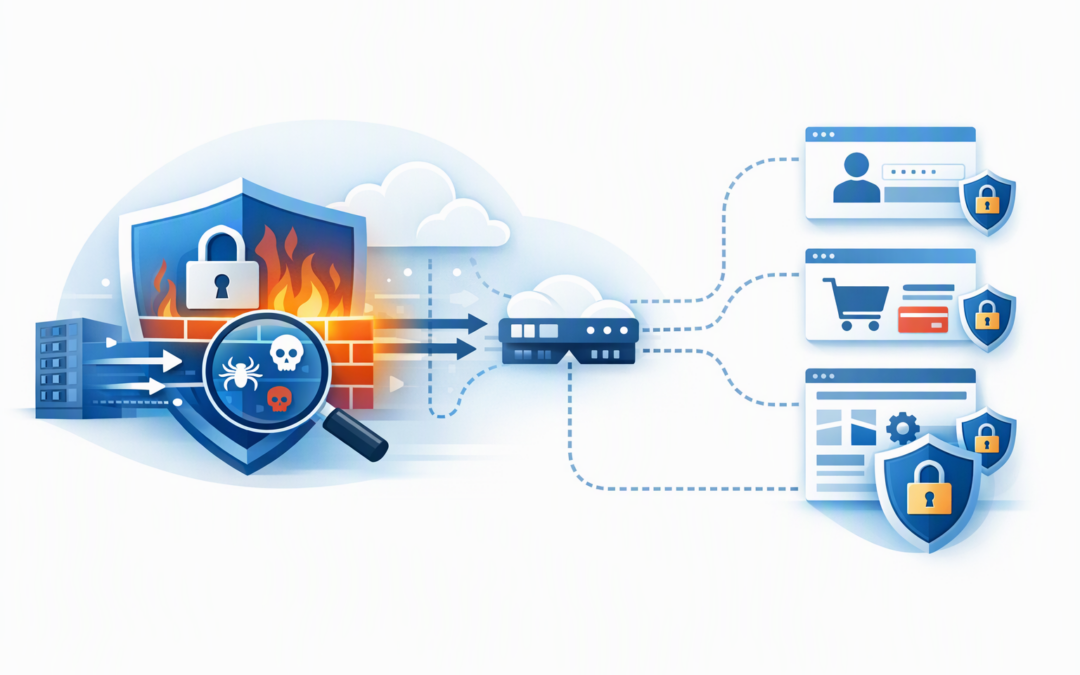
In this blog post How Route-Level WAF Policies Simplify Azure Front Door Security we will explain how to stop one application’s security exception becoming a risk for every service behind Azure Front Door.
This is a common problem for growing organisations. Several websites, customer portals and application programming interfaces, or APIs, share the same Azure Front Door environment, but each one handles different traffic and carries a different level of risk.
Historically, teams often responded by duplicating Web Application Firewall policies or filling a shared policy with exceptions. The result was more administration, inconsistent protection and uncertainty about which rules applied to which application.
What route-level WAF policies actually do
Azure Front Door is Microsoft’s global entry point for websites and APIs. It directs users to the right application and can inspect incoming requests at Microsoft’s network edge before that traffic reaches your systems.
CPI Consulting helps organisations design, build and secure Azure AI solutions, from Azure OpenAI and Microsoft Foundry to agents, governance and production deployment.
Visit CPI ConsultingIts Web Application Firewall, usually shortened to WAF, checks those requests for suspicious behaviour. This includes common attack methods, automated abuse, malicious bots and attempts to exploit weaknesses in a web application.
A route is the instruction that tells Azure Front Door where particular traffic should go. For example, /shop/* may go to an online store, while /api/* goes to a separate business system.
Route-level WAF policies allow organisations using Azure Front Door Premium to associate a specific security policy with selected routes. You can therefore protect a sensitive sign-in route differently from a public information page, even when both use the same domain and Front Door profile.
Build one baseline instead of many copies
A sensible design starts with a profile-level policy. This creates a shared baseline across the Azure Front Door profile, covering the applications and domains connected to it.
That baseline might include Microsoft-managed protections, threat intelligence, bot controls, request logging and broad rules your organisation expects everywhere. It becomes the minimum documented standard rather than a policy someone has copied and modified six times.
You can then use domain-level policies where an entire website needs different handling. Route-level policies should be reserved for specific areas such as:
- Customer and employee sign-in routes
- Checkout and payment functions
- File upload services
- Public or partner-facing APIs
- Administration pages
- Routes temporarily exposed to a known software vulnerability
This model reduces duplication. When the common baseline changes, your team has fewer policies to update, test and audit.
Understand the most important precedence rule
Azure Front Door selects the most specific policy that applies to a request. A route-level policy takes precedence over a domain-level policy, which takes precedence over a profile-level policy.
The important word is selects. The policies are not automatically combined into one layered policy.
If a route-level policy applies, you should not assume every setting from the profile baseline will also run. The route policy needs to contain the protections required for that route, including any baseline controls that must remain in place.
This is where a design intended to improve security can accidentally create a gap. We recommend maintaining reusable policy definitions through infrastructure as code, which means storing the Azure configuration in reviewed deployment files rather than relying on manual portal changes.
Use targeted controls where they deliver a business benefit
Protect sign-in and checkout routes from abuse
Sign-in, password reset and checkout routes are attractive targets for bots. They can also generate real costs by triggering identity checks, database activity, emails or third-party payment services.
A route policy can apply stricter request limits to these functions without slowing down ordinary website traffic. For more advanced abuse scenarios, our guide to Azure Front Door WAF group-by rate limiting explains how to identify abusive traffic that does not come from one obvious address.
Apply stronger rules to partner APIs
A public website and a business-to-business API should not automatically have the same access model. A partner API may need tighter rate limits, restricted request methods and controls that allow only approved systems.
For especially sensitive integrations, route-level WAF protection can be combined with mutual TLS for B2B APIs. Mutual TLS verifies the identity of the connecting system using a digital certificate, rather than trusting any device that can reach the API.
Contain an urgent vulnerability response
When a new vulnerability appears, a temporary WAF rule may be needed while application owners test and install the vendor’s patch. Route-level policies let you focus that temporary control on the affected application instead of changing security behaviour for unrelated services.
This does not replace patching. It reduces immediate exposure and limits operational disruption while the permanent fix is completed, as shown in our Brotli vulnerability response example.
A practical policy structure
Consider a 200-person services company running a corporate website, customer portal, partner API and online payment function through one Azure Front Door profile.
Instead of maintaining four almost identical WAF policies, it could use the following model:
- Profile baseline covering common managed protections, logging and organisation-wide blocking rules.
- Sign-in route policy adding tighter rate limits and bot controls.
- Payment route policy applying stricter request validation and monitoring.
- Partner API route policy limiting traffic to expected methods, request sizes and approved connection patterns.
The business outcome is not simply a tidier Azure portal. It is fewer duplicated rules, faster security changes, a smaller chance of configuration drift and clearer evidence during audits.
A simplified Bicep pattern, where Bicep is Microsoft’s language for deploying Azure configuration consistently, looks like this:
resource routeSecurityPolicy 'Microsoft.Cdn/profiles/securityPolicies@2026-07-01' = {
 name: 'waf-sensitive-routes'
 parent: frontDoorProfile
 properties: {
 parameters: {
 type: 'WebApplicationFirewall'
 wafPolicy: {
 id: sensitiveRouteWafPolicy.id
 }
 isProfileLevel: false
 associations: [
 {
 domains: [
 { id: applicationDomain.id }
 ]
 routes: [
 { id: signInRoute.id }
 { id: paymentRoute.id }
 ]
 patternsToMatch: [ '/*' ]
 }
 ]
 }
 }
}
The exact deployment should be tested against your Front Door structure and approved Azure resource provider version. The key point is that the association identifies the selected domains and routes instead of applying the policy indiscriminately.
Roll out changes without creating an outage
Begin new policies in detection mode. Detection mode records what the WAF would have matched without immediately blocking customers or business partners.
Review the logs using real traffic, confirm that important transactions still work and document any exclusions. Move to prevention mode, where matching requests can be blocked, only after the results are understood.
Avoid broad exclusions such as ignoring an entire request body because one field causes a false alert. Narrow exceptions to the smallest possible field, rule and route.
You should also provide support teams with a safe way to identify blocked requests. Our article on Azure WAF custom responses covers how to reduce user confusion without revealing useful information to attackers.
Where Azure services need to reach an application, avoid maintaining fragile lists of changing addresses. Service tag match conditions can provide a safer way to identify supported Azure service traffic.
Make route-level policies part of governance
Route-level WAF policies can support stronger cloud governance and provide useful evidence for security reviews. They can also complement the Essential Eight, the Australian Government’s cybersecurity framework, by supporting system hardening, monitoring and timely responses to vulnerabilities.
They do not achieve Essential Eight compliance on their own. Device management, patching, identity controls, backups and application restrictions still need to be assessed across the broader environment.
For each route-level policy, record its owner, business purpose, protected routes, approved exceptions and review date. Alerts should also be sent to people who can act on them, rather than disappearing into a log workspace nobody regularly checks.
Keep the baseline simple and the exceptions deliberate
Route-level WAF policies solve a practical edge security problem. They let you maintain a consistent baseline while applying tighter or specialised controls only where the business risk justifies them.
The best design is rarely a separate policy for every route. Start with one strong baseline, identify the genuinely sensitive traffic and keep route policies limited, documented and tested.
CloudProInc is a Melbourne-based Microsoft Partner and Wiz Security Integrator with more than 20 years of enterprise IT experience. If you are unsure whether your Azure Front Door policies are reducing risk or quietly creating gaps, we are happy to review the structure with you — no strings attached.