
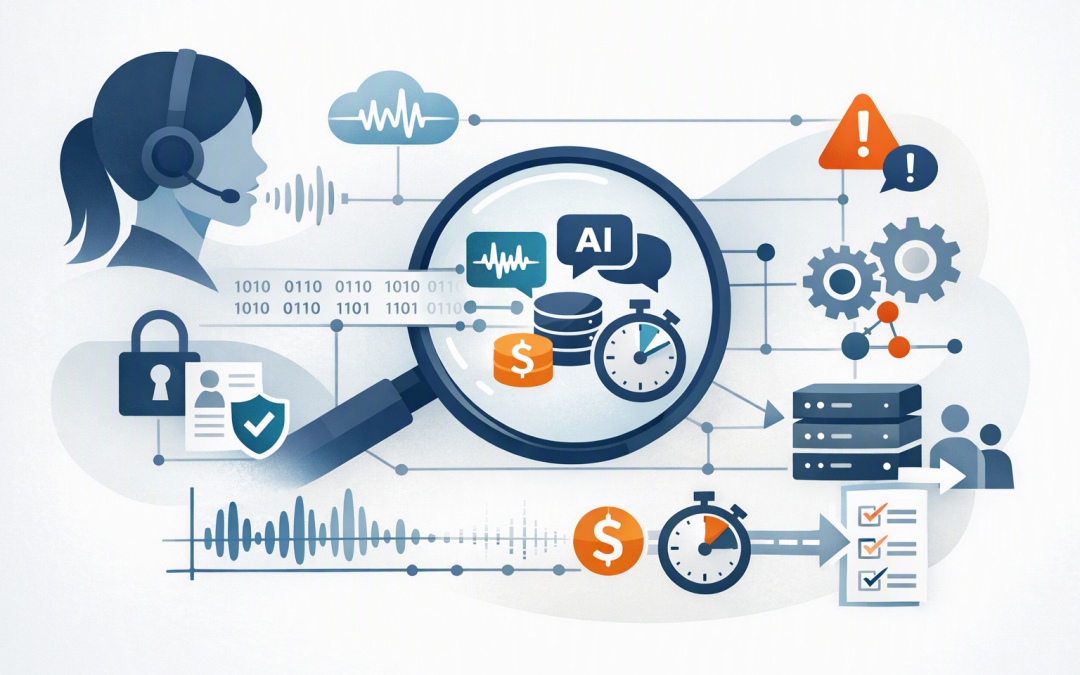
In this blog post Why Azure AI Foundry Voice Agents Need Observability Before Launch we will explain how to see what your voice agent is doing, where conversations are failing, and whether it is genuinely ready for customers.
A voice agent can look excellent in a controlled demonstration. The real test comes when a customer speaks over it, uses an unfamiliar product name, calls from a noisy location, changes direction halfway through a sentence, or asks it to complete a sensitive transaction.
Observability gives you the evidence needed to manage those situations. In plain English, it means collecting enough information to understand what happened during each conversation, why it happened, how long it took, what it cost, and whether the customer achieved their goal.
How an Azure AI Foundry voice agent works
Azure AI Foundry, now part of the broader Microsoft Foundry platform, provides services for building and operating AI agents. A voice agent adds a real-time spoken interface so people can interact with an AI system by telephone, browser or application.
CPI Consulting helps organisations design, build and secure Azure AI solutions, from Azure OpenAI and Microsoft Foundry to agents, governance and production deployment.
Visit CPI ConsultingDepending on the design, the platform may convert speech into text, send that text to an AI model, call business systems, generate a response and turn the response back into speech. Newer speech-to-speech models can handle more of that process as one continuous interaction.
Microsoft Voice Live can bring speech recognition, generative AI and spoken responses together through a managed interface. The agent can also call tools, such as checking an order, creating a support ticket, updating a booking or retrieving customer information.
Every additional step introduces another place where a conversation can slow down or fail. That is why monitoring whether the service is simply “online” is not enough.
A successful call is more than a working connection
Traditional IT monitoring usually asks whether an application is available and responding. A voice agent requires a broader set of questions.
- Did it correctly understand what the caller said?
- Did it respond quickly enough to feel natural?
- Did it use the correct customer record and business system?
- Did it complete the requested task?
- Did it disclose or store information it should not have?
- Did it transfer the caller to a person when confidence was low?
- What did the completed conversation cost?
A technically successful call can still be a business failure. The agent may remain connected for five minutes while misunderstanding the customer, repeating questions and eventually creating an incorrect booking.
Trace the complete conversation
Microsoft Foundry can send trace data to Azure Monitor Application Insights, which records and displays application performance and failures. It uses OpenTelemetry, an industry-standard method for following a request as it moves through different services.
A trace should connect the entire voice journey. That includes the incoming audio, transcription, model response, business system calls, spoken output, errors, retries and final outcome.
This is particularly important when the problem is not where it first appears. A long pause might look like a slow AI model, but the real cause could be a delayed connection to the booking system.
Start with server-side tracing provided by Foundry, then add tracing to your own application code and integrations. Give each conversation a unique identifier so your team can follow one customer journey across every component without searching through disconnected logs.
This builds on the controlled identities, approvals and operational safeguards discussed in how to design durable Azure AI agents that stay under control.
Measure the delays customers actually notice
For a website, a delay of several seconds is annoying. In a spoken conversation, it can make the caller believe the connection has dropped.
The most useful voice metric is often time to first audio. This measures how long the caller waits before hearing the agent begin its response.
You should also separate the total delay into its main components:
- Speech recognition time for understanding the caller.
- Model time for deciding what to say or do.
- Tool time for accessing systems such as a CRM or service desk.
- Speech generation time for producing the spoken response.
- Connection time for sending audio between the caller and Azure.
Set launch targets that reflect the customer experience. For example, you might require 95 out of 100 ordinary responses to begin within two seconds, while allowing more time for a complex account lookup.
Do not rely only on averages. An average can look healthy while a significant group of customers experiences long pauses.
Monitor understanding, interruptions and completed outcomes
Voice creates challenges that text chat does not. Background noise, Australian place names, industry terminology, account numbers and different accents can all affect understanding.
Test the language your customers actually use. Include suburb names, product codes, staff names, abbreviations and common mispronunciations rather than limiting tests to carefully prepared scripts.
You should also observe what happens when people interrupt. The system needs to detect that the caller has started speaking, stop its own audio appropriately and retain enough context to continue the conversation.
The most important measure is still the business outcome. Track whether the agent resolved the enquiry, completed the transaction, transferred the caller correctly or created work that an employee later had to repair.
Protect transcripts and voice data
Observability can create its own risk because traces may contain names, contact details, account information, transcripts and model responses. Under Australian privacy requirements, organisations need to consider what personal information they collect, why they need it, who can access it and how long it is retained.
Tracing and conversation storage are separate controls in Foundry. Enabling operational traces does not automatically mean that complete conversations and audio will be available for later replay.
Decide deliberately whether you need full audio, transcripts, selected fields or operational measurements only. Restrict access using Microsoft Entra ID, Microsoft’s business identity system, and retain sensitive content for the shortest practical period.
These controls should sit within the wider infrastructure and security approach covered in designing secure AI agent infrastructure on Azure. The same discipline supports Essential Eight, the Australian government’s cybersecurity framework for reducing common security risks, even though AI systems also require controls beyond that framework.
A small error rate can create a large operating cost
Consider a 180-person services company receiving 1,500 scheduling calls each week. Its pilot voice agent sounds natural, but monitoring shows that 12 per cent of calls involving street addresses require an employee to correct the booking.
If each correction takes eight minutes, that creates 24 hours of avoidable work every week. At a loaded employment cost of $50 per hour, the hidden problem costs more than $5,000 per month before customer frustration is considered.
Tracing might show that most failures come from several local suburb names and duplicate booking requests after callers interrupt. The team can improve recognition, ask the caller to confirm critical details and prevent the booking system from processing the same request twice.
Without observability, management may conclude that the agent is saving labour because it answers calls. With observability, they can measure whether it is reducing work or quietly moving that work elsewhere.
Create launch gates before customers call
Do not make production approval depend on a successful demonstration. Agree on measurable launch conditions across technology, operations, security and customer experience.
- Define success. Specify which customer outcomes the agent must complete and when it must involve a person.
- Connect tracing early. Link the Foundry project to Application Insights before user testing, not after the first incident.
- Build realistic test conversations. Include interruptions, silence, noise, unclear requests, unsupported tasks and sensitive information.
- Set performance and quality thresholds. Cover response time, task completion, transcription accuracy, tool failures and incorrect responses.
- Test privacy and security. Confirm access controls, data retention, audit records and protection against unauthorised actions.
- Control the rollout. Start with a limited audience, review traces daily and maintain a fast route to a human operator.
- Measure cost per outcome. Track the cost of a completed booking or resolved enquiry, not just the cost of each AI request.
Some Microsoft Foundry voice features and monitoring capabilities may still be in preview without a production service-level agreement. Confirm the status, regional availability and support conditions of every component in your chosen design before launch.
For the broader operating model around testing, approvals and deployment, see moving an AI proof of concept into production using Foundry.
Make observability part of the product
Observability is not an optional dashboard to add once the voice agent is live. It is how you protect customer trust, control operating costs and demonstrate that the system is delivering the outcome management approved.
CloudProInc combines more than 20 years of enterprise IT experience with practical expertise across Microsoft Azure, Foundry, OpenAI, Claude, Microsoft Defender and Wiz. As a Melbourne-based Microsoft Partner and Wiz Security Integrator, we help organisations design AI services that can be monitored, secured and operated in the real world.
If you are planning a voice-agent pilot or are unsure whether your current prototype is ready for customers, we are happy to review the design and observability plan with you — no strings attached.