
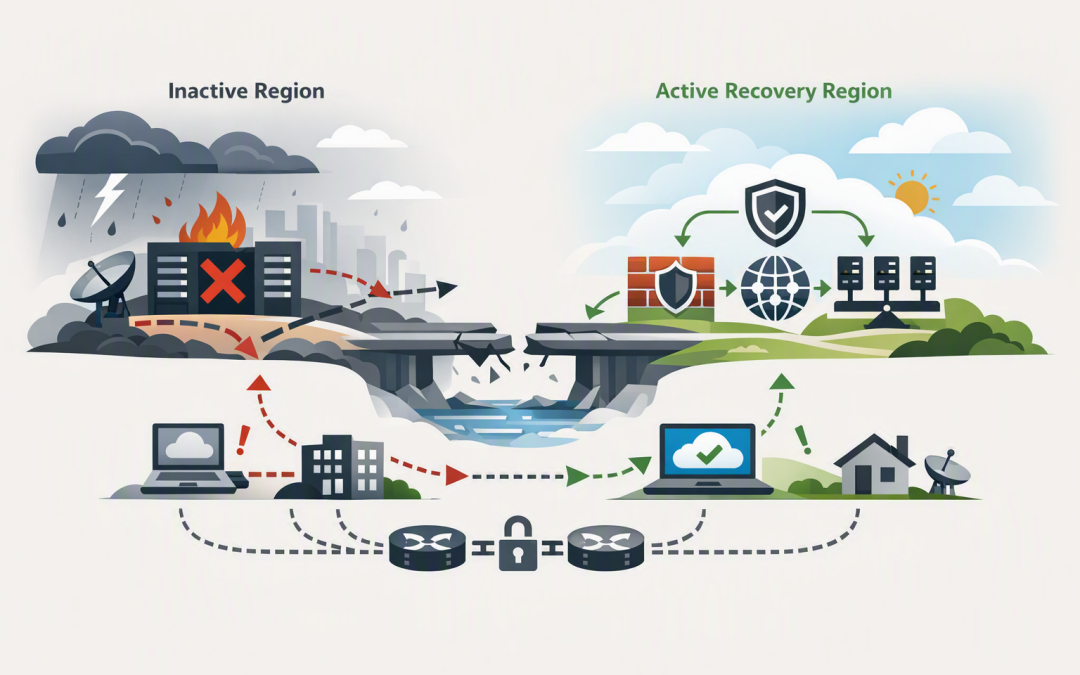
In this blog post Designing Azure Network Resilience for Site Recovery Failover we will explain why a successful server failover can still leave your business offline, and how better gateway routing can prevent that outcome.
The issue is often not the recovery technology itself. Azure Site Recovery, which copies workloads to a recovery region and starts them during an outage, may bring every server online correctly. However, employees, customers and on-premises systems still need a working network path to reach those servers.
That path depends on gateways, routes, firewalls, DNS and correctly prepared recovery networks. If any of these components still point towards the failed region, the application may technically be running while remaining unavailable to the business.
What gateway route summarisation actually does
Azure environments commonly use a hub-and-spoke network. The hub contains shared services such as firewalls, ExpressRoute or VPN gateways, while separate spoke networks contain applications and business systems.
CPI Consulting helps organisations design, build and secure Azure AI solutions, from Azure OpenAI and Microsoft Foundry to agents, governance and production deployment.
Visit CPI ConsultingEach network has an address range. A gateway normally advertises these ranges to connected networks, effectively saying, “Send traffic for these addresses through me.” This information is commonly exchanged using Border Gateway Protocol, or BGP, which allows routers to share available network paths automatically.
As an Azure environment grows, the gateway may need to advertise hundreds of individual network ranges. This creates more routing complexity, increases the chance of approaching platform or router limits, and makes troubleshooting during an outage harder.
Route summarisation combines multiple smaller ranges into one larger advertisement. Instead of advertising dozens of separate spoke networks such as 10.20.1.0/24, 10.20.2.0/24 and 10.20.3.0/24, Azure can advertise a broader 10.20.0.0/16 range.
In business terms, it is the difference between giving a delivery driver a list of every office in a building and simply giving them the building address.
Azure now supports summarised gateway prefixes
Azure virtual networks can use the summarizedGatewayPrefixes setting to control which combined address ranges are advertised through an Azure VPN Gateway or ExpressRoute Gateway. ExpressRoute provides a private connection between your organisation and Azure, while VPN Gateway creates an encrypted connection over the internet.
This capability is particularly useful for larger hub-and-spoke environments where many spoke networks are connected through one central gateway. It can reduce the number of routes sent back to your office, data centre or other connected locations.
A simplified Bicep configuration, which is Microsoft’s infrastructure deployment language for Azure, looks like this:
resource hubVnet 'Microsoft.Network/virtualNetworks@2025-07-01' = {
 name: 'vnet-hub-australiaeast'
 location: 'australiaeast'
 properties: {
 addressSpace: {
 addressPrefixes: [
 '10.20.0.0/16'
 ]
 }
 summarizedGatewayPrefixes: {
 addressPrefixes: [
 '10.20.0.0/16'
 ]
 }
 }
}
This is only a configuration extract. Existing virtual networks should be updated through a controlled deployment that preserves their subnets, peerings and other settings.
For organisations using both IPv4 and IPv6 addressing, the summary ranges for each must be added explicitly. Any network not covered by a summary can continue to be advertised separately.
The main risk is advertising a path that does not work
A summary route is intentionally broad. That makes it efficient, but it can also tell other networks that Azure can reach addresses that are not currently available through that gateway.
For example, imagine the primary region uses networks within 10.20.0.0/16 and the recovery region uses 10.30.0.0/16. If the on-premises router continues preferring the 10.20.0.0/16 path after failover, users may keep sending traffic towards the unavailable primary environment.
An even more difficult problem occurs when the same broad summary is advertised from two regions without a clear preference. Traffic may take different paths on its outbound and return journeys, causing firewall sessions and application connections to fail.
Summarisation therefore needs to be designed alongside regional addressing, BGP route preferences and the failover process. It should not be treated as a quick way to reduce a route count.
Site Recovery does not rebuild the whole network
Azure Site Recovery can replicate supported virtual machines, create recovery points and start replacement machines in another region. It can also map a source virtual network to a target network and apply prepared network settings to the recovered machines.
It does not automatically redesign every dependency around the application. The recovery region still needs the correct subnets, network security rules, firewalls, load balancers, private DNS links and hybrid connectivity.
Microsoft now provides more options for preconfiguring target networking, including network interfaces, internal load balancers, public addresses and security groups. These resources should be created before an incident rather than during one.
This is why our broader Azure platform resilience checklist for Australian CIOs treats networking, identity, backups and operating procedures as parts of the same recovery plan.
Design the recovery network before configuring replication
Good failover readiness begins with an address plan. Each region should have predictable, non-overlapping network ranges that can be summarised without accidentally including unrelated systems.
A practical design might allocate one large range to the primary region and another to the recovery region. Smaller application networks can then be created inside those ranges while the gateways advertise only the regional summaries.
You should also decide how traffic will change direction during an outage. Common options include changing BGP route preferences, withdrawing the primary route, activating a recovery route, or updating DNS so users are sent to the secondary application endpoint.
DNS is the service that converts familiar application names into network addresses. If it still returns an address from the failed region, a perfectly healthy recovery server will not help your users.
Test the application path, not just the virtual machines
A typical 200-person organisation might run a disaster recovery test, confirm that its virtual machines started successfully and mark the exercise as complete. Yet nobody tests whether a user in the Melbourne office can sign in, resolve the application name, cross the firewall and complete a transaction.
That is not a recovery test. It is a server startup test.
Azure Site Recovery supports test failovers in an isolated network without interrupting production replication. Recovery plans can also start systems in a controlled order, such as databases first, application services second and web servers last.
A meaningful test should confirm:
- Users can resolve the recovery application through DNS.
- Traffic from offices and remote locations reaches the recovery region.
- Firewalls allow the required connections in both directions.
- Recovered systems can reach identity, database and external services.
- Load balancers send traffic only to healthy servers.
- The recovery route is preferred after the primary path is removed.
- Monitoring and security alerts continue working after failover.
- The documented recovery time matches what the business actually experienced.
For data services, network testing should complement workload-specific protection. Our guide to zone-resilient Azure SQL Managed Instance workloads explains why database availability and regional disaster recovery require different planning decisions.
Build resilience into the gateway path
If the recovery region depends on the same telecommunications provider, ExpressRoute location or physical connection as the primary region, it may share the same point of failure.
Important environments should consider geographically separate ExpressRoute circuits, different connectivity providers or a site-to-site VPN as a backup path. Gateway capacity must also be sufficient for recovery traffic, particularly if most systems move to one region at once.
After configuring route summaries, record the routes advertised by each gateway and the routes received by your on-premises routers. Monitor unexpected changes and repeat this check after adding networks, changing peerings or updating firewall architecture.
A practical readiness checklist
- Document every application’s network, DNS and identity dependencies.
- Allocate separate, non-overlapping address ranges for each region.
- Create summary ranges that match real routing boundaries.
- Pre-create recovery firewalls, security rules and load balancers.
- Map Site Recovery workloads to the correct target networks and subnets.
- Define how primary routes will be withdrawn or made less preferred.
- Automate the startup sequence with Site Recovery recovery plans.
- Run an isolated test failover and then validate end-to-end connectivity.
- Record recovery time, problems and manual steps.
- Repeat the test after significant network or application changes.
For Australian organisations, these tests also provide useful evidence for governance and cyber resilience programs. They support the recovery objectives behind the Essential Eight, the Australian Government’s cybersecurity framework that many organisations use to reduce common security risks, particularly its focus on reliable backups and restoration.
Reliable recovery depends on reachable systems
Route summarisation can make a growing Azure network easier to manage and reduce the risk of route limits becoming an unexpected constraint. However, its real value appears when it is combined with clear regional addressing, resilient gateway connections and tested Site Recovery procedures.
With more than 20 years of enterprise IT experience, CloudProInc helps organisations assess Azure routing, Microsoft security and recovery architecture without turning the exercise into a large, open-ended project. As a Melbourne-based Microsoft Partner and Wiz Security Integrator, we focus on practical changes that reduce downtime and give business leaders confidence that recovery will work.
If you are unsure whether your Azure recovery environment would remain reachable during a real regional outage, we are happy to review the design and identify the gaps — no strings attached.