
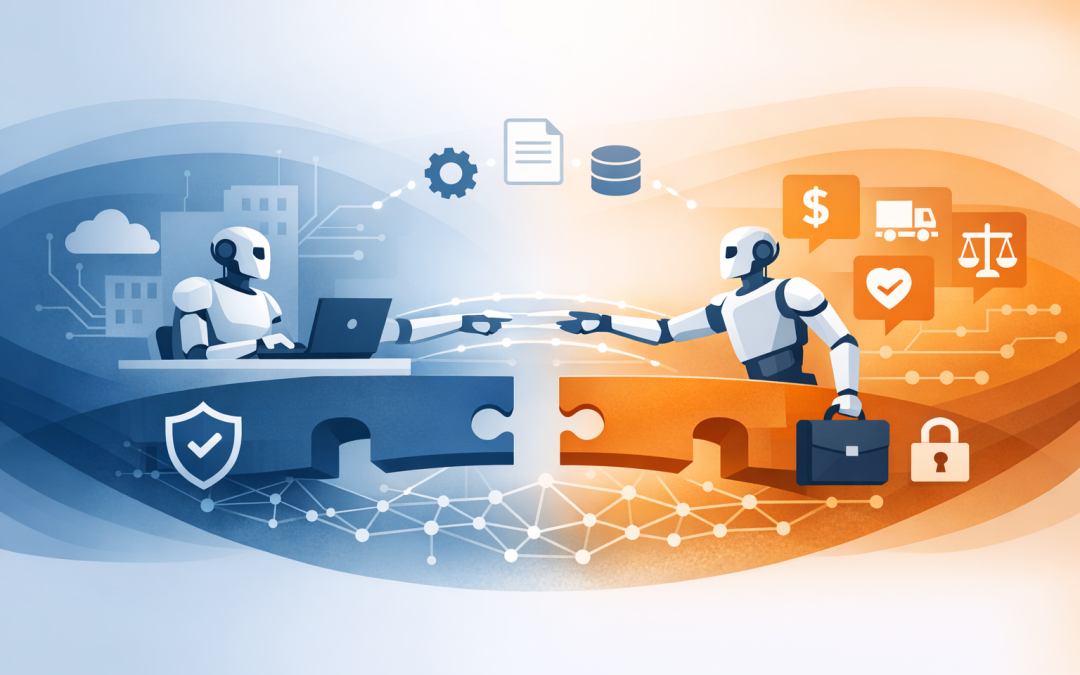
In this blog post Connecting Microsoft Foundry Agents to External A2A Endpoints we will look at how Microsoft Foundry agents can safely talk to external AI agents using A2A, why this matters for business systems, and what tech leaders should check before moving beyond a proof of concept.
Many organisations are now past the first AI demo. The board has seen a chatbot answer policy questions. The operations team has tested an AI assistant. The CIO is now asking the harder question: can this thing actually do useful work across the business without creating a security mess?
That is where A2A comes in. A2A, short for Agent-to-Agent, is a way for one AI agent to communicate with another AI agent using a shared protocol. In plain English, it gives agents a common language so they can ask for help, pass context, and return results without every system needing a custom one-off integration.
For Microsoft Foundry agents, this matters because not every useful capability will live inside Microsoft Foundry. You may have a specialist claims agent built by a vendor, a finance agent running in another cloud platform, or an internal automation agent exposed by your development team. A2A gives your Foundry agent a controlled way to call that external agent instead of trying to rebuild everything from scratch.
CPI Consulting helps organisations design, build and secure Azure AI solutions, from Azure OpenAI and Microsoft Foundry to agents, governance and production deployment.
Visit CPI ConsultingThe business problem A2A is trying to solve
Most businesses do not have one neat technology stack. A 200-person company might run Microsoft 365, a CRM, a payroll system, a service desk, several line-of-business applications, and a mix of vendor portals. AI agents become less useful if they can only answer questions from one corner of that environment.
The old way to fix this was to build a custom integration for each system. That can work, but it becomes expensive quickly. Every new vendor, workflow, or security requirement adds another connection to design, test, document, and support.
A2A is designed to reduce that friction. Instead of your Foundry agent needing to understand every backend system directly, it can call another agent that already knows how to perform a specialist task. Your Foundry agent remains the front door for the user, while the external A2A agent does the specialist work behind the scenes.
If you have read our earlier article on connecting Microsoft Foundry agents to business systems, think of A2A as the next step. That article focused on connecting agents to applications and data. This one focuses on connecting agents to other agents.
How the technology works in plain English
An external A2A endpoint is simply a web-accessible address where another AI agent can be reached. The external agent publishes information about what it can do, how it should be called, and what security it requires. This information is usually described in an agent card.
An agent card is like a business profile for an AI agent. It may include the agent name, description, supported skills, endpoint address, authentication method, and supported communication options. Your Microsoft Foundry agent uses that information to decide how to call the external agent.
The A2A protocol supports common web standards such as HTTP and structured messages. In practical terms, that means your teams are not locked into a single vendor framework. A Foundry agent can call an A2A-compatible endpoint even if that endpoint was built using a different agent framework, provided the endpoint follows the protocol properly.
Microsoft Foundry Agent Service now supports connecting a Foundry agent to a remote A2A endpoint as an A2A tool. It is important to note that some A2A capabilities are still marked as preview. For business-critical workloads, that means you should treat them as production planning features, not something to quietly drop into payroll, finance, or customer operations without controls.
A simple example
Imagine a national services company with 180 employees. Their operations team wants an AI assistant in Microsoft Teams that can answer customer delivery questions. The answer may require information from the CRM, warehouse system, and freight provider.
One option is to connect the main Foundry agent directly to every system. Another option is to use A2A. The Foundry agent can handle the user conversation, then call a specialist logistics agent exposed through an A2A endpoint. That logistics agent already knows how to check dispatch status, delivery exceptions, and carrier updates.
The business outcome is not “agent interoperability”. The business outcome is faster customer response times, fewer internal handoffs, and less custom integration work. For a lean IT team, that difference matters.
Where A2A fits with Microsoft Foundry
Microsoft Foundry gives organisations a structured way to build, test, and manage AI agents. Foundry agents can use models, instructions, tools, memory, and business connections to complete tasks. We covered some of those choices in Azure Foundry prompt agents vs hosted agents.
A2A adds another option: instead of giving the agent another database or API, you give it another agent to call. That external agent may be hosted in Azure, another cloud platform, a vendor environment, or an internal application environment.
This is especially useful when the external agent owns a defined business capability. Examples include a legal review agent, procurement policy agent, cyber triage agent, HR onboarding agent, or finance reconciliation agent.
For more technical background on the protocol itself, our earlier post on building interoperable AI agents with A2A and Agent Framework explains the broader architecture. The key point for decision-makers is simpler: A2A can help your AI environment grow without turning into a collection of disconnected experiments.
The basic connection pattern
At a high level, connecting a Microsoft Foundry agent to an external A2A endpoint follows this pattern:
- Confirm the external agent is A2A-compatible. It should expose an agent card or provide a clearly documented endpoint.
- Check what the agent is allowed to do. Do not connect agents based only on technical availability. Confirm the business process, risk level, and data sensitivity.
- Choose the authentication model. Authentication means proving who or what is allowed to call the endpoint. For simple use cases, a shared service identity may be enough. For sensitive workflows, each user may need their own access context.
- Add the A2A endpoint as a tool in Foundry. This allows the Foundry agent to call the external agent when the user request requires it.
- Test with real scenarios. Use practical business questions, edge cases, and failure cases before making the agent available to staff.
That may sound straightforward, but the governance decisions are where most projects succeed or fail. The connection is only useful if the right agent can call the right endpoint, with the right permissions, and with logs that show what happened.
A light technical example
The following example is not a full production build. It shows the idea of discovering an A2A agent card and calling a remote agent from a .NET application using Microsoft Agent Framework concepts.
// Example only: validate a remote A2A agent before using it in a wider design
using A2A;
using Microsoft.Agents.AI;

A2ACardResolver resolver = new(new Uri("https://external-agent.example.com"));

AIAgent remoteAgent = await resolver.GetAIAgentAsync();

AgentRunResponse response = await remoteAgent.RunAsync(
 "Check whether this customer order has a delivery exception."
);

Console.WriteLine;
In business terms, this code is doing three things. It finds the external agent, checks how to talk to it, and sends a task. In a real environment, you would add identity controls, logging, network restrictions, error handling, data filtering, and monitoring.
A simplified Foundry design might look like this:
User in Teams or web app
 |
 v
Microsoft Foundry agent
 |
 |-- Uses internal tools for Microsoft 365 or business data
 |
 |-- Calls external A2A endpoint when specialist help is needed
 v
External specialist agent
 |
 v
Returns result to Foundry agent, which replies to the user
The important point is control. The user still interacts with the Foundry agent. The external agent does not take over the whole conversation unless you design it that way.
Security questions CIOs should ask before connecting A2A endpoints
A2A makes agent-to-agent communication easier. It does not remove the need for security design. In fact, it makes good governance more important because agents may now pass context and requests across system boundaries.
Who is the agent acting as?
This is the first question we ask clients. Is the Foundry agent calling the external endpoint using one shared identity, or is it acting on behalf of the signed-in user?
A shared identity is simpler to manage, but it can create over-permissioned access if you are not careful. User-level access is more precise, but it requires stronger identity design and better testing.
What data leaves your environment?
Some A2A calls may only send a short task description. Others may include customer names, case notes, contract details, or operational data. That matters for Australian privacy obligations and internal risk policies.
Before connecting an endpoint, classify the data. If personal information, financial information, or regulated data is involved, involve security and compliance early.
How will you monitor it?
If an external agent gives the wrong answer, exposes sensitive information, or fails during a business process, someone needs to know. Logging and monitoring should cover the Foundry agent, the A2A call, the external endpoint, and the user action that triggered it.
This is where tools such as Microsoft Defender and Wiz can help. Defender can help monitor Microsoft environments, while Wiz can give cloud security teams visibility across cloud workloads and risks. As a Microsoft Partner and Wiz Security Integrator, CloudProInc often looks at these controls together rather than treating AI as a separate island.
Do not skip Essential 8 thinking
For Australian organisations, the Essential 8 is the Australian Government’s cybersecurity framework that many organisations use to reduce common cyber risks. AI agents are not exempt from that conversation.
If an agent can trigger actions, retrieve files, or connect to external services, it should be included in your access control, patching, logging, backup, and incident response planning. That is especially true if the external A2A endpoint is hosted outside your direct control.
A practical governance checklist should include:
- Multi-factor authentication for administrators and privileged users.
- Least privilege access, meaning agents only get the permissions they need.
- Approved endpoints only, with no unreviewed agent connections.
- Clear logging of user prompts, tool calls, and agent responses where appropriate.
- Regular review of secrets, tokens, certificates, and managed identities.
- A rollback plan if the external agent becomes unavailable or behaves unexpectedly.
Common mistakes we see
The first mistake is treating A2A as a shortcut around integration governance. It is still an integration. It just happens to be an integration between agents rather than between traditional applications.
The second mistake is giving the agent too much freedom too early. Start with read-only or low-risk tasks. Once the business trusts the process, you can consider workflows that create tickets, update records, or trigger approvals.
The third mistake is ignoring cost. Agent-to-agent workflows can involve multiple model calls, tool calls, retries, and long-running tasks. If you do not monitor usage, a successful pilot can become an expensive production surprise.
The fourth mistake is not designing for failure. The external A2A endpoint may be slow, unavailable, or return a low-confidence result. The Foundry agent needs clear instructions on when to retry, when to escalate, and when to tell the user it cannot complete the task.
When A2A is the right choice
A2A is worth considering when a specialist agent already exists, when multiple teams are building agents independently, or when you need to connect Microsoft Foundry to vendor-provided agent capabilities.
It is also useful when you want a cleaner separation of responsibilities. The customer service agent should not need to know every detail of finance, logistics, and legal review. It should know when to ask the right specialist agent for help.
However, A2A is not always the answer. If you only need to retrieve a customer record from a CRM, a direct business system connection may be simpler. If you need a predictable multi-step process, a workflow may be more appropriate than free-form agent collaboration.
A practical adoption roadmap
For most organisations, we recommend a staged approach:
- Pick one high-value use case. Choose a workflow where delays, handoffs, or manual checking are costing time.
- Map the agents and systems involved. Identify which agent owns the user conversation and which agent owns the specialist task.
- Define security boundaries. Decide what data can be sent, who can call the endpoint, and what the external agent can return.
- Build a controlled pilot. Keep the first version narrow, measurable, and easy to turn off.
- Measure business outcomes. Track time saved, tickets avoided, manual steps removed, and risk reduced.
This is the kind of hands-on planning CloudProInc helps clients with. We are based in Melbourne, work with organisations across Australia and internationally, and bring more than 20 years of enterprise IT experience across Azure, Microsoft 365, Intune, Windows 365, OpenAI, Claude, Microsoft Defender, and Wiz.
The bottom line
Connecting Microsoft Foundry agents to external A2A endpoints can make AI agents far more useful. It allows your main agent to call specialist agents, work across vendor boundaries, and support more complex business workflows without rebuilding everything inside one platform.
But the value comes from disciplined design. The right A2A connection can reduce manual effort, improve response times, and lower integration costs. The wrong one can create unclear accountability, hidden security risk, and uncontrolled AI spending.
If you are exploring Microsoft Foundry agents and are not sure whether A2A should be part of your architecture, CloudProInc is happy to take a look. No hard sell — just a practical review of what you are trying to achieve, what risks need to be managed, and whether your current setup is ready for production.