
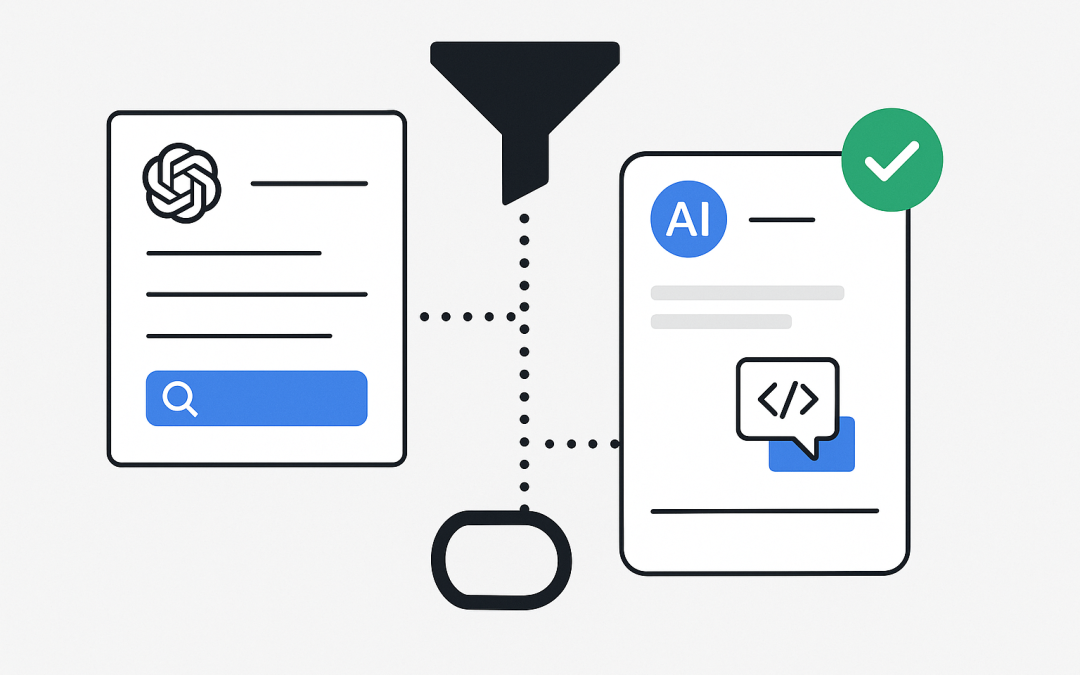
In this blog post OpenAI Docs MCP Server for Faster Dev Workflows and Fewer Tab Swaps we will explain what the OpenAI Docs MCP Server is, why it matters, and how to use it in a practical, low-friction way across day-to-day development.
If you’ve ever lost focus while jumping between your IDE, browser tabs, and scattered bookmarks, the OpenAI Docs MCP Server for Faster Dev Workflows and Fewer Tab Swaps is designed to reduce that context switching. It lets your tools (like an AI coding assistant or an internal agent) search and fetch official OpenAI developer documentation on demand, and bring it directly into the working context where you’re writing code.
High-level idea in plain English
The OpenAI Docs MCP Server is a public documentation connector. It exposes OpenAI’s developer docs through a standard interface called Model Context Protocol (MCP). Instead of you manually searching docs in a browser, an MCP-capable client can query the docs server, pull back relevant pages, and use them as grounded reference while it helps you build.
Think of it as “docs-as-a-tool”: your assistant can look up the exact spec, parameter names, or examples in the official docs and then apply them—without guessing and without you leaving your editor.
What is MCP and what technology is behind it
Model Context Protocol (MCP) is an open protocol for connecting AI models to external tools and knowledge sources in a structured way. The goal is consistency: instead of every vendor inventing a custom plugin format, MCP provides a shared contract so clients and servers can interoperate.
At a technical level, MCP is built around a few simple ideas:
- Servers expose capabilities as tools (for example,
searchandfetch). - Clients (IDEs, CLIs, agents, ChatGPT connectors) call those tools when they need information.
- Structured inputs/outputs keep tool calls predictable, easier to test, and safer to integrate.
The OpenAI Docs MCP Server is a read-only MCP server hosted by OpenAI. It provides tooling to search and read content from OpenAI developer documentation (on developers.openai.com and platform.openai.com). Importantly, it does not call the OpenAI API on your behalf; it’s purely a documentation source you can pull into context. The server endpoint is published as https://developers.openai.com/mcp (streamable HTTP).
What the OpenAI Docs MCP Server provides
- Read-only documentation access to OpenAI developer docs.
- Search across docs to find the most relevant pages.
- Fetch to retrieve page content you can cite or use for implementation details.
- Lower interruption cost: fewer browser hops, fewer stale bookmarks, fewer “I think the parameter is called…” moments.
Where it fits in a modern engineering workflow
For IT professionals and tech leaders, the value isn’t “AI magic.” It’s operational:
- More consistent implementations because the assistant can consult the canonical docs while writing code.
- Faster onboarding for new team members who don’t yet know where everything lives.
- Reduced policy risk versus random web search results: you’re grounding answers in the vendor’s documentation.
- Better internal enablement: teams can standardize on MCP connectors for many systems (docs, runbooks, knowledge bases) instead of one-off integrations.
Quickstart using it with Codex
OpenAI’s docs include a quick way to connect Codex to MCP servers, sharing configuration between the Codex CLI and IDE extension.
Step 1 Add the docs server
codex mcp add openaiDeveloperDocs --url https://developers.openai.com/mcpStep 2 Verify configuration
codex mcp listOnce configured, your MCP-capable client can query documentation as part of the coding flow—like asking for the latest required fields for a request payload, or a correct example for a specific API route.
How search and fetch typically work
Even if you never build an MCP server yourself, it helps to understand what’s happening behind the scenes. Most MCP knowledge connectors follow a two-step pattern:
- search: Given a query, the server returns a set of results (IDs, titles, URLs).
- fetch: Given an ID from the search results, the server returns the actual content.
This pattern is practical because it keeps tool calls small and controllable. Your client can retrieve only what it needs, when it needs it, and keep citations attached to the source URL.
Practical usage patterns that actually save time
1 Replace “docs lookup” with “docs in context”
Instead of asking an assistant “How do I do X?” (which can lead to generic or outdated guidance), ask it to consult the docs server and base the answer on what it finds.
- Example intent: “Search the OpenAI docs for the correct request format for the Responses API and show me a minimal example.”
- Result: You get an answer aligned to official docs, with less guesswork.
2 Validate breaking changes during upgrades
When you bump SDK versions or change model families, small parameter differences can cause friction. A docs MCP connector makes it easy to quickly confirm the current shapes and recommended patterns before you roll changes out broadly.
3 Build internal runbooks with citations
Docs MCP makes it easier to write internal enablement material that stays grounded. Your runbook can reference official docs pages that your assistant also uses, reducing drift between “how we think it works” and “how it actually works.”
Security and governance considerations
MCP is powerful because it’s a bridge. Like any bridge, you need to control what crosses it.
- Prefer trusted servers: Use official servers hosted by the service provider when possible.
- Least privilege mindset: Even for read-only sources, be mindful of what queries reveal (project names, internal codenames, sensitive context).
- Prompt injection awareness: If you connect MCP servers that retrieve untrusted content (forums, tickets, user-generated text), treat it as potentially hostile. Documentation-only sources are typically lower risk than open-ended web content, but your overall connector strategy should include threat modeling.
When you should use the OpenAI Docs MCP Server vs building your own
Use the OpenAI Docs MCP Server when
- You want official OpenAI docs quickly in your coding environment.
- You need a read-only source that doesn’t require credentials.
- You want to standardize how assistants access vendor documentation.
Build your own MCP server when
- You need to connect private sources (internal KB, runbooks, ticketing, CMDB, logs).
- You need authentication, entitlements, and auditing aligned to your org’s policies.
- You want to expose approved actions (not just knowledge), such as creating tickets or running controlled workflows.
OpenAI also publishes guidance on building remote MCP servers for ChatGPT connectors and API integrations, including implementing the search and fetch tools and testing with the Responses API. If you’re taking MCP into production for enterprise data, start from a reference implementation and bake in authentication and safety controls early.
A simple rollout plan for teams
- Pilot with a small dev group: Add the docs MCP server in your main editor/CLI workflow.
- Define “grounded usage” norms: Encourage prompts like “search docs then answer” for API shape questions.
- Create a shared snippet library: Save the best doc-grounded examples and patterns.
- Expand to internal MCP sources: Once the team is comfortable, connect runbooks or approved internal docs with a secured MCP server.
Wrap-up
The OpenAI Docs MCP Server is a small capability with a big workflow payoff: it brings official documentation into the same loop where you design, implement, and review changes. For developers, it means fewer tab swaps and fewer incorrect assumptions. For tech leaders, it’s a clean building block for a broader “AI with governed connectors” strategy—starting with something safe, read-only, and immediately useful.