
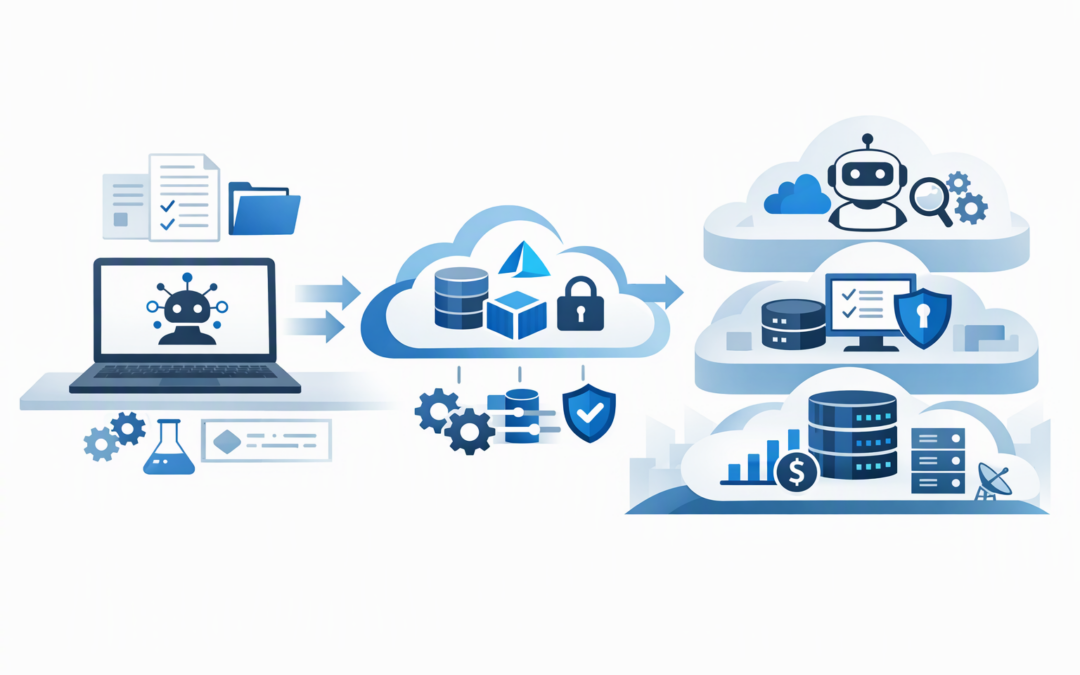
In this blog post Deploy Hosted Agents Faster with Azure Developer CLI and Foundry we will explain how technology teams can move AI agents from local testing into controlled cloud hosting without rebuilding the deployment process every time.
Building an AI agent demonstration is relatively easy. The problems usually begin when the business wants that agent connected to company systems, available to employees and supported in production.
Azure Developer CLI, commonly called azd, provides a repeatable way to package the agent, prepare its Azure resources and deploy it to Microsoft Foundry. Microsoft Foundry is Microsoft’s platform for building, hosting and managing AI applications and agents.
Together, they create a practical bridge between an interesting prototype and a business service that can be tested, monitored, updated and governed.
CPI Consulting helps organisations design, build and secure Azure AI solutions, from Azure OpenAI and Microsoft Foundry to agents, governance and production deployment.
Visit CPI ConsultingThe business problem is inconsistent deployment
Many AI projects still rely on a developer remembering which portal settings they changed, which permissions they added and which model they selected. That may work for a demonstration, but it creates risk when the same setup must be reproduced for testing or production.
Small differences can cause an agent to behave incorrectly, expose information or generate unexpected Azure costs. They can also leave the business dependent on the one person who understands how everything was assembled.
Azure Developer CLI addresses this by keeping the deployment instructions with the agent’s code. The important settings can be reviewed, approved and reused rather than recreated manually.
Our earlier Microsoft Foundry and Azure Developer CLI deployment guide covers the generally available tooling in more detail. The key question for technology leaders is what this approach changes operationally.
How the technology works in plain English
An AI agent usually contains instructions, application code, access to an AI model and connections to approved tools or business information. A hosted agent runs that logic on cloud infrastructure rather than on a developer’s laptop.
Microsoft Foundry supplies the managed environment. Your team chooses the agent framework, model and business logic, while Microsoft manages much of the underlying runtime used to keep the agent available.
Azure Developer CLI coordinates the journey into that environment. It can initialise a project, prepare Azure resources, run the agent locally, deploy it and send test requests to the hosted version.
The central project file is usually azure.yaml. Think of this as a deployment blueprint describing the agent, the runtime it needs and the Foundry project it belongs to.
A practical hosted-agent workflow
1. Start with the intended business process
Before selecting a model or writing deployment files, define what the agent is allowed to do. An internal policy assistant, for example, should answer from approved documents and direct uncertain questions to a person.
Document the users, information sources, expected response time, escalation process and measures of success. This prevents the project from becoming a technical experiment without a measurable business outcome.
2. Install the supported Foundry tooling
The Microsoft Foundry extension bundle adds agent-specific commands to Azure Developer CLI. A simplified setup looks like this:
azd auth login
azd ext install microsoft.foundry
azd ai agent init
The initialisation process can start from a Microsoft template, existing agent code or an existing Foundry project. This gives teams a common project structure without forcing them to discard work that already exists.
3. Test locally before paying for repeated deployments
Developers can run the agent locally while still using authorised Azure services. They can then send a test request through the same command-line workflow.
azd ai agent run
azd ai agent invoke --local "Summarise our leave approval process"
This short feedback loop helps teams find broken instructions, missing permissions and poor answers before publishing a new cloud version. The business outcome is less rework and fewer avoidable production incidents.
Local testing should still use safe test information. Customer records, employee data and confidential documents should not be copied onto unmanaged development devices.
4. Provision and deploy consistently
Once the agent passes local testing, azd up can provision the declared Azure resources and deploy the agent. Teams wanting tighter control can separate this into azd provision and azd deploy.
azd up
azd ai agent invoke "Explain the expense approval policy"
This repeatability matters because development, testing and production should not be one shared environment. Each should have separate permissions, configuration and cost controls, while using the same approved deployment pattern.
Organisations needing editable infrastructure templates can use Bicep, Microsoft’s plain-text language for defining Azure resources, or Terraform. Our guide to provisioning Microsoft Foundry with Bicep and Azure Developer CLI explains why this reduces configuration drift between environments.
Choose source deployment or a container
Microsoft Foundry supports more than one hosted-agent deployment path. The right choice depends on how much control the application needs.
- Source-code deployment packages supported Python or .NET code and lets the platform prepare the hosted runtime. This is often the simpler choice for straightforward agents.
- Container deployment packages the agent with its operating environment and dependencies. A container is a portable software package that behaves consistently across environments.
Containers are useful when the agent needs specialist libraries, custom operating-system components or tighter runtime control. They also introduce more patching, image security and maintenance responsibilities.
For a deeper comparison, see our guide to deploying containerised hosted agents safely.
Security and governance cannot be added later
A successful deployment is not simply an agent that responds. It must respond only to approved users, access only approved information and leave enough evidence for investigations and audits.
At minimum, the production design should include:
- Managed identities, which give the agent a secure Azure identity without storing passwords in code.
- Role-based access control, which limits each person and service to the permissions they genuinely require.
- Separate environments so experimentation cannot change production resources.
- Tracing and monitoring to record performance, failures and agent activity without unnecessarily capturing sensitive prompts.
- Model and compute budgets with alerts before costs become a surprise.
- Documented release approval for changes to prompts, tools, models and permissions.
These controls can also support alignment with Essential 8, the Australian Government’s cybersecurity framework that many organisations use to improve their security maturity. An AI platform does not automatically deliver Essential 8 compliance, but controlled access, patching, monitoring and repeatable releases make compliance easier to demonstrate.
What this looks like in a 200-person business
Consider a professional services company building an agent to answer employee questions from policies and operational procedures. The prototype works, but only on a developer’s computer, and nobody is certain which documents or Azure permissions it uses.
Using Azure Developer CLI, the team records the deployment configuration with the application. They create separate test and production environments, assign the agent a managed identity and add automated tests for common and high-risk questions.
Changes then move through a controlled deployment pipeline rather than being made directly in the Azure portal. New versions become easier to review, failed releases are easier to investigate and the business is less dependent on one developer.
This is the practical value of the approach: faster releases without sacrificing accountability. Our article on moving AI agents from prototype to production explores the wider operating model behind this transition.
A sensible next step
Azure Developer CLI and Microsoft Foundry do not remove the need for architecture, security reviews or cost planning. They do make the approved approach repeatable, reducing manual work and making changes easier to understand.
CloudProInc combines more than 20 years of enterprise IT experience with practical expertise across Azure, Microsoft 365, Microsoft Foundry, OpenAI, Claude, Microsoft Defender and Wiz. As a Melbourne-based Microsoft Partner and Wiz Security Integrator, we focus on hands-on delivery rather than adding another layer of management overhead.
If your AI agent works in a demonstration but the path to secure production hosting is unclear, we are happy to review the design and identify the gaps. No oversized transformation program and no strings attached.