
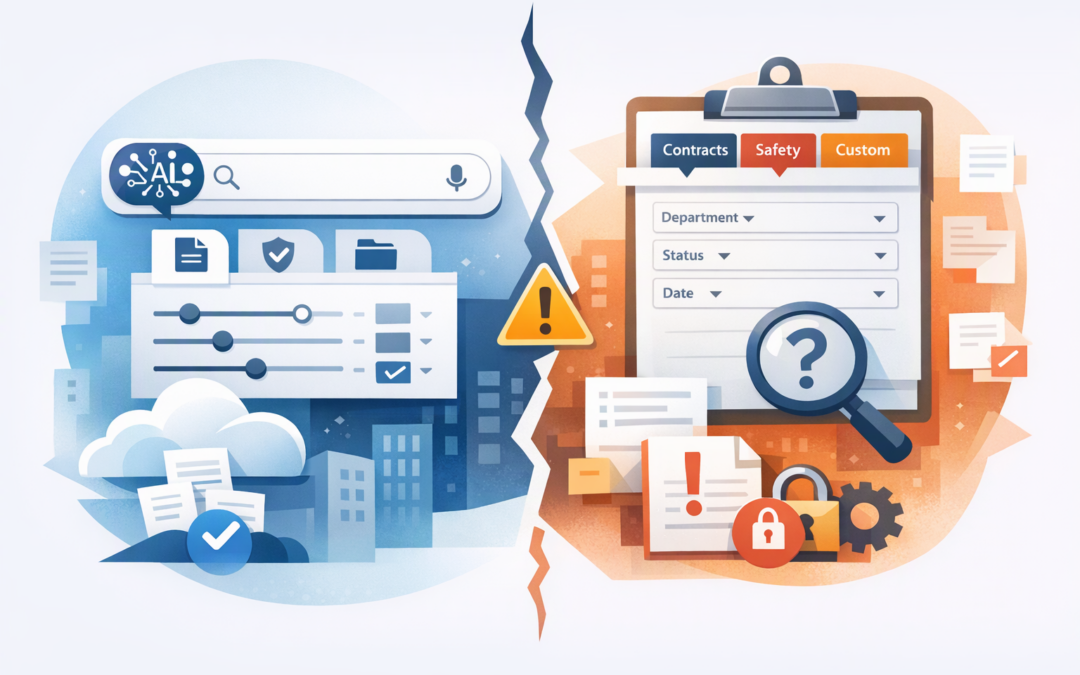
In this blog post New SharePoint Search and the Custom Filters Your Intranet May Lose we will explain what Microsoft’s changing search experience means, why customised intranets may be affected, and what IT leaders should test before the wider rollout.
If employees currently click tabs such as “Policies”, “Contracts” or “Project Documents” to narrow their search, do not assume those options will automatically survive the change. The new experience may make general searches easier, but it could also remove the carefully designed shortcuts that make your intranet useful.
What is changing in SharePoint search?
Microsoft is bringing a common Copilot Search experience to SharePoint Online and OneDrive on the web. The new interface supports normal keywords and questions written in everyday language, such as “find the latest travel policy” or “show me the proposal Rachel updated last week”.
Depending on licensing, users may also receive AI-generated summaries alongside relevant results and links to the original information. Microsoft began its preview rollout in October 2026, with general availability planned to roll out between January and April 2027.
CPI Consulting helps organisations design, build and secure Azure AI solutions, from Azure OpenAI and Microsoft Foundry to agents, governance and production deployment.
Visit CPI ConsultingBehind the screen, SharePoint still creates a searchable index of your content. Think of this index as a catalogue that records document names, text, locations and descriptive information such as department, document type or review date.
Search results remain permission-aware. In other words, a person should only receive results for content they are already allowed to access. Search does not fix incorrect permissions, however, which is why reviewing SharePoint permission risks and data oversharing remains important.
What are custom verticals and filters?
A search vertical is simply a tab that shows a particular category of results. SharePoint includes standard options such as All, Files, Sites, People and News, but organisations can also create their own.
A construction company might have verticals for Projects, Safety Procedures and Drawings. A professional services firm might offer separate tabs for Client Matters, Templates and Research.
Filters let users narrow those results further. Someone searching for a contract could filter by client, business unit, document status, owner or renewal date instead of scrolling through hundreds of similarly named files.
These filters often depend on metadata, which is descriptive information added to content. SharePoint converts that information into searchable properties so the interface can sort and refine the results.
Are custom verticals definitely being removed?
Microsoft has advised organisations to test custom search experiences and integrations that may be affected by the updated interface. It has also provided preview opt-out and deferral options where a critical search feature is unavailable.
At the time of writing, Microsoft has not published final documentation confirming feature-for-feature support for every existing SharePoint customisation. Custom verticals and filters should therefore be treated as at risk in the new interface, rather than assumed to be permanently removed in every tenant.
That distinction matters. The content and metadata may still exist in SharePoint’s search index, while the familiar tabs and filter controls employees use to reach it may not appear in the new experience.
Why this could become a business problem
1. Employees may take longer to find routine information
A broad AI-powered search can be helpful when users do not know a document’s name. It may be less effective when a role depends on repeatedly filtering a controlled collection of policies, contracts, cases or technical records.
Consider a 200-person organisation where each employee loses five minutes a day trying different searches or opening the wrong documents. At an average employment cost of $60 per hour, that represents roughly $220,000 in lost time over 220 working days.
The exact number will vary, but the lesson is simple. Small search delays become expensive when they affect an entire workforce.
2. Staff may use outdated documents
Custom verticals are often designed to show only approved or current material. A Human Resources search, for example, might exclude draft policies and prioritise documents marked as published.
If that curated path disappears, users may choose an older document because its title looks right. The result could be an incorrect customer quote, an outdated safety process or a policy decision based on superseded information.
3. Compliance processes may become less reliable
Australian organisations often use metadata and filters to find records by retention category, sensitivity, owner or review date. These search tools may support privacy requests, legal discovery, audits and internal compliance checks.
Losing the visible filter does not necessarily delete the record. It can still make the record slower to locate, increasing the time and cost involved in responding to an audit or information request.
4. Users may lose confidence in the intranet
People rarely describe a poor search experience as a configuration problem. They simply say, “SharePoint never finds anything.”
Once employees stop trusting search, they create local copies, ask colleagues to email files or store documents somewhere easier. That increases duplication and can contribute to the leakage risks covered in our guide to protecting company data across email, SharePoint and Teams.
A realistic intranet scenario
Imagine a 250-person engineering business with an intranet search vertical called “Controlled Documents”. Employees use it to find approved procedures and then filter by region, discipline and document status.
During testing, the new search experience still finds the documents, but the Controlled Documents tab and its business-specific filters are not available. A search for “site inspection procedure” now returns project notes, old drafts, meeting files and the approved procedure together.
The search engine is technically working, but the business process has become less reliable. The problem is not missing data; it is the loss of the structure that helped users select the correct result.
What IT leaders should do now
- Inventory your search customisations. Record every custom vertical, filter, managed property, bookmark, results page and third-party search component. Ask department owners which ones support important daily processes.
- Identify high-risk searches. Prioritise searches involving approved policies, customer contracts, safety documents, regulated records and operational procedures. These matter more than cosmetic intranet features.
- Test real user journeys. Ask employees from HR, Finance, Operations and Customer Service to complete normal search tasks in the preview. Test different permission levels and licence types because the experience may not be identical for everyone.
- Measure the difference. Record whether users find the correct document, how long it takes and how many incorrect results they open. A feature checklist alone will not reveal the productivity impact.
- Prepare an alternative. Options may include improving metadata, adding curated bookmarks, creating clearer document libraries, using filtered library views or maintaining a dedicated custom results page. More advanced intranets may need supported SharePoint search components, but these should be tested rather than assumed to work indefinitely.
- Use available deferral controls carefully. If a business-critical function is unavailable during preview, consider delaying the new experience at the tenant or site level while you redesign the process. Treat this as preparation time, not a permanent fix.
Do not ignore security while fixing search
AI-generated answers can make information easier to discover, but they do not correct excessive access. If someone can already open a sensitive site, improved search may simply help them find its content faster.
Before expanding AI-assisted search, review site ownership, guest access, open sharing links and sensitive libraries. Our article on SharePoint and OneDrive external sharing risks explains where forgotten access commonly appears.
The goal is a better intranet, not the old interface
The new SharePoint search could deliver a simpler and more natural experience for many employees. The risk is assuming that a modern interface automatically replaces the business logic built into your existing verticals and filters.
CloudProInc combines more than 20 years of enterprise IT experience with hands-on expertise across SharePoint, Microsoft 365, Azure and AI. As a Melbourne-based Microsoft Partner, we help organisations test changes against real business processes rather than relying on a generic feature list.
If you are unsure whether the new search experience will simplify your intranet or quietly break an important workflow, we are happy to review your current setup and identify what needs protecting—no strings attached.