
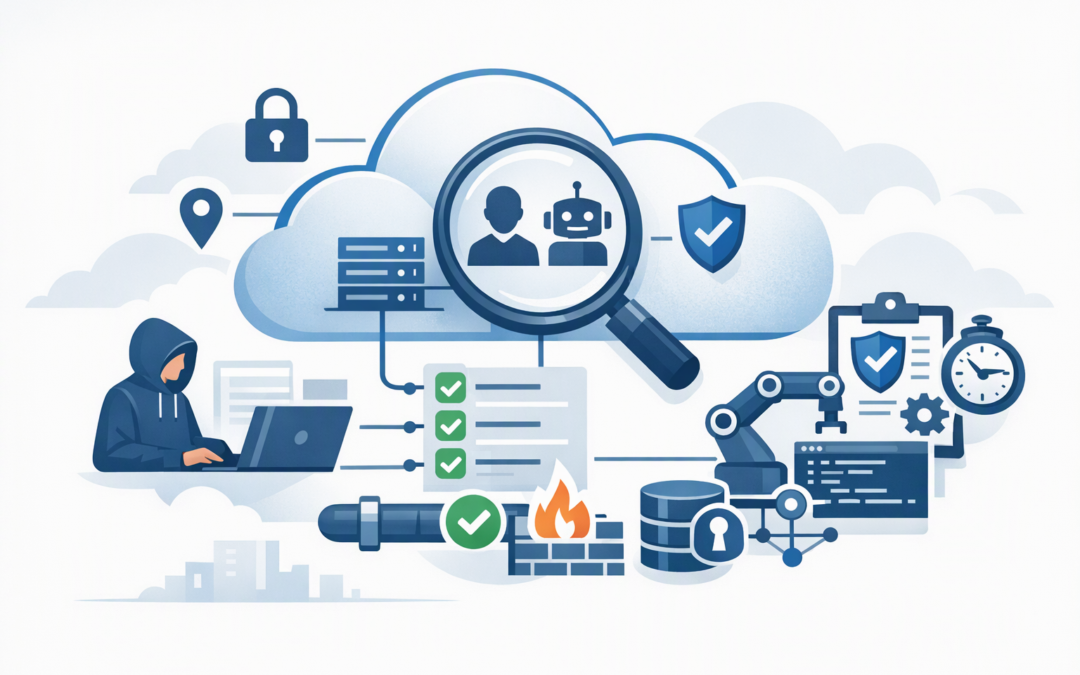
In this blog post Why Identity-Aware Azure Policy Changes Cloud Governance in 2026 we will explain how Australian CIOs can control not only what gets deployed in Azure, but also who or what is allowed to make sensitive changes.
For many mid-market organisations, the problem is not a complete lack of cloud controls. It is that those controls treat every authorised request in much the same way. An administrator working through the Azure portal, an approved deployment pipeline and an overlooked software identity may all be able to submit the same change.
Identity-aware Azure Policy adds another question to the decision: who or what is making this request? That distinction can reduce the risk created by excessive administrator access, unmanaged automation and compromised credentials.
What identity-aware Azure Policy actually means
Azure Policy is Microsoft’s service for setting rules across Azure. It can check whether cloud resources meet company requirements, block unacceptable configurations and automatically correct certain settings.
CPI Consulting helps organisations design, build and secure Azure AI solutions, from Azure OpenAI and Microsoft Foundry to agents, governance and production deployment.
Visit CPI ConsultingTraditionally, these rules focused mainly on the resource itself. A policy might require encryption, restrict deployments to approved Australian regions or prevent a database from being exposed to the public internet.
Azure Policy can now use the requestContext().identity function to inspect information about the identity submitting a create or update request. This may include whether the caller is a person or application, the application used to submit the request, the caller’s object identifier and authentication context such as multi-factor authentication indicators.
This creates a request-time control. For example, a business could require production infrastructure changes to come through an approved deployment system rather than from an administrator making a direct portal change.
Importantly, this does not replace Microsoft Entra ID, role-based access control or Privileged Identity Management. These services decide who can receive access. Identity-aware policy adds another checkpoint when that access is used.
Why the old governance model is no longer enough
Most Azure governance models were designed around subscriptions, resource groups and technical configurations. Identity was often handled separately by another team or reviewed during an annual audit.
That separation creates gaps. A person can have a legitimate administrator role but still use it in an unsafe way. An automation account can also retain access long after the original project has finished.
This matters as organisations introduce AI agents, infrastructure automation and more third-party platforms. Each one may operate through a software identity with permissions to create, modify or connect Azure resources.
If you are already working through our 90-day AI agent governance plan, identity-aware Azure Policy provides an additional way to control what approved agents and deployment tools can change.
Five changes CIOs should make to their governance model
1. Separate access rights from acceptable actions
Being authorised to administer a subscription should not automatically mean every method of making a change is acceptable.
Use Azure role-based access control to grant the minimum required permissions. Use Microsoft Entra Privileged Identity Management, which provides temporary and approval-based administrator access, for higher-risk roles. Then use identity-aware policy to place conditions around sensitive changes.
This layered approach limits both the number of privileged users and what can happen when privileged access is activated. Microsoft’s Azure landing zone guidance similarly recommends narrow access scopes and just-in-time privileged access.
2. Treat software identities like employees
Automation identities rarely resign, change roles or complain when their access is excessive. Unless someone reviews them, they can remain active indefinitely.
Create an inventory of deployment pipelines, applications, managed identities and AI agents that can modify Azure. Each identity should have a business owner, a defined purpose, minimum permissions and a review date.
Identity-aware policy can then restrict high-risk resource changes to approved application identifiers. An unknown script may have valid credentials, but its request can still be denied because it is not coming through an approved tool.
3. Protect the changes that could cause the most damage
Do not begin by applying identity conditions to every Azure operation. Start with changes that could expose data, weaken security or cause a major outage.
- Public network access for databases, storage accounts and AI services.
- Changes to Key Vaults, which store passwords, certificates and encryption keys.
- Production networking and firewall configurations.
- Security monitoring, backup and recovery settings.
- Creation of powerful managed identities or access assignments.
For resilience-related controls, connect this work with the Azure resilience checklist for Australian mid-market CIOs. A backup strategy is much stronger when unapproved tools cannot quietly weaken its supporting configuration.
4. Maintain two policy portfolios
Identity-aware rules behave differently from traditional compliance policies. They make decisions when a request occurs, but their scheduled compliance scans are marked as not applicable because there is no live caller identity to inspect later.
Your governance reporting should therefore distinguish between two categories:
- Resource-state policies that report whether deployed resources meet requirements.
- Request-time policies that stop unapproved identities or applications from making certain changes.
Without this separation, executives may see a healthy compliance dashboard and assume identity controls are also being measured. They are not the same thing.
5. Replace informal exceptions with controlled exemptions
Every organisation eventually needs an exception. The dangerous approach is excluding an entire subscription because one application cannot meet a policy.
Use formal Azure Policy exemptions with a named requester, approver, reason, ticket reference and expiry date. Azure supports exemptions for specific resources or parts of a larger policy initiative, allowing the exception to remain narrow.
Review active exemptions monthly. An expired business reason should result in an expired exemption.
A simplified policy example
The following example shows the basic idea. It denies a change when the calling application is not included in an approved list.
{
 "if": {
 "allOf": [
 {
 "field": "type",
 "equals": "Microsoft.KeyVault/vaults"
 },
 {
 "value": "[tryGet(requestContext().identity, 'appid')]",
 "notIn": "[parameters('approvedApplicationIds')]"
 }
 ]
 },
 "then": {
 "effect": "deny"
 }
}
This is an illustrative pattern, not a production-ready policy. Identity claims may be absent in some requests, which is why the safer tryGet method is used. The allowed applications, affected operations and emergency-access process must also be tested carefully.
What this looks like in a mid-market business
Consider a 180-person professional services firm with a small internal IT team and an external development partner. Several administrators can change production resources, while two deployment tools and an old integration identity hold broad permissions.
Rather than removing all administrator flexibility, the firm requires high-risk production changes to come through its approved deployment pipeline. Privileged human access becomes temporary, software identities receive named owners and exceptions expire automatically.
The outcome is not simply a better technical configuration. The business gains a clearer audit trail, fewer opportunities for accidental changes and a smaller window for compromised credentials to cause damage.
How this supports Essential Eight maturity
The Essential Eight is the Australian government’s cybersecurity framework for reducing common cyber risks. Identity-aware policy is particularly relevant to restricting administrative privileges and strengthening multi-factor authentication controls.
However, an Azure Policy dashboard does not prove Essential Eight or Information Security Manual compliance. Microsoft explicitly notes that Azure Policy mappings provide only a partial view of compliance and may not cover every requirement.
Treat these policies as enforceable evidence within a wider governance program. You still need access reviews, incident monitoring, documented procedures, testing and accountable control owners.
A practical 30-day starting plan
- Identify the ten Azure changes that could create your largest outage, security or privacy incident.
- List every human and software identity capable of making those changes.
- Remove unused access and move powerful human roles into Privileged Identity Management.
- Create one identity-aware policy for a tightly defined production scenario.
- Test it in a non-production environment using real portal, pipeline and emergency-access workflows.
- Document how denied requests, exemptions and emergency changes will be handled.
- Expand only after the first control works without disrupting legitimate delivery.
Govern the request as well as the resource
Azure governance can no longer focus only on whether a resource looks compliant after deployment. CIOs also need confidence that sensitive changes are coming from the right person, application or automation process.
CloudProInc combines more than 20 years of enterprise IT experience with practical work across Azure, Microsoft 365, Intune, Microsoft Defender, Wiz, OpenAI and Claude. As a Melbourne-based Microsoft Partner and Wiz Security Integrator, we help organisations build controls that reduce risk without turning cloud governance into another layer of delay.
If you are unsure which identities can currently change your most sensitive Azure resources, we are happy to help you review the exposure and identify a sensible first control — no strings attached.