
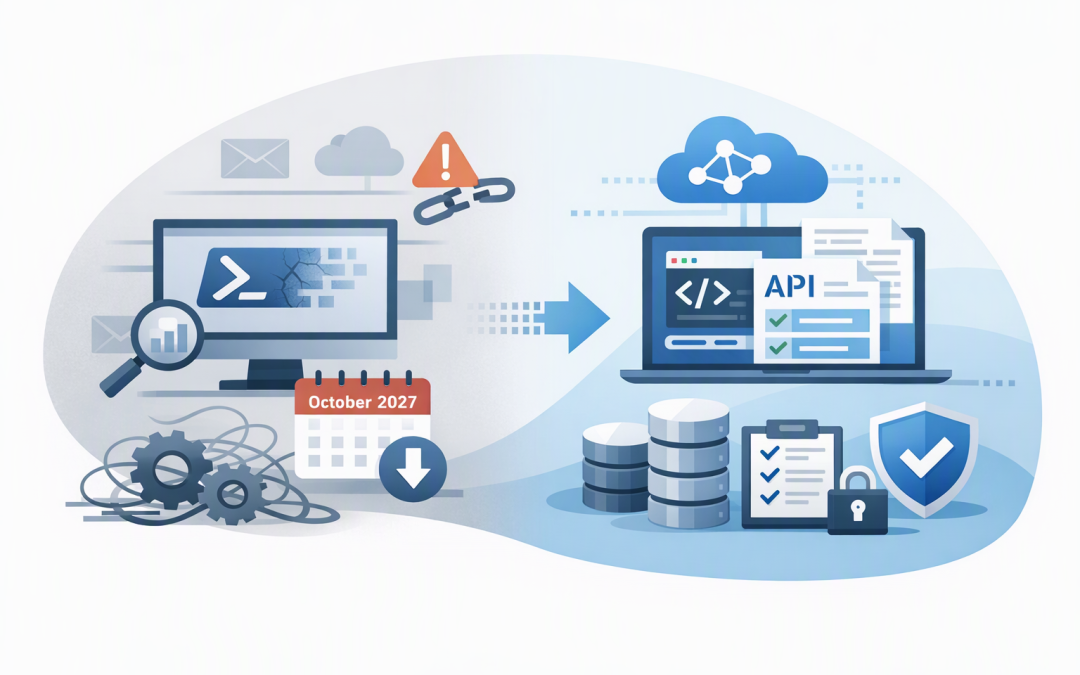
In this blog post Search-UnifiedAuditLog Retirement and Migration Plan for 2027 we will explain what Microsoft is changing, why it matters, and how to move your audit workflows before they stop working.
The immediate risk is not that Microsoft 365 will stop recording activity. The risk is that scripts, scheduled reports and investigation tools using Search-UnifiedAuditLog will no longer be able to retrieve that evidence after 15 October 2027.
That can become a serious business problem during a security incident, legal request or compliance review. If your team cannot quickly show who accessed a mailbox, changed an administrator setting or downloaded a sensitive file, the cost of the disruption can be much larger than the cost of migrating now.
What is Search-UnifiedAuditLog?
Microsoft 365 maintains a unified audit log, which is a central record of important activity across services such as Exchange Online, SharePoint, OneDrive, Teams and Microsoft Entra ID, the identity system behind Microsoft 365.
Search-UnifiedAuditLog is a PowerShell command that administrators have traditionally used to search this information. It often sits inside scripts that produce security reports, support investigations or send activity data to another platform.
Microsoft has announced that this command will retire on 15 October 2027. There is no tenant setting that can delay the retirement.
The replacement is the Microsoft Graph AuditLogQuery API. An API is simply a controlled way for one system or script to request information from another. In this case, it allows an approved application to submit an audit search, wait for Microsoft to process it and then collect the results.
Why this change deserves attention now
A year can appear to be plenty of time until you discover that nobody knows which scripts depend on the retiring command. Audit retrieval is often hidden inside Azure Automation accounts, scheduled tasks, reporting servers, security tools and scripts created by a former employee or provider.
The visible script may also be only the first link in a chain. Its output could feed a Power BI report, a compliance archive, an incident response process or a security information and event management platform.
This is similar to other Microsoft retirement projects, including the need to plan SAP security before the Sentinel agent retirement. The deadline is rarely the hardest part. Finding undocumented dependencies and testing the replacement usually consumes more time.
What improves with the AuditLogQuery API?
Better handling of large searches
Search-UnifiedAuditLog can return up to 50,000 records when used in its large-result mode. The new API supports exporting up to one million audit records per query, making it more suitable for larger organisations and longer investigations.
The new approach is asynchronous. Instead of keeping a PowerShell command running while Microsoft searches, your script creates a search job, checks its status and downloads the records when the job succeeds.
More precise permissions
The API supports permissions for specific workloads, including Exchange, SharePoint, OneDrive, Microsoft Entra ID and endpoint data. This helps organisations avoid giving an automation account access to every audit record when it only needs one category.
This supports the Essential Eight, the Australian Government’s cybersecurity framework that many organisations use to reduce common security risks. In particular, it aligns with restricting administrative privileges, although migrating the API alone does not make a business Essential Eight compliant.
A stronger long-term platform
Microsoft has stated that future audit search improvements will focus on the API rather than the retiring PowerShell command. Migrating early therefore avoids an emergency project and puts your reporting on the platform Microsoft intends to develop.
A practical five-step migration plan
1. Find every dependency
Search script repositories, Azure Automation runbooks, task scheduler jobs, management servers and operational documentation for the text Search-UnifiedAuditLog.
For each result, record the owner, business purpose, schedule, date range, filters, output destination and what happens if it fails. Assign higher priority to workflows used for incident response, legal discovery, cyber insurance or compliance reporting.
2. Map the existing search behaviour
Do not simply replace one command with another. Document what each script is actually trying to achieve.
- Which Microsoft 365 services does it search?
- Does it filter by user, operation, IP address or object?
- How much data does it normally return?
- Does another system expect a specific CSV or JSON format?
- How are duplicate, delayed or incomplete records handled?
The API returns structured audit records, but the detailed fields can differ between Microsoft 365 services. Any downstream report or alert must be tested against the new output rather than assumed to work.
3. Create secure access
Interactive testing can use a signed-in administrator. Production automation should use a dedicated application identity with only the permissions it needs.
Avoid storing a reusable password in a script. Use certificate-based authentication or a managed identity, which allows an approved Azure service to authenticate without keeping a password in code.
CloudProInc generally recommends starting with workload-specific permissions. The broad AuditLogsQuery.Read.All permission may be convenient, but it should only be used when the workflow genuinely requires access across all supported audit data.
4. Build and test the new query
The following simplified PowerShell example shows the new pattern. It creates a query, waits for completion and retrieves every page of results.
Connect-MgGraph -Scopes "AuditLogsQuery.Read.All"

$body = @{
 displayName = "Daily Entra audit search"
 filterStartDateTime = "2026-10-18T00:00:00Z"
 filterEndDateTime = "2026-10-19T00:00:00Z"
 recordTypeFilters = @("azureActiveDirectory")
} | ConvertTo-Json

$query = Invoke-MgGraphRequest `
 -Method POST `
 -Uri "https://graph.microsoft.com/v1.0/security/auditLog/queries" `
 -Body $body `
 -ContentType "application/json"

do {
 Start-Sleep -Seconds 10
 $queryStatus = Invoke-MgGraphRequest `
 -Method GET `
 -Uri "https://graph.microsoft.com/v1.0/security/auditLog/queries/$($query.id)"
} while ($queryStatus.status -in @("notStarted", "running"))

if ($queryStatus.status -ne "succeeded") {
 throw "Audit query ended with status $($queryStatus.status)"
}

$records = @()
$recordsUri = "https://graph.microsoft.com/v1.0/security/auditLog/queries/$($query.id)/records"

do {
 $page = Invoke-MgGraphRequest -Method GET -Uri $recordsUri
 $records += $page.value
 $recordsUri = $page.'@odata.nextLink'
} while ($recordsUri)

$records | ConvertTo-Json -Depth 20 |
 Set-Content "audit-records.json"
This is a starting point, not production-ready automation. A reliable implementation also needs secure authentication, retry handling, monitoring, paging, protected output storage and alerts when a query fails or exceeds its record limit.
5. Run old and new processes in parallel
Run both methods over the same date ranges before switching off the old script. Compare record counts, important fields, filters, timestamps and downstream reports.
For example, consider a 200-person company that produces a weekly report of administrator changes. If the new query returns the right number of records but changes the field containing the administrator’s name, the collection succeeded while the business report may still be wrong.
Parallel testing catches that problem before it affects an investigation or audit. Keep evidence of testing and obtain approval from the workflow owner before cutover.
What leaders should ask their IT team
- Do we use Search-UnifiedAuditLog anywhere today?
- Which security, compliance and reporting processes depend on it?
- Who owns each workflow?
- Are API permissions restricted to the minimum required access?
- When will parallel testing begin?
- How will failures be detected after migration?
The retirement does not affect searches performed manually through the Microsoft Purview portal. It also does not change your existing audit retention entitlement. The API can only retrieve records that your licensing, retention settings and audit configuration make available.
Do not turn this into an October 2027 emergency
The sensible outcome is not merely replacing a PowerShell command. It is creating a documented, monitored and supportable audit process that still works when your business needs evidence quickly.
CloudProInc brings more than 20 years of enterprise IT experience across Microsoft 365, Azure, Microsoft Defender and cybersecurity. As a Melbourne-based Microsoft Partner and Wiz Security Integrator, we help organisations find hidden dependencies, apply appropriate permissions and migrate without losing critical audit visibility.
If you are not sure whether Search-UnifiedAuditLog is buried inside your current reporting or security processes, we are happy to help you check and build a practical migration plan with no unnecessary disruption.